Google Ads Customer Journey Insights: New Overview Page Pilot
Google Ads customer journey insights is a new Overview page pilot card showing how campaigns move users from Unaware to Act. Who is eligible and how to use it.


In this article
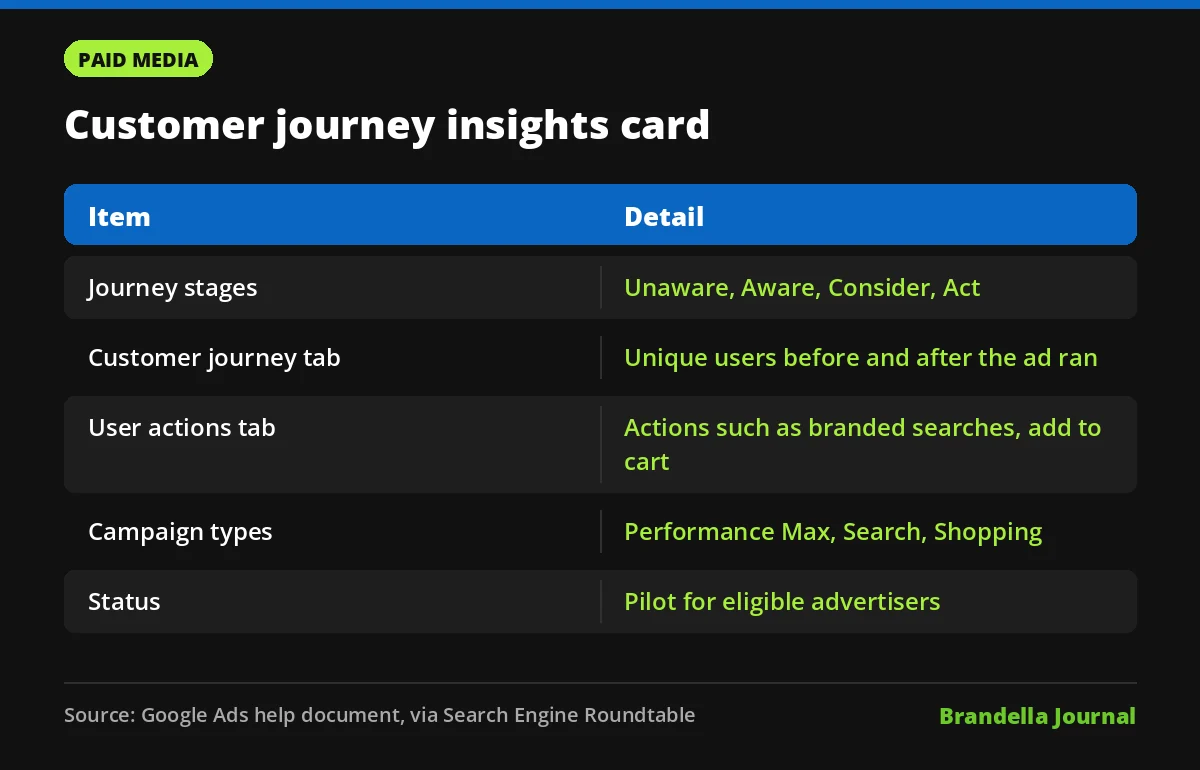
Google Ads customer journey insights is a new reporting card on the Google Ads Overview page. Google calls it a pilot for eligible advertisers, and it shows how many people interacted with a campaign before and after its ads ran, grouped into four journey stages.
The feature was spotted on November 11, 2026 by Search Engine Roundtable, which quoted a new Google Ads help document on Customer Journey Insights. Google has not published a blog post on The Keyword or rollout dates, so expect to see it only in some accounts for now.
It matters most for advertisers who run upper funnel campaigns that rarely get last click credit. If your Performance Max or YouTube spend keeps getting questioned because it does not close sales directly, this card gives you a new way to show what it does.
What the customer journey insights card shows
According to the help document as quoted by Search Engine Roundtable, the card has two tabs and works at the campaign level.
- Customer journey tab: the number of unique users who interacted with a campaign before and after its ad ran, across four stages named Unaware, Aware, Consider and Act.
- User actions tab: totals for leading user actions within each stage, with branded searches and adding to cart given as examples.
In plain terms, Google is trying to show movement. A campaign that pushes people from Unaware to Aware, or from Consider to Act, can now show that shift even when the final conversion happens later or through another campaign.
Why Google built it
The help document lists three uses. Advertisers can see how campaigns move users through journey stages to guide budget decisions. They can measure long term value from campaigns that do not drive an immediate checkout. And they can use journey data to justify spend on campaigns with longer sales cycles.
That last point is the real story. Many accounts cut awareness budgets because standard conversion reports favour bottom funnel Search. A native Google view of mid funnel actions makes that conversation easier, although it is still Google measuring Google.
Who is eligible for Google Ads customer journey insights
| Requirement | Detail from the help document |
|---|---|
| Campaign types | Performance Max, Search or Shopping |
| Where ads run | Search, Shopping, Discover Feed, or YouTube within Performance Max |
| Where the card appears | Overview Home page by default, can be added to custom views |
| When it is hidden | Selected campaign is not eligible or data is unavailable |
| Status | Pilot for eligible advertisers |
If you do not see the card, check that you have a single eligible campaign selected before assuming you are not in the pilot. Google’s general guide to the Google Ads Overview page explains how to add cards to custom views if you have moved away from the default Home view.
Note what is missing from the list. Demand Gen and standalone Video campaigns are not named as eligible, so YouTube only shows up here when it is part of a Performance Max campaign.
How to read the numbers carefully
Journey stage counts are modelled by Google, and Google has not published how each stage is defined. Treat the card as a directional signal, not as proof of incremental impact.
A rise in branded searches after a campaign launch is encouraging, but seasonality, offline activity and other channels can drive the same pattern. If you need hard proof, a conversion lift or geo test is still the stronger method. Our post on Google Ads Performance Max reporting covers the other reports worth pairing with this one.
What advertisers should do now
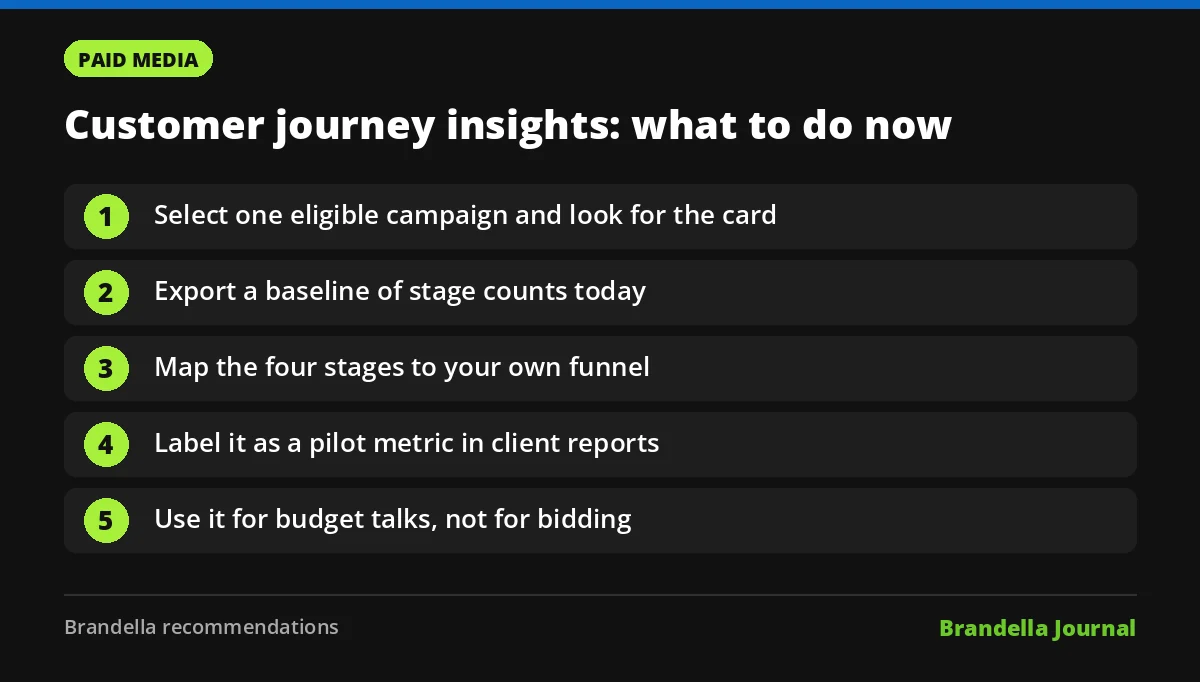
These steps are Brandella’s recommendations, not official Google instructions.
- Look for the card this week. Open the Overview page, select one Performance Max, Search or Shopping campaign and check whether the card appears.
- Export a baseline. Record the stage counts and user actions for your main campaigns now, so you can compare after budget or creative changes.
- Map stages to your funnel. Match Unaware, Aware, Consider and Act to the stages your team already uses. Our guide to customer journey mapping for digital marketing helps if you have not done this yet.
- Add it to client reports carefully. Label the data as a Google pilot metric and keep it next to your normal conversion and value numbers, not in place of them. Our paid media reporting dashboard post lists the core metrics to keep.
- Use it in budget debates, not bidding. The card is reporting only. Bidding still follows your conversion goals, so keep those clean, especially if you use value based bidding.
What is still unclear
The card arrives in the same week Google started its November 2026 core update and expanded ads in AI Mode, so organic and paid search are both shifting before the holiday peak. Clear reporting on mid funnel movement is useful context while those changes settle.
Google has not said which countries or account types are in the pilot, how long it will run, or whether the data will become available in reports, the API or Looker Studio. We will update our coverage if Google publishes more detail.
For now, Google Ads customer journey insights is a useful extra lens for upper funnel campaigns, especially as holiday budgets are being set. Just keep it in perspective: it explains movement, and your own conversion data still decides what works.