Modern Web Guidance 1.0: Better Code From AI Coding Agents
Modern Web Guidance 1.0 is out, with Firefox, Edge and MDN joining Chrome. What it does for AI coding agents, the new legacy scan and how to install it.


In this article
Modern Web Guidance has reached version 1.0. It is a free set of agent skills from the Chrome team that pushes AI coding agents away from old patterns and toward current HTML, CSS and browser features. The v1.0.0 release on GitHub, dated November 10, takes the project out of preview and lists Google Chrome, Microsoft Edge, Mozilla Firefox and MDN as shared stewards.
If your team uses Cursor, GitHub Copilot, Claude Code, Codex, Gemini CLI or a similar agent to build landing pages, themes or site features, this is relevant. Agents often reach for heavy JavaScript workarounds that hurt page speed and accessibility. Modern Web Guidance tries to fix that at the source.
The release also adds a scanner that flags legacy code in an existing project, which is useful for marketing sites that have grown over years.
What Modern Web Guidance does
The official get started page on Chrome for Developers describes it as agent skills that give coding agents web platform expertise, best practices and browser compatibility data. The goal is to steer agents from legacy patterns, often JavaScript workarounds, toward modern CSS and HTML.
Each guide is tied to a Baseline target, so the advice matches the browsers you need to support. If you set no target, it defaults to Widely available features, and it can load fallbacks or polyfills for newer features. You can set your target in AGENTS.md or CLAUDE.md.
What is new in version 1.0
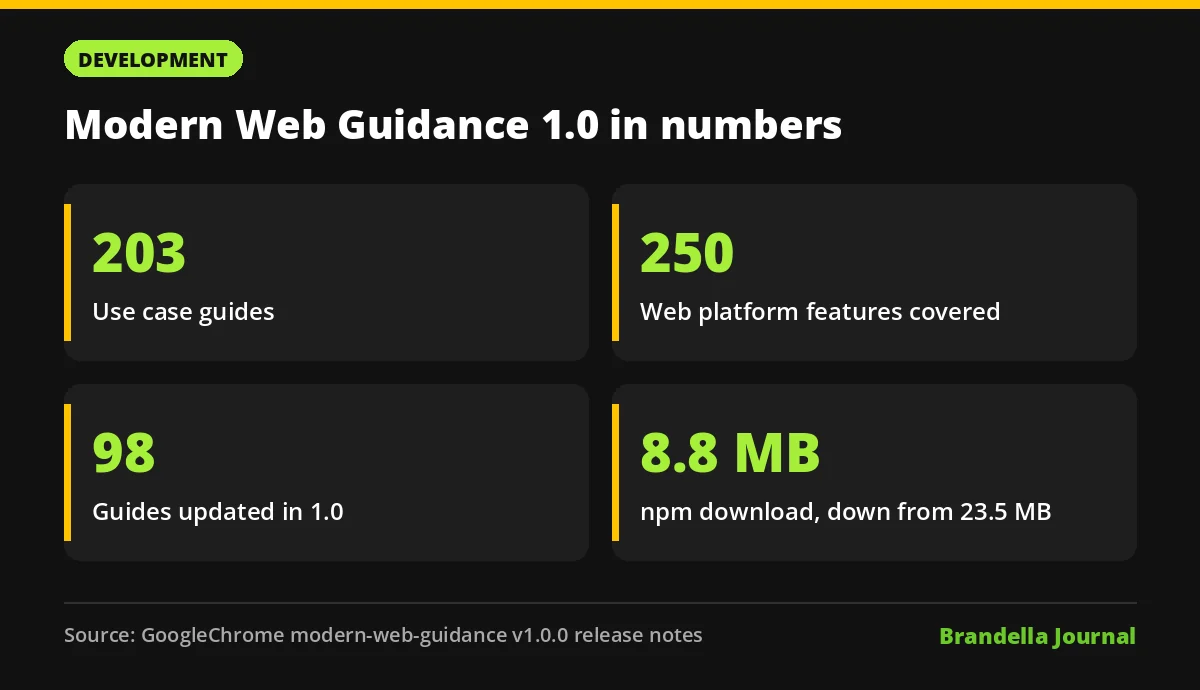
According to the release notes, version 1.0 ships 203 use case guides covering 250 web platform features. The main changes:
- Legacy scan. A new
legacy-scancommand statically checks your code for old patterns and maps each finding to the guide with the modern fix. It covers about 20% of guides, the ones with clear rules. - Agent workflow. The skill now follows four steps: scan, verify, report, modernize.
- 15 new guides, including accordion, breadcrumbs, carousel, navbar, tabs, sortable table, drag and drop and in page web app installs.
- 98 updated guides, with nearly 70 focused on accessibility, such as better contrast for non text UI, focus management, reduced motion and 200% zoom.
- Smaller download. Offline search now uses a lighter model, and the npm package drops from 23.5 MB to 8.8 MB.
Does it improve AI written code?
The release publishes eval results that compare agents with and without the guidance. These are the project’s own benchmarks, not independent tests:
| Agent and model | Without guidance | With guidance |
|---|---|---|
| Antigravity CLI, Gemini 4 Argon | 60% | 98% |
| Codex CLI, GPT 6.1 Sol | 50% | 86% |
| Claude Code, Claude Opus 5.5 | 58% | 94% |
The get started page reports an average improvement of 37 percentage points in adherence to best practices. Search Engine Journal’s coverage also points to a public eval dashboard where per agent results are shown.
Why marketers and SEOs should care
Code quality affects rankings and conversions. Old JavaScript patterns for menus, tabs and carousels often add weight, delay interaction and break keyboard access. That can show up in Interaction to Next Paint and in render blocking resources.
Native HTML and CSS solutions are usually lighter and more accessible. If an AI agent writes your next landing page, guidance that nudges it toward semantic, native elements is a cheap win. Our guide on HTML semantic elements explains why that structure also helps search engines.
How to start using Modern Web Guidance
These steps are Brandella’s recommendations, based on the official install docs.
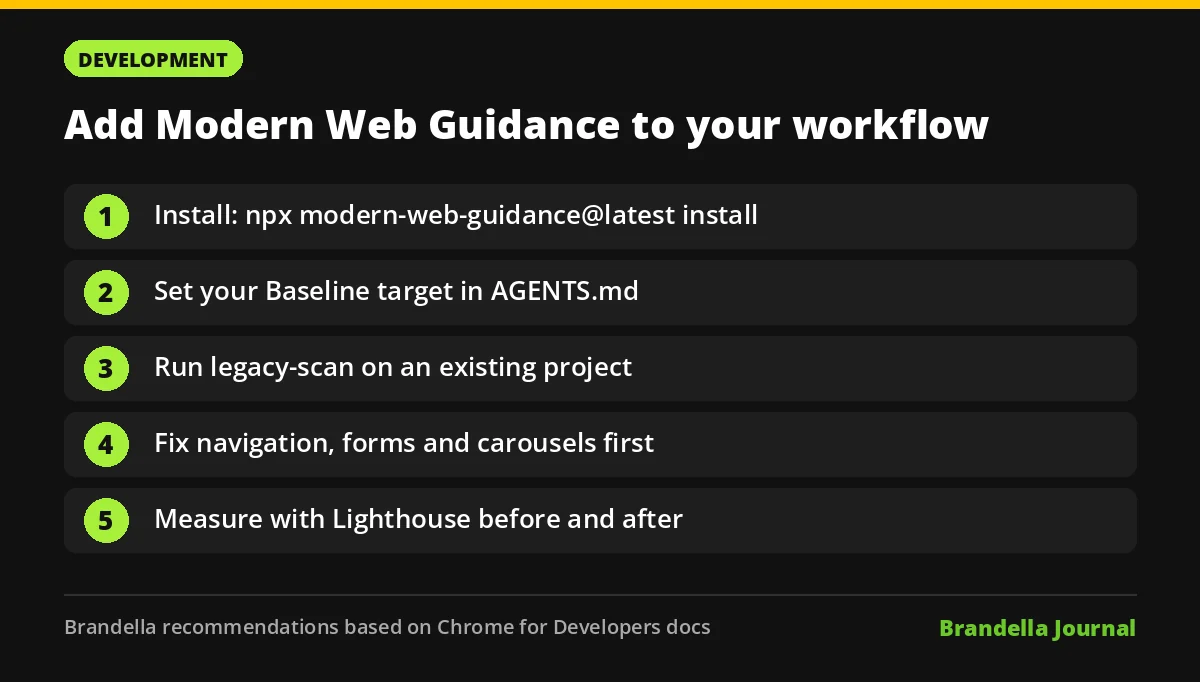
- Install the skill. The recommended command is
npx modern-web-guidance@latest install, which also keeps it updated. The docs list plugin commands for Claude Code, Codex, Copilot CLI, Gemini CLI, Goose and others. - Set your Baseline target. Add it to
AGENTS.mdorCLAUDE.mdso the agent knows which browsers you support. - Scan an existing project. Run
npx modern-web-guidance@latest legacy-scanon a theme or landing page folder and review the findings before changing anything. - Fix the high impact items first. Start with navigation, forms and carousels, since those affect usability and accessibility most.
- Measure before and after. Run Lighthouse or PageSpeed Insights before and after changes, as described in our Core Web Vitals measurement guide.
What to keep in mind
The guidance improves what agents suggest, but it does not replace review by a developer who knows your site. The legacy scan only covers about one fifth of the guides, so it will not catch every outdated pattern. Some newer features are behind opt in flags because they work in only one browser engine.
Still, with Chrome, Edge, Firefox and MDN now behind one shared set of guides, this is one of the clearest signals yet of how browser makers want AI agents to build for the web. If you ship pages with AI help, add it to your workflow this week.