Gemini Decisions API: Fast, Cheap AI Choices for Marketers
Google launched the Gemini Decisions API with Gemini Decision 1 for yes or no, choice and score answers. Pricing, limits and marketing uses explained.


In this article
Google has launched the Gemini Decisions API, a new endpoint built for one job: making quick, structured decisions about content. It runs on a new model called Gemini Decision 1, announced on November 11, 2026 in a Google blog post by Min Choi and Felix Yu of Google DeepMind.
Instead of writing long text, the model answers yes or no questions, picks from a list of options, or scores an input on a rubric. Each answer comes with a confidence score. That makes it a good fit for the boring but important checks that sit inside marketing workflows: tagging, routing, moderation and quality control.
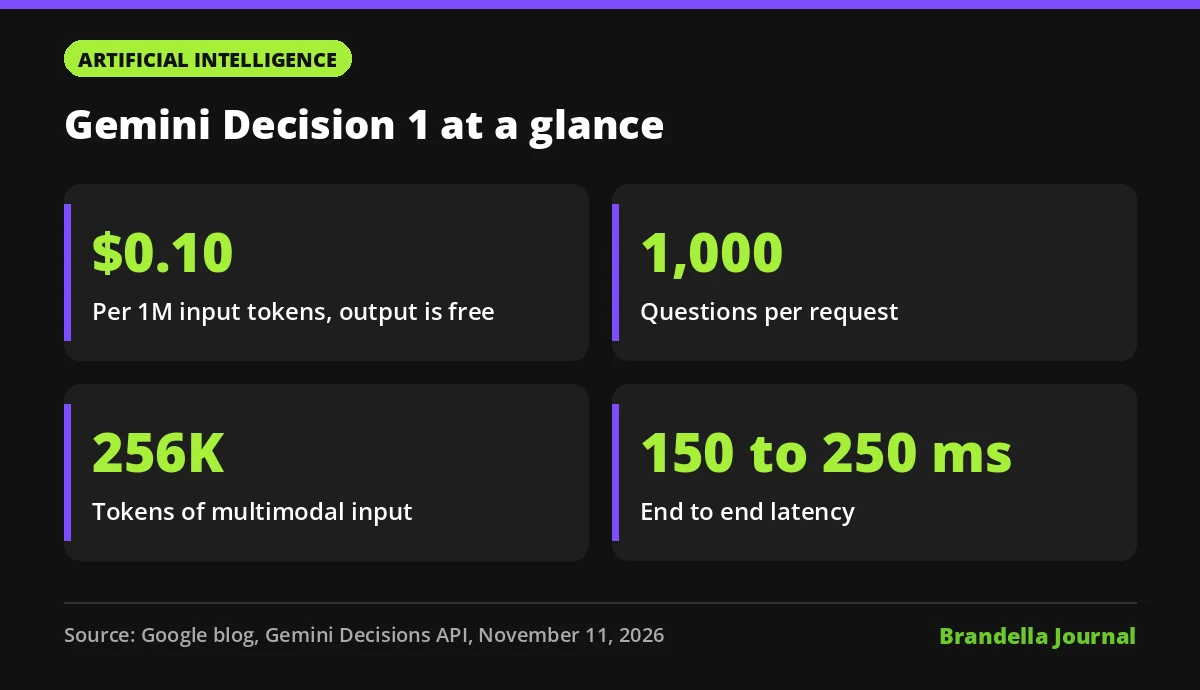
For marketing teams with developers or no code automation, the pricing is the headline. Google lists $0.10 per million input tokens and no charge for output tokens.
What the Gemini Decisions API does
Google describes it as a closed set decision endpoint in the Gemini API. One request can mix three question types:
- Yes or no. The model estimates the probability that a condition holds, for example “does this image show a product?”
- Multiple choice. It picks from 2 to 255 options and returns probabilities for every option.
- Score. It grades the input against an ordered rubric that starts at 0 and returns a weighted score.
Every answer includes a confidence value from 0 to 1. Google says this lets your code send unclear cases to a fallback model or a human reviewer instead of trusting every result.
Gemini Decision 1 limits, speed and pricing
These are the figures from Google’s announcement:
| Item | What Google says |
|---|---|
| Input | One multimodal input of up to 256K tokens |
| Questions | Up to 1,000 independent questions per request |
| Formats | Text, images, audio, video and PDFs, combined in one input |
| Speed | 150 to 250 ms end to end, with 50 to 100 ms median model compute |
| Input price | $0.10 per 1M input tokens |
| Output price | $0, output tokens are not billed |
| Free option | A no cost tier in Google AI Studio for prototyping |
The shared input is billed once per request, no matter how many questions you ask about it. Google also says there are no thinking token charges and no separate fees for audio transcription or OCR. It claims the model is “nearly 5x cheaper” than Gemini 3.5 Flash-Lite across its benchmark suite.
On quality, Google says Gemini Decision 1 “leads across the suite” on its benchmarks for routing, reasoning, ranking and multimodal tasks. Those are Google’s own tests. SiliconANGLE’s report notes that Google compared it with OpenAI’s Decisions API and Jev, so you should run your own tests before switching.
Where marketers can use it
Google’s examples include model routing in Gemini Notebook, emoji picking in a Labs app and a safety layer for tools in Google Search. For marketing, the same idea applies to any task where the answer is a label, not a paragraph. These are Brandella’s suggestions:
- Ad creative checks. Ask “does this image show the logo?”, “is the text over 20% of the frame?” and “which brand guideline does this break?” in one call.
- Lead and comment triage. Classify form messages or social comments as sales, support, spam or complaint, and send low confidence cases to a person.
- Content quality scoring. Score drafts against a rubric for tone, reading level or topic match before an editor sees them.
- Prompt routing. Decide whether a request needs a cheap model or a stronger one, the same pattern Google describes for Gemini Notebook.
- Feed and catalogue tagging. Pick a category for each product image or description from a fixed list.
If you are new to how these systems work, our explainer on large language models and our guide to AI agents give useful background.
How to try the Gemini Decisions API now
These steps are Brandella’s recommendations:
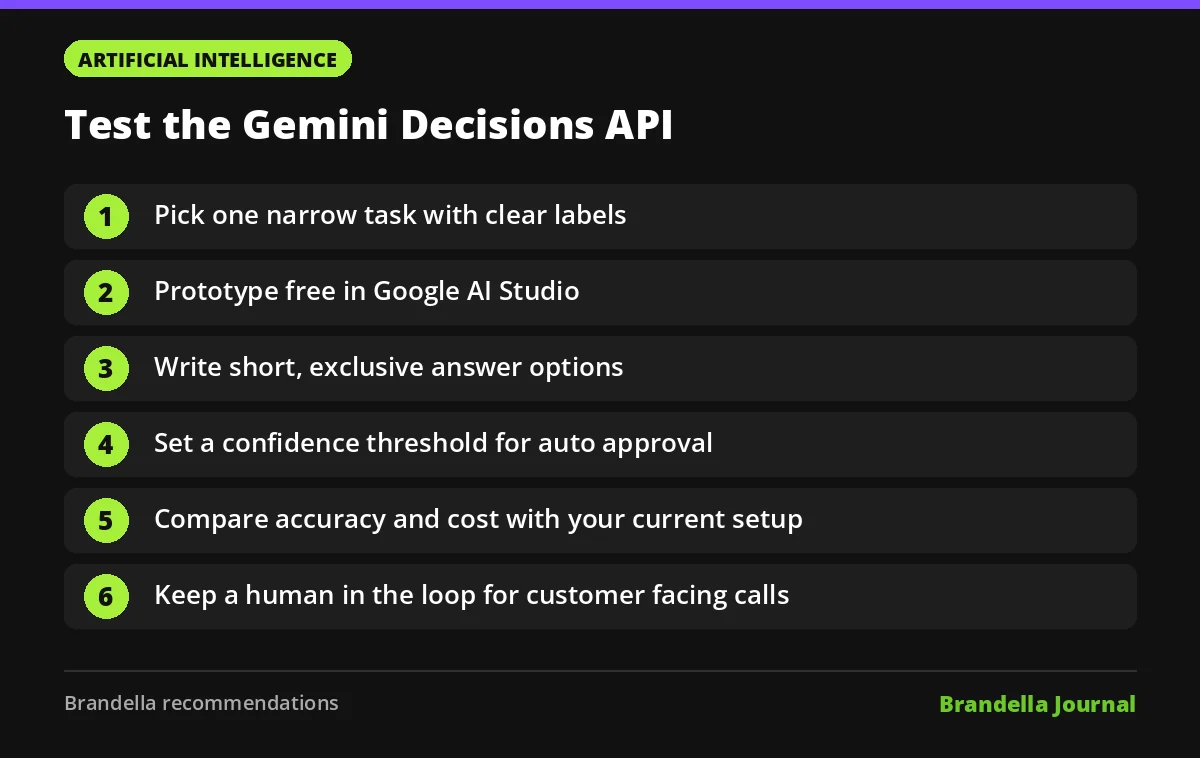
- Pick one narrow task. Choose a repeat job with clear labels, such as tagging 500 support emails or checking ad images for a logo.
- Start in AI Studio. Google offers a free tier and a playground, linked from the Decisions API documentation.
- Write tight options. Keep choices short and mutually exclusive. Vague labels give vague answers, the same rule that applies to prompt engineering.
- Set a confidence threshold. Decide what score is safe to auto approve, and send the rest to a human queue.
- Compare with your current setup. Run the same sample through your existing model or manual process and compare accuracy, speed and cost.
- Plan integration. Google says the model is available in the Gemini API and AI Studio, with integrations rolling out for tools such as OpenRouter, LangChain and Vercel, and Google Cloud support coming soon.
Things to watch before you rely on it
The API is in v1beta, according to the code example in Google’s post, so expect changes. Keep a human in the loop for decisions that affect customers, ad approvals or legal claims. A confidence score helps, but it is not a guarantee.
Also check what data you send. If inputs include customer messages or personal data, review your privacy rules and Google’s terms before running them through any external API.