Xbox Video for Brands: Cloud Gaming Ads Marketers Can Use
Xbox Video for Brands puts non-skippable video ads before ad-supported cloud gaming sessions. How it works, what is still unknown and how to prepare.

In this article
Microsoft has introduced Xbox Video for Brands, a premium video ad product tied to ad-supported cloud gaming. The official Microsoft Advertising post, dated November 12, 2026 and written by Meredith Barrett of Xbox Media Solutions, describes it as a new way for brands to reach players before they start a game.
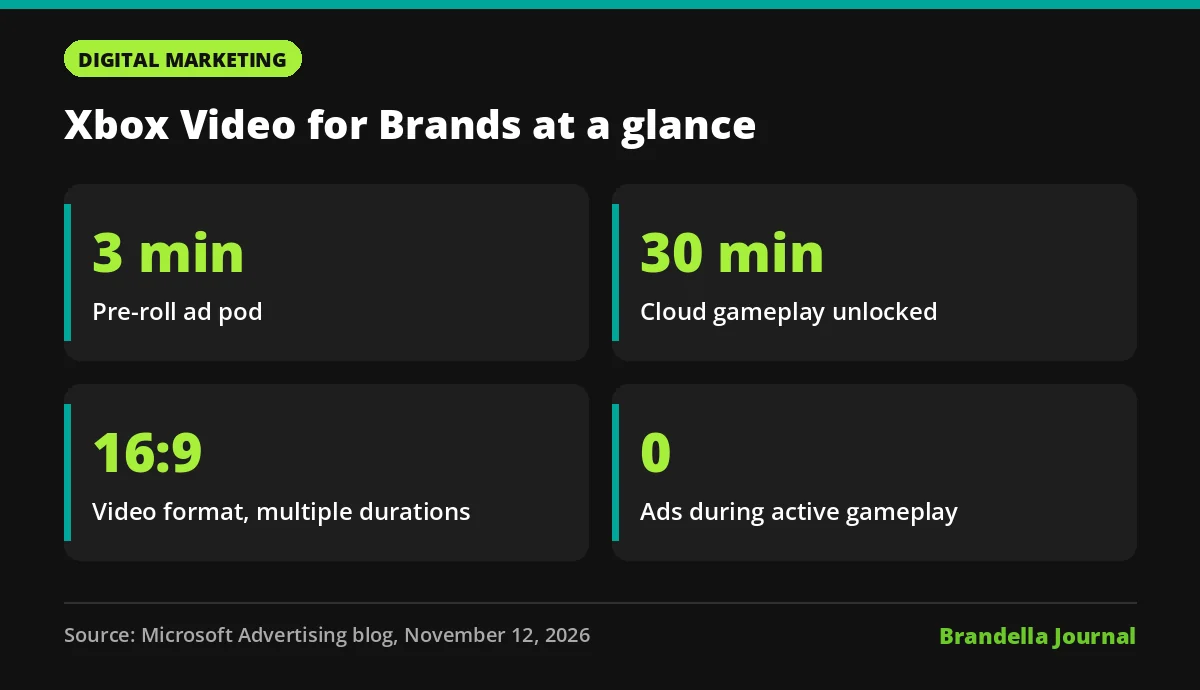
The deal for players is simple. Eligible players can stream cloud games without a Game Pass subscription if they watch ads first. Microsoft says a three minute pre-roll ad pod unlocks a 30 minute gameplay session.
For marketers, this is a new full screen video placement in a setting where people have chosen to watch ads in exchange for something they want. Here is how it works, who it suits and what Microsoft has not shared yet.
How Xbox Video for Brands works
Players see full screen video before a cloud gaming session starts. Ads run before the session and while the cloud game is loading, and Microsoft says active gameplay is not interrupted.
The player side has changed since the first test. When ad-supported cloud gaming was tested with Xbox Insiders in July, Digital Trends reported sessions of up to one hour after a short ad, limited to selected games players already own. The new brand facing post describes the three minute pod and 30 minute session instead.
The format will feel familiar to anyone who buys connected TV or online video. Microsoft lists 16:9 video ads in multiple durations, running across supported screens, and the ads are non-skippable.
| Detail | What Microsoft says |
|---|---|
| Placement | Before cloud gaming sessions and during cloud loading |
| Value exchange | A three minute ad pod unlocks 30 minutes of play |
| Creative format | 16:9 video in multiple durations |
| Skippable? | No |
| During gameplay | No ads, gameplay is not interrupted |
| How to buy | Contact Xbox Media Solutions through the form on the post |
Who Microsoft built it for
The post names three groups. The first is marketers already spending on premium video and CTV, who can extend existing video creative into gaming. The second is brands already advertising with Xbox. The third is marketers who are new to gaming and want an entry point with a format they already know.
That first group is the important one. If you already have 16:9 TV or online video assets, you may not need new creative to test this. You need a plan for how the message lands with a gaming audience that is waiting to play.
Xbox’s five principles for the ads
Microsoft also published five principles for how ads should behave on Xbox. They are worth reading because they hint at how creative may be judged.
- Start with the player, and make sure ads create value.
- Do not interrupt gameplay.
- Hold ads to the same quality bar as content.
- Be clear about what is advertising.
- Make ads fit what players expect on each platform.
The third and fifth points matter most for creative teams. Low quality or out of place ads are likely to stand out more in a premium, full screen setting than in a busy feed.
What is still unknown
The post is an introduction, not a full spec sheet. Several details that media buyers usually need are not in it.
- Markets. No countries or regions are listed.
- Buying. The post does not say whether inventory is available programmatically or through the Microsoft Advertising Platform. The only route mentioned is a contact form.
- Measurement. No metrics, verification partners or reporting details are given.
- Pricing and results. No prices, minimum spend or performance numbers are shared.
- Durations. “Multiple durations” is stated, but the exact lengths are not.
Until Microsoft shares more, treat any budget plans as early tests, and watch the Microsoft Advertising blog for follow up details. Ask your Microsoft or Xbox contact for these details in writing before committing spend.
What marketers should do now
These steps are Brandella’s recommendations, not official Microsoft guidance.
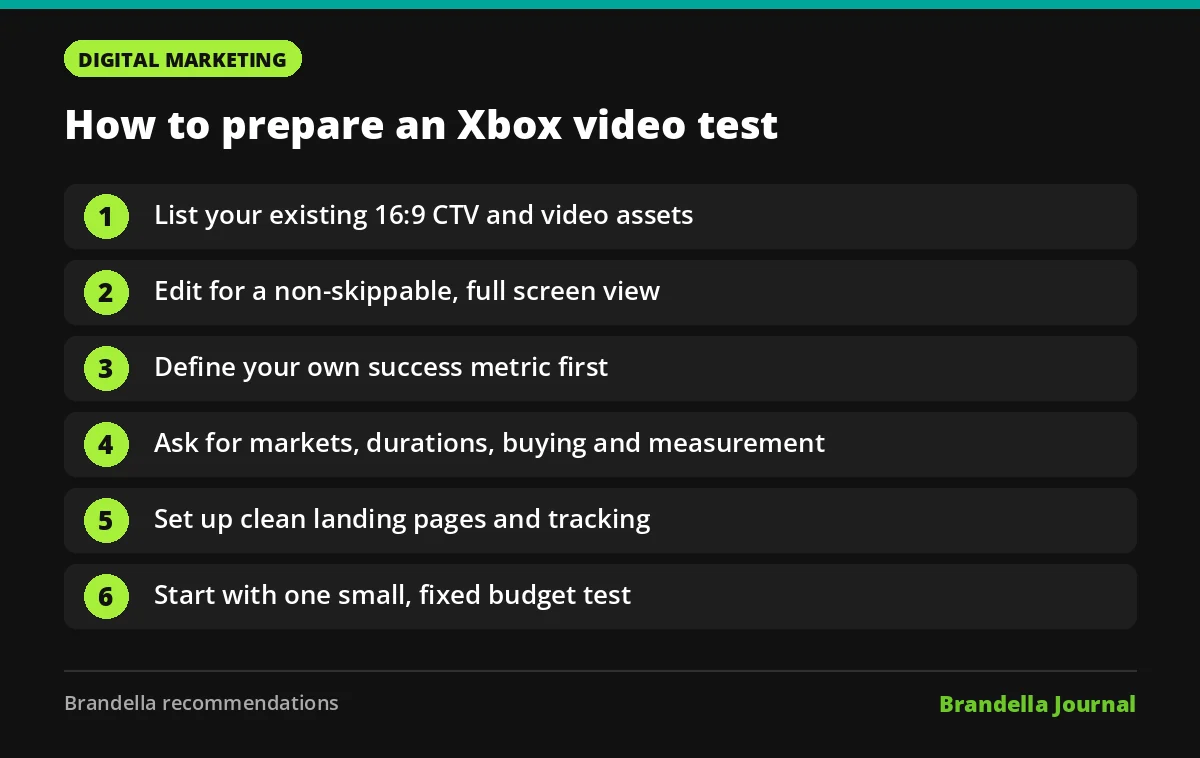
- Check your video library. List the 16:9 assets you already run on CTV or online video. Those are your starting point.
- Edit for a captive, non-skippable view. Put the brand and the key message early, keep it clear and make sure the ad still works without sound, in case players are not listening closely. Our list of creative video marketing ideas can help with fresh angles.
- Decide what success means. Without published metrics, define your own goal first, such as brand lift, site visits or search volume for your brand. Our explainer on marketing attribution models is useful when a channel does not report conversions directly.
- Ask the right questions. Before you sign, ask for markets, exact durations, buying routes, measurement and frequency rules.
- Prepare tracking on your site. If the test should drive visits, set up clean landing pages and behaviour tracking. Tools like Microsoft Clarity can show what visitors do after they arrive.
- Keep the test small. Start with one campaign and a fixed budget, then compare results against your usual video channels.
Why this matters for video budgets
Gaming has long been hard to buy for brands without gaming specific creative. Xbox Video for Brands lowers that barrier by accepting the same 16:9 video many brands already produce.
The value exchange model is also worth watching. Players choose to watch in return for free play time, which is different from an ad that interrupts something already in progress. Whether that leads to stronger attention is something each brand will need to test, because Microsoft has not published results yet.
If your audience overlaps with gamers and you already run CTV, this is a reasonable channel to ask about now and test once the buying details are clear.