Google Ads AI Impersonation Ban: An AI Label Will Not Save Ads
Google Ads AI impersonation rules: ads that fake public figures with AI are banned even with an AI disclosure. What it means and how to audit your creative.

In this article
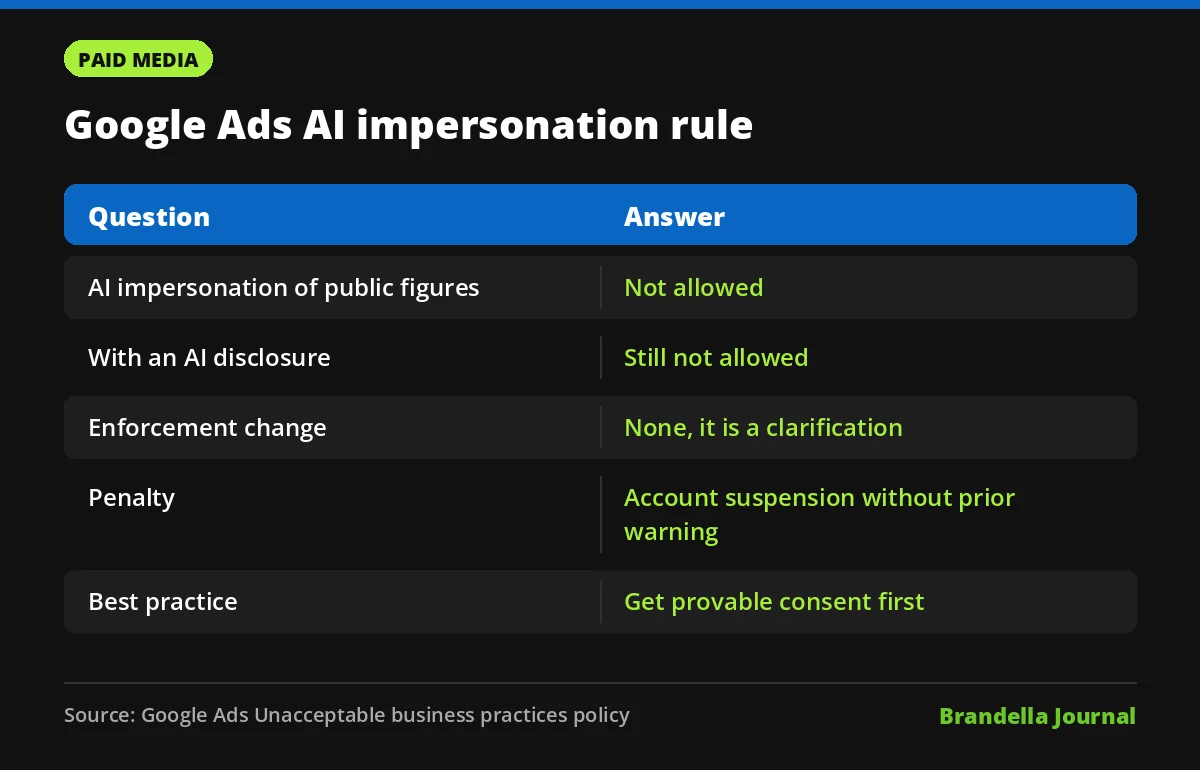
Google has added a short note to its Google Ads AI impersonation rules that every advertiser using AI creative should read. The Unacceptable business practices policy now says: “Ads that impersonate public figures using AI aren’t allowed, even if they disclose that they were generated or edited using AI.”
Search Engine Roundtable reported the change on November 12, 2026, and quoted Google saying the update “does not change the enforcement of the policy.” In other words, this is a clarification of a rule that already existed, not a new ban.
It still matters. AI labels on ads are spreading fast, and some advertisers may assume that a clear “made with AI” disclosure makes a synthetic celebrity endorsement acceptable. Google is saying plainly that it does not.
What the Google Ads AI impersonation note says
The policy page defines public figure impersonation as “pretending to be a public figure or making it seem like you have a connection to one when you don’t.” Google gives a clear example of what is not allowed: “Using AI-generated videos of popular YouTubers to mislead people into thinking they endorse a ‘Get rich quick’ scheme.”
The new note closes a possible loophole. A disclosure tells people that an image, voice or video was made with AI. It does not tell them that the real person never agreed to promote the product. Google treats the fake endorsement itself as the problem.
| Question | Answer from the policy page |
|---|---|
| Is AI impersonation of public figures allowed? | No |
| Does an AI disclosure make it acceptable? | No, “even if they disclose” |
| Has enforcement changed? | No, Google calls it a clarification |
| What is the best practice? | Get consent from the public figure and be able to prove it |
Why the penalty is so serious
This is not a policy where an ad simply gets disapproved. Unacceptable business practices violations are “considered egregious,” according to the policy page. The wider Google Ads policies overview groups rules into prohibited content, prohibited practices, restricted content and editorial standards.
Google says that if it finds a violation, “your Google Ads accounts will be suspended,” and that the suspension happens “upon detection and without prior warning.” The page adds that you “will not be allowed to advertise with Google Ads again,” and that accounts are reinstated only “in compelling circumstances.”
That makes this one of the highest risk policies for any brand experimenting with AI video or voice. One careless test can cost the whole account, and not just one campaign.
How this fits with AI labels on ads
Google has been adding AI disclosure labels to ads in more places, which we covered when Google Ads AI labels expanded to California, South Korea and Vietnam. Labels are about transparency. This note makes clear they are not a permission slip.
Think of the two rules as separate checks. The label rule asks whether you told people that AI was used. The impersonation rule asks whether you used someone’s identity without consent. Passing the first check does nothing for the second.
The same logic applies to AI tools inside Google Ads. Features like the ones in Creative Drop 2 and outside video models such as Gemini Omni make it easy to generate realistic people. Responsibility for who appears in the final ad still sits with the advertiser.
What advertisers should do now
These steps are Brandella’s recommendations based on the policy text. They are not an official Google checklist.
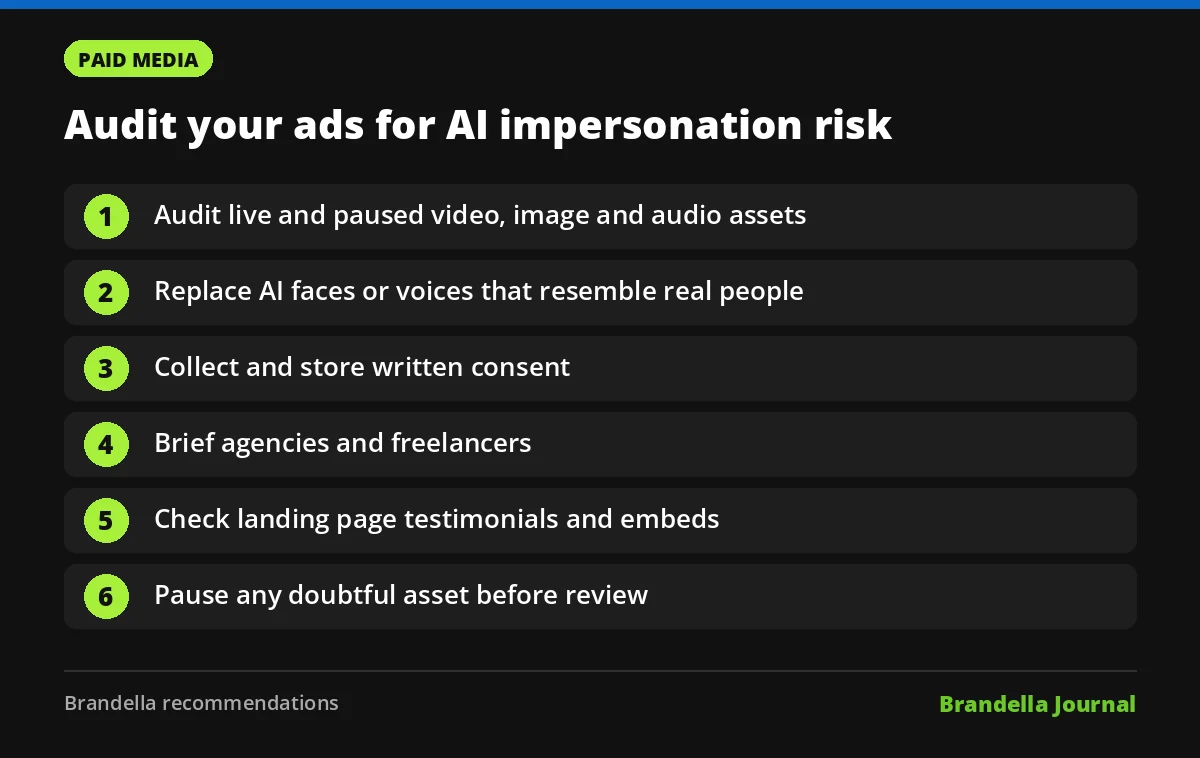
- Audit live and paused creative. Look at every video, image and audio asset in Search, Demand Gen, Performance Max and YouTube campaigns. Flag any asset that shows or sounds like a real, recognizable person.
- Check AI generated faces and voices. A generated face that happens to look like a celebrity, or a cloned voice that sounds like a known presenter, can read as impersonation. Replace anything close.
- Collect written consent. Google’s best practice is to have consent from any public figure “and that you can prove it.” Store signed agreements where your ads team can find them quickly.
- Brief agencies and freelancers. Many violations start with outside creative. Add a clause to briefs that bans AI likenesses of real people unless you hold consent.
- Review landing pages too. A fake endorsement on the destination page creates the same risk as one in the ad. Check testimonials, quotes and video embeds.
- Read your terms. Our explainer on the Google Ads terms of service covers how liability for ad content sits with the advertiser.
Who should worry most
Google’s own example is a “Get rich quick” scheme using fake YouTuber endorsements. In our view, advertisers selling investment, income or similar high risk offers should be the most careful, since that is exactly the pattern the policy describes.
Brands that work with real creators and hold proper agreements are fine. The note does not ban AI, and it does not ban public figures in ads. It bans using AI to fake their involvement.
If you are unsure about a specific asset, pause it before it is reviewed rather than after. With a suspension that comes without warning, prevention is the only safe strategy.