Microsoft Advertising Interface Update: Reports, Filters, Sign-In
The Microsoft Advertising interface update brings task based menus, OR filters, saved views and bid strategy reports. What changed and what to check first.

In this article
The Microsoft Advertising interface is getting a broad refresh based on advertiser complaints about navigation, reporting and account access. Microsoft shared the changes in its November 9, 2026 product newsletter on LinkedIn, written by Navah Hopkins.
PPC Land’s report on the newsletter says the interface changes are live in accounts, while Search Engine Journal notes some features are still rolling out, so not every account will see everything yet.
This matters to anyone who manages Microsoft campaigns next to Google Ads. Small interface frictions add up to hours each month, and better reporting can change how quickly you spot wasted spend.
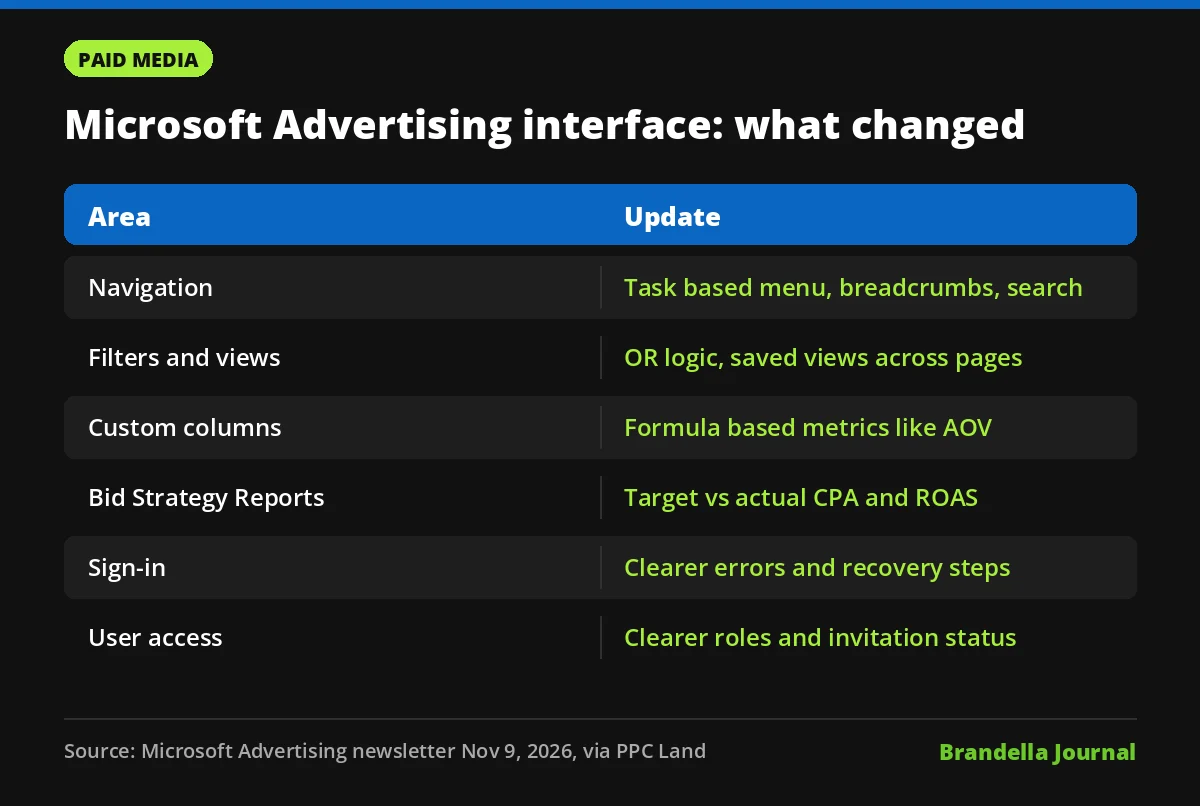
New navigation in the Microsoft Advertising interface
The main menu is reorganised around tasks rather than product names. Microsoft has added breadcrumbs, a navigation search and menus you can customise.
For agencies switching between many accounts, breadcrumbs and search are the practical wins. You can see where you are and jump to a setting without clicking through several levels.
Reporting tables, filters and saved views
Reporting received the most work. According to PPC Land, tables, page headers, filters, date range comparisons, column customisation and exports have all been rebuilt.
| Feature | What is new |
|---|---|
| Filters | Support OR logic, not only AND |
| Saved views | Views and column preferences persist across pages |
| Custom columns | Build metrics from formulas, such as average order value |
| Search term reports | Better source labels, drill downs and adding negatives from the report |
| AI Max reporting | More options, including a search term landing page report |
| Bid Strategy Reports | Target CPA and ROAS shown against actual results |
OR filters sound small, but they let you pull, for example, every campaign that is either over budget or below target ROAS in one view. Before, that often meant two exports and a spreadsheet.
Bid Strategy Reports and AI Max visibility
The centralised Bid Strategy Reports show target CPA and target ROAS next to actual results. PPC Land adds that they include target trend lines and context for conversion delay.
That last part helps avoid a common mistake. Conversions often arrive days after a click, so a strategy can look like it is missing target when the data is simply late. Seeing that delay next to the numbers should mean fewer panicked target changes.
The expanded search term and AI Max reporting matters for the same reason it does on Google. Broad, AI driven matching only works if you can see which queries and landing pages it used. Our post on the new search term match type ValueTrack for AI Max covers the Google side of this.
Sign-in, user access and recommendations
Sign-in problems were a frequent complaint. Microsoft is adding plainer error messages, browser troubleshooting tips and more specific recovery steps. It also says sign-ins will be more persistent, though it has not shared how long sessions will last.
For user management, invitation pages now show the access required, the expiry date and next steps. Admins get better visibility into pending and expired invitations, and role descriptions are easier to understand.
On recommendations, Microsoft says it is improving when they appear and the explanation for why each one is suggested. PPC Land notes the newsletter does not mention auto apply settings, so check those yourself.
Other features in the November newsletter
PPC Land’s report also lists the status of several features mentioned in the same newsletter:
- Performance Max age and gender exclusions are generally available.
- Performance Max device targeting, audience exclusions and text ads only brand exclusions are in pilot, with no end dates.
- The Conversions API is generally available with a 90 day upload window.
- Messaging guidelines, up to 40 per account, are in open pilot, and may not act as hard rules if they clash with landing pages or existing assets.
If you have not set up server side tracking yet, our explainer on enhanced conversions covers the same idea on Google.
What advertisers should do now
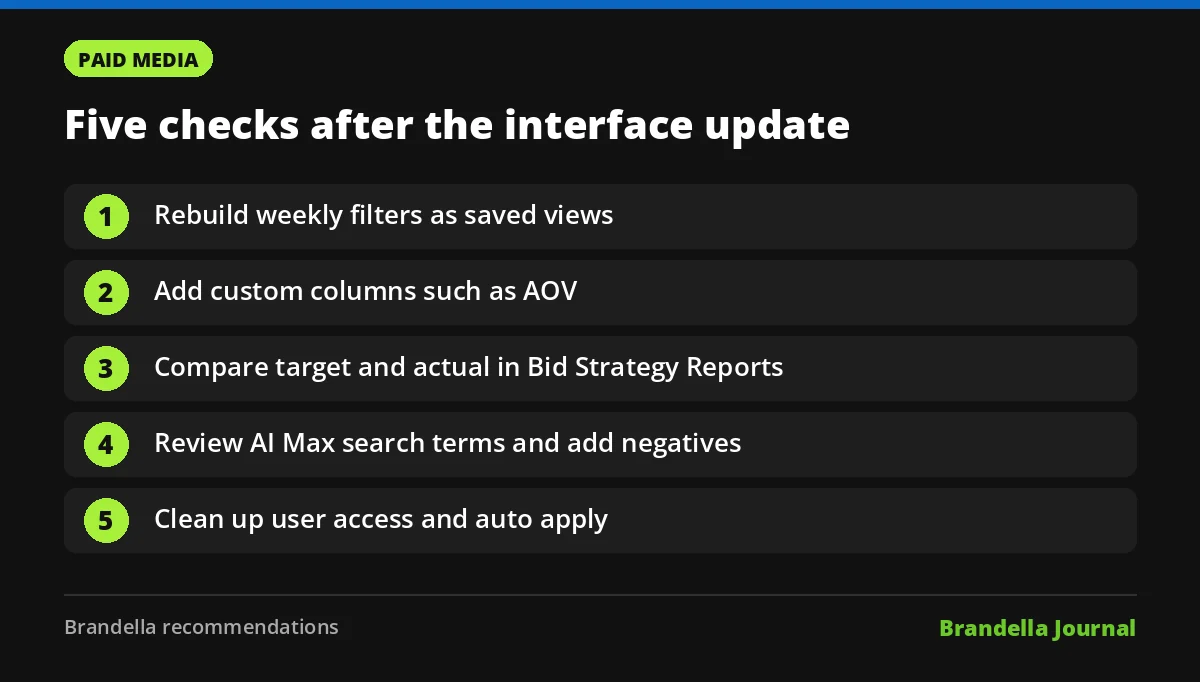
These steps are Brandella recommendations, not Microsoft instructions:
- Rebuild your key views. Recreate the filters you use weekly, using OR logic where it saves an export, and save them as views.
- Add custom columns. Create average order value or cost per lead columns once, so they appear in every report.
- Open Bid Strategy Reports. Compare target and actual CPA or ROAS for each strategy, and check the conversion delay before changing targets.
- Review search terms for AI Max. Use the search term landing page report to find irrelevant queries and add negatives directly.
- Clean up user access. Remove expired invitations, confirm roles, and check whether recommendations are set to auto apply.
If some of these options are missing, the rollout has not reached your account yet. Check again next week rather than raising a support ticket on day one.
Why this update is worth your time
Microsoft Advertising often gets less attention than Google Ads because its interface felt slower to work in. Removing that friction makes it easier to give the channel the same care, and the Bing Webmaster Tools guide shows how the organic side of Microsoft search can support it.
Treat the refresh as a prompt to schedule a proper account review. The reporting tools are now good enough that missed waste is harder to excuse.