

- Home
- SEODiscover the latest updates from across the United States, including politics, culture, economy, and trending stories. Stay informed on the key events shaping the nation and the topics everyone’s talking about.
- Technical SEOLearn technical SEO concepts including crawling, indexing, XML sitemaps, robots.txt, canonical tags, site architecture, and website performance.
- Local SEOOptimize your business for local seo with Google Business Profile, local citations, reviews, maps, and location-based SEO.
- Mobile SEOImprove your website’s mobile seo performance with responsive design, mobile-first indexing, usability, and page speed optimization.
- On-Page SEOExplore on-page seo optimization techniques such as title tags, meta descriptions, headings, URLs, internal linking, and content optimization.
- Off-Page SEODiscover off-page SEO strategies such as backlinks, digital PR, brand mentions, outreach, and authority building.
- SEO ToolsExplore the best SEO tools for keyword research, technical audits, backlink analysis, rank tracking, and website optimization.
- Core Web VitalsLearn how to improve Core Web Vitals including LCP, INP, CLS, page speed, and overall user experience for better rankings.
- Keyword ResearchLearn how to find profitable keywords, analyze search intent, evaluate competition, and build effective keyword strategies.
- Link BuildingMaster ethical link building techniques, backlink analysis, outreach methods, guest posting, and authority growth strategies.
- Google Search ConsoleLearn how to use Google Search Console to monitor indexing, fix errors, analyze search performance, and improve SEO.
- SEO BasicsLearn the fundamentals of search engine optimization (SEO Basics), including how search engines work, SEO terminology, and beginner-friendly best practices.
- Paid Media
- Display AdvertisingLearn display advertising strategies, banner ads, audience targeting, remarketing, Google Display campaigns, and optimization techniques.
- Google AdsLearn Google Ads strategies, campaign setup, bidding, keywords, Performance Max, Search Ads, and optimization techniques.
- LinkedIn AdsLearn LinkedIn Ads strategies for B2B marketing, lead generation, audience targeting, campaign optimization, and paid social advertising.
- Meta AdsLearn Meta Ads strategies for Facebook and Instagram, including campaign setup, targeting, retargeting, and performance optimization.
- Paid Media AnalyticsLearn paid media analytics, including CPC, CTR, CPA, ROAS, conversion tracking, attribution, reporting, and campaign performance analysis.
- PPC StrategyLearn effective PPC strategies, campaign planning, bidding, keyword targeting, landing pages, conversion optimization, and more.
- ContentTransform your living spaces with inspiration, tips, and trends in interior design. From minimalist decor to bold statements, find ideas for every style and budget.
- Social
- Digital MarketingExplore stories and advice on living your best life. From personal growth to entertainment, dive into the latest in lifestyle trends and inspiration.
- Artificial IntelligenceStay informed about health and wellness with expert advice, fitness tips, and the latest medical breakthroughs. Your guide to a healthier and happier life.
- DevelopmentYou will find development related educational articles
- GTMLearn Google Tag Manager (GTM) with practical guides for tags, triggers, variables, tracking, conversions, and website analytics implementation.
- HTMLLearn HTML with simple tutorials, examples, tags, elements, attributes, and best practices for building modern web pages.
- HTML CSSLearn HTML CSS together with practical tutorials, examples, layouts, styling techniques, responsive design, and modern web development practices.
- HTML JSLearn HTML JS – JavaScript with practical tutorials and examples for adding interactivity, dynamic content, events, and functionality to web pages.
- JavaScriptExplore JavaScript tutorials, examples, concepts, and practical techniques for creating interactive and dynamic websites and web applications.
- PHPLearn PHP programming with practical tutorials, examples, functions, syntax, and web development techniques for beginners and developers.
- PythonLearn Python programming with practical tutorials, examples, syntax, functions, automation techniques, and useful programming concepts.
- Home
- SEODiscover the latest updates from across the United States, including politics, culture, economy, and trending stories. Stay informed on the key events shaping the nation and the topics everyone’s talking about.
- Technical SEOLearn technical SEO concepts including crawling, indexing, XML sitemaps, robots.txt, canonical tags, site architecture, and website performance.
- Local SEOOptimize your business for local seo with Google Business Profile, local citations, reviews, maps, and location-based SEO.
- Mobile SEOImprove your website’s mobile seo performance with responsive design, mobile-first indexing, usability, and page speed optimization.
- On-Page SEOExplore on-page seo optimization techniques such as title tags, meta descriptions, headings, URLs, internal linking, and content optimization.
- Off-Page SEODiscover off-page SEO strategies such as backlinks, digital PR, brand mentions, outreach, and authority building.
- SEO ToolsExplore the best SEO tools for keyword research, technical audits, backlink analysis, rank tracking, and website optimization.
- Core Web VitalsLearn how to improve Core Web Vitals including LCP, INP, CLS, page speed, and overall user experience for better rankings.
- Keyword ResearchLearn how to find profitable keywords, analyze search intent, evaluate competition, and build effective keyword strategies.
- Link BuildingMaster ethical link building techniques, backlink analysis, outreach methods, guest posting, and authority growth strategies.
- Google Search ConsoleLearn how to use Google Search Console to monitor indexing, fix errors, analyze search performance, and improve SEO.
- SEO BasicsLearn the fundamentals of search engine optimization (SEO Basics), including how search engines work, SEO terminology, and beginner-friendly best practices.
- Paid Media
- Display AdvertisingLearn display advertising strategies, banner ads, audience targeting, remarketing, Google Display campaigns, and optimization techniques.
- Google AdsLearn Google Ads strategies, campaign setup, bidding, keywords, Performance Max, Search Ads, and optimization techniques.
- LinkedIn AdsLearn LinkedIn Ads strategies for B2B marketing, lead generation, audience targeting, campaign optimization, and paid social advertising.
- Meta AdsLearn Meta Ads strategies for Facebook and Instagram, including campaign setup, targeting, retargeting, and performance optimization.
- Paid Media AnalyticsLearn paid media analytics, including CPC, CTR, CPA, ROAS, conversion tracking, attribution, reporting, and campaign performance analysis.
- PPC StrategyLearn effective PPC strategies, campaign planning, bidding, keyword targeting, landing pages, conversion optimization, and more.
- ContentTransform your living spaces with inspiration, tips, and trends in interior design. From minimalist decor to bold statements, find ideas for every style and budget.
- Social
- Digital MarketingExplore stories and advice on living your best life. From personal growth to entertainment, dive into the latest in lifestyle trends and inspiration.
- Artificial IntelligenceStay informed about health and wellness with expert advice, fitness tips, and the latest medical breakthroughs. Your guide to a healthier and happier life.
- DevelopmentYou will find development related educational articles
- GTMLearn Google Tag Manager (GTM) with practical guides for tags, triggers, variables, tracking, conversions, and website analytics implementation.
- HTMLLearn HTML with simple tutorials, examples, tags, elements, attributes, and best practices for building modern web pages.
- HTML CSSLearn HTML CSS together with practical tutorials, examples, layouts, styling techniques, responsive design, and modern web development practices.
- HTML JSLearn HTML JS – JavaScript with practical tutorials and examples for adding interactivity, dynamic content, events, and functionality to web pages.
- JavaScriptExplore JavaScript tutorials, examples, concepts, and practical techniques for creating interactive and dynamic websites and web applications.
- PHPLearn PHP programming with practical tutorials, examples, functions, syntax, and web development techniques for beginners and developers.
- PythonLearn Python programming with practical tutorials, examples, syntax, functions, automation techniques, and useful programming concepts.
Now Reading: Bing Webmaster Tools Complete Guide
-
01
Bing Webmaster Tools Complete Guide
- Home//
- SEO//Discover the latest updates from across the United States, including politics, culture, economy, and trending stories. Stay informed on the key events shaping the nation and the topics everyone’s talking about.
- Technical SEO//Learn technical SEO concepts including crawling, indexing, XML sitemaps, robots.txt, canonical tags, site architecture, and website performance.
- Local SEO//Optimize your business for local seo with Google Business Profile, local citations, reviews, maps, and location-based SEO.
- Mobile SEO//Improve your website’s mobile seo performance with responsive design, mobile-first indexing, usability, and page speed optimization.
- On-Page SEO//Explore on-page seo optimization techniques such as title tags, meta descriptions, headings, URLs, internal linking, and content optimization.
- Off-Page SEO//Discover off-page SEO strategies such as backlinks, digital PR, brand mentions, outreach, and authority building.
- SEO Tools//Explore the best SEO tools for keyword research, technical audits, backlink analysis, rank tracking, and website optimization.
- Core Web Vitals//Learn how to improve Core Web Vitals including LCP, INP, CLS, page speed, and overall user experience for better rankings.
- Keyword Research//Learn how to find profitable keywords, analyze search intent, evaluate competition, and build effective keyword strategies.
- Link Building//Master ethical link building techniques, backlink analysis, outreach methods, guest posting, and authority growth strategies.
- Google Search Console//Learn how to use Google Search Console to monitor indexing, fix errors, analyze search performance, and improve SEO.
- SEO Basics//Learn the fundamentals of search engine optimization (SEO Basics), including how search engines work, SEO terminology, and beginner-friendly best practices.
- Paid Media//
- Display Advertising//Learn display advertising strategies, banner ads, audience targeting, remarketing, Google Display campaigns, and optimization techniques.
- Google Ads//Learn Google Ads strategies, campaign setup, bidding, keywords, Performance Max, Search Ads, and optimization techniques.
- LinkedIn Ads//Learn LinkedIn Ads strategies for B2B marketing, lead generation, audience targeting, campaign optimization, and paid social advertising.
- Meta Ads//Learn Meta Ads strategies for Facebook and Instagram, including campaign setup, targeting, retargeting, and performance optimization.
- Paid Media Analytics//Learn paid media analytics, including CPC, CTR, CPA, ROAS, conversion tracking, attribution, reporting, and campaign performance analysis.
- PPC Strategy//Learn effective PPC strategies, campaign planning, bidding, keyword targeting, landing pages, conversion optimization, and more.
- Content//Transform your living spaces with inspiration, tips, and trends in interior design. From minimalist decor to bold statements, find ideas for every style and budget.
- Social//
- Digital Marketing//Explore stories and advice on living your best life. From personal growth to entertainment, dive into the latest in lifestyle trends and inspiration.
- Artificial Intelligence//Stay informed about health and wellness with expert advice, fitness tips, and the latest medical breakthroughs. Your guide to a healthier and happier life.
- Development//You will find development related educational articles
- GTM//Learn Google Tag Manager (GTM) with practical guides for tags, triggers, variables, tracking, conversions, and website analytics implementation.
- HTML//Learn HTML with simple tutorials, examples, tags, elements, attributes, and best practices for building modern web pages.
- HTML CSS//Learn HTML CSS together with practical tutorials, examples, layouts, styling techniques, responsive design, and modern web development practices.
- HTML JS//Learn HTML JS – JavaScript with practical tutorials and examples for adding interactivity, dynamic content, events, and functionality to web pages.
- JavaScript//Explore JavaScript tutorials, examples, concepts, and practical techniques for creating interactive and dynamic websites and web applications.
- PHP//Learn PHP programming with practical tutorials, examples, functions, syntax, and web development techniques for beginners and developers.
- Python//Learn Python programming with practical tutorials, examples, syntax, functions, automation techniques, and useful programming concepts.
Bing Webmaster Tools Complete Guide

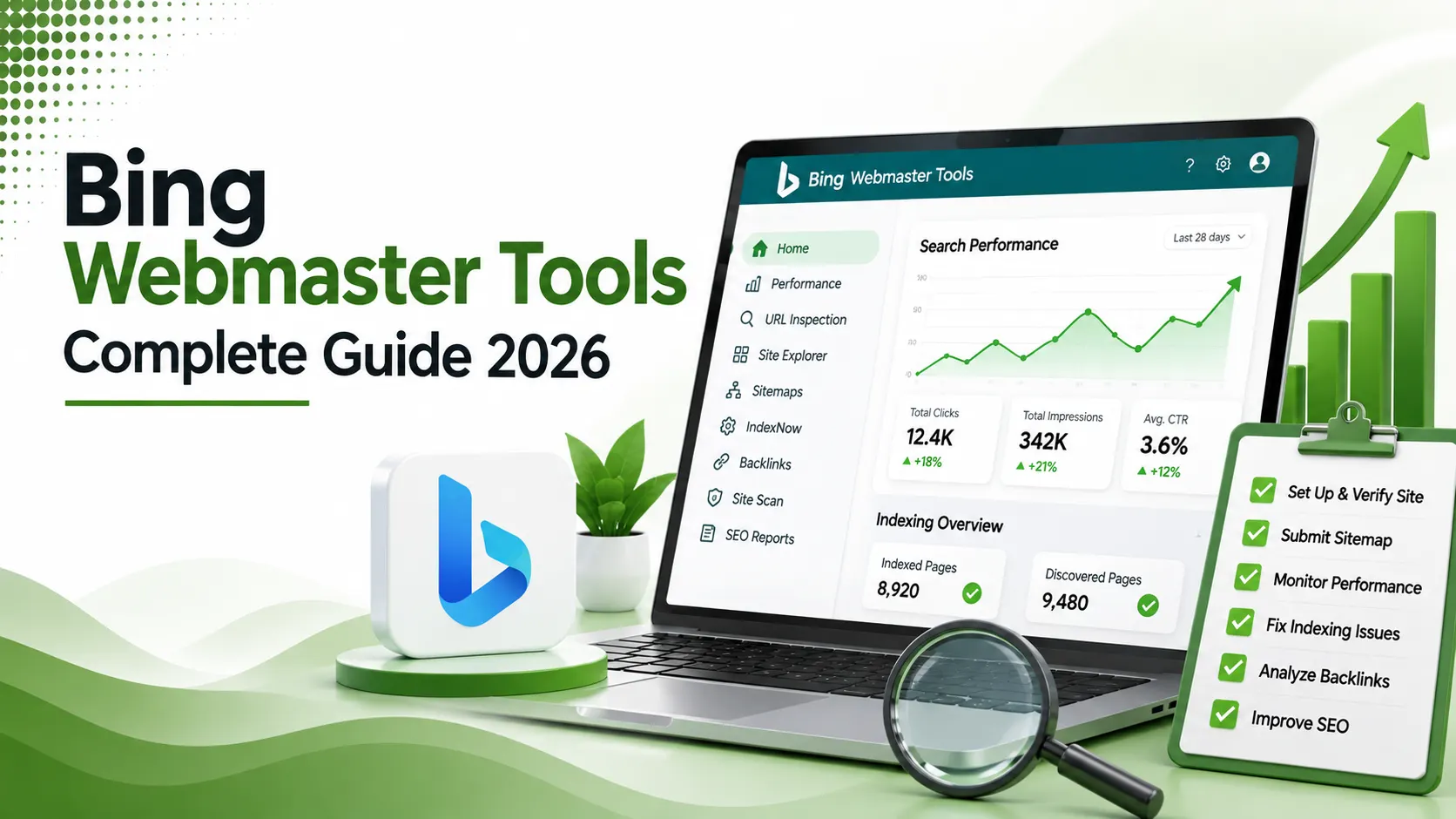
Bing Webmaster Tools is a free platform for managing and analyzing website presence in Bing Search, with features for search performance, keyword data, indexing, sitemaps, backlinks, and technical SEO monitoring.
Table of Contents
ToggleA page Bing hasn't indexed cannot appear in a ChatGPT Search answer. That single fact has quietly turned Bing Webmaster Tools, a platform most site owners ignored for over a decade, into one of the more consequential free tools available in 2026, for reasons that have nothing to do with Bing's own search share.
Bing Webmaster Tools is a free platform from Microsoft that lets website owners monitor, manage, and improve how their site is crawled, indexed, and ranked on Bing.
It functions as Bing's direct equivalent of Google Search Console, verified ownership, sitemap submission, crawl diagnostics, and performance data, all in one dashboard.
Most SEO attention understandably concentrates on Google, and for good reason; Bing's own search share sits under 5% globally. But that framing misses what actually makes this tool relevant today.
ChatGPT Search, Microsoft Copilot, DuckDuckGo, and Yahoo all retrieve web results, wholly or partly, from Bing's index. A page invisible to Bing is effectively invisible across this entire secondary ecosystem, regardless of how well it ranks on Google itself.
Setup takes about ten minutes, it's entirely free with no premium tier, and one option lets you import already-verified sites directly from Google Search Console, skipping manual verification altogether.
This guide walks through account setup, the verification methods available, the features actually worth your attention, and how Bing Webmaster Tools fits into a 2026 SEO workflow that now stretches well beyond Google alone.
typical time to complete full account setup and verification
no premium tier exists; every feature is available at no cost
import from an already-verified Google Search Console property
What the Dashboard Looks Like
A simplified diagram of Bing Webmaster Tools' layout: left-hand navigation, Search Performance, and URL Inspection panels
Why This Matters Beyond Bing's Own Traffic
ChatGPT Search retrieves results from Bing's index, not a separate crawler of its own. A page Bing hasn't crawled and indexed properly is invisible to one of the fastest-growing AI search surfaces, regardless of how it performs on Google.
Setting Up Your Account: Step by Step
Sign In at bing.com/webmasters
According to Promodo's 2026 guide to connecting your site to Bing Webmaster Tools, you can sign in using a Microsoft, Google, or Facebook account, no dedicated Microsoft account is strictly required.
Choose Your Import Method
According to Global Media Insight's complete 2026 setup guide, importing directly from an already-verified Google Search Console property skips manual verification entirely, the fastest path for most site owners.
Verify Manually if Needed
Without a GSC import, verify via an XML file upload, an HTML meta tag, or a DNS CNAME record, the same three options familiar from most other webmaster platforms.
Submit Your Sitemap
Under Configure My Site > Sitemaps, paste your sitemap URL. This is the single step that most directly speeds up how quickly Bing discovers your site's full content.
Verification Methods Compared
Each verification path suits a slightly different situation.
Fastest option if your site is already verified in Google Search Console. No file upload or DNS change required; Bing trusts the existing Google verification.
Necessary if you've never used Google Search Console. Choose whichever of the three manual methods, XML file, meta tag, or DNS CNAME, is easiest given your access level to the site.
The Features Actually Worth Your Attention
| Feature | What It Does |
|---|---|
| Search Performance | Impressions, clicks, CTR, and position, with up to 16-24 months of history |
| URL Inspection | Index status, last crawl date, and the canonical URL Bing actually selected |
| SEO Analyzer | Scans a page for missing titles, duplicate meta descriptions, and thin content |
| Backlinks Report | Inbound links data pulled directly from Bing's own crawler |
| IndexNow | Instantly notifies Bing of new or updated content, rather than waiting for a crawl |
We covered how the underlying IndexNow protocol actually works in our IndexNow guide. Bing co-created that protocol, which is exactly why it's built natively into this dashboard.
The SEO Analyzer: A Feature Google Search Console Lacks
According to a 2026 guide to Bing Webmaster Tools setup and SEO tips, the built-in Site Scan audit checks pages for missing title tags, duplicate meta descriptions, and thin content, a diagnostic feature Google Search Console simply doesn't offer natively.
Running this scan on a site's top 20 pages quarterly catches drift before it accumulates. Since it draws data directly from Bing's own crawler, the results reflect exactly what Bing actually sees, rather than an external tool's independent estimate.
Microsoft Clarity: The Bonus Most People Miss
According to SupportHost's ultimate 2026 guide to Bing Webmaster Tools, Microsoft Clarity integrates directly with the platform, offering heat mapping and session recording completely free, showing exactly where visitors click, scroll, and drop off.
This kind of behavioral data typically requires a separate paid tool elsewhere. Having it built into the same free ecosystem as crawl and indexing data is a genuine, often overlooked, advantage of committing time to this platform.
Crawl Control: Managing Bingbot's Speed
According to Meetanshi's definitive guide to Bing Webmaster Tools, the Crawl Control feature lets site owners specify exactly how fast or slow Bingbot requests pages, useful for smaller servers that might otherwise struggle under an aggressive crawl rate.
Common Setup Mistakes to Avoid
According to Logic Digital's setup guide and SEO best practices, forgetting to submit a sitemap after verification is one of the most common early mistakes, since verification alone doesn't guarantee Bing discovers a site's full content quickly.
According to Kinsta's complete step-by-step guide to Bing Webmaster Tools, content that underperforms on Google can sometimes rank surprisingly well on Bing, making it worth reviewing Bing-specific performance data separately rather than assuming Google trends apply identically.
Do I Need Bing Webmaster Tools?
Answer honestly about your site to see how much this actually matters for you.
Do I Need Bing Webmaster Tools?
A quick, honest read based on your situation
Keeping the Account Active Over Time
According to a complete 2026 guide to Bing Webmaster Tools, the URL Inspection feature is the fastest diagnostic step when a specific page isn't appearing in Bing results, showing exactly when it was last crawled and which canonical version Bing selected.
Checking this dashboard on a regular cadence, not only when something visibly breaks, catches indexing gaps early. A page that silently drops out of Bing's index can go unnoticed for weeks if nobody is actually looking.
Treating Bing Webmaster Tools as a permanent fixture in a technical SEO routine, alongside Google Search Console, rather than a one-time setup task, is what actually captures the ongoing value this platform offers.
FAQs on Bing Webmaster Tools
Related Articles
What We Learn Today
Bing Webmaster Tools is free, taking about ten minutes to set up
ChatGPT Search retrieves results directly from Bing's index
Importing from Google Search Console skips manual verification
IndexNow is built natively into the dashboard for instant notification
Search Performance offers up to 16-24 months of historical data
Running both Google and Bing tools in parallel costs nothing extra
Related Posts


Previous Post
Next Post
Previous Post
SEO2 months ago
Screaming Frog SEO Spider Beginner's Guide
Next Post
SEO2 months ago
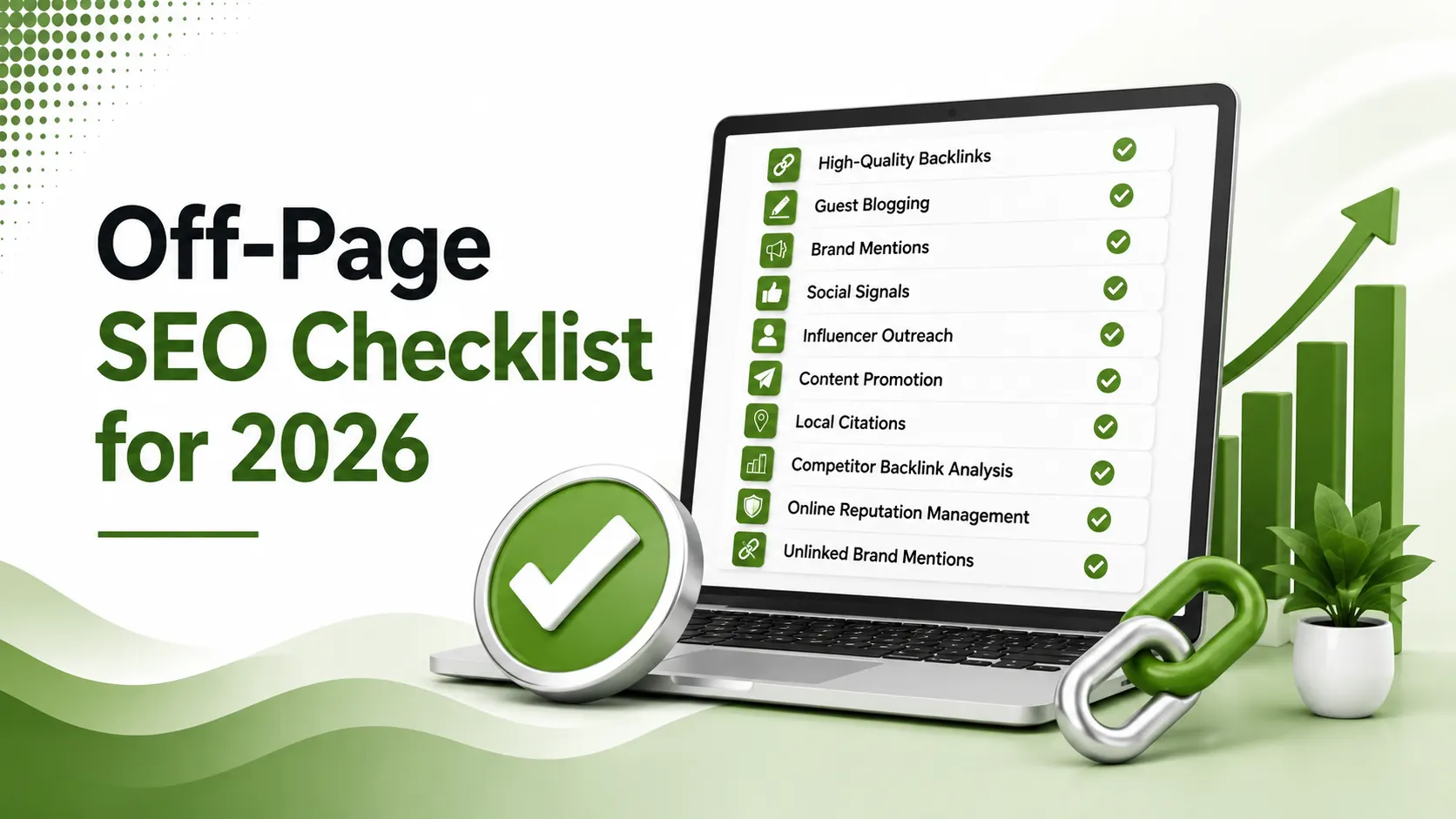
Off Page SEO Checklist for 2026





- Artificial Intelligence
- Content
- Core Web Vitals
- Development
- Digital Marketing
- Display Advertising
- Google Ads
- Google Search Console
- GTM
- HTML
- HTML CSS
- JavaScript
- Keyword Research
- Link Building
- LinkedIn Ads
- Local SEO
- Meta Ads
- Mobile SEO
- Off-Page SEO
- On-Page SEO
- Paid Media
- Paid Media Analytics
- PHP
- PPC Strategy
- Python
- SEO
- SEO Basics
- SEO Tools
- Social
- Technical SEO




