Google Ads Editor 2.14: AI Max Default and Retention Bidding
Google Ads Editor 2.14 turns AI Max on by default for new Search campaigns and adds retention and loyalty bidding. What changed and what to check now.

In this article
Google Ads Editor 2.14 is out, and one change will affect anyone who builds Search campaigns in bulk. According to the official 2.14 release notes, AI Max, text asset automation and Final URL expansion are now enabled by default when you create a new Search campaign in Editor.
The release also brings account level settings for new customer acquisition and retention, a retention only bidding mode, support for channel prioritization and budget caps, and downloads that no longer block your work. Search Engine Roundtable flagged the release on November 12, 2026, describing it as 10 new features.
If your team uses Editor templates or pastes campaigns from spreadsheets, the AI Max default is the change to check first. Here is what is new and how to handle it.
AI Max now on by default for new Search campaigns
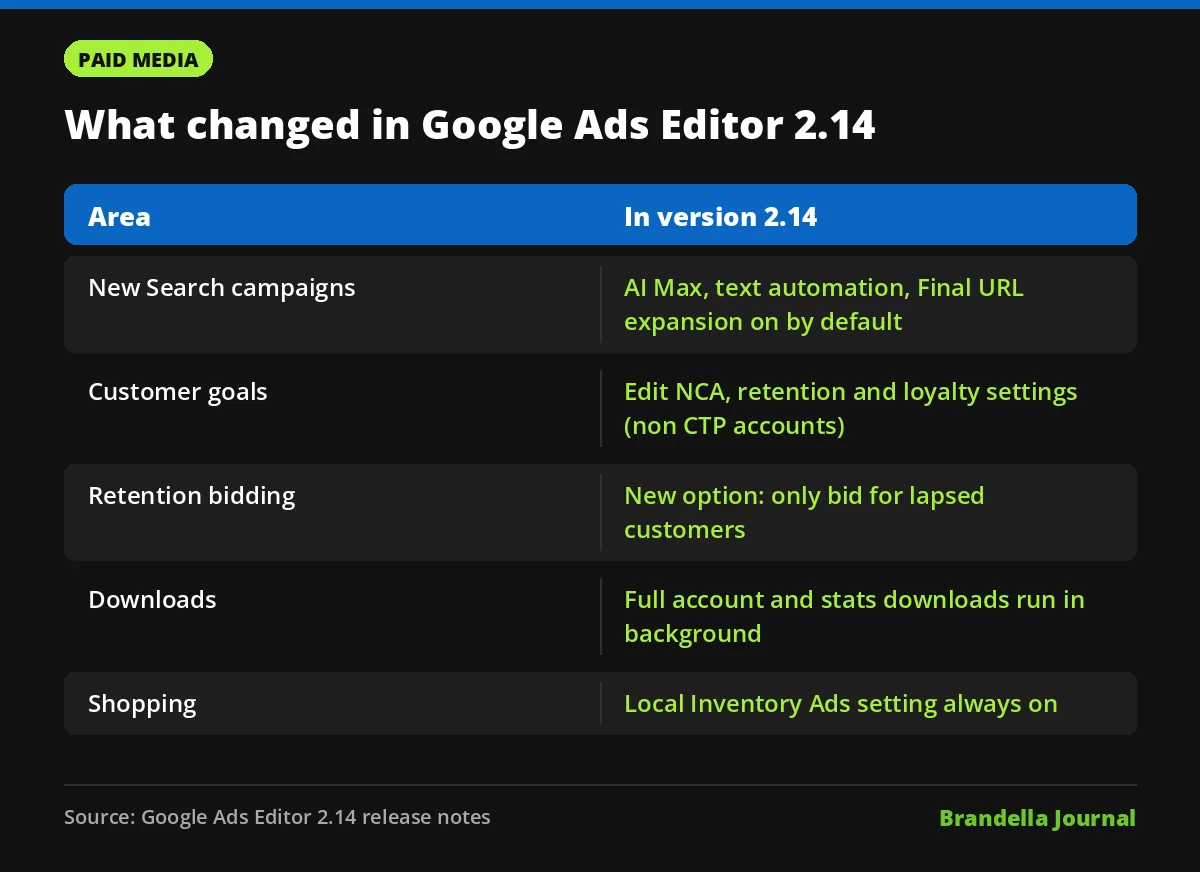
The release notes list this as a new default: Editor now turns on three features for every new Search campaign, namely AI Max, text asset automation and Final URL expansion.
In broad terms, these features let Google reach more searches, adjust ad text and send people to a page on your site other than the final URL you set. That can find new traffic, but it also changes which queries you pay for and where users land.
The default applies when you create campaigns. If you build many campaigns in one upload, every one of them will start with these features on unless you change it. To see how much traffic AI Max brings, the new search term matchtype ValueTrack parameter lets you separate those clicks in your own reports.
New customer and retention goals in Google Ads Editor 2.14
Editor 2.14 lets you edit account level new customer acquisition (NCA), retention and loyalty retention settings. This applies to accounts that do not use a conversion tracking parent (CTP). In CTP accounts, these settings stay read only.
| Setting | What you can now manage in Editor |
|---|---|
| New customer acquisition | Values for new customers |
| Retention | Values for lapsed customers |
| Loyalty retention | High value customer values and loyalty value multipliers, at account and campaign level |
| Customer tiers | User lists that define each tier |
| Retention only mode | New bid option “Only bid for lapsed customers” |
The retention only option is the most interesting for ecommerce and subscription brands. It lets a campaign focus spend on bringing back lapsed customers instead of spreading it across everyone. If you use value based bidding, our guide to value based bidding in Google Ads explains how customer values feed into bids.
Budget, channel and workflow changes
Editor now supports channel prioritization and budget caps. The release notes list both as supported, but do not describe them in more detail, so check the settings panel in your own account before you rely on them.
Two workflow changes will save time on large accounts:
- Background account download. A new “Fetch full account data” option runs without blocking you. When it finishes, you choose to replace local data, which discards local edits, or refresh in place, which keeps them.
- Background stats download. Downloading performance statistics no longer stops other work, and the stats columns now use the latest definitions.
The “replace local data” choice deserves care. If you have unposted edits, picking it by mistake will throw them away.
Demand Gen and Shopping updates
For Demand Gen, Editor now supports “Animated images” for image ads and “Overlay on videos” for video ads. These are asset optimizations, so review them the same way you would review any automated creative change. Our Demand Gen campaigns guide covers how these campaigns work.
There is also one removal. The Local Inventory Ads setting is now permanently enabled for Shopping campaigns and can no longer be turned off. If you sell only online, check that your feed and store settings match how you want local inventory to show.
What advertisers should do now
These steps are Brandella’s recommendations, not official Google guidance.
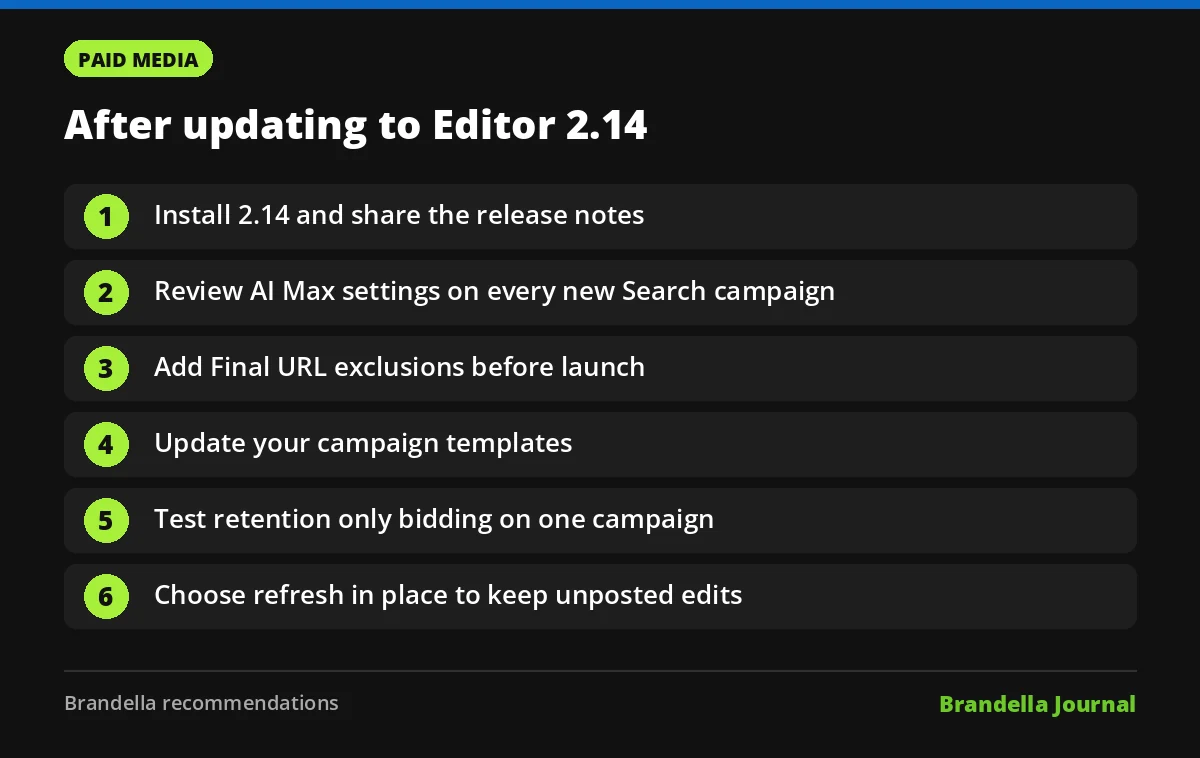
- Update Editor and read the notes. Install 2.14 and skim the list of new features so the whole team knows what changed.
- Review every new Search campaign before posting. Check the AI Max, text asset automation and Final URL expansion settings. Keep them on only where you want broader matching.
- Set Final URL rules. If some pages should never receive ad traffic, add URL exclusions before launch.
- Update templates. If your team copies campaigns from a template, make sure the template states the AI Max setting you actually want.
- Test retention only bidding on one campaign. Pick a product line with a clear lapsed customer list and compare results with your usual setup. Our post on Search vs Performance Max can help you decide which campaign type to test in.
- Avoid losing edits. When a background download finishes, choose “refresh in place” if you have unposted changes.
Why this release matters
Most Editor updates are small catch ups with the web interface. This one changes a default that shapes how new campaigns behave from day one. Defaults matter because many accounts never touch them.
The retention and loyalty settings are a quieter but useful addition. Being able to bulk edit these values in Editor should make it easier to run separate goals for new and returning customers across many campaigns.