Back Button Hijacking FAQ: Google Answers 5 Key Questions
Google added a back button hijacking FAQ to its spam policies. Ad platform code, Discover, social traffic and open in app rules explained, plus checks.

In this article
Google has added an FAQ on back button hijacking to its spam policies for Google web search. The change is listed on the Search Central documentation updates page under November 23, 2026, and Google says it answers common questions it has received about the policy.
The policy itself is not new. Google announced it on April 13, 2026 as part of its malicious practices rules, and enforcement started on June 15, 2026. The FAQ settles the edge cases publishers kept asking about: ad scripts, Discover, traffic from social media and apps.
If your site runs third party ad or engagement scripts, this one is worth ten minutes. Pages caught by the policy can get a manual action or an automated demotion.
What back button hijacking means
Google’s spam policies place back button hijacking in the malicious practices section, next to malware and unwanted software. It happens when a site interferes with browser navigation, for example by manipulating browser history, so the visitor cannot press back and land on the page they came from.
In practice that looks like a back press that loads a page of “recommended” articles, an ad page, or a page the visitor never opened. Google’s April post says this breaks a basic user expectation, and the spam policies page says sites that violate its policies “may rank lower in results or not appear in results at all.”
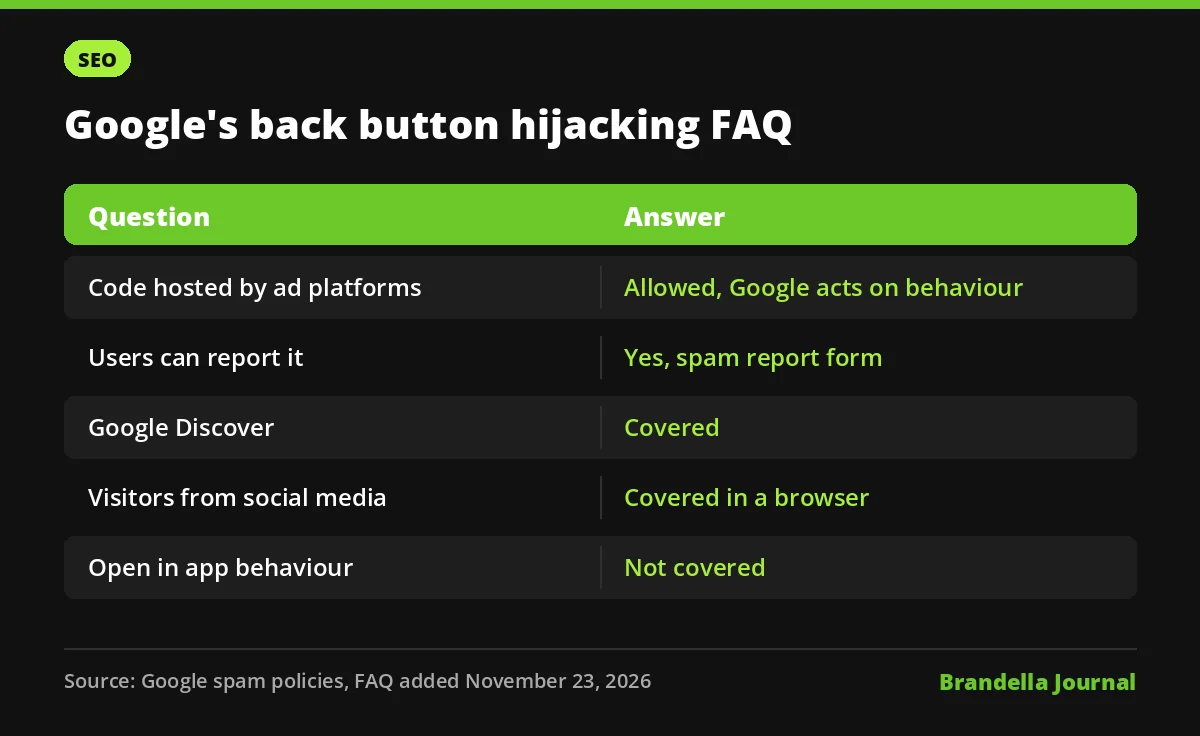
The 5 questions in Google’s back button hijacking FAQ
| Question | Google’s answer |
|---|---|
| Can sites still import code hosted by ad platforms? | Yes. Google only takes action on pages that show back button hijacking behaviour. |
| Can users report sites that do this? | Yes, through the spam report form. |
| Does the policy apply in Google Discover? | Yes. Discover is part of Google Search, so the spam policies apply there too. |
| Does it apply to visitors from social media or other non Search channels? | Yes, if the hijacking happens while the user is browsing in a browser. |
| Does it apply when a site opens an external app that blocks the way back? | No. App navigation and “open in app” behaviour are outside the policy. |
The first answer matters most to publishers. Some of the hijacking Google saw came from third party advertising platforms, and site owners worried that any ad tag could put them at risk. Google’s answer is that the code’s host does not matter. What counts is the behaviour the page shows to the visitor.
That cuts both ways. You will not be penalised just for using an ad network, but you also cannot blame the ad network if its script hijacks the back button on your pages. Google’s April post told site owners to review included libraries, imports, configurations and advertising platforms for exactly this reason.
Why the Discover and social answers matter
Plenty of publishers get most of their traffic from Discover, Facebook or X rather than classic search results. Some assumed a back button trick aimed only at social visitors would stay out of Google’s view.
The FAQ closes that gap. Discover is covered, and so is a visitor arriving from a non Search channel, as long as the hijack happens in a browser. If a page traps people who came from a social post, it is still the same page that Google ranks.
How enforcement and recovery work
Google’s spam policies page says it detects violations through automated systems and, as needed, human review that can lead to a manual action. Sites with a manual action are told about it in Search Console, in the Manual actions report and the message centre.
Once the problem is fixed, the April post says to submit a reconsideration request in Search Console. Automated demotions have no request to file, so the only route is removing the behaviour and waiting for Google to recrawl the pages. If you saw a drop this month, keep in mind that the November 2026 core update was rolling out at the same time, so check both before you decide on a cause.
How to check your site for back button hijacking now
These steps are our recommendation, based on Google’s guidance.
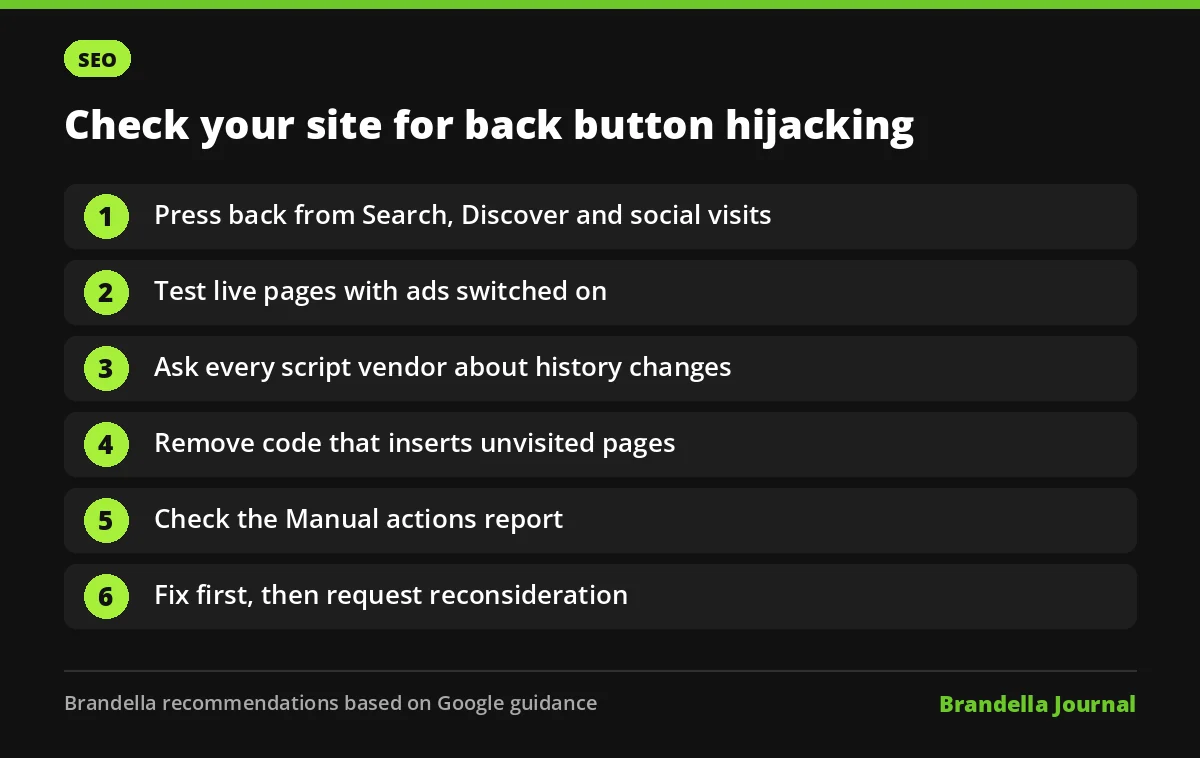
- Test the back button yourself. Open your top landing pages from a Google result, a Discover card and a social post, on mobile and desktop, then press back once. You should land on the page you came from.
- Repeat with ads switched on. Many hijacks only fire with live ad tags, so test production pages, not a staging copy without ads.
- Audit third party scripts. List every ad, recommendation, push and engagement script on the page. Ask each vendor in writing whether it writes to browser history or intercepts back navigation. Our post on the Optimizely malware attack shows how a trusted script can change behaviour without warning.
- Search your own code. Ask your developer to look for history manipulation, such as calls that push or replace history entries on page load, and remove anything that inserts pages the visitor never asked for.
- Check Search Console. Look at the Manual actions report and compare traffic against the dates of the August 2026 spam update and the core update.
- Fix, then ask for review. If you have a manual action, remove the behaviour first, then file a reconsideration request explaining what you removed.
If you find a competitor doing this, the FAQ confirms you can report it through Google’s spam report, and competitors can report you the same way.
FAQ about back button hijacking
Is back button hijacking a new Google policy?
No. Google announced it on April 13, 2026 and started enforcing it on June 15, 2026. The November 23 change only added an FAQ.
Will using an ad network get my site penalised?
Not by itself. Google says site owners can keep importing code hosted by ad platforms and that it only acts on pages that show the hijacking behaviour.
Does the policy cover Google Discover traffic?
Yes. Google says Discover is part of Google Search, so its spam policies apply there too.
What if my page opens an app instead?
Google says app navigation and “open in app” behaviour are outside the scope of the policy.
How do I recover from a manual action for this?
Remove the script or code that interferes with the back button, then submit a reconsideration request in Search Console. Our March 2026 spam update guide covers the wider recovery process.