Purchase Signal Annotations: Shopping Ads Show Units Sold
Google purchase signal annotations add badges like 100+ sold last 30 days to Shopping ads. Who qualifies, the cart data setup and where badges do not show.

In this article
Google has published a help page on purchase signal annotations, a badge that shows how many units of a product sold, for example “100+ sold last 30 days”, on eligible Shopping ads. The Google Ads help article was spotted by Search Engine Roundtable on November 23, 2026.
The badge is automatic. Advertisers do not turn it on in a campaign. It depends on sending item level sales data to Google through conversions with cart data, which many Shopping advertisers have never set up.
With the holiday shopping peak days away, a “sold” badge on a best seller costs nothing extra, if your tracking qualifies.
What purchase signal annotations are
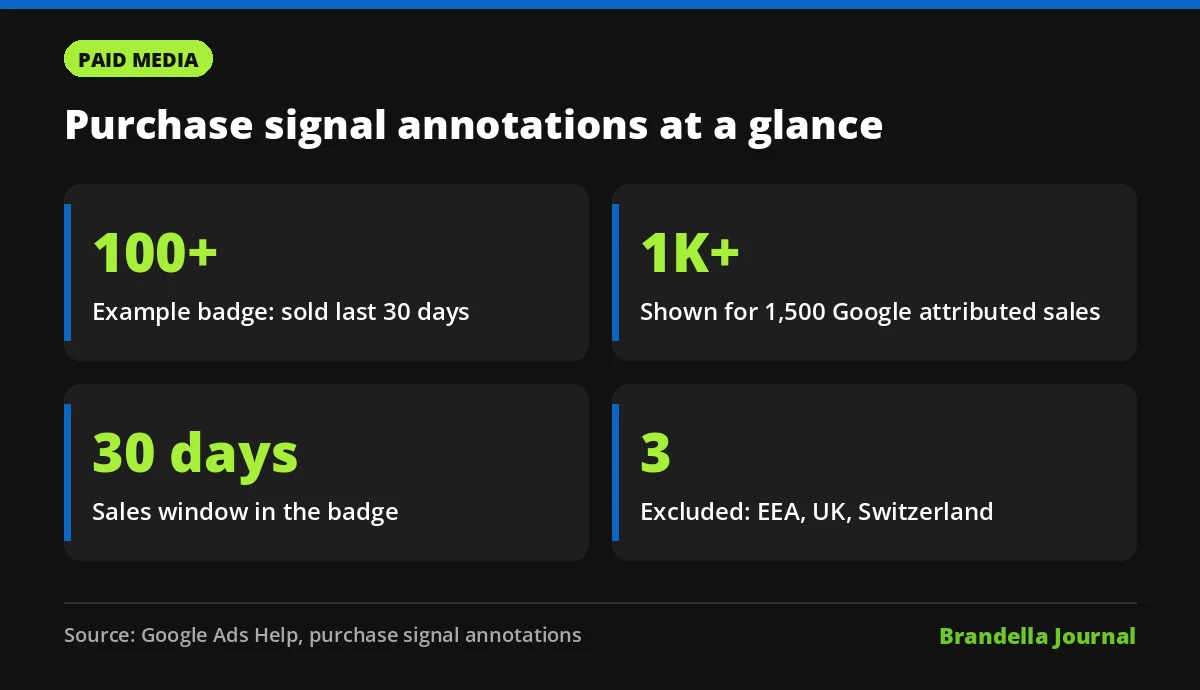
Google’s help page says purchase signal annotations “highlights high-demand items by showcasing purchase volume” on eligible Shopping ads. The numbers are rounded, so the exact sales figure is not shown.
Google gives its own example. A product with 1,500 Google attributed sales in the last 30 days may display “1K+ sold last 30d”. Google says the badges help build shopper confidence and click engagement, and Search Engine Roundtable quotes the doc saying they make high performing products more competitive “without requiring additional promotional budgets or manual creative setups.”
In Merchant Center’s table of annotations and badges, purchase signal is listed with the description “social proof badges” and marked for Shopping ads, not free listings. It is the only sales volume badge in that table.
Who qualifies for purchase signal annotations
The help page sets these conditions.
| Requirement | What Google says |
|---|---|
| Sales data | Report item level sales data using conversions with cart data |
| Volume | The offer must meet a minimum volume threshold for privacy purposes |
| Other criteria | Offers must meet “additional criteria”, which Google does not list |
| Data source | Google attributed conversions only, not sales outside Google ad channels |
| Where it shows | Globally, excluding the EEA, UK and Switzerland, on mobile and desktop web search |
Google does not publish the threshold number. Low volume products will not get the badge however good the setup is.
The data source point is easy to miss. A product that sells thousands of units through your app, marketplaces or stores could still show a small number, or no badge at all, if few of those sales came through Google ads.
How conversions with cart data feeds the badge
Conversions with cart data is an extension of normal conversion tracking. Along with the purchase, you send the details of the products sold in each transaction.
Google’s cart data page lists the main rules:
- Item IDs in the items array of your conversion tag must exactly match the id attribute in your Merchant Center feed.
- All sold items need to be in your Merchant Center feed.
- Only sales of items from a Merchant Center account linked to the Google Ads account are processed.
- The conversions have to be biddable purchase conversions, sent with the Google tag or Google Tag Manager, or imported from Search Ads 360, Google Analytics or Firebase.
If you already use Google Ads conversion tracking, Google says you can add cart data to the existing tag. Cart data also unlocks reporting on items sold, basket size, average order value and gross profit if you add cost of goods sold to your feed, so the setup is useful even if no badge ever shows.
What advertisers should do now
These steps are Brandella’s recommendations, built on Google’s requirements above.
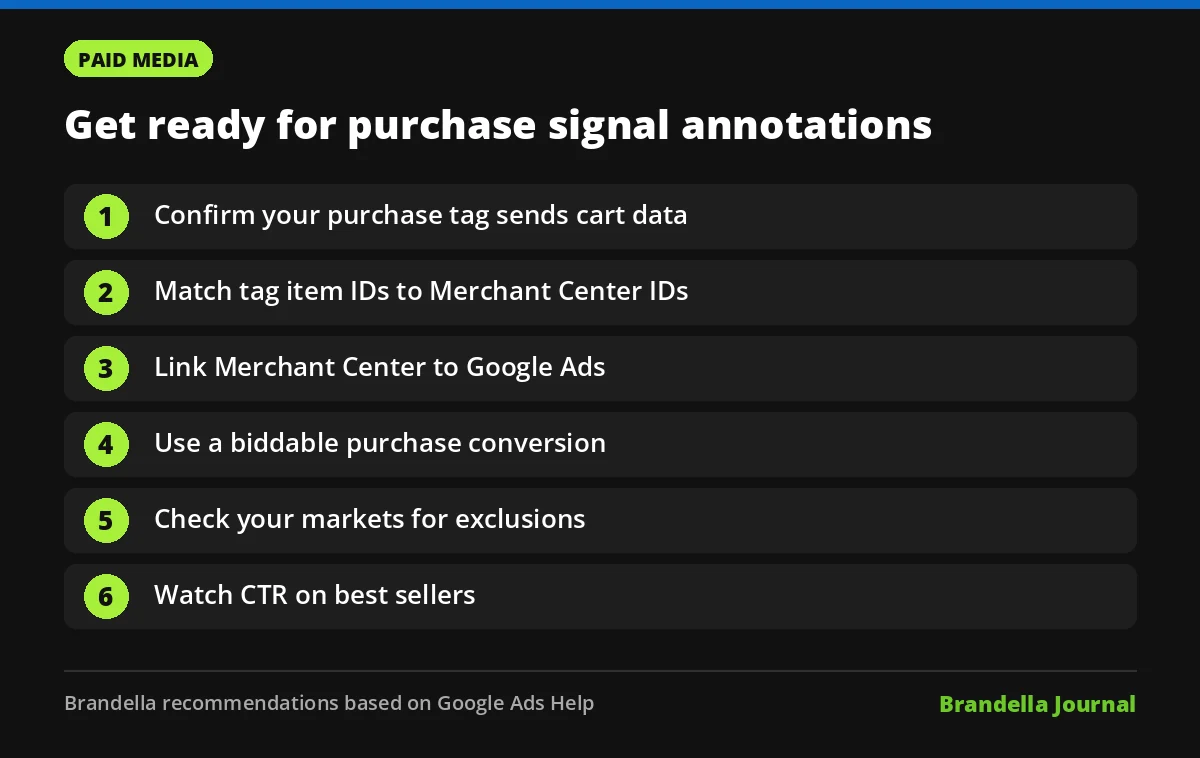
- Check whether you send cart data today. Look at your purchase conversion action and test a transaction. If the items array is missing, you do not qualify.
- Match item IDs to the feed. The ID sent in the tag must be the same as the Merchant Center id attribute. Variants are a common source of mismatches.
- Confirm Merchant Center is linked. Sales of items from an unlinked Merchant Center ID are ignored.
- Use a biddable purchase conversion. Secondary or non purchase actions do not count. If you use Tag Manager, our enhanced conversions setup with GTM guide walks through the same container.
- Check your markets. If most of your sales are in the EEA, UK or Switzerland, the badge will not show there, so do not plan creative around it.
- Watch your best sellers. Once cart data is live, review click through rate on top products over a few weeks. Google decides which annotations appear, so there is no guarantee a badge will show.
Keep an eye on your feed during the holiday rush too. Our recent posts on Merchant Center promotion title rules and the November 6 Merchant Center outage cover two other things that can quietly hurt Shopping results this month.
FAQ about purchase signal annotations
Can I switch purchase signal annotations on manually?
No. Google’s help page says it can automatically show the badge when you report item level sales with conversions with cart data and your offers meet its thresholds and criteria.
Do sales from my own website traffic count?
Only Google attributed conversions count. The help page says the badge does not reflect sales that happen outside Google ad channels.
Is the exact sales number shown?
No. Figures are rounded. Google’s example shows 1,500 sales as “1K+ sold last 30d”.
Does the badge appear in free listings?
Merchant Center’s annotations table marks purchase signal for Shopping ads only, not free listings.
Which countries are excluded?
Google says the annotation is available globally except the EEA, the UK and Switzerland.