EU Political Ads Declaration: Why Google Ads Asks Again
Google Ads now asks advertisers to review their EU political ads declaration again, even if they said no before. What the prompt means and what to check.

In this article
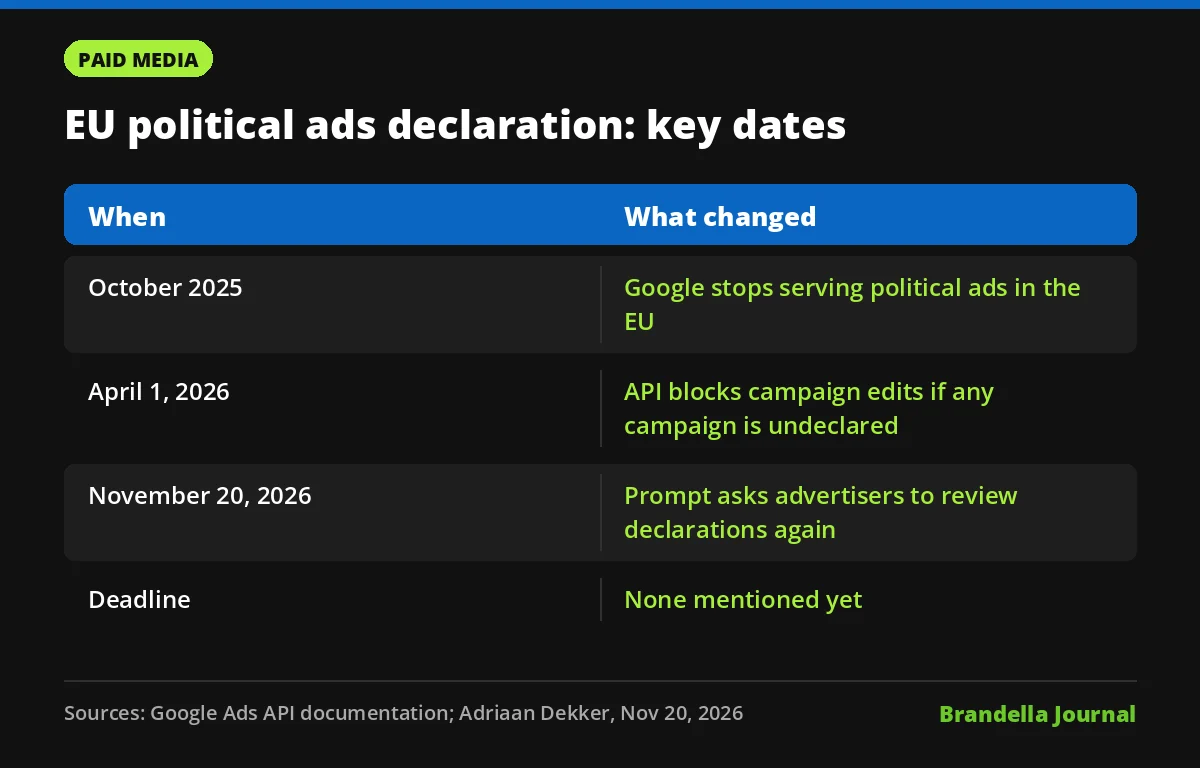
Google Ads is asking advertisers to review their EU political ads declaration again. Google Ads specialist Adriaan Dekker reported on November 20 that a prompt now sits in the Notifications panel, and that “this applies even if you already declared that you don’t run political ads.” Clicking Get started opens a review of the declarations for the account and its campaigns. He credits Vojtěch Audy, via PPC News Feed, with spotting it.
It reaches well beyond political advertisers, because every campaign carries the declaration. Google has not said why it wants a second confirmation, and Dekker notes that “no deadline is mentioned yet.”
The rules behind the prompt are documented. Google’s developer page on support for the European Union Political Ads Regulation, last updated on November 20, 2026, opens: “In October 2025, Google stopped serving political advertising in the European Union ahead of a new political ads regulation.”
What the EU political ads declaration does
Every campaign carries a self-declaration saying whether it contains EU political ads. Google’s political content policy defines political advertising in the EU by reference to EU Regulation 2024/900.
The declaration has real effects on delivery. Google’s API documentation says: “Any campaign that has declared EU political ads by setting contains_eu_political_advertising to true will stop serving ads in the EU.” For campaigns with no declaration, it says they “will remain unaffected for now.”
In the API, though, a campaign without a declaration already causes problems.
How the declaration works in the Google Ads API
| Item | What Google’s documentation says |
|---|---|
| Campaign field | Campaign.contains_eu_political_advertising |
| Values | Contains EU political ads, does not contain them, or unspecified (missing declaration) |
| Account level | Customer.contains_eu_political_advertising, which can be set in the Google Ads UI |
| New campaigns | Creating a campaign without the field fails; from API v26 it is optional for campaigns that do not positively target the EU |
| Since April 1, 2026 | If an account has one or more undeclared campaigns, the API fails all campaign management mutate calls |
| Still works | Reporting, account management and Keyword Planner calls |
The documentation also lists errors such as MISSING_EU_POLITICAL_ADVERTISING_SELF_DECLARATION, returned when you change location targeting or schedule an experiment on a campaign without a declaration. To find undeclared campaigns, it gives this query: select campaign.id from campaign where campaign.missing_eu_political_advertising_declaration = true.
If you run scripts, feeds or third party tools that edit campaigns through the API, one undeclared campaign can block all of them. That is a bigger operational risk than the notification itself.
Who should pay attention
- Advertisers targeting any EU country, since campaigns declared as political stop serving there.
- Agencies with many accounts. The prompt shows per account, and old or paused campaigns may never have been declared.
- Teams using the Google Ads API or automation tools, because of the April 2026 block on mutate calls.
- Accounts that already declared no political ads, since the prompt reportedly applies to them too.
For other recent Google Ads policy changes, see our posts on the Google Ads sexual content policy examples and the Google Ads AI impersonation ban.
What advertisers should do now
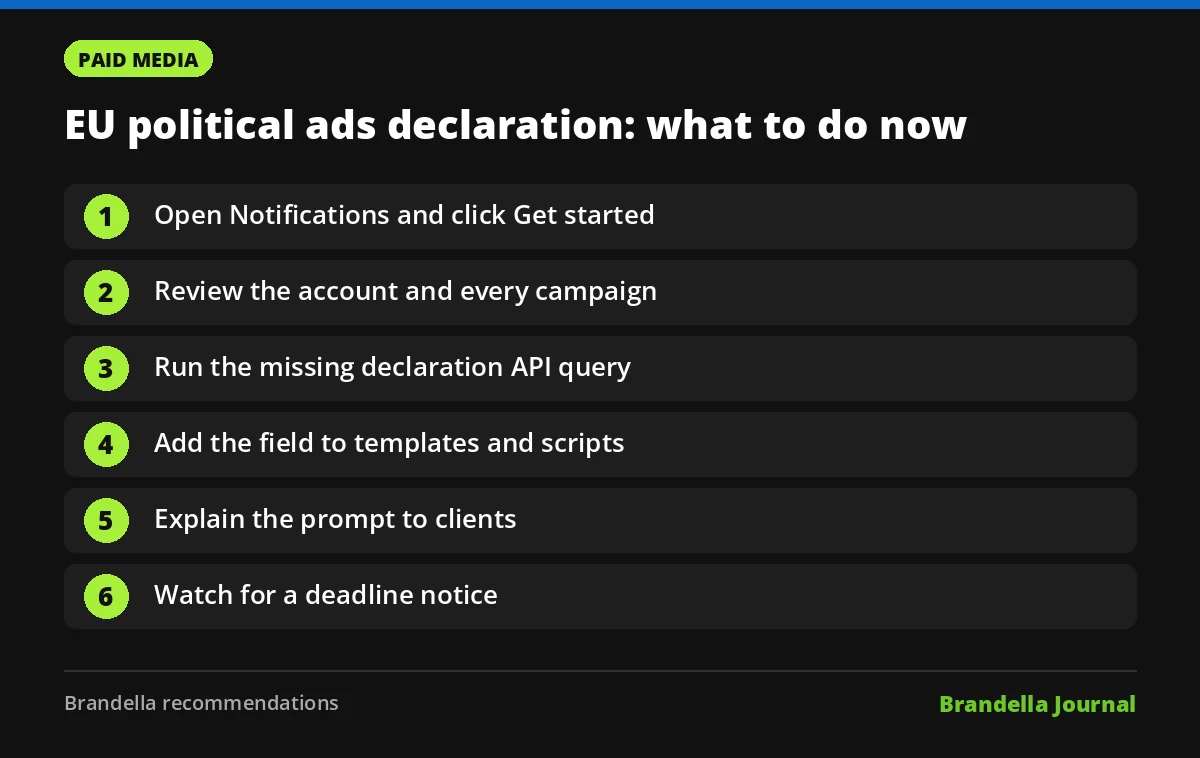
These steps are our recommendations, based on the documentation above.
- Open the Notifications panel in each Google Ads account and click Get started on the EU political ads prompt.
- Check the account level declaration and every campaign, including paused ones. Answer truthfully: a “contains” answer stops EU delivery for that campaign.
- If you manage accounts through the API, run the
missing_eu_political_advertising_declarationquery and fix every result. - Add the declaration to your campaign creation templates, scripts and tools so new campaigns never launch without it.
- Tell clients why the prompt appeared. Most will only need to confirm that they do not run political ads.
- If you edit in bulk offline, check how Google Ads Editor 2.14 handles the field in your workflow before posting changes.
- Keep an eye on Google’s notices for a deadline. None has been announced, and we will update this post if one is.
FAQ about the EU political ads declaration
Why is Google Ads asking me to declare again?
Google has not explained it. The prompt was reported on November 20, 2026, and applies even to accounts that already declared no political ads.
Is there a deadline to reconfirm?
None has been mentioned so far. Until one is, reviewing the prompt early is the safer choice.
What happens if I declare that a campaign contains EU political ads?
Google’s documentation says that campaign will stop serving ads in the EU, since Google stopped serving political ads there in October 2025.
Do undeclared campaigns stop running?
Google says existing campaigns without a declaration remain unaffected for now. In the API, though, one undeclared campaign blocks campaign management changes for the whole account.