WordPress 7.1.5 Security Release: 20 Fixes to Install Now
The WordPress 7.1.5 security release fixes 20 issues, including an unauthenticated path to remote code execution. What changed and how to update safely.


In this article
The WordPress 7.1.5 security release came out on November 18, 2026. The official version 7.1.5 page lists 20 security fixes and says “it is recommended that you update your sites immediately.”
Any site running WordPress 7.1.4 or older is affected. Several of the bugs need no login, and one could be chained into remote code execution, where an attacker runs their own code on your server.
This is the second security release in about three weeks. Patchstack’s write up says 7.1.4 fixed seventeen issues, including an unauthenticated core update race condition.

What the WordPress 7.1.5 security release fixes
The fixes cover the REST API, XML-RPC, the Customizer, the block editor and comments. Patchstack, a WordPress security company, says “eighteen of which we have added to the Patchstack database as vulnerabilities; the remaining two are hardening changes with no exploitable path.” It also says no CVE identifiers had been assigned when it published.
The issues below are the ones site owners should look at first, in the wording of the official list:
| Issue | Who can trigger it |
|---|---|
| Privilege escalation via Template Part block attributes, could lead to remote code execution | Unauthenticated |
| SQL injection in WP_Meta_Query via nested relation values | No login, per Patchstack |
| Stored XSS via shortcode attributes in comments | Unauthenticated |
| Denial of service via batched XML-RPC pingbacks | Unauthenticated |
| Disclosure of private taxonomy terms via the REST API search endpoint | Unauthenticated |
| Multisite takeover of a Super Admin account via Customizer menu previews | Site Administrator |
| Stored XSS in the Comment Date block via its date format | Contributor and above |
The full list also includes several cross site scripting (XSS) bugs in the block editor, email address disclosure through the REST API comments endpoint, and an authorization bypass when editing comments. Two items are hardening changes. One removes the block editor’s Imgur embed variation, whose server side provider no longer exists.
Two of the bugs are credited to Anthropic. The others came from independent researchers, security companies and members of the WordPress Security Team.
Why the Template Part bug matters most
Patchstack explains that the Template Part issue “counts as unauthenticated because the attacker only has to get the block markup in front of someone who can open it.” In its table, the condition is that an editor user opens the content. It adds that the code execution step goes through “the administrator’s own plugin-installation endpoints.”
Patchstack also flags the Comment Date XSS, which a Contributor can trigger. It says this one “needs no interaction: the markup renders on the front end for every visitor on page load.”
Older WordPress versions got patches too
WordPress released fixed versions for older branches “as a courtesy.” Patchstack says every branch back to 4.7 has a patched release. Older branches got fewer of the 20 fixes because some bugs do not exist in their code.
| Branch | Fixed version | Fixes included |
|---|---|---|
| 7.0 | 7.0.9 | 20 of 20 |
| 6.9 | 6.9.12 | 20 of 20 |
| 6.5 | 6.5.15 | 20 of 20 |
| 6.4 | 6.4.15 | 19 of 20 |
| 6.0 | 6.0.19 | 18 of 20 |
| 4.7 | 4.7.40 | 11 of 20 |
Versions 4.6 and older “no longer receive security updates,” and the page also says only the most recent version is actively supported. Sites on an old branch should still plan the move to 7.1.5.
Patchstack also notes that five of the fixes come from a Gutenberg package update. It says the official page lists eighteen revised files and no revised packages, while the shipped release also changes the Comment Date block file and three bundled JavaScript packages.
How to update to WordPress 7.1.5 now
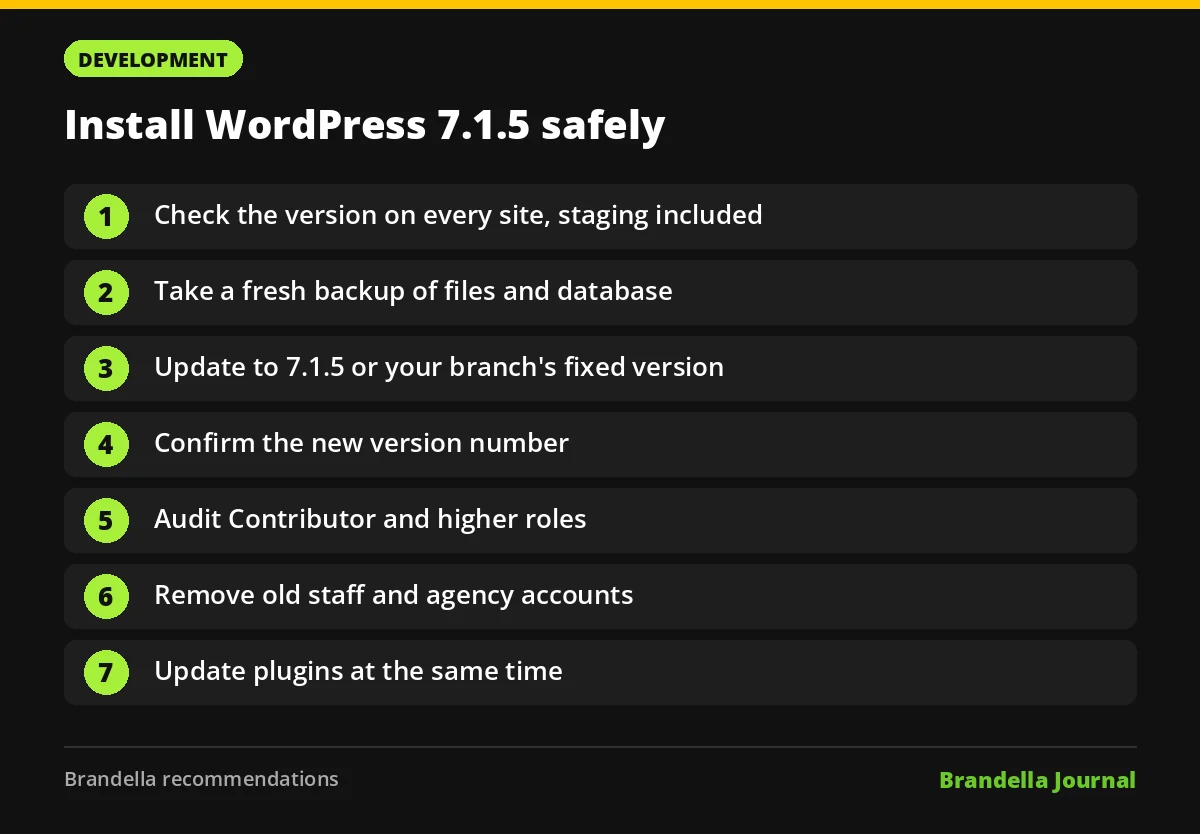
WordPress says you can update from Dashboard, then Updates in your admin area, or download the release from the WordPress releases page. Patchstack says sites with automatic background updates will pick it up on their own. The checklist below is Brandella’s recommendation for busy marketing and content teams.
- Check the version on every site you manage, including staging sites, landing page sites and microsites.
- Take a fresh backup of files and database before updating.
- Update to 7.1.5, or to the fixed version for your branch if a full upgrade needs testing first.
- Confirm the version number in the admin footer or the Updates screen after the update.
- Review user roles. Patchstack advises auditing “who holds Contributor or higher on your sites,” and on multisite, the Administrator list too.
- Remove accounts for former staff, agencies and freelancers who no longer need access.
- If you do not use XML-RPC, ask your developer or host whether it can be disabled at the server level.
- Update plugins at the same time. Plugins carry risk too, as the recent Rank Math vulnerabilities show.
A hacked site can also hurt search. Attackers often inject spam pages or redirects, as covered in our post on Gootloader SEO poisoning. After updating, check Search Console for security issues and unexpected new URLs. If you write custom code for WordPress, our guide to PHP file upload security covers related hardening basics.
FAQ about the WordPress 7.1.5 security release
Is WordPress 7.1.5 a feature release?
No. It is a security release. The official page describes it as featuring “several security fixes” and recommends updating immediately.
Will my site update to 7.1.5 automatically?
Patchstack says sites with automatic background updates will pick it up on their own. Check the version in your dashboard anyway, because some hosts and setups turn background updates off.
Do the fixes have CVE numbers?
Not yet. Patchstack says no CVE identifiers had been assigned at the time it published on November 18, 2026.
I am on WordPress 6.4. Am I protected after updating to 6.4.15?
You get 19 of the 20 fixes. The official page says only the latest version is actively supported, so plan a move to 7.1.5.