Now Reading: PHP File Upload Security: Block Malicious Files in 5 Steps
-
01
PHP File Upload Security: Block Malicious Files in 5 Steps
PHP File Upload Security: Block Malicious Files in 5 Steps

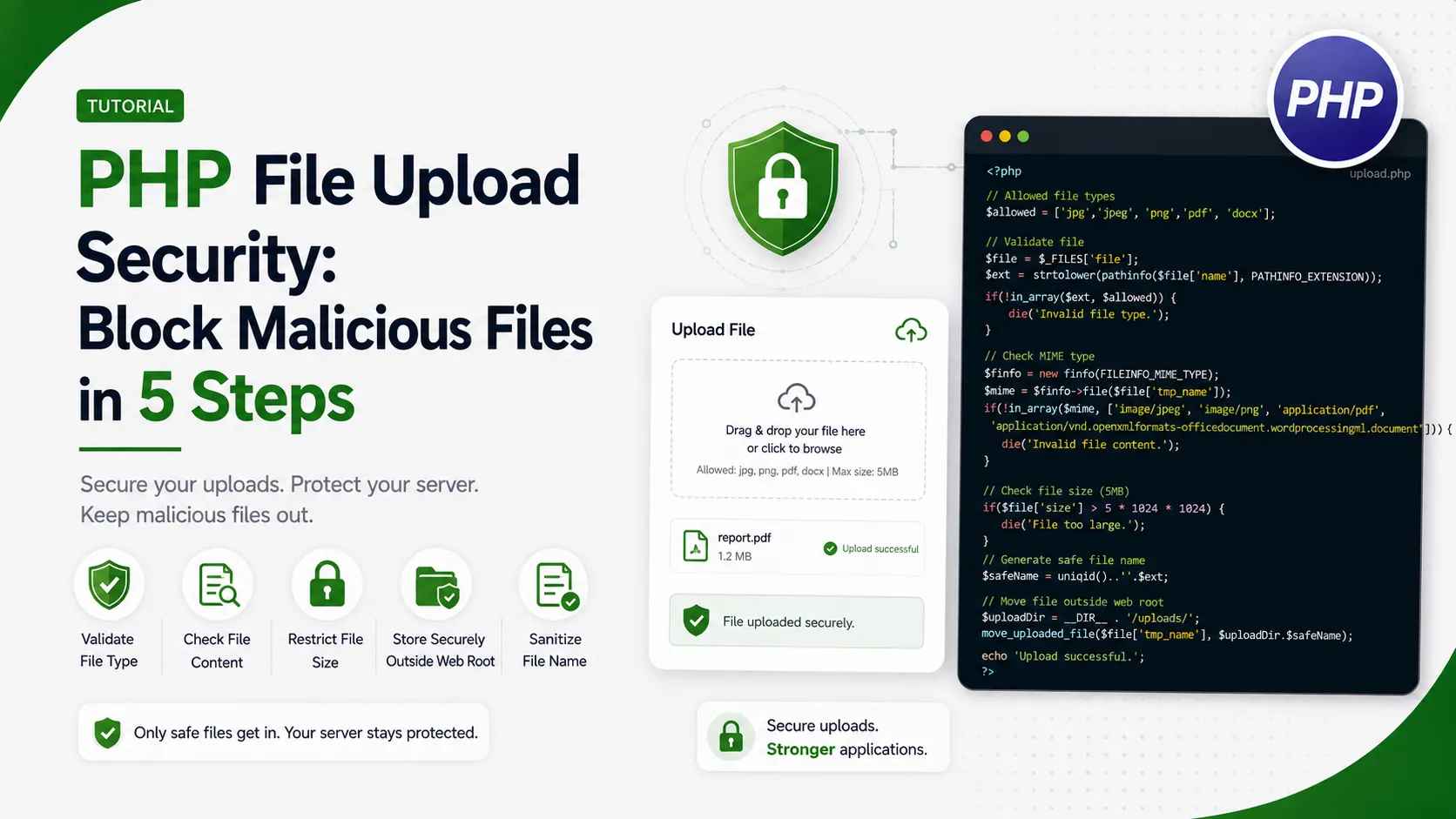
A practical guide to PHP file upload security covering content verification, safe storage outside the web root, virus scanning, and randomized filenames.
An upload form looks harmless until someone submits a file that is not what it claims to be. PHP file upload security is the set of checks that decide whether a submitted file gets stored and trusted, or thrown out before it ever touches disk.
Why PHP File Upload Security Means More Than Checking the Extension
A form that only checks the extension trusts whatever the browser sends, and a browser will happily send anything the person on the other end typed.
Renaming a working PHP script to end in .jpg costs nothing. If the extension is the only gate, that renamed script walks straight through it.
Multipart form uploads follow RFC 7578, the specification that defines how a browser packages a file alongside the rest of a submitted form.
Real PHP file upload security checks what a file actually is, controls where it lands, and limits what can ever happen to it after that. The OWASP File Upload Cheat Sheet covers this exact set of concerns in more depth and is worth bookmarking alongside this article.
Storing Uploads Somewhere the Web Server Cannot Execute
The single most effective fix is also the simplest: keep uploaded files outside the public web root entirely, in a directory the web server never serves directly.
// web root, publicly reachable
/var/www/app/public/

// upload storage, one level above the web root
/var/www/app/storage/uploads/
Even if every other check somehow fails, a file the web server cannot reach by URL cannot be executed by requesting it directly.
Where moving the directory is not possible, an Apache config block or nginx location rule that disables script execution for that specific path achieves the same result. Apache's own Directory directive documentation covers every option available inside that block, including several useful well beyond upload handling.
<Directory "/var/www/app/public/uploads">
    php_admin_flag engine off
    AddHandler none .php .phtml .php5
</Directory>Verifying What a File Actually Is, Not What It Claims to Be
The finfo extension reads the actual bytes of a file and reports its real content type, ignoring whatever extension or content type header the upload arrived with.
Pairing that with getimagesize() adds a second, independent check. A file that is not a real, decodable image fails here even if its reported MIME type looked fine.
The IANA media types registry is the authoritative list of valid MIME type strings, useful when deciding which types an upload endpoint should allow beyond plain images.
const MAX_BYTES = 2 * 1024 * 1024;
const ALLOWED_MIME = ['image/jpeg', 'image/png', 'image/gif'];

function validate_upload(string $path): array {
    if (filesize($path) > MAX_BYTES) {
        return ['ok' => false, 'reason' => 'file too large'];
    }

    $finfo = finfo_open(FILEINFO_MIME_TYPE);
    $realMime = finfo_file($finfo, $path);
    finfo_close($finfo);

    if (!in_array($realMime, ALLOWED_MIME, true)) {
        return ['ok' => false, 'reason' => "not an allowed type: $realMime"];
    }

    if (@getimagesize($path) === false) {
        return ['ok' => false, 'reason' => 'not a valid, decodable image'];
    }

    return ['ok' => true, 'reason' => "verified $realMime"];
}
Running this against three real test files, a genuine photo, a PHP shell renamed to end in .jpg, and an oversized file, shows exactly what each check catches.

Actual output from running validate_upload.php against three real test files.
The disguised shell fails on content type alone, before file size or image decoding even get a chance to reject it a second time.
Scanning Uploads With ClamAV Before They Are Trusted
Content type verification catches disguised scripts, but it will not catch a file that is a legitimate image format carrying an embedded malware payload.
ClamAV is a free, actively maintained scanner that can run against every upload before it is accepted into permanent storage.
function scan_upload(string $path): bool {
    $escaped = escapeshellarg($path);
    exec("clamscan --no-summary $escaped", $output, $exitCode);

    return $exitCode === 0;
}
An exit code of zero means clean. A nonzero exit code means the scanner found something, and the upload should be deleted rather than stored.
Generating Safe Filenames From Verified Content, Not the Original Name
The original filename came from the client and cannot be trusted, even after basename() strips any directory traversal characters out of it.
The safer approach ignores the original name's extension completely and builds a new one from the content type that finfo already verified.
const MIME_TO_EXT = [
    'image/jpeg' => 'jpg',
    'image/png'  => 'png',
    'image/gif'  => 'gif',
];

function safe_upload_name(string $realMime): string {
    $ext = MIME_TO_EXT[$realMime] ?? null;
    if ($ext === null) {
        throw new InvalidArgumentException('no safe extension for this mime type');
    }

    return bin2hex(random_bytes(8)) . '.' . $ext;
}
Testing this against a path traversal attempt and a null byte double extension trick shows why deriving the extension from verified content matters.

Actual output from running sanitize_filename.php against real attack strings.
The first version of this function only sanitized the original filename and kept whatever extension was left after stripping the null byte, which let innocent.jpg\0.php through with a .php extension intact. Deriving the extension from the verified MIME type instead of the client supplied name closes that gap completely.
Serving Uploaded Files Through a Controlled Script
Once uploads live outside the web root, they cannot be reached by a direct URL, so a small PHP script has to hand them back to the browser instead.
$id = $_GET['id'] ?? '';
$record = find_upload_record($id);

if (!$record || !user_can_access($record)) {
    http_response_code(403);
    exit;
}

$path = '/var/www/app/storage/uploads/' . $record['stored_name'];
header('Content-Type: ' . $record['mime_type']);
header('Content-Disposition: inline; filename="file"');
readfile($path);
This gives an authorization check a place to live. A file that belongs to one account never becomes reachable just because someone guessed its stored name. MDN's Content-Disposition reference explains the difference between the inline and attachment values used with that header.
| Method | What It Catches | What It Misses |
|---|---|---|
| Extension check | Nothing reliably | Any renamed file at all |
| Client MIME header | Nothing reliably | Client controlled, trivial to fake |
| finfo content type | Mismatched file content | Malware inside a valid format |
| ClamAV scan | Known malware signatures | Brand new, unsigned threats |
- Store uploads outside the web root: the single change that protects even if every other check somehow fails.
- Verify content type with finfo, not the extension: the client supplied name and header cannot be trusted.
- Derive the stored extension from the verified type: never let a client controlled name choose the extension on disk.
- Scan every upload before storing it: a valid image format can still carry a malicious payload inside it.
- Serve files through an authorized script: a direct URL should never be able to reach the raw storage path.
Setting Hard Limits on Size and Upload Frequency
A form with no size limit lets one upload fill available disk space. A form with no frequency limit lets one account fill it repeatedly.
upload_max_filesize and post_max_size in php.ini set a hard ceiling before PHP even runs the request, and the same Redis backed rate limiter covered in this series works just as well applied to an upload endpoint.
upload_max_filesize = 2M
post_max_size = 3M
max_file_uploads = 5
Setting these below the application's own MAX_BYTES check gives two independent limits instead of relying on a single point of failure.
Testing the Pipeline End to End
Every check in this article was run against real files, not hypothetical ones, using the exact code shown above rather than a simplified stand in. A legitimate photo, a disguised PHP shell, an oversized file, and several path traversal attempts each produced the expected, repeatable result.
Keeping a small set of deliberately malicious test files alongside the real test suite is the only reliable way to know PHP file upload security still works after a refactor.
Frequently Asked Questions
No. An extension is just text the client chose. Verifying the real content type with finfo and getimagesize is what actually confirms what a file is.
A file the web server cannot reach by URL cannot be executed by requesting it directly, even if every other check somehow fails.
No, they catch different things. Content verification blocks disguised scripts. A scanner like ClamAV catches malware hidden inside an otherwise valid file format.
Not for anything security sensitive. A random name built from the verified content type avoids collisions, path traversal, and disguised extensions all at once.
Storing files outside the web root, since it protects the application even in the case where a malicious file slips past every content check.
What We Learn Today
Extensions cannot be trusted
A renamed file passes an extension check with zero effort.
Storage location is the real defense
Outside the web root, a bad file cannot be executed by URL.
finfo verifies real content
It reads actual bytes instead of trusting client supplied metadata.
Scanning catches a different threat
Malware can hide inside an otherwise valid image format.
Names should come from verified type
Never derive a stored extension from client controlled input.
Serving needs authorization too
A controlled script can check access before returning any file.
Ready to Lock Down Every Upload Endpoint?
Pair PHP file upload security with the rest of a security minded PHP workflow to keep every entry point on the application covered.