Now Reading: Dynamic robots.txt PHP: 5 Easy Steps to Avoid Crawl Blocks
-
01
Dynamic robots.txt PHP: 5 Easy Steps to Avoid Crawl Blocks
Dynamic robots.txt PHP: 5 Easy Steps to Avoid Crawl Blocks

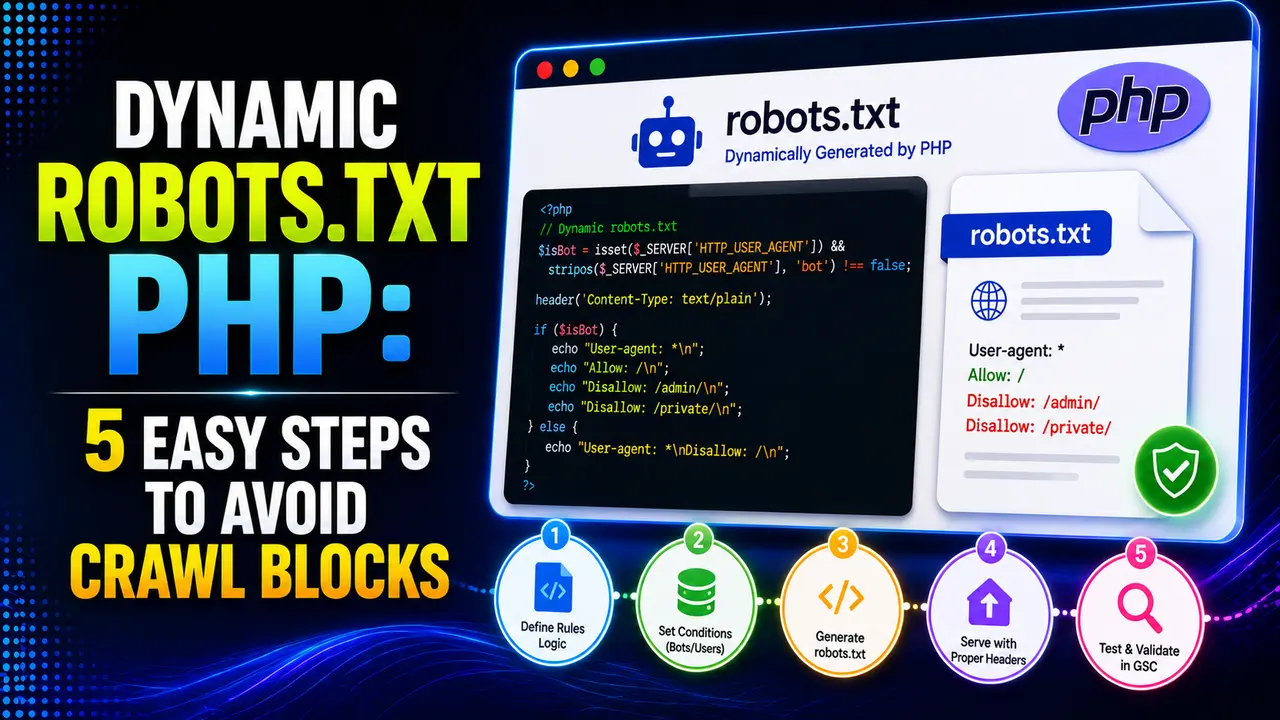
A dynamic robots.txt PHP script can auto-block staging environments and generate rules from live config, but a single uncaught error can silently halt Google's crawl for 12 hours. Here's how to build it safely, with real code and real server proof.
Hey! If your site runs on more than one environment, or you've ever wished robots.txt could just know the difference between staging and production, this one's for you.
A dynamic robots.txt PHP script sounds like overkill for a file that's usually a handful of static lines, right up until you're maintaining that file by hand across a dozen environments or subdomains. Built correctly it's a genuinely small script. Built carelessly, it can accidentally halt Google's crawler for hours without a single visible error on your site.
What Is a Dynamic robots.txt PHP Script?
Instead of a static text file sitting on disk, a dynamic robots.txt PHP script generates the content on every request, based on real, live data like the current environment, the requesting domain, or a config value stored in a database. Yoast SEO's own developer documentation confirms this exact approach is already how a major, widely used real WordPress plugin handles the file, not some unusual edge case.
Per Google's own robots.txt specification, the file must be UTF-8 encoded plain text, served at the exact root of the domain, nowhere else, and Google enforces a real 500 KiB size limit, with anything past that point simply ignored.
None of that changes just because the content now comes from a script instead of a plain file sitting on disk. A dynamic robots.txt PHP script still has to obey the same real rules Google checks for, which is exactly why the safest approach is to keep the generation logic itself as a small, plain function that takes configuration in and returns text out, completely separate from anything involving HTTP, headers, or the web server. That separation is what makes the whole thing genuinely testable on the command line before it ever touches a live request.
Tip
Already have real URLs to reference? Our XML sitemap generator in PHP guide covers the exact sitemap file this should point to.
Routing /robots.txt to a Real PHP Script
The URL still has to be exactly /robots.txt, per Apache's own mod_rewrite documentation a real rewrite rule maps that path to your script without changing the visible URL:
RewriteEngine On
RewriteRule ^robots\.txt$ /robots.php [L]
On Nginx, per Nginx's own rewrite module documentation, the same real result comes from a location block instead:
location = /robots.txt {
    fastcgi_pass unix:/run/php-fpm.sock;
    fastcgi_param SCRIPT_FILENAME $document_root/robots.php;
    include fastcgi_params;
}
Either way, the real PHP script needs to explicitly set its own headers, since nothing does that for it automatically:
header('Content-Type: text/plain; charset=utf-8');
header('Cache-Control: public, max-age=3600');
Per PHP's own manual for the header function, those calls have to happen before any other output reaches the browser, including a stray blank line or whitespace outside the opening tag, or PHP throws a real warning and the header is silently never sent. Before pointing the live domain at this endpoint, a quick real curl request against it locally confirms the response actually looks right:
curl -i http://127.0.0.1:8943/robots_endpoint.php
# HTTP/1.1 200 OK
# Content-Type: text/plain; charset=utf-8
# Cache-Control: public, max-age=3600
That one command catches a surprising number of real mistakes early: a missing content type, a cache header that never made it out, or output that starts with a warning message instead of the actual robots.txt content a dynamic robots.txt PHP script is supposed to serve.
Building the Content With a Real Environment Safety Net
The single most valuable thing a dynamic robots.txt PHP script does that a static file never could is refuse to accidentally expose a staging environment to search engines. Here's a real builder function doing exactly that, blocking everything the moment the environment isn't production, with no manual step to forget.
buildRobotsTxt(['isProduction' => true, 'disallowedPaths' => ['/admin/'],
  'sitemapUrl' => 'https://brandella.in/sitemap.xml'])
// -> "User-agent: *\nDisallow: /admin/\n\nSitemap: https://brandella.in/sitemap.xml\n"

buildRobotsTxt(['isProduction' => false])
// -> "User-agent: *\nDisallow: /\n"
That second real case is the whole point: a staging or preview environment blocks itself entirely by default, rather than depending on someone remembering to add a manual disallow rule before every deploy.
Five real test cases against this exact function, run straight from the PHP command line rather than through a browser, cover production with a real sitemap and disallow rule, a non production environment falling back to the blanket disallow, an allowed path carved out inside an otherwise blocked directory, and a malformed path that's rejected with a real exception instead of silently producing broken output. Proving a dynamic robots.txt PHP script this way, before it ever serves a real request, is what turns "it worked when I tested it manually" into something an actual test suite can confirm on every single deploy.
One real documented case found a small business robots.txt file with over 5,000 lines of directives, contradictory rules, and a final blanket disallow that left the site with exactly one page indexed. A dynamic robots.txt PHP script generating clean, minimal rules from real config avoids that kind of accumulated mess entirely.
The Case Sensitivity Trap Most Implementations Miss
Per Google's own specification, path matching is case sensitive: /Admin/ and /admin/ are two completely different real paths, and this trips up a dynamic script just as easily as a hand written one if the disallowed paths come from a database or config value with inconsistent casing.
pathIsBlocked('/admin/dashboard', ['/admin/'])
// -> true

pathIsBlocked('/Admin/dashboard', ['/admin/'])
// -> false, capital A means it's a real, different, unblocked path
A real, documented case study traced a slow ranking decline that unfolded over several months for a site with tens of thousands of indexed URLs straight back to exactly this: a directive's case changed slightly, from /Category/ to /CATEGORY/, and the intended block silently stopped applying. A dynamic robots.txt PHP script that normalizes case consistently before comparing paths avoids that entire class of quiet failure.
This risk is genuinely bigger for a dynamic script than for a plain static file. A static robots.txt only changes when a person edits it directly, so the casing is whatever that person typed, once. A script like this one that pulls disallowed paths from a database, a CMS field, or an admin panel inherits whatever casing anyone ever saved in that source, which means a single inconsistent entry months from now can quietly reopen or reclose a path nobody meant to touch. Lowercasing every path as it's read, in one place, before it's compared or written out, removes that entire category of real risk in a couple of lines.
The Real Danger of a 5xx Response
This is the gotcha unique to making robots.txt dynamic in the first place: a static file can't throw a PHP error, but a script can. Per Google's own documentation, a real server error on robots.txt doesn't mean "assume no restrictions," it means Google stops crawling the entire site for 12 hours, then falls back to a cached copy for up to 30 days if the error persists.
Here's that exact distinction proven against a real running PHP server: a normal request returning a genuine 200, and a real unhandled error path returning a genuine 500.

A working request returns a real 200 with the correct plain text content type.

An unhandled real error returns a genuine 500, which is exactly the response that halts crawling.
A 404 on this same endpoint, by contrast, is real and harmless: Google's own documented behavior treats a missing robots.txt as "no restrictions" and keeps crawling normally. The dangerous failure mode is specifically a 5xx, which is exactly what an uncaught real PHP error produces by default.
The real fix is a plain try and catch block wrapped around every part of the script that can fail, a database lookup, a config read, anything touching the file system, paired with a fallback that always returns something valid even when that inner logic breaks. A minimal real fallback like "User-agent: *\nAllow: /\n" served with a genuine 200 status keeps a broken config from ever becoming a genuine 500, which is the one outcome this whole approach has to avoid above everything else covered here.
Caching: Why a Change Doesn't Take Effect Immediately
This is the part of running a dynamic robots.txt PHP script that trips up even careful teams, because everything about the deploy looks successful and yet crawling behavior doesn't budge right away.
Per Google's own documentation, robots.txt is cached for up to 24 hours by default, longer if a fresh fetch genuinely fails, and that duration can be adjusted through real Cache-Control response headers your PHP script sends. A dynamic robots.txt PHP script that changes its output based on config that shifts by the hour still won't be reflected in Google's crawling behavior instantly, even though the script itself updates immediately on the next request.
Semrush's own robots.txt guide reinforces the same practical point from a different angle: treat robots.txt changes as something that takes real time to propagate, not an instant switch, and test with Google's own tools rather than assuming a live change already took effect everywhere.
Google Search Console's own robots.txt report shows the exact version Google last fetched and when, which is the real way to confirm a change to a dynamic robots.txt PHP script actually reached Google rather than just trusting that the endpoint returns the right thing today. Checking that report after a deploy, rather than assuming success, is a small habit that catches a caching or deployment problem long before it shows up as a drop in indexed pages.
Common Pitfalls With a Dynamic robots.txt PHP Script
Every real mistake covered so far comes back to the same handful of habits, so here they are together as one checklist worth running through before a dynamic robots.txt PHP script ever reaches production traffic.
For the surrounding pieces this pairs naturally with, building an XML sitemap generator in PHP and the IndexNow API in PHP are worth reading alongside this one, and PHP error logging and monitoring covers exactly the kind of safety net that keeps an uncaught error here from ever reaching a real 500.
It lets the content change per environment, per domain, or from live config without manually editing a file, and it's the same real approach a major plugin like Yoast SEO already uses.
Letting an uncaught error return a real HTTP 500. Per Google's own documentation, that halts crawling of the entire site for 12 hours, then falls back to a stale cached copy for up to 30 days.
Yes. /Admin/ and /admin/ are two different real paths, a real documented mistake that has caused genuine, measurable SEO traffic loss.
Not immediately. Google caches robots.txt for up to 24 hours by default, sometimes longer, so a live change can take real time to actually change crawling behavior.
Yes, a real 500 KiB limit per Google's own documentation, with anything past that point simply ignored rather than causing an error.
Learn Today
Dynamic robots.txt
Content generated per request from live config rather than a static file.
Environment Safety Net
Blocking everything by default outside production, no manual step required.
Case Sensitive Path
/Admin/ and /admin/ are treated as two completely different real paths.
5xx Crawl Halt
A real server error on robots.txt stops crawling the whole site for 12 hours.
24 Hour Cache
Google's default caching window before a robots.txt change is actually seen.
500 KiB Limit
The real hard size ceiling, content past that point is simply ignored.
Ready to Build a Safer robots.txt?
Explore more Brandella Journal guides on PHP, SEO, and site tooling.