Facebook Creator Dashboard Moves to Web: What Creators Get
Meta's Facebook Creator Dashboard now works on the web with publishing, Instagram insights, messaging and monetization tools that used to sit in Business Suite.

In this article
The Facebook Creator Dashboard now has a full web version. Meta moved the creator tools that used to live in Meta Business Suite into the dashboard on desktop, so creators can publish, plan, read insights, reply to messages and set up monetization in one place. Meta announced it on its creator blog, and TechJuice reported that the web version launched on November 18, 2026.
This matters to anyone who runs a Facebook Page as a creator, and to the social teams and agencies who manage those Pages. Until now, creators often switched between the dashboard and Business Suite to get work done.
According to Net Influencer, Meta’s announcement says: “We know that desktop is where a lot of creators shift into work mode.”

What the Facebook Creator Dashboard on web includes
Social Samosa and Net Influencer list the same core features from Meta’s post.
| Area | What is new on the web |
|---|---|
| Publishing | Rebuilt composer for Feed posts and Reels with a full screen canvas and live preview; trim, crop and add music to Reels |
| Sharing | One flow to share to your Instagram account, your Facebook story or other Pages you manage |
| Video | Bulk video upload as one job, and Reels playlists |
| Content library | Grid view, more filters and search for older posts |
| Insights and planning | Instagram post insights, a content planner and Meta’s creator assistant |
| Protection | Content protection to find possible unauthorized uses of your original content |
| Audience | Invite people who engaged with your content to follow your Page or profile in bulk |
| Messaging | Messenger for Pages on Facebook.com, so you can move a conversation from comments to direct messages |
| Monetization | Eligible creators can onboard for Stars, subscriptions and content monetization |
| Team access | Limited admins such as editors and managers can create posts, manage the community, reply to messages and view insights, based on the access you give them |
TechJuice adds that the visual content calendar has moved over from Business Suite.
Creator Dashboard, Business Dashboard and Business Suite
The naming has changed this year. The tool was called Professional Dashboard. Social Samosa says Business Dashboard continues to serve businesses, while Creator Dashboard focuses on individual creators.
Net Influencer says Meta first announced the split in June, along with plans to move creator tools out of Business Suite into the desktop web experience. TechJuice reports that Business Suite still exists alongside the in app controls.
If you manage a brand Page rather than a creator profile, your daily tools may not change. If you manage creators, expect them to work more in Creator Dashboard and less in Business Suite.
Where the AI tools are available
Not every feature is available everywhere. TechJuice reports that the AI features, including the creator assistant and AI drafted comment replies, currently work for creators in the United States, Canada and India, and that Meta plans to add more countries over the coming months.
The other reports do not give a country list for the rest of the web dashboard, and monetization onboarding is described only as open to “eligible creators.” Check inside your own account before you plan around a feature.
Content protection reached Instagram earlier the same week. Our guide to Instagram content protection explains how repost matching works.
What creators and social teams should do now
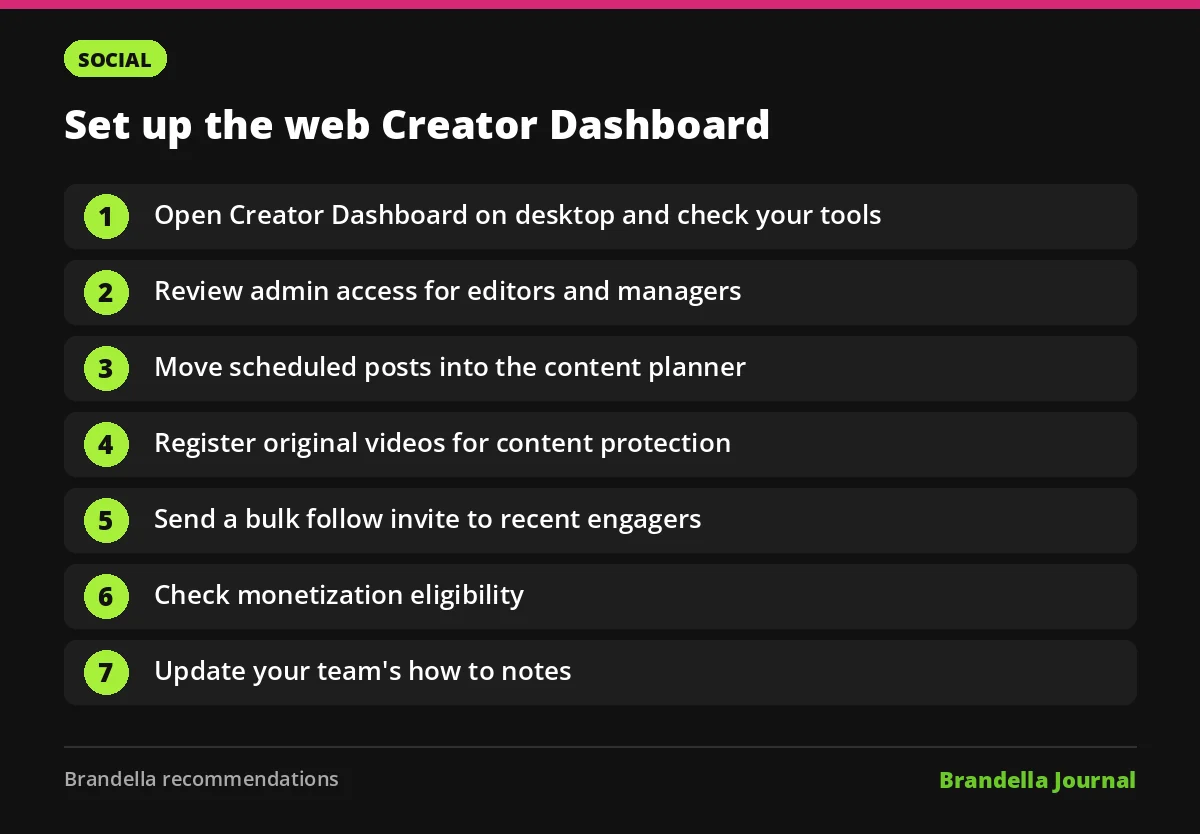
These are our recommendations, based on the reports above.
- Open Creator Dashboard on a desktop browser and check which of the new tools your Page has.
- Review admin access. Give editors and managers only the tasks they need, such as posting or replying to messages.
- Move scheduled posts into the content planner so the whole team works from one calendar.
- Register your original videos for content protection if the option shows in your account.
- Run a bulk follow invite for people who engaged with recent posts, then watch follower growth for a week.
- Check monetization eligibility and finish onboarding for Stars or subscriptions if you qualify.
- Update your team’s how to notes so new staff know where each task now lives.
Meta has made several Facebook changes this month. If you still use extra profiles, read Facebook additional profiles removed after December 14. For reach, our explainer on how Facebook ranks interests people choose helps you plan content, and Facebook marketing in 2026 covers the wider picture.
FAQ about the Facebook Creator Dashboard
When did the Facebook Creator Dashboard come to the web?
TechJuice reported that Meta launched the updated web version on November 18, 2026. Social Samosa published its report on November 19.
Does the Creator Dashboard replace Meta Business Suite?
For creators, it takes over the creator tools that were in Business Suite. TechJuice reports that Business Suite still exists, and Business Dashboard continues to serve businesses.
Can my team manage my Page in the Creator Dashboard?
Yes. Limited admins such as editors and managers can work in the web dashboard with the permissions you assign, including posting, community management, messages and insights.
Are the AI features available in India?
TechJuice reports that the AI features, including the creator assistant and AI drafted comment replies, work for creators in the United States, Canada and India for now.