Facebook Additional Profiles Removed After December 14
Facebook additional profiles will be permanently removed after December 14, 2026. What Meta confirmed, what is safe, and a checklist for groups and Pages.

In this article
Facebook additional profiles are going away. In an update dated November 12, 2026 at the top of its original Newsroom post on multiple personal profiles, Meta says it is “removing additional Facebook profiles, the secondary profiles people could create alongside their main one.”
The deadline is close. Meta says additional profiles “will be permanently removed after December 14, 2026.” Your main Facebook profile and your Pages will not be affected.
This matters for social media managers, community builders and creators who used a second profile to run a group, test content or keep a work identity apart from a personal one. Anything tied only to that second profile needs attention in the next four weeks.
What Meta confirmed about Facebook additional profiles
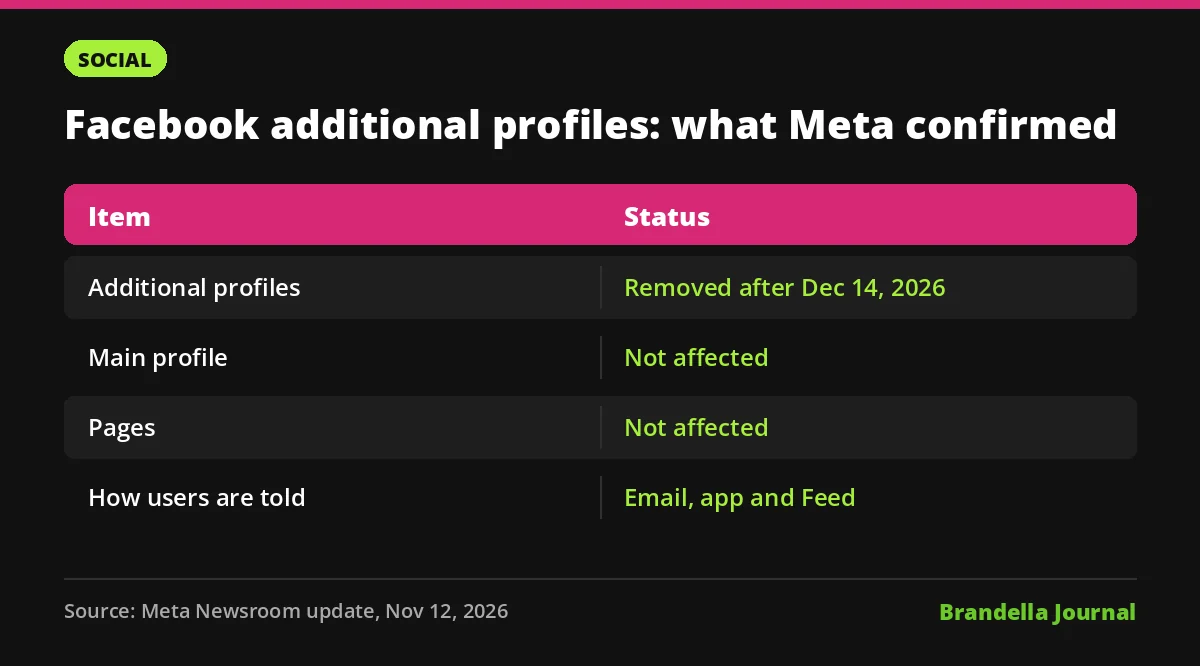
The official note is short. Here is everything it confirms, and what it leaves open:
| Question | Answer |
|---|---|
| What is being removed? | Additional profiles, the secondary profiles created alongside a main profile |
| When? | Permanently removed after December 14, 2026 |
| Is my main profile affected? | No, Meta says main profiles are not affected |
| Are Pages affected? | No, Meta says Pages are not affected |
| How will people be told? | By email, and in the app and in Feed where applicable |
| Where are the steps? | In a Facebook Help Center article linked from the note |
Meta did not give a reason for the change in the note, and it did not say how many people use additional profiles.
What happens to your groups, friends and data
The Newsroom note does not list the details, so we rely here on Relevant Audience’s summary of Meta’s guidance. It reports four practical points.
First, each additional profile must be exported separately through Settings and privacy, and exports take time to prepare. Some information, including ads information, is only available in the main profile’s export.
Second, a group run only by an additional profile is paused until a new admin is added. Third, friends, groups and Page connections do not move to your main profile automatically. Some users may see a “Review connections” option, but it is not guaranteed.
Fourth, Meta has not said whether Page roles, ad account access or Meta Business Suite access held through an additional profile are affected. Relevant Audience recommends checking that access from main profiles. We agree, because losing an admin on a busy group or ad account in December would be a real problem.
Who should care most
Most people never created an additional profile, so for them nothing changes. The teams that should act fast are:
- Community managers who run brand or fan groups from a separate profile.
- Creators who split a hobby or niche persona from their main identity.
- Agencies and freelancers who used a second profile to manage client groups or test posts.
- Small businesses where one person ran the business presence from a secondary profile instead of a Page.
If your brand already works through a Page and Meta Business Suite with proper roles, you are mostly safe. But check, because Meta has not confirmed how roles held by additional profiles are handled. Ad accounts matter most: a lost admin can stall live campaigns such as Meta Advantage Plus campaigns in the busiest shopping weeks.
What social media teams should do now
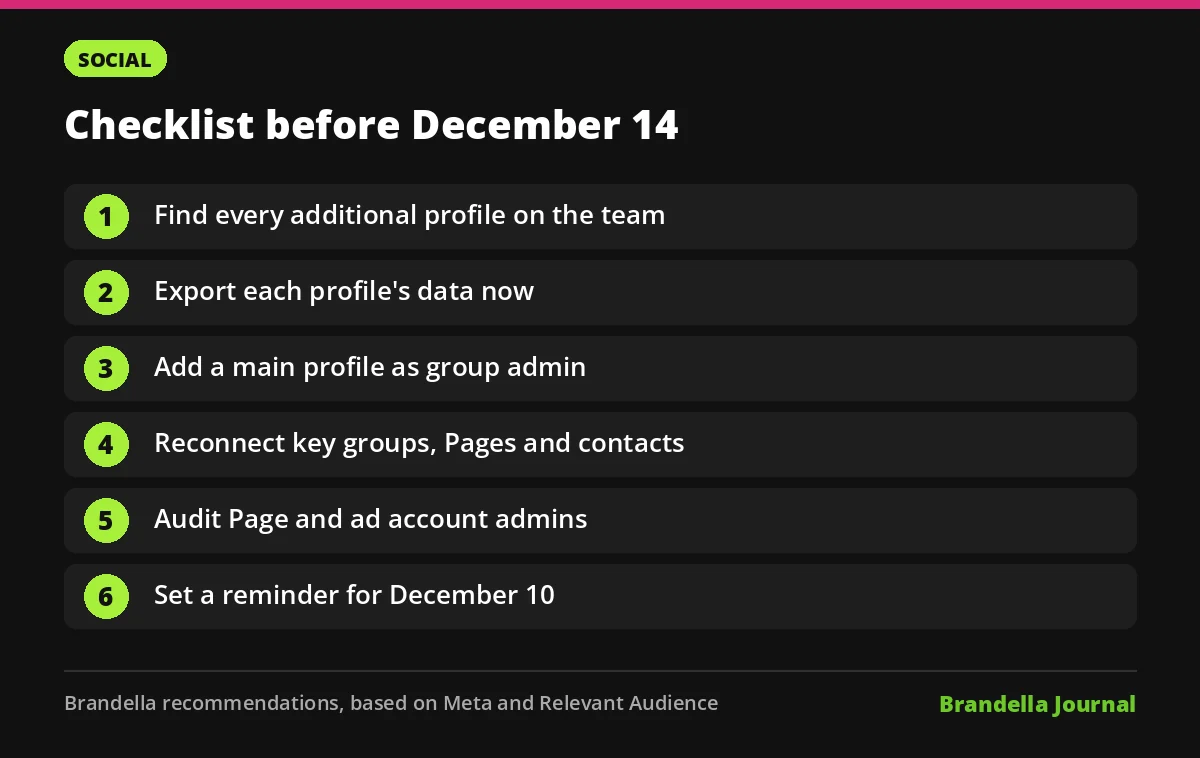
These steps are our recommendations, based on Meta’s note and Relevant Audience’s reporting:
- Find every additional profile. Ask each team member and client whether they use one. Meta is sending emails, so ask people to check their inbox.
- Export the data now. Start the export for each additional profile early, since each one is separate and exports take time.
- Add a main profile as group admin. For every group run by an additional profile, add a trusted main profile as admin so the group is not paused.
- Rebuild key connections. Re follow important groups, Pages and contacts from the main profile, because they do not transfer automatically.
- Audit Page and ad access. In Business Suite, confirm that each Page and ad account has at least two admins using main profiles.
- Save content you will need. Copy posts, photos and audience insights you want to keep for your content calendar.
- Set a reminder for December 10. Leave a few days of buffer before the December 14 cutoff to fix anything missed.
What this means for your Facebook strategy
Meta is pushing activity back to one identity per person. That fits how it now ranks content around people’s chosen interests, explained in our post on Facebook Your Algorithm. If you used a second profile to reach a separate audience, the better long term home is a Page or a group run by real main profiles.
Use this as a moment to clean up access hygiene too. Remove old admins, document who owns each asset and keep two admins on everything. Our guide to what is working in Facebook marketing in 2026 covers how to plan Page and group content once the profile clean up is done.
FAQ about Facebook additional profiles
When will Facebook additional profiles be deleted?
Meta says they will be permanently removed after December 14, 2026. It announced the change on November 12, 2026.
Will my Facebook Page be deleted?
No. Meta says Pages are not affected, and neither is your main profile. Only the secondary profiles created alongside a main profile are being removed.
Can I move my additional profile’s friends to my main profile?
Relevant Audience reports that friends, groups and Pages do not transfer automatically. Some users may see a “Review connections” option, but it is not guaranteed, so plan to reconnect manually.
What happens to groups run by an additional profile?
According to Relevant Audience, such a group is paused until an admin is added. Add a main profile as admin before December 14 to avoid that.