Google-Agent Traffic: Google Guide to Allowing AI Agents
Google-Agent traffic now has an official allow guide. Learn how Google-Agent identifies itself and the six setups that still block it on CDNs and firewalls.

In this article
Google-Agent traffic now has its own official setup guide. On November 17, 2026, Google added a page called Allow Google-Agent traffic to its crawling documentation. It explains how site owners can let Google’s AI agents through their content delivery network (CDN), web application firewall (WAF) or bot detection service without switching off security.
Google describes Google-Agent as “the name used by agents hosted on Google infrastructure” that browse the web and act on requests from users. Search Engine Roundtable noted that the agent itself was first documented in March, so the news here is the practical allow guide, not a new bot.
This matters for any site where an AI agent might search, filter, book or add to cart for a real person. If your security stack treats that visit like a scraper, the user’s task fails and your business never gets the lead or the sale.
What the Google-Agent traffic guide says
The guide gives site owners a simple order of checks. According to PPC Land’s walkthrough of the page, you should confirm the user agent, confirm the IP range, verify the signature if one is present, and then skip bot challenges for requests that pass.
Google says that explicitly allowing this traffic “helps prevent legitimate requests from being blocked while preserving your existing security controls.” In other words, the goal is a narrow exception for verified agents, not a wide open door.
How Google-Agent identifies itself
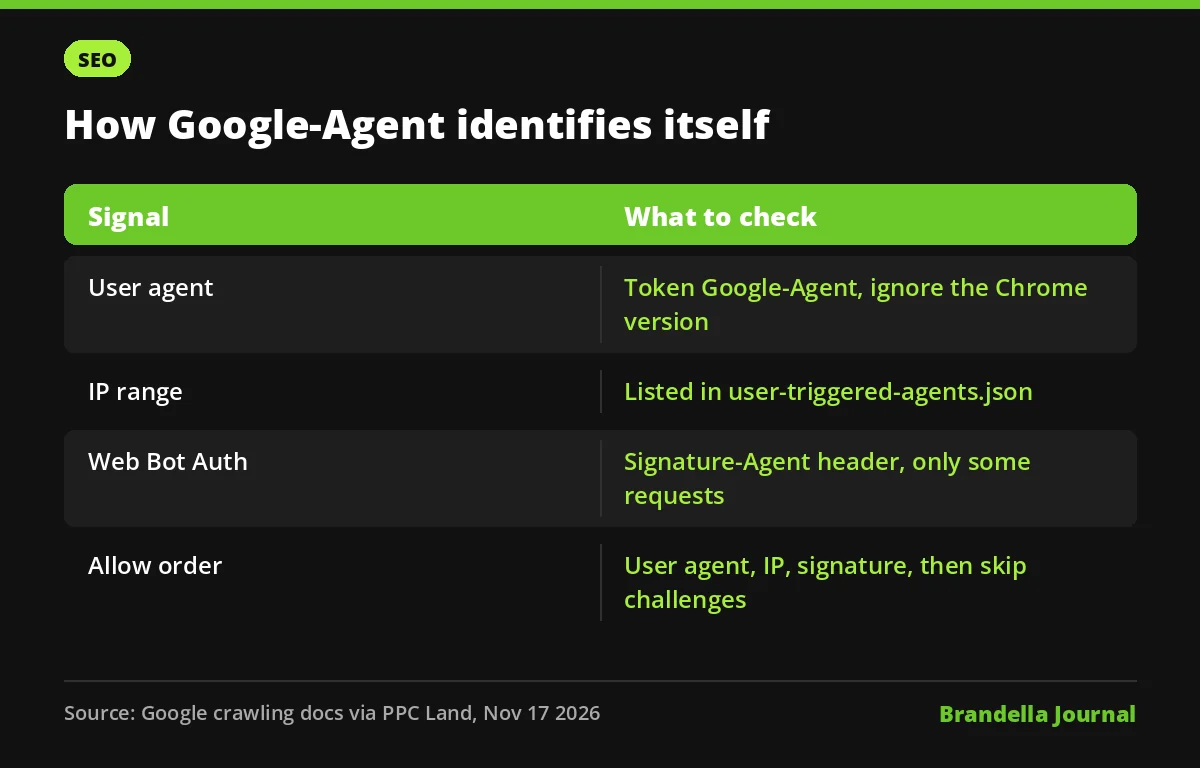
There are three signals, and they work best together.
| Signal | What to check | Watch out for |
|---|---|---|
| User agent | The User-Agent header contains the token Google-Agent | The Chrome version in the string is a placeholder, so match the token, not the version |
| IP range | The source IP is in Google’s user-triggered-agents.json file | Google refreshes the file, so copied lists go stale |
| Web Bot Auth | Signed requests carry a Signature-Agent header for agent.bot.goog | Experimental and only a subset of requests are signed |
The signature uses RFC 9421 HTTP Message Signatures, as described on Google’s separate Web Bot Auth page. Because not every request is signed, Google’s advice still relies on IP checks. A user agent string alone is never enough, since anyone can fake it.
We covered the same weakness for Googlebot when Google warned that cloud VMs can pass weak verification checks. The lesson carries over: verify by network data, not by a name in a header.
Six ways sites still block allowed agents
The most useful part of the guide is its troubleshooting list. These are the cases where a site has an allow rule but legitimate Google-Agent visits still fail.
- Rule priority. The allow rule must run before broad blocks on cloud or data center networks, managed bot rules or “AI agent” category blocks.
- Interactive challenges. CAPTCHAs and JavaScript challenges must be skipped for verified requests, including widgets that only appear after a search or form submit.
- Actions and APIs. The exception must cover more than the homepage. Search, filters, product pages, add to cart, booking and the XHR, GraphQL or api endpoints behind them all need it.
- Shared IP rate limits. Google notes that “concurrent requests from multiple users share the same egress pool,” so per IP limits can throttle many real users at once.
- IP range updates. Rules based on IPs must stay in sync with user-triggered-agents.json.
- Proxy headers. Load balancers and proxies must pass along the client IP, the User-Agent header and any signature headers.
If you recently put your site behind a CDN, also read our note on how moving to a CDN can cause overblocking. Many of the same managed rules are involved.
What robots.txt does and does not do here
The new page does not talk about robots.txt. Google’s fetcher list says user-triggered fetchers “generally ignore robots.txt rules,” as PPC Land points out. That is because the visit starts with a person asking for something, not with an automatic crawl.
So your robots.txt file is not the control point for Google-Agent. Access is decided at the CDN, firewall and bot detection layer. If you want to limit agent actions, do it there, and be deliberate about it. Our story on the United Airlines AI agents ban shows how one brand chose a stricter path.
What site owners should do now
This checklist is our recommendation based on Google’s guide. It is not an official Google statement.
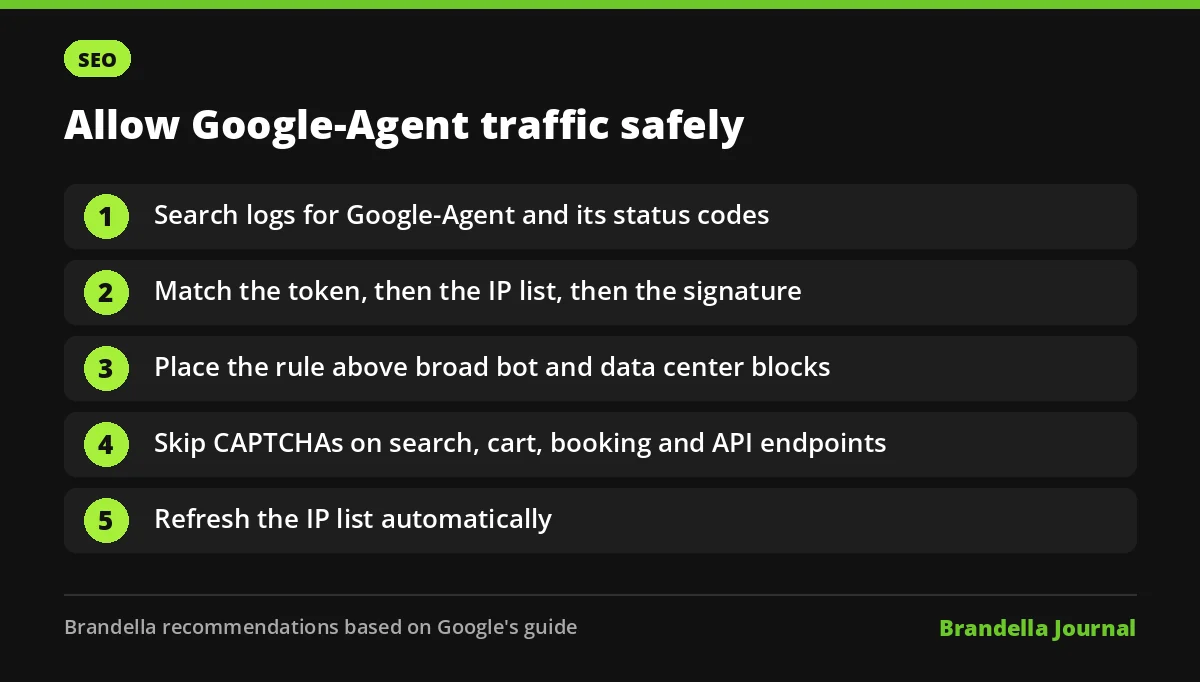
- Find out who owns your edge rules. Ask your developer, host or CDN provider where bot and WAF rules live and who can change them.
- Search your logs for the token. Look for Google-Agent in server or CDN logs and check the status codes it gets. Challenges, 403 errors and 429 errors are warning signs.
- Build the rule in Google’s order. User agent token, then IP in user-triggered-agents.json, then signature if present. Place it above any broad bot or data center block.
- Automate the IP list. Pull the JSON file on a schedule instead of pasting ranges once.
- Test the money pages. Make sure the exception reaches search, cart, booking and form endpoints, not only page views.
- Keep other protections on. Rate limits for unverified traffic, login protection and spam filters should stay as they are.
- Separate agents in analytics. Agent visits are not normal human sessions. Our guide to filtering bot traffic in GA4 helps keep reports clean.
FAQ about Google-Agent traffic
Is Google-Agent the same as Googlebot?
No. Googlebot crawls pages for Google Search. Google-Agent is the name for agents on Google infrastructure that browse and act on behalf of a user who asked for something.
Does blocking Google-Agent affect my rankings?
Google’s guide does not say that it does. The risk it describes is practical: legitimate user tasks such as searches or bookings fail on your site.
Can I verify Google-Agent with the user agent string only?
No. Google’s process also checks that the IP is in user-triggered-agents.json. Web Bot Auth signatures help where present, but only some requests are signed.
Does robots.txt block Google-Agent?
User-triggered fetchers generally ignore robots.txt rules, according to Google’s fetcher documentation as cited by PPC Land. Control access in your CDN, WAF or bot tool instead.