Microsoft Advertising Messaging Guidelines Reach the API
Microsoft Advertising messaging guidelines now have API support through Campaign.MessagingRestrictions: 40 rules of 300 characters to steer AI ad copy.


In this article
Microsoft Advertising messaging guidelines, the plain language rules that steer AI-written ad copy, can now be managed in code. The November 2026 Microsoft Advertising API release notes say Microsoft “Added SDK coverage for Campaign.MessagingRestrictions, AIPromptAudience, and TargetCpmBiddingScheme” with API revision 2026-11-09. SDK version 13.0.31 shipped on November 11, 2026.
Search Engine Land reported the API change this week. Microsoft first announced messaging guidelines in its October 2026 product roundup, where you set them in the campaign creation flow. Microsoft’s Bulk API guide already listed them, but said Campaign Management support was coming soon.
This matters to agencies and in-house teams that run many accounts or build campaigns with scripts. A brand rule such as “never call our products cheap” can now go into every campaign from one tool.

What Microsoft Advertising messaging guidelines do
Performance Max and AI Max write headlines and descriptions for you. Messaging guidelines tell that system what to avoid, which rules to follow and which themes to stress. Microsoft’s example in the October post is a high-end retail brand adding “Never imply that products are low cost.”
Microsoft says “Messaging guidelines let you provide up to 40 guidelines to help steer generated copy and protect your brand.” The feature is “available in open pilot for Performance Max campaigns and Search campaigns that have AI Max enabled.” In its November roundup, Microsoft described them as a way to “use plain language instructions to keep AI-generated ad copy on-brand and on-message.”
They work next to term exclusions. Exclusions block exact words, while guidelines handle meaning and tone. PPC News Feed noted in October that Microsoft groups the two together as text guardrails.
How MessagingRestrictions works in the API
The Campaign data object defines MessagingRestrictions as “The messaging guidelines that generated ad copy for the campaign must follow.” Each item is an AssetLink whose asset is a TextAsset, and the rule itself goes in TextAsset.Text. Microsoft’s example is “Avoid implying our products are cheap.”
| Setting | API field | Limit |
|---|---|---|
| Messaging guidelines | Campaign.MessagingRestrictions | Up to 40, each up to 300 characters |
| Term exclusions | Campaign.TermExclusions | Up to 25 terms, each up to 30 characters |
| Where else | Bulk Campaign record | Both settings |
| Campaign types | Performance Max, Search with AI Max | Open pilot |
The AI Max with the Bulk API guide lists both settings in the Bulk Campaign record with the same limits. That guide, last updated in October, still says “Campaign Management support is coming soon,” so the November SDK coverage looks like the follow-through. If something doesn’t behave as the docs describe, test on one campaign and check the latest release notes. The release notes also show BrandKit gaining TermExclusions and MessagingRestrictions fields in March 2026.
Writing guidelines that the AI can follow
Microsoft has not published a style guide for messaging guidelines beyond its examples. Both of them are short, direct instructions about one thing, and that is a sensible model to copy.
Our suggestions for good candidates:
- claims legal has banned, such as “Do not promise same day delivery”
- price positioning, such as Microsoft’s “Never imply that products are low cost”
- themes you want stressed, such as a warranty or a free trial
- competitor rules, such as “Do not mention competitor brand names”
Keep each rule to one idea. Forty rules of 300 characters is a lot of room, but long, mixed rules are harder for anyone, person or model, to apply.
What advertisers should do now
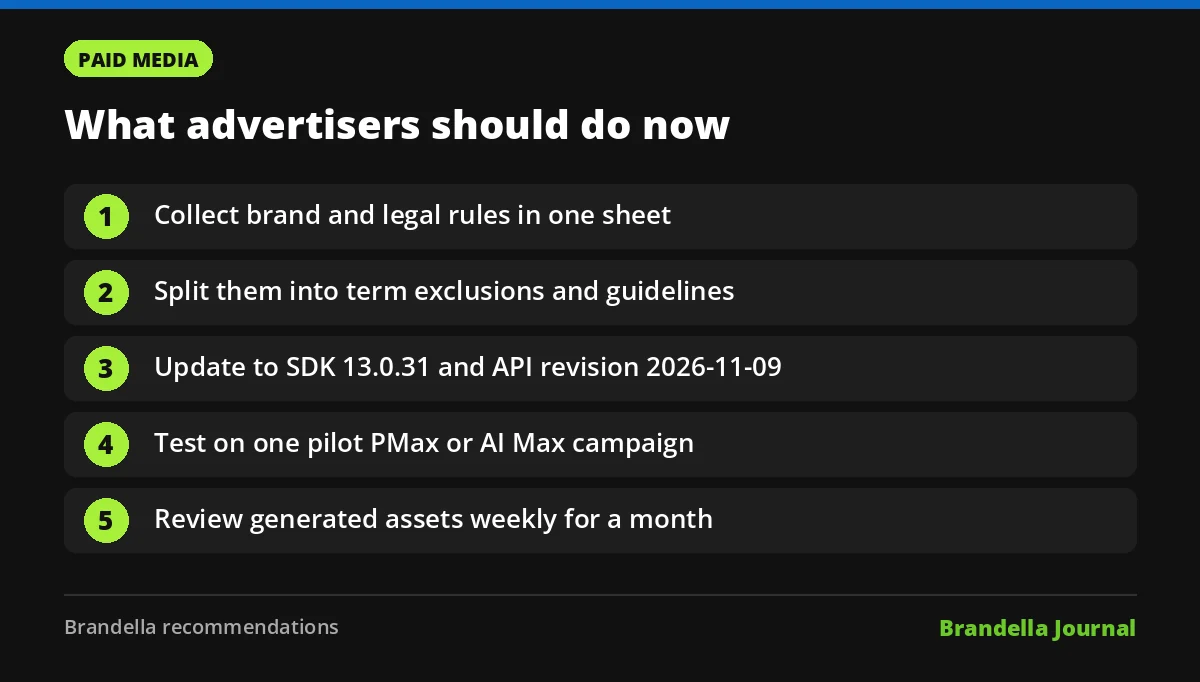
These steps are our recommendations, not Microsoft instructions.
- Collect your brand and legal rules in one sheet: banned claims, required wording, banned words.
- Turn banned single words into term exclusions (25 maximum, 30 characters each) and everything else into messaging guidelines (40 maximum, 300 characters each).
- If you manage several accounts, ask your developer or tool vendor to update to SDK 13.0.31 or later and API revision 2026-11-09, then push the rules through Campaign.MessagingRestrictions or a Bulk file.
- Start with one Performance Max or AI Max campaign that is in the pilot and check the generated headlines and descriptions before you roll out wider.
- Review generated assets weekly for the first month, and add a rule each time you find copy you would not approve.
- Pair this with AI labels for images and video and the automated bidding changes so your Microsoft setup is current.
If you also run Google, compare this with Performance Max visual guidelines, which steer AI-made images rather than text. Our PPC ad copy testing tips still apply to whatever copy the AI produces.
FAQ about Microsoft Advertising messaging guidelines
Which campaigns support messaging guidelines?
Microsoft says Performance Max campaigns and Search campaigns that have AI Max enabled, in open pilot.
How many guidelines can I add?
Up to 40 per campaign, each up to 300 characters.
What is the difference from term exclusions?
Term exclusions block exact words or phrases, up to 25 of them at 30 characters each. Messaging guidelines are plain language instructions about tone, claims and themes.
Do I need the API to use them?
No. You can set them in the campaign creation flow. The API and Bulk files help when you manage many campaigns.