Perplexity Time Machine API: Search the Web as It Was
The Perplexity Time Machine API returns search results and pages as they were up to 365 days ago. How it works, its limits and how marketers can use it.

In this article
Perplexity Time Machine lets developers search the web as it looked on a past date. The Perplexity API changelog for November 2026 says the Search API and the Context API now accept a snapshot_as_of cutoff up to 365 days in the past, and each result comes from the copy Perplexity saved at or before that time.
The Next Web reported the launch on November 25, 2026, a day after Epochal, a startup from three of xAI’s co-founders, launched a similar product.
This is a developer feature, but it answers a question marketers keep asking about AI search: what would an answer engine have found about my brand last month? Until now that meant screenshots or third party trackers.
How Perplexity Time Machine works
You add snapshot_as_of to a POST /search request with an RFC 3339 time that includes a time zone, such as 2026-11-01T00:00:00Z. The Time Machine documentation says search then only looks at copies saved by that cutoff, and each result’s title, snippet and date come from that copy.
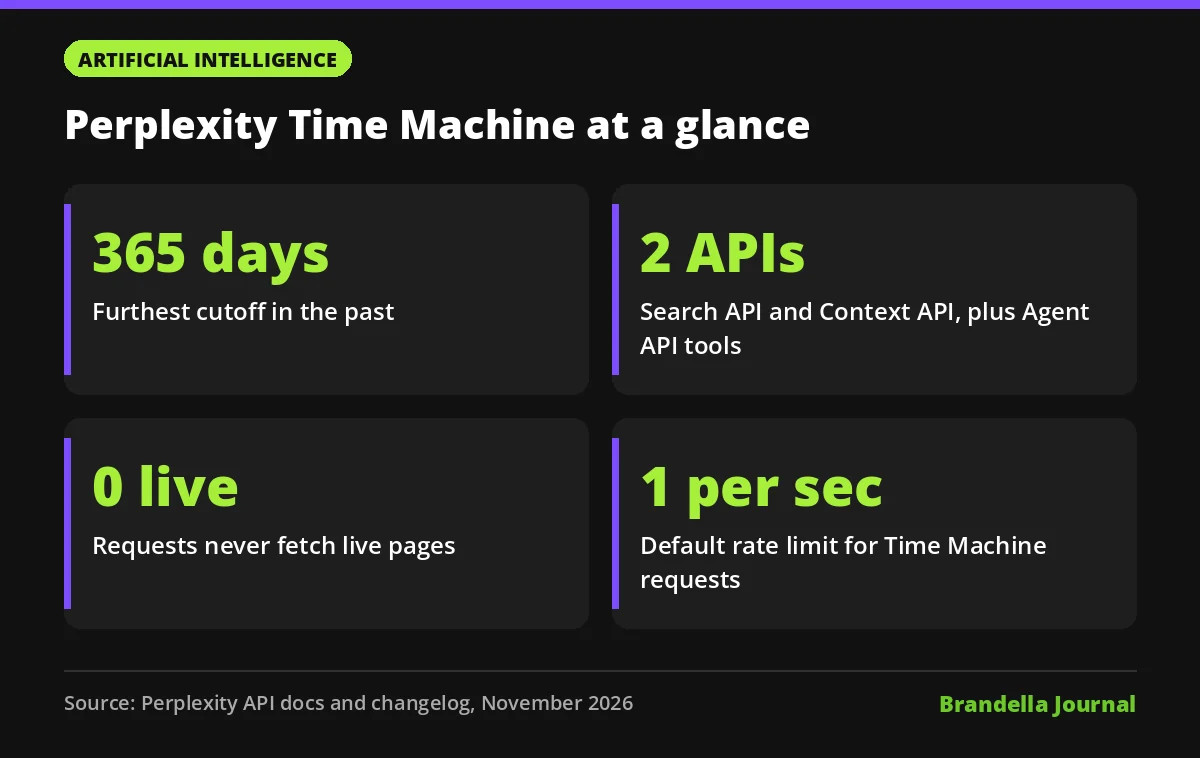
The cutoff is compared with when Perplexity saved the page, not with a date printed on it. The response has the same format as a normal search, except last_updated is left out.
A search result is only a snippet. To read full pages as they were, you send the URLs to POST /v1/context with the same snapshot_as_of. Inside the Agent API, the setting goes in the filters of the web_search and fetch_url tools. The Python library from version 0.50.0 and the TypeScript SDK from 0.45.0 accept a date object.
Perplexity’s docs name two uses: evaluating an agent on questions with known answers, and backtesting a forecast. According to The Next Web, Perplexity trained a model on the tool to forecast 2026 Polymarket political events, and it scored 0.80 in Perplexity’s own test against the market’s 0.79.
Limits worth knowing before you build
Time Machine requests never fetch live. If Perplexity has no stored copy of a page from before the cutoff, search drops it, so you can get fewer results than max_results or none at all. The Context API returns status.type as no_content in that case, and also when the page returned 404 or 410 at the time.
| Setting or behaviour | With Time Machine |
|---|---|
| Cutoff range | Not in the future, not more than 365 days ago |
| Live fetching | Never |
| Domain and language filters | Allowed |
| Recency and date filters | Not allowed |
| People search | Not allowed |
| Context formats | Markdown and highlights only, no HTML or links |
| Default rate limit | 1 request per second |
The docs explain the format limit: stored copies keep the page text but not its HTML or links. So you cannot use snapshots to rebuild a page’s internal linking or check old markup.
On cost, the Context docs say only successful results are billed and failed results are not. The Next Web reports that Time Machine costs the same as Perplexity’s other API calls.
Why marketers and SEOs should care
Perplexity built this for AI testing, but the same feature can answer some practical search questions. The uses below are our ideas, not features Perplexity promotes.
You can rerun a query with a cutoff before and after a campaign, a PR push or a site migration and see whether your pages showed up in Perplexity’s results at each point. You can check which competitor pages ranked for a topic a few months ago. And if you test your own AI agents or content tools, you can score them against a fixed snapshot so results do not drift as the web changes.
Two cautions. Coverage depends on when Perplexity happened to save a page, so a missing result does not prove a page was absent. And these are Perplexity API results, not what Google, ChatGPT or even the Perplexity consumer app showed users. For how Perplexity picks sources in the first place, see how Perplexity AI finds and ranks sources.
Rank tracking has had its own reliability problems lately, as our post on the Google sign-in wall test showed.
What to do now
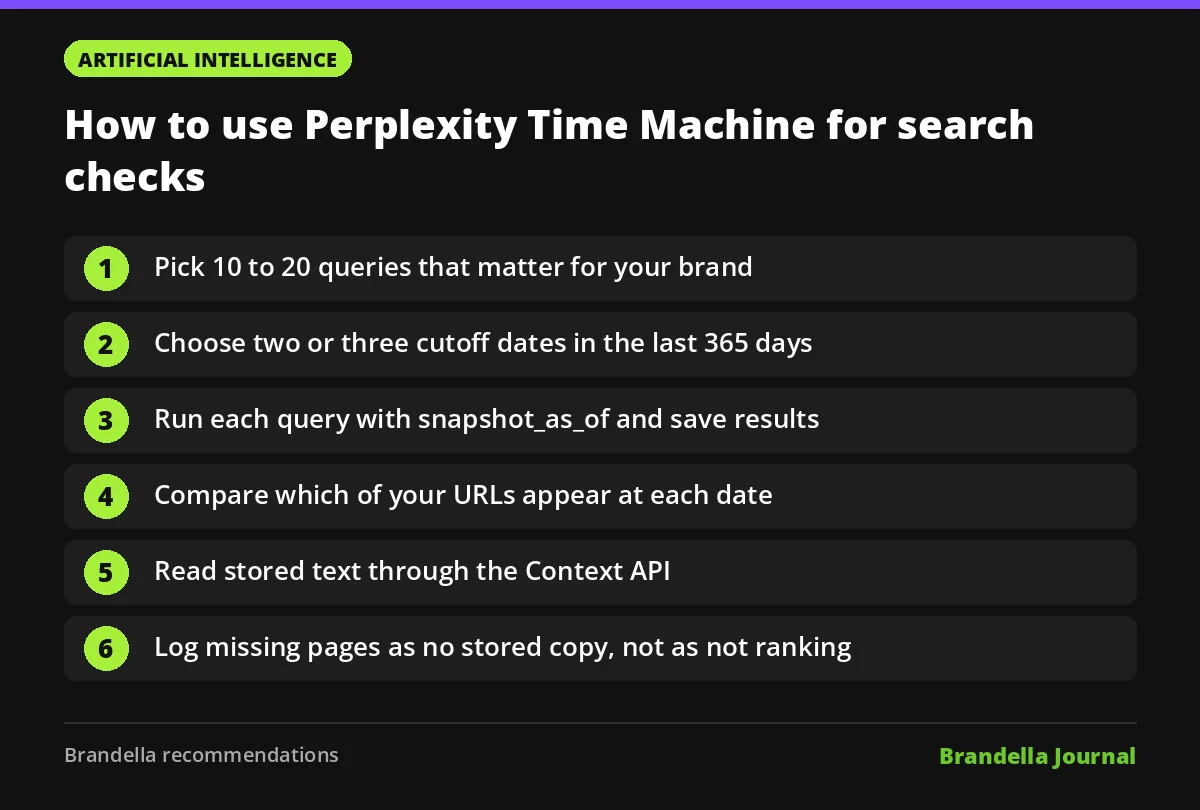
These steps are our recommendations:
- Pick 10 to 20 queries that matter for your brand or product category.
- Choose two or three cutoff dates inside the last 365 days, for example before and after a major content update.
- Run each query with
snapshot_as_ofandsearch_domain_filterif you want to focus on certain sites, and save the results with the cutoff date. - Compare which of your URLs appear at each date and which competitor pages replaced them.
- Send the URLs that matter to the Context API with the same cutoff to read the text Perplexity stored.
- Log missing pages as “no stored copy” rather than “not ranking,” since the docs say pages without a saved copy are simply left out.
If you are thinking about how AI tools read your site more broadly, our AI friendly website setup guide covers the basics, and Perplexity Teammates explains Perplexity’s agents for work.
FAQ about Perplexity Time Machine
How far back can Perplexity Time Machine search?
Up to 365 days. The cutoff cannot be in the future or older than 365 days.
Does Time Machine fetch live pages?
No. It only uses copies Perplexity saved at or before the cutoff, and pages without a saved copy are left out.
Can I combine Time Machine with a recency filter?
No. The docs say snapshot_as_of cannot be combined with recency, publication date or last updated filters.
Does it cost extra?
The Next Web reports it costs the same as Perplexity’s other API calls, and the Context docs say only successful results are billed.