Performance Max Visual Guidelines: Steer AI-Made Ad Images
Performance Max visual guidelines let advertisers upload up to three reference images and set rules for AI-made ad images. What is new and how to set them up.

In this article
Performance Max visual guidelines are a new option in Google Ads that let advertisers steer how Google’s AI creates and enhances images for their ads. The setting sits under brand guidelines in Performance Max campaigns, and Google’s own wording in the interface reads: “Now you can add style references and preferences to help steer how images are created and enhanced for your ads.”
The feature was spotted by Marcin Wsół and covered by PPC News Feed on November 13, 2026, then by Search Engine Roundtable on November 17. Google has not published a formal announcement or help page for it yet.
For brands that have held back on AI generated images because of off-brand results, this is a useful new control. It gives you a way to tell the AI what your images should look like before they reach customers.
What the new visual guidelines include
Based on the PPC News Feed and Search Engine Roundtable reports, the new section offers these options:
- Reference images: upload up to three images that act as a style guide for the AI.
- Image style: describe the look you expect.
- Content guidelines: ask for specific content, such as people using your product.
- Things to avoid: tell the AI to leave out elements such as distracting backgrounds.
PPC News Feed adds that each guideline entry is limited to 300 characters and that you can keep adding entries with a button. Rollout details, eligible accounts and markets have not been published.
How it fits with existing brand and text guidelines
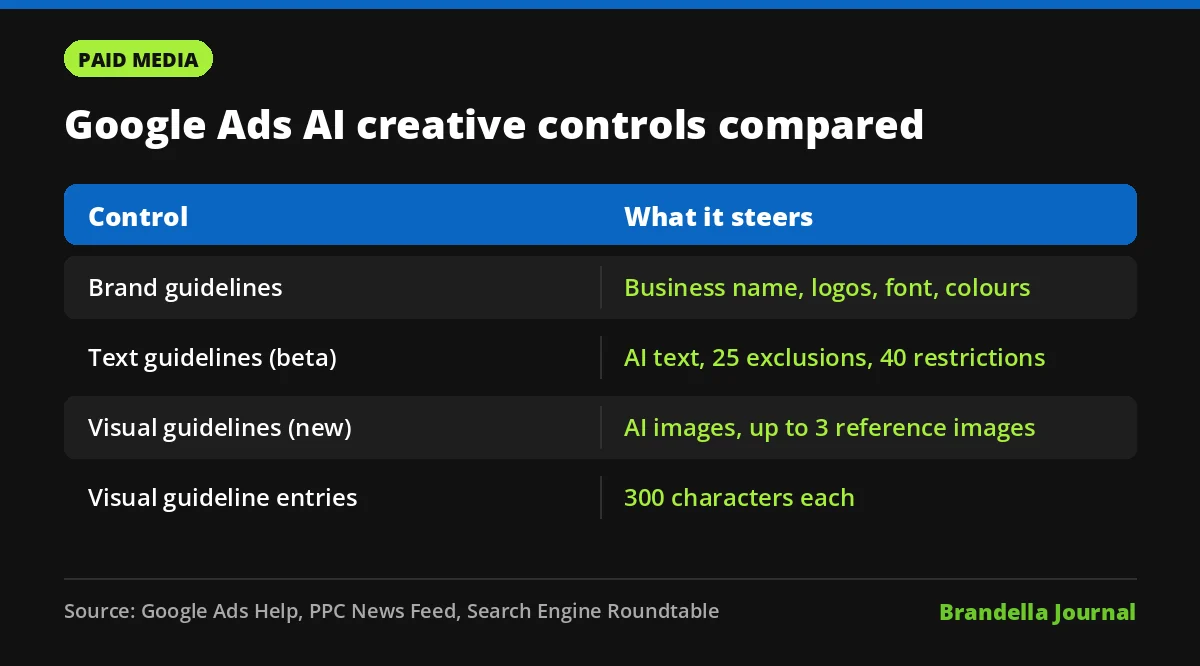
Visual guidelines join two older controls. Google’s help page About brand guidelines says brand guidelines cover your business name, logos, font and colours, with business name and logos required. A separate beta, text guidelines, controls AI written copy in Performance Max and in Search campaigns with AI Max.
| Control | What it steers | Key limits |
|---|---|---|
| Brand guidelines | Business name, logos, font, colours | Name and up to 5 logos required |
| Text guidelines (beta) | AI written text assets | Up to 25 term exclusions and 40 messaging restrictions |
| Visual guidelines (new) | AI created and enhanced images | Up to 3 reference images, 300 characters per entry |
The text guidelines page carries a warning that likely applies here too: Google says inefficient or counterintuitive guidelines may cause removal of a large number of good assets. Overly strict rules can starve the AI of options.
Why Performance Max visual guidelines matter
Performance Max leans heavily on automation, including images it generates or enhances. Until now, advertisers had limited ways to shape those images apart from logos and colours. Visual guidelines give you a direct brief.
This also ties into Google’s wider push on AI creative rules. Our coverage of the Google Ads AI impersonation ban and AI labels in Google Ads shows Google tightening what AI made ads can do. Visual guidelines are the advertiser side of the same story.
How to set up visual guidelines well
These are Brandella’s recommendations, not official Google guidance.
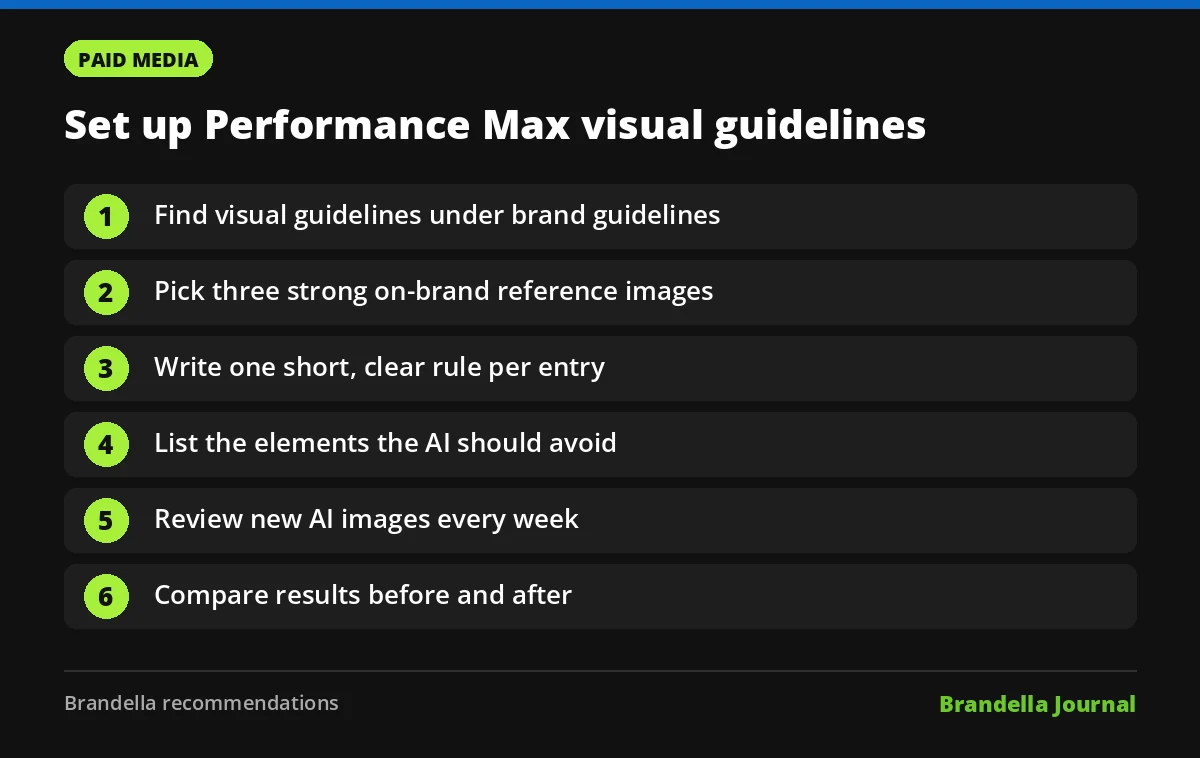
- Check for the section. Open a Performance Max campaign, go to brand guidelines and look for the visual guidelines option. If it is missing, check again later, since rollout details are not public.
- Pick three strong references. Choose images that show your real style: lighting, setting, colour mood and how products are shown. Avoid busy collages.
- Write short, clear rules. Use the 300 characters for one idea per entry, for example “Show the product in use in a bright home kitchen.”
- List what to avoid. Add common problems you have seen, such as cluttered backgrounds or unrealistic hands.
- Review generated images weekly. Check the asset report for new AI images and remove any that miss the brief.
- Measure before and after. Compare conversion rates and asset performance for a few weeks after adding guidelines.
For broader campaign hygiene, our guide on how to optimize a Performance Max campaign step by step covers asset groups, signals and reporting. If you are still deciding on campaign type, see Search campaign vs Performance Max.
What Google has not said yet
There is no official help article yet, so a few questions remain open. We do not know whether visual guidelines will reach Demand Gen or other campaign types, whether they apply to existing AI images, or whether they will come to the Google Ads API.
Watch the Google Ads help centre and announcements page. Given how text guidelines work, it is possible that images which break new guidelines could be removed, but Google has not confirmed that for visual guidelines.
FAQ about Performance Max visual guidelines
Where do I find visual guidelines in Google Ads?
According to the reports, the option sits under brand guidelines in Performance Max campaigns.
How many reference images can I upload?
Up to three reference images, which act as a style guide for AI generated images.
Is there a character limit?
PPC News Feed reports a limit of 300 characters per guideline entry.
Has Google officially announced it?
Not yet. The feature was spotted in accounts and reported by PPC News Feed and Search Engine Roundtable, but Google has not published a help page about it.