DV360 Brand Partner Access: Shared Codes Coming for Creators
DV360 brand partner access will soon support shared codes that link creator YouTube videos to advertisers. What is planned and how to prepare your setup.


In this article
DV360 brand partner access is getting a faster setup option. In a Display & Video 360 help center announcement last updated on November 13, 2026, Google says DV360 “will soon support shared codes for brand partner access”. A creator will generate a unique link, and the advertiser will use it to connect the creator’s YouTube video to its DV360 account automatically.
This affects brands and agencies that run creator partnership campaigns through DV360. Today, linking a creator’s video can mean searching for the channel, sending a request and waiting for approval in YouTube Studio. Google says the code removes those manual steps and speeds up setup for creator partnership boost campaigns.
The feature is announced, not live, so there is no rush to change campaigns. But it is a good moment to tidy up how your team links creator videos.
What Google announced for DV360 brand partner access
The announcement is short. It says creators will generate a unique link that advertisers can use to connect creator YouTube videos to their account automatically, so advertisers skip manual channel searches and approval workflows.
PPC Land, which reported the change on November 14, notes what is missing: no launch date, no list of markets and no detail on whether an advertiser can remove a code based link. Until Google updates the help center, treat those points as unknown.
How creator video linking works today
Google’s help page on linking YouTube creator videos to Display & Video 360 describes two current routes.
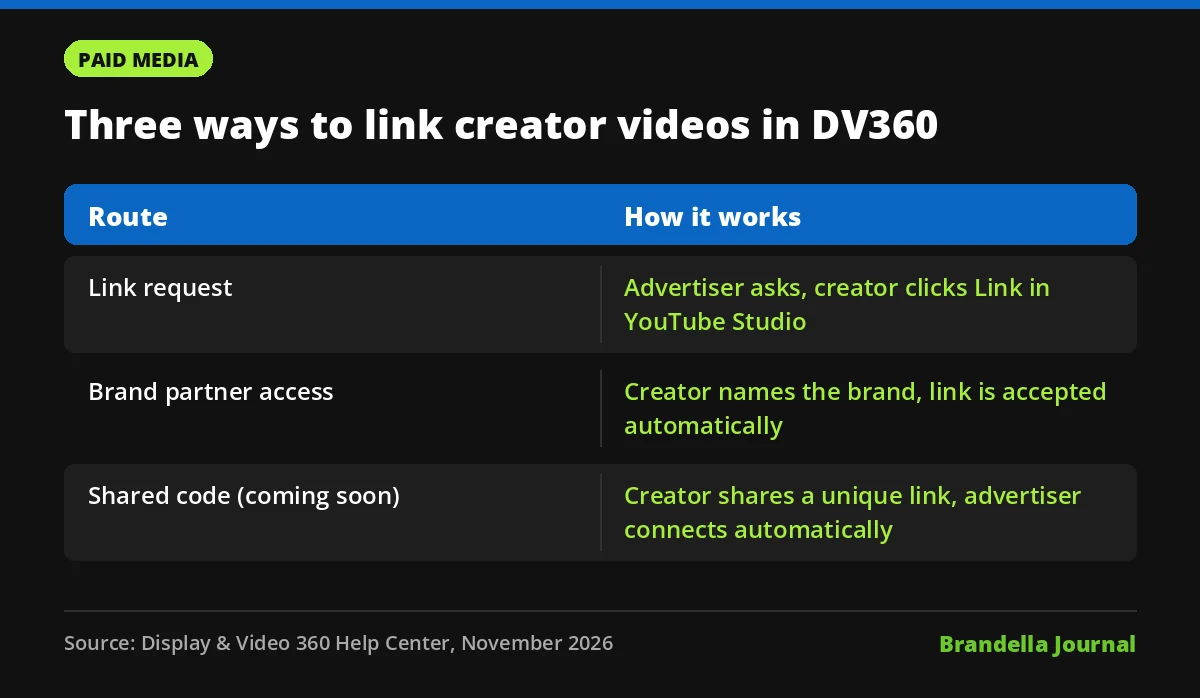
| Route | Who starts it | How it is approved | Who can remove it |
|---|---|---|---|
| Link request | Advertiser | Creator clicks Link in YouTube Studio | Advertiser admin can unlink, or withdraw a pending request |
| Brand partner access | Creator marks a paid product placement and names the brand | Accepted automatically | Only the creator, in YouTube Studio |
| Shared code (coming) | Creator generates a link | Advertiser uses the link to connect automatically | Not yet stated |
A few rules apply to every route. You need administrative access to link, hide or unhide videos. Videos must be public or unlisted, because private videos cannot be linked. You also cannot link a video from a channel that is already linked to your advertiser.
Why this matters for advertisers
Linking is what lets a creator’s video run as an ad from your account. Google’s help page says approval grants consent to share metrics, lets you use the video as a creative and enables remarketing audiences based on the video’s viewers. Linked videos also show YouTube view counts and organic performance insights.
Two points are easy to miss. Linked videos are not exclusive, so the same creator video can be linked to several advertisers. And linking does not give you usage rights. Google says you are responsible for securing sufficient rights to use the video as an ad, which may need a separate agreement with the creator.
A shared code mostly saves time. It does not change who owns the content or what your contract with the creator should cover.
What advertisers should do now
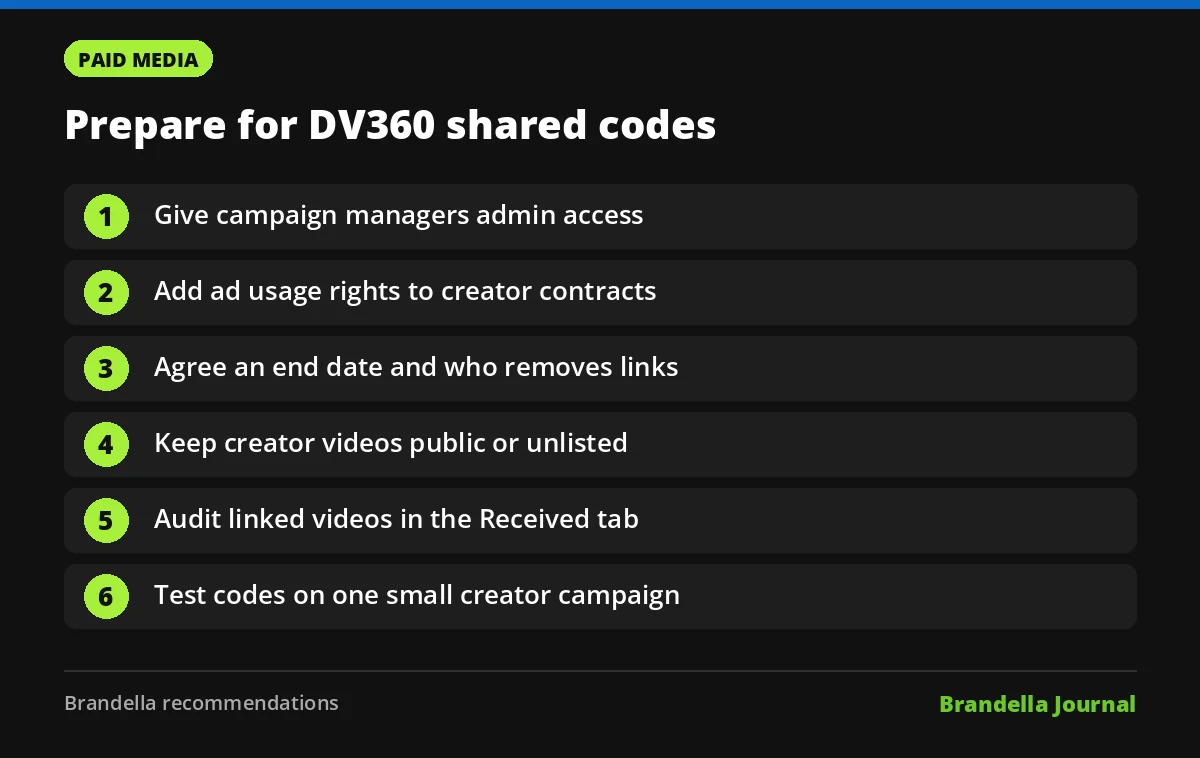
These steps are Brandella recommendations based on the current help pages.
- Check admin access. Make sure the people who manage creator campaigns have administrative access on the advertiser, since linking needs it.
- Update creator contracts. Add clear wording on ad usage rights, duration, paid amplification and remarketing, because a link alone does not grant rights.
- Agree who removes links. For creator initiated links only the creator can unlink. Put an end date and removal step in the agreement.
- Ask creators to keep videos public or unlisted. A private video cannot be linked, and a creator initiated request for a private video will not appear until it is public.
- Audit the Received tab. Review which creator videos are already linked and remove old ones you no longer have rights to use.
- Plan your first code test. When codes go live in your market, try them on one small creator boost campaign and compare setup time and results with your usual process.
If you are new to creator work, our guides to influencer marketing for B2B companies and AI influencer marketing at scale cover strategy. For paid video formats, see Demand Gen campaigns explained, and for the creator side of YouTube, read our summary of the YouTube Partner Program 2027 updates.
How to add a linked creator video to a line item
Once a video is linked, the help page lists the steps. Go to the ad creation step of a YouTube and Partners or Demand Gen line item, select Videos, search for the exact video title or paste its YouTube URL, then select it and continue building the line item.
Shared codes should only change the linking step, not this part. When Google publishes full documentation, check whether code based links appear in the same Received tab.
FAQ about DV360 brand partner access
Are DV360 shared codes live now?
No. Google’s announcement says DV360 “will soon support” shared codes, and it gives no launch date or market list.
Can an advertiser remove a creator initiated link?
No. Under the current brand partner access route, only the creator can unlink the brand in YouTube Studio. Google has not said how removal will work for shared codes.
Does linking a creator video give me the right to run it as an ad?
No. Google says advertisers must secure sufficient rights to use the video as an ad, which may require a separate agreement with the creator or other rights holders.
Can one creator video be linked to several brands?
Yes. Google’s help page says linked videos are not exclusive and can be linked to multiple advertisers.