DV360 API v5 Can Now Manage Responsive YouTube Ads
The DV360 API v5 beta can now create, update and delete responsive YouTube ads. Supported line items, limits and how ad ops teams should test it safely.


In this article
The DV360 API v5 can now create, update and delete responsive YouTube ads. Google’s Display & Video 360 API team announced the change in a Google Ads developer blog post on November 12, 2026, and the API release notes list it the same day as support for “video performance ads”.
This matters to agencies, trading desks and in house ad ops teams that build YouTube campaigns at scale. Until now, responsive YouTube ads had to be built by hand or through other workflows. With the API, ad creation can be scripted, checked and repeated across many advertisers.
There is a catch. Version 5 is still a public beta, and not every YouTube line item type is covered. Here is what works, what does not, and how to start safely.

What the DV360 API v5 update adds
According to Google’s post, you can now create, delete and update responsive YouTube ads through the advertisers.adGroupAds service. These are AdGroupAd resources that use the videoPerformanceAd field, which the release notes say is now editable.
Google describes video performance ads as “responsive YouTube ads that can be served across multiple ad formats”. The post lists in stream formats (bumper, skippable and non skippable), Shorts and in feed. Which ones actually serve depends on the line item subtype and the ad format controls set on the line item.
Supported and unsupported YouTube line items
| Covered by the API | Not covered |
|---|---|
| Efficient reach line items | Single format YouTube ads |
| Non-skippable reach line items | Responsive ads under YouTube Programmatic Non-Guaranteed line items |
| Target frequency line items | Responsive ads under Guaranteed instant deal line items |
| Video views line items | Creating line items, ad groups and targeting through this method |
Google is clear that YouTube line items, ad groups and their targeting must still be created and updated in the DV360 interface or through Structured Data Files (SDF). The API handles the ad layer, not the full campaign build.
How the recommended workflow works
The blog post lays out three steps:
- Upload Line Item and Ad Group SDFs to create the YouTube line items and ad groups.
- Create or retrieve assets with the
advertisers.adAssetsservice.bulkCreatemakes assets from previously uploaded YouTube videos, anduploadadds new image assets. - Call
advertisers.adGroupAds.createto create the responsive YouTube ad.
The asset step works the same way as for Demand Gen ads, so teams that already automate Demand Gen campaigns through DV360 will find it familiar.
The beta warning you should not ignore
Google’s post says API v5 “remains in public beta, we might still make breaking changes to it”. The release notes show v5 entered public beta on October 22, 2026, with other changes such as refactored audience targeting for YouTube and Demand Gen ad groups and the removal of Customer Match audience management methods in favour of the Data Manager API.
In practice, build on v5 only where you can fix scripts quickly. Keep production jobs that cannot break on v4 until v5 is generally available, and use Google’s v4 to v5 migration guide to plan the move.
What ad ops teams should do now
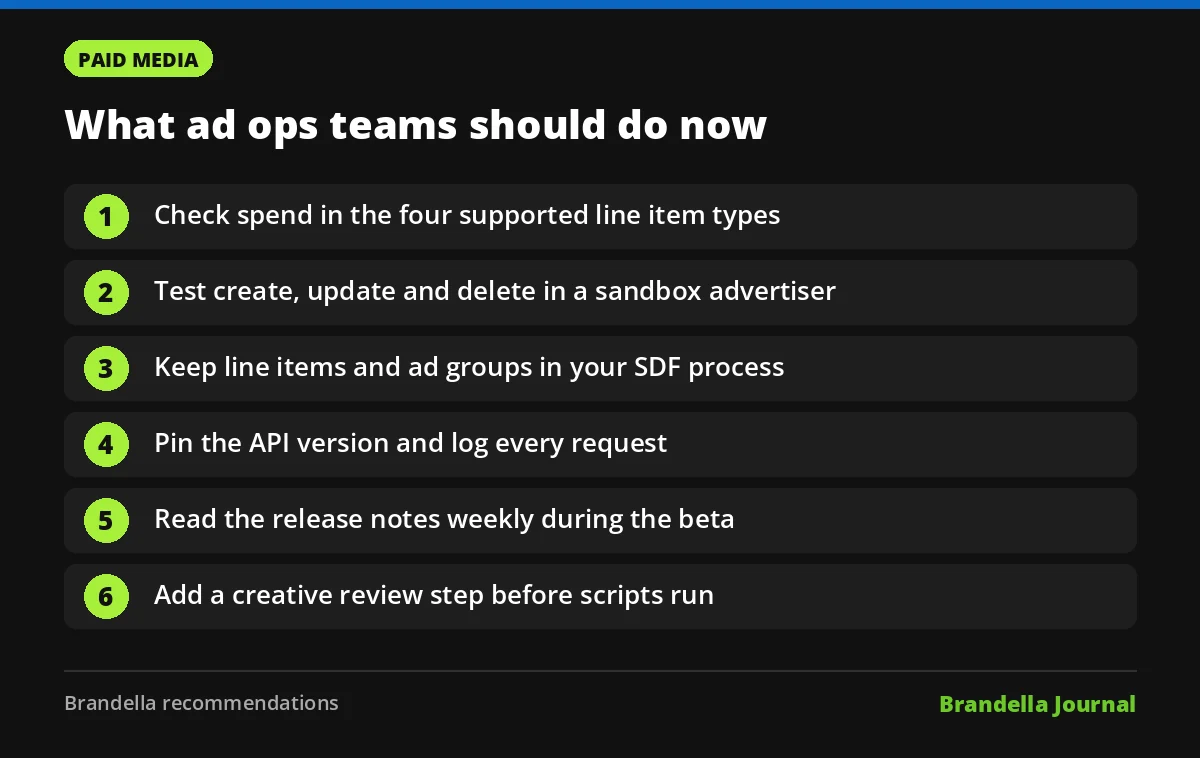
These steps are Brandella recommendations, not official Google guidance.
- List your YouTube line item types. Check how much of your spend sits in the four supported types. If most of it is in Programmatic Non-Guaranteed or instant deals, the API will not help yet.
- Start in a sandbox advertiser. Build a test script that creates one responsive ad from existing assets, then updates and deletes it. Confirm the result in the DV360 interface.
- Separate builds by layer. Keep line items and ad groups in your SDF process, and move only ad creation to the API, as Google recommends.
- Version your scripts. Pin the API version, log every request and add alerts, so a breaking beta change is caught on day one.
- Watch the release notes. Google says changes will be announced on its blog and in the release notes. Check them weekly while v5 is in beta.
- Plan creative governance. Automation makes it easy to publish many ads. Add a review step so headlines, logos and creator content are approved before the script runs.
If you work with creators, our report on DV360 brand partner access shared codes covers the coming change to linking creator videos. For the basics of AI tools that call APIs on your behalf, read MCP explained for beginners, and for scripting ideas see Python keyword research automation.
FAQ about DV360 API v5
Is DV360 API v5 generally available?
No. Google says v5 remains in public beta and might still change in breaking ways. It entered public beta on October 22, 2026.
Can I create YouTube line items with the API now?
Not with this update. YouTube line items, ad groups and targeting still need the DV360 interface or Structured Data Files.
Which assets can I use for responsive YouTube ads?
Google points to the adAssets service. bulkCreate makes assets from previously uploaded YouTube videos, and upload adds new image assets.
Does this work for programmatic guaranteed YouTube deals?
No. Google lists responsive YouTube ads under Programmatic Non-Guaranteed and Guaranteed instant deal line items as not supported.