

- Home
- SEODiscover the latest updates from across the United States, including politics, culture, economy, and trending stories. Stay informed on the key events shaping the nation and the topics everyone’s talking about.
- Technical SEOLearn technical SEO concepts including crawling, indexing, XML sitemaps, robots.txt, canonical tags, site architecture, and website performance.
- Local SEOOptimize your business for local seo with Google Business Profile, local citations, reviews, maps, and location-based SEO.
- Mobile SEOImprove your website’s mobile seo performance with responsive design, mobile-first indexing, usability, and page speed optimization.
- On-Page SEOExplore on-page seo optimization techniques such as title tags, meta descriptions, headings, URLs, internal linking, and content optimization.
- Off-Page SEODiscover off-page SEO strategies such as backlinks, digital PR, brand mentions, outreach, and authority building.
- SEO ToolsExplore the best SEO tools for keyword research, technical audits, backlink analysis, rank tracking, and website optimization.
- Core Web VitalsLearn how to improve Core Web Vitals including LCP, INP, CLS, page speed, and overall user experience for better rankings.
- Keyword ResearchLearn how to find profitable keywords, analyze search intent, evaluate competition, and build effective keyword strategies.
- Link BuildingMaster ethical link building techniques, backlink analysis, outreach methods, guest posting, and authority growth strategies.
- Google Search ConsoleLearn how to use Google Search Console to monitor indexing, fix errors, analyze search performance, and improve SEO.
- SEO BasicsLearn the fundamentals of search engine optimization (SEO Basics), including how search engines work, SEO terminology, and beginner-friendly best practices.
- Paid Media
- Display AdvertisingLearn display advertising strategies, banner ads, audience targeting, remarketing, Google Display campaigns, and optimization techniques.
- Google AdsLearn Google Ads strategies, campaign setup, bidding, keywords, Performance Max, Search Ads, and optimization techniques.
- LinkedIn AdsLearn LinkedIn Ads strategies for B2B marketing, lead generation, audience targeting, campaign optimization, and paid social advertising.
- Meta AdsLearn Meta Ads strategies for Facebook and Instagram, including campaign setup, targeting, retargeting, and performance optimization.
- Paid Media AnalyticsLearn paid media analytics, including CPC, CTR, CPA, ROAS, conversion tracking, attribution, reporting, and campaign performance analysis.
- PPC StrategyLearn effective PPC strategies, campaign planning, bidding, keyword targeting, landing pages, conversion optimization, and more.
- ContentTransform your living spaces with inspiration, tips, and trends in interior design. From minimalist decor to bold statements, find ideas for every style and budget.
- Social
- Digital MarketingExplore stories and advice on living your best life. From personal growth to entertainment, dive into the latest in lifestyle trends and inspiration.
- Artificial IntelligenceStay informed about health and wellness with expert advice, fitness tips, and the latest medical breakthroughs. Your guide to a healthier and happier life.
- DevelopmentYou will find development related educational articles
- GTMLearn Google Tag Manager (GTM) with practical guides for tags, triggers, variables, tracking, conversions, and website analytics implementation.
- HTMLLearn HTML with simple tutorials, examples, tags, elements, attributes, and best practices for building modern web pages.
- HTML CSSLearn HTML CSS together with practical tutorials, examples, layouts, styling techniques, responsive design, and modern web development practices.
- HTML JSLearn HTML JS – JavaScript with practical tutorials and examples for adding interactivity, dynamic content, events, and functionality to web pages.
- JavaScriptExplore JavaScript tutorials, examples, concepts, and practical techniques for creating interactive and dynamic websites and web applications.
- PHPLearn PHP programming with practical tutorials, examples, functions, syntax, and web development techniques for beginners and developers.
- PythonLearn Python programming with practical tutorials, examples, syntax, functions, automation techniques, and useful programming concepts.
- Home
- SEODiscover the latest updates from across the United States, including politics, culture, economy, and trending stories. Stay informed on the key events shaping the nation and the topics everyone’s talking about.
- Technical SEOLearn technical SEO concepts including crawling, indexing, XML sitemaps, robots.txt, canonical tags, site architecture, and website performance.
- Local SEOOptimize your business for local seo with Google Business Profile, local citations, reviews, maps, and location-based SEO.
- Mobile SEOImprove your website’s mobile seo performance with responsive design, mobile-first indexing, usability, and page speed optimization.
- On-Page SEOExplore on-page seo optimization techniques such as title tags, meta descriptions, headings, URLs, internal linking, and content optimization.
- Off-Page SEODiscover off-page SEO strategies such as backlinks, digital PR, brand mentions, outreach, and authority building.
- SEO ToolsExplore the best SEO tools for keyword research, technical audits, backlink analysis, rank tracking, and website optimization.
- Core Web VitalsLearn how to improve Core Web Vitals including LCP, INP, CLS, page speed, and overall user experience for better rankings.
- Keyword ResearchLearn how to find profitable keywords, analyze search intent, evaluate competition, and build effective keyword strategies.
- Link BuildingMaster ethical link building techniques, backlink analysis, outreach methods, guest posting, and authority growth strategies.
- Google Search ConsoleLearn how to use Google Search Console to monitor indexing, fix errors, analyze search performance, and improve SEO.
- SEO BasicsLearn the fundamentals of search engine optimization (SEO Basics), including how search engines work, SEO terminology, and beginner-friendly best practices.
- Paid Media
- Display AdvertisingLearn display advertising strategies, banner ads, audience targeting, remarketing, Google Display campaigns, and optimization techniques.
- Google AdsLearn Google Ads strategies, campaign setup, bidding, keywords, Performance Max, Search Ads, and optimization techniques.
- LinkedIn AdsLearn LinkedIn Ads strategies for B2B marketing, lead generation, audience targeting, campaign optimization, and paid social advertising.
- Meta AdsLearn Meta Ads strategies for Facebook and Instagram, including campaign setup, targeting, retargeting, and performance optimization.
- Paid Media AnalyticsLearn paid media analytics, including CPC, CTR, CPA, ROAS, conversion tracking, attribution, reporting, and campaign performance analysis.
- PPC StrategyLearn effective PPC strategies, campaign planning, bidding, keyword targeting, landing pages, conversion optimization, and more.
- ContentTransform your living spaces with inspiration, tips, and trends in interior design. From minimalist decor to bold statements, find ideas for every style and budget.
- Social
- Digital MarketingExplore stories and advice on living your best life. From personal growth to entertainment, dive into the latest in lifestyle trends and inspiration.
- Artificial IntelligenceStay informed about health and wellness with expert advice, fitness tips, and the latest medical breakthroughs. Your guide to a healthier and happier life.
- DevelopmentYou will find development related educational articles
- GTMLearn Google Tag Manager (GTM) with practical guides for tags, triggers, variables, tracking, conversions, and website analytics implementation.
- HTMLLearn HTML with simple tutorials, examples, tags, elements, attributes, and best practices for building modern web pages.
- HTML CSSLearn HTML CSS together with practical tutorials, examples, layouts, styling techniques, responsive design, and modern web development practices.
- HTML JSLearn HTML JS – JavaScript with practical tutorials and examples for adding interactivity, dynamic content, events, and functionality to web pages.
- JavaScriptExplore JavaScript tutorials, examples, concepts, and practical techniques for creating interactive and dynamic websites and web applications.
- PHPLearn PHP programming with practical tutorials, examples, functions, syntax, and web development techniques for beginners and developers.
- PythonLearn Python programming with practical tutorials, examples, syntax, functions, automation techniques, and useful programming concepts.
Now Reading: MCP (Model Context Protocol) Explained for Beginners
-
01
MCP (Model Context Protocol) Explained for Beginners
- Home//
- SEO//Discover the latest updates from across the United States, including politics, culture, economy, and trending stories. Stay informed on the key events shaping the nation and the topics everyone’s talking about.
- Technical SEO//Learn technical SEO concepts including crawling, indexing, XML sitemaps, robots.txt, canonical tags, site architecture, and website performance.
- Local SEO//Optimize your business for local seo with Google Business Profile, local citations, reviews, maps, and location-based SEO.
- Mobile SEO//Improve your website’s mobile seo performance with responsive design, mobile-first indexing, usability, and page speed optimization.
- On-Page SEO//Explore on-page seo optimization techniques such as title tags, meta descriptions, headings, URLs, internal linking, and content optimization.
- Off-Page SEO//Discover off-page SEO strategies such as backlinks, digital PR, brand mentions, outreach, and authority building.
- SEO Tools//Explore the best SEO tools for keyword research, technical audits, backlink analysis, rank tracking, and website optimization.
- Core Web Vitals//Learn how to improve Core Web Vitals including LCP, INP, CLS, page speed, and overall user experience for better rankings.
- Keyword Research//Learn how to find profitable keywords, analyze search intent, evaluate competition, and build effective keyword strategies.
- Link Building//Master ethical link building techniques, backlink analysis, outreach methods, guest posting, and authority growth strategies.
- Google Search Console//Learn how to use Google Search Console to monitor indexing, fix errors, analyze search performance, and improve SEO.
- SEO Basics//Learn the fundamentals of search engine optimization (SEO Basics), including how search engines work, SEO terminology, and beginner-friendly best practices.
- Paid Media//
- Display Advertising//Learn display advertising strategies, banner ads, audience targeting, remarketing, Google Display campaigns, and optimization techniques.
- Google Ads//Learn Google Ads strategies, campaign setup, bidding, keywords, Performance Max, Search Ads, and optimization techniques.
- LinkedIn Ads//Learn LinkedIn Ads strategies for B2B marketing, lead generation, audience targeting, campaign optimization, and paid social advertising.
- Meta Ads//Learn Meta Ads strategies for Facebook and Instagram, including campaign setup, targeting, retargeting, and performance optimization.
- Paid Media Analytics//Learn paid media analytics, including CPC, CTR, CPA, ROAS, conversion tracking, attribution, reporting, and campaign performance analysis.
- PPC Strategy//Learn effective PPC strategies, campaign planning, bidding, keyword targeting, landing pages, conversion optimization, and more.
- Content//Transform your living spaces with inspiration, tips, and trends in interior design. From minimalist decor to bold statements, find ideas for every style and budget.
- Social//
- Digital Marketing//Explore stories and advice on living your best life. From personal growth to entertainment, dive into the latest in lifestyle trends and inspiration.
- Artificial Intelligence//Stay informed about health and wellness with expert advice, fitness tips, and the latest medical breakthroughs. Your guide to a healthier and happier life.
- Development//You will find development related educational articles
- GTM//Learn Google Tag Manager (GTM) with practical guides for tags, triggers, variables, tracking, conversions, and website analytics implementation.
- HTML//Learn HTML with simple tutorials, examples, tags, elements, attributes, and best practices for building modern web pages.
- HTML CSS//Learn HTML CSS together with practical tutorials, examples, layouts, styling techniques, responsive design, and modern web development practices.
- HTML JS//Learn HTML JS – JavaScript with practical tutorials and examples for adding interactivity, dynamic content, events, and functionality to web pages.
- JavaScript//Explore JavaScript tutorials, examples, concepts, and practical techniques for creating interactive and dynamic websites and web applications.
- PHP//Learn PHP programming with practical tutorials, examples, functions, syntax, and web development techniques for beginners and developers.
- Python//Learn Python programming with practical tutorials, examples, syntax, functions, automation techniques, and useful programming concepts.
MCP (Model Context Protocol) Explained for Beginners

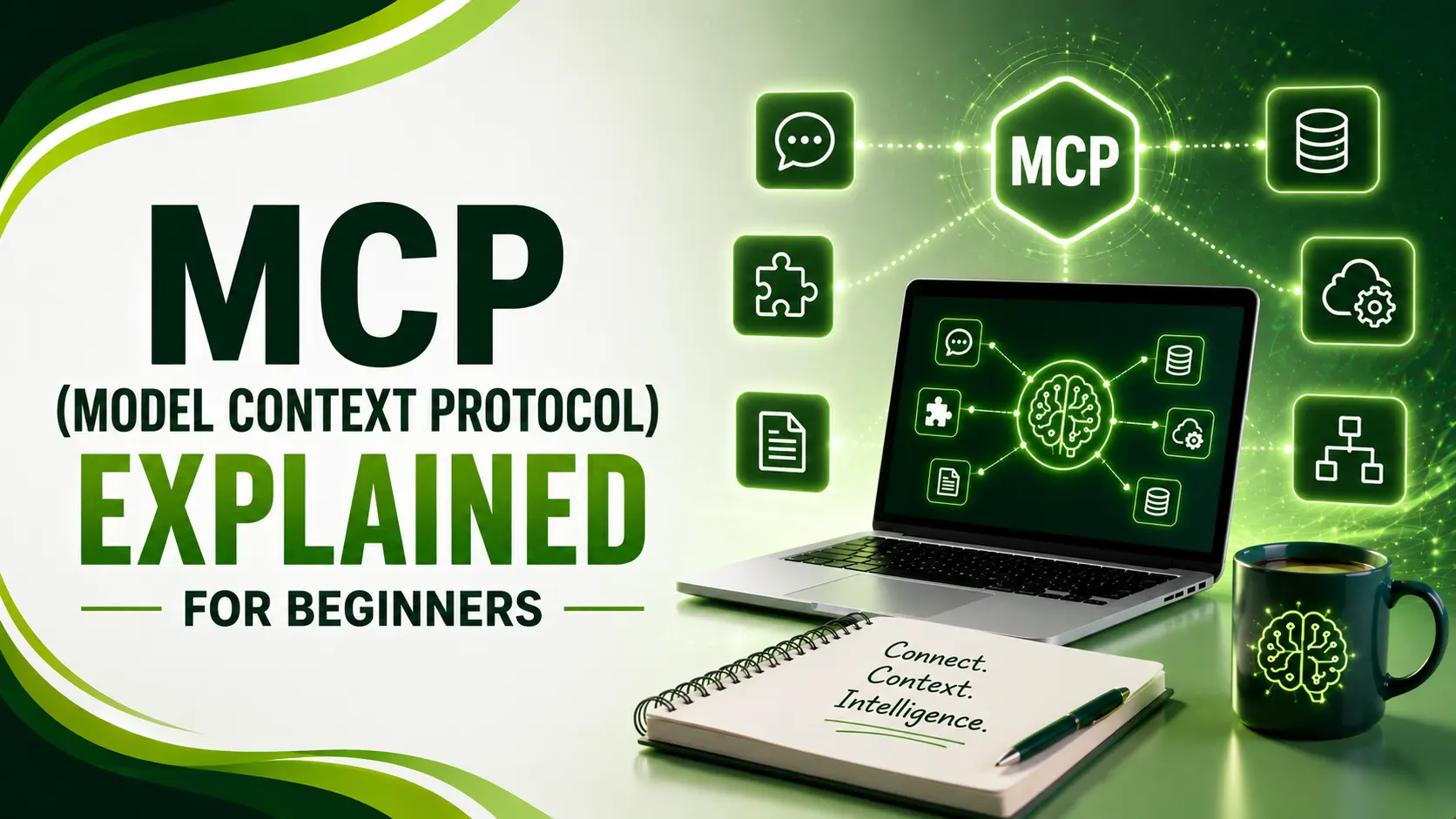
MCP (Model Context Protocol) is the USB-C of AI — one standard way to connect models to tools instead of building custom integrations for each. Here's how.
Table of Contents
ToggleMCP, the Model Context Protocol, is a standard that lets AI models connect to outside tools and data in one consistent way, instead of needing a custom-built connection for every single combination of model and service. Anthropic released it in November 2024 with almost no fanfare, a spec document, some SDKs, a blog post.
Eighteen months later, OpenAI, Google, Microsoft, AWS, Salesforce, and Snowflake had all shipped support for it. That's an unusually fast, unusually broad consensus for a technical standard. The internet doesn't often agree on anything. It agreed on this.
Here's what MCP actually is, why it caught on so quickly, and the parts most beginner guides skip entirely.
01MCP Explained Simply: The USB-C Analogy
The official MCP documentation uses the comparison that sticks best: think of MCP like a USB-C port for AI applications. Just as USB-C gives every device one standard way to connect, MCP gives AI applications one standard way to connect to external systems.
Before USB-C, every device needed its own cable and its own port. Before MCP, every AI model needed its own custom integration built for every tool it wanted to use. Same problem, same fix.
02The Problem MCP Actually Solves
Databricks' guide names it directly: the N×M integration problem. Without a shared standard, every AI application has to integrate separately with every external service, creating N times M separate integrations, where N is the number of tools and M is the number of AI clients.
Domo's guide puts a real number on it: connecting five models to 10 tools without MCP requires 50 custom integrations. With MCP, that drops to 15. The math gets dramatically better the more tools and models you add.
Medium contributor Nishan Jain explains the problem with a simple travel-app example: a payment system expects one data format, a seat selection system expects another, a baggage service expects a third. Without MCP, you're not just sending information, you're writing separate translators for every single tool, and rewriting them whenever one changes.
03The Three Roles: Host, Client, Server
Dremio's guide breaks down the three parts every MCP setup has: the Host is the environment where the AI model actually lives, like Claude Desktop or another AI-enabled app. The Client connects that host to servers. The Server exposes the actual tools, data, or capabilities being offered.
Zenity's guide adds why this split matters beyond just organization: each of the three roles carries its own responsibilities and its own attack surface, understanding the split is the first step toward actually securing an MCP setup properly.
04The Three Primitives: Tools, Resources, Prompts
Domo's guide, referenced above, defines the three building blocks an MCP server can expose: Tools are actions the model can invoke, like querying a database or sending an email. Resources are data the model can read, like files or database records. Prompts are predefined templates for common tasks.
Google Cloud's guide adds why separating these matters: it creates clear security boundaries. Tools are model-controlled, resources are app-controlled, and that distinction shapes exactly how much authority a connected AI agent actually holds at any given moment.
05How a Request Actually Flows
Descope's guide walks through what happens once you ask an AI assistant something that needs an outside tool: the client connects to configured servers, calls a discover method to ask what tools and resources are available, then invokes the right one and returns the result back through the model.
The same guide notes a real, recent architecture change: as of the July 28, 2026 spec revision, remote transport became fully stateless. Earlier versions used a handshake to establish a session upfront; the current spec removes that step entirely, each request now carries everything it needs on its own.
06Security: The Part Most Beginner Guides Skip
AI in Plain English's guide is direct about this gap: when you give a model the ability to act, not just talk, you've created a new kind of risk, and it's the part most beginner explainers leave out entirely.
Zenity's guide, referenced above, is blunt about the current state: MCP does not enforce authentication, authorization, or input validation at the protocol level, which means an MCP server is only as secure as the team that actually built and deployed it. Adoption has genuinely outrun governance.
Zenity's guide, referenced above, recommends a specific order: before adding security controls, get a full inventory of which MCP servers are already connected to which agents, then layer risk assessment and runtime enforcement on top of that visibility. Skipping straight to controls without knowing what's already connected leaves real gaps.
07The Two Transport Methods
A quick comparison of how MCP clients and servers actually talk to each other.
| Transport | Used For | Adoption in 2026 |
|---|---|---|
| STDIO | Local integrations, server runs on the same machine as the client | Remaining minority share |
| Streamable HTTP | Remote connections, most companies sharing servers across a team | ~59% of public MCP servers |
08A Simple MCP Tool Example
Here's a simplified example of what defining a single MCP tool looks like using the Python SDK.
from mcp.server.fastmcp import FastMCP

mcp = FastMCP("weather-server")

@mcp.tool()
def get_weather(city: str) -> str:
    """Get the current weather for a given city."""
    # In a real server, this would call a weather API
    return f"The weather in {city} is 22°C and clear."

if __name__ == "__main__":
    mcp.run()

# Once running, any MCP-compatible client (Claude, an IDE,
# a custom agent) can discover this tool and call it by name,
# without any custom integration code on the model's side.
09Getting Started With MCP
A short list for anyone approaching MCP for the first time.
Start with an existing community server, filesystem, GitHub, and Postgres servers already cover common needs.
Understand the three primitives, tools, resources, and prompts, before building your own server.
Treat security as a first-class concern, not an afterthought, since MCP itself doesn't enforce authentication.
Inventory connected servers before adding controls, know what's already connected first.
Choose the right transport, STDIO for local, Streamable HTTP for anything shared across a team.
10Are You Ready to Build With MCP?
Answer a few quick questions to check your readiness.
Are You Ready to Build With MCP?
Select the option that matches your situation
11Common Questions
No, understanding what MCP is and why it matters requires no coding background. Building your own MCP server does require basic programming knowledge, typically Python or JavaScript.
No. It's an open, vendor-neutral standard. OpenAI, Google, Microsoft, AWS, Salesforce, and Snowflake have all adopted it alongside Anthropic, who created it.
No. MCP does not enforce authentication, authorization, or input validation at the protocol level. Security is entirely the responsibility of whoever builds and deploys the server.
Tools are actions the model can take, like sending an email. Resources are data the model can read, like a file or database record. Prompts are predefined instruction templates for common tasks.
Anthropic released MCP in November 2024, but governance has since moved to the Linux Foundation, reflecting broad industry adoption rather than single-company control.
Related Articles
What We Learn Today
MCP is like USB-C, one standard connector for AI tools
It turns N×M custom integrations into N+M
Three roles: Host, Client, and Server
Three primitives: Tools, Resources, and Prompts
Security isn't built in, it's the deploying team's responsibility
Adoption went from Anthropic-only to industry-wide in 18 months
Build a Complete Agentic AI Foundation
MCP is the connective layer behind the agentic workflows and automation covered in our other guides. Explore both next.
Related Posts
Previous Post
Next Post
Previous Post
Next Post





- Artificial Intelligence
- Content
- Core Web Vitals
- Development
- Digital Marketing
- Display Advertising
- Google Ads
- Google Search Console
- GTM
- HTML
- HTML CSS
- JavaScript
- Keyword Research
- Link Building
- LinkedIn Ads
- Local SEO
- Meta Ads
- Mobile SEO
- Off-Page SEO
- On-Page SEO
- Paid Media
- Paid Media Analytics
- PHP
- PPC Strategy
- Python
- SEO
- SEO Basics
- SEO Tools
- Social
- Technical SEO




