

- Home
- SEODiscover the latest updates from across the United States, including politics, culture, economy, and trending stories. Stay informed on the key events shaping the nation and the topics everyone’s talking about.
- Technical SEOLearn technical SEO concepts including crawling, indexing, XML sitemaps, robots.txt, canonical tags, site architecture, and website performance.
- Local SEOOptimize your business for local seo with Google Business Profile, local citations, reviews, maps, and location-based SEO.
- Mobile SEOImprove your website’s mobile seo performance with responsive design, mobile-first indexing, usability, and page speed optimization.
- On-Page SEOExplore on-page seo optimization techniques such as title tags, meta descriptions, headings, URLs, internal linking, and content optimization.
- Off-Page SEODiscover off-page SEO strategies such as backlinks, digital PR, brand mentions, outreach, and authority building.
- SEO ToolsExplore the best SEO tools for keyword research, technical audits, backlink analysis, rank tracking, and website optimization.
- Core Web VitalsLearn how to improve Core Web Vitals including LCP, INP, CLS, page speed, and overall user experience for better rankings.
- Keyword ResearchLearn how to find profitable keywords, analyze search intent, evaluate competition, and build effective keyword strategies.
- Link BuildingMaster ethical link building techniques, backlink analysis, outreach methods, guest posting, and authority growth strategies.
- Google Search ConsoleLearn how to use Google Search Console to monitor indexing, fix errors, analyze search performance, and improve SEO.
- SEO BasicsLearn the fundamentals of search engine optimization (SEO Basics), including how search engines work, SEO terminology, and beginner-friendly best practices.
- Paid Media
- Display AdvertisingLearn display advertising strategies, banner ads, audience targeting, remarketing, Google Display campaigns, and optimization techniques.
- Google AdsLearn Google Ads strategies, campaign setup, bidding, keywords, Performance Max, Search Ads, and optimization techniques.
- LinkedIn AdsLearn LinkedIn Ads strategies for B2B marketing, lead generation, audience targeting, campaign optimization, and paid social advertising.
- Meta AdsLearn Meta Ads strategies for Facebook and Instagram, including campaign setup, targeting, retargeting, and performance optimization.
- Paid Media AnalyticsLearn paid media analytics, including CPC, CTR, CPA, ROAS, conversion tracking, attribution, reporting, and campaign performance analysis.
- PPC StrategyLearn effective PPC strategies, campaign planning, bidding, keyword targeting, landing pages, conversion optimization, and more.
- ContentTransform your living spaces with inspiration, tips, and trends in interior design. From minimalist decor to bold statements, find ideas for every style and budget.
- Social
- Digital MarketingExplore stories and advice on living your best life. From personal growth to entertainment, dive into the latest in lifestyle trends and inspiration.
- Artificial IntelligenceStay informed about health and wellness with expert advice, fitness tips, and the latest medical breakthroughs. Your guide to a healthier and happier life.
- DevelopmentYou will find development related educational articles
- GTMLearn Google Tag Manager (GTM) with practical guides for tags, triggers, variables, tracking, conversions, and website analytics implementation.
- HTMLLearn HTML with simple tutorials, examples, tags, elements, attributes, and best practices for building modern web pages.
- HTML CSSLearn HTML CSS together with practical tutorials, examples, layouts, styling techniques, responsive design, and modern web development practices.
- HTML JSLearn HTML JS – JavaScript with practical tutorials and examples for adding interactivity, dynamic content, events, and functionality to web pages.
- JavaScriptExplore JavaScript tutorials, examples, concepts, and practical techniques for creating interactive and dynamic websites and web applications.
- PHPLearn PHP programming with practical tutorials, examples, functions, syntax, and web development techniques for beginners and developers.
- PythonLearn Python programming with practical tutorials, examples, syntax, functions, automation techniques, and useful programming concepts.
- Home
- SEODiscover the latest updates from across the United States, including politics, culture, economy, and trending stories. Stay informed on the key events shaping the nation and the topics everyone’s talking about.
- Technical SEOLearn technical SEO concepts including crawling, indexing, XML sitemaps, robots.txt, canonical tags, site architecture, and website performance.
- Local SEOOptimize your business for local seo with Google Business Profile, local citations, reviews, maps, and location-based SEO.
- Mobile SEOImprove your website’s mobile seo performance with responsive design, mobile-first indexing, usability, and page speed optimization.
- On-Page SEOExplore on-page seo optimization techniques such as title tags, meta descriptions, headings, URLs, internal linking, and content optimization.
- Off-Page SEODiscover off-page SEO strategies such as backlinks, digital PR, brand mentions, outreach, and authority building.
- SEO ToolsExplore the best SEO tools for keyword research, technical audits, backlink analysis, rank tracking, and website optimization.
- Core Web VitalsLearn how to improve Core Web Vitals including LCP, INP, CLS, page speed, and overall user experience for better rankings.
- Keyword ResearchLearn how to find profitable keywords, analyze search intent, evaluate competition, and build effective keyword strategies.
- Link BuildingMaster ethical link building techniques, backlink analysis, outreach methods, guest posting, and authority growth strategies.
- Google Search ConsoleLearn how to use Google Search Console to monitor indexing, fix errors, analyze search performance, and improve SEO.
- SEO BasicsLearn the fundamentals of search engine optimization (SEO Basics), including how search engines work, SEO terminology, and beginner-friendly best practices.
- Paid Media
- Display AdvertisingLearn display advertising strategies, banner ads, audience targeting, remarketing, Google Display campaigns, and optimization techniques.
- Google AdsLearn Google Ads strategies, campaign setup, bidding, keywords, Performance Max, Search Ads, and optimization techniques.
- LinkedIn AdsLearn LinkedIn Ads strategies for B2B marketing, lead generation, audience targeting, campaign optimization, and paid social advertising.
- Meta AdsLearn Meta Ads strategies for Facebook and Instagram, including campaign setup, targeting, retargeting, and performance optimization.
- Paid Media AnalyticsLearn paid media analytics, including CPC, CTR, CPA, ROAS, conversion tracking, attribution, reporting, and campaign performance analysis.
- PPC StrategyLearn effective PPC strategies, campaign planning, bidding, keyword targeting, landing pages, conversion optimization, and more.
- ContentTransform your living spaces with inspiration, tips, and trends in interior design. From minimalist decor to bold statements, find ideas for every style and budget.
- Social
- Digital MarketingExplore stories and advice on living your best life. From personal growth to entertainment, dive into the latest in lifestyle trends and inspiration.
- Artificial IntelligenceStay informed about health and wellness with expert advice, fitness tips, and the latest medical breakthroughs. Your guide to a healthier and happier life.
- DevelopmentYou will find development related educational articles
- GTMLearn Google Tag Manager (GTM) with practical guides for tags, triggers, variables, tracking, conversions, and website analytics implementation.
- HTMLLearn HTML with simple tutorials, examples, tags, elements, attributes, and best practices for building modern web pages.
- HTML CSSLearn HTML CSS together with practical tutorials, examples, layouts, styling techniques, responsive design, and modern web development practices.
- HTML JSLearn HTML JS – JavaScript with practical tutorials and examples for adding interactivity, dynamic content, events, and functionality to web pages.
- JavaScriptExplore JavaScript tutorials, examples, concepts, and practical techniques for creating interactive and dynamic websites and web applications.
- PHPLearn PHP programming with practical tutorials, examples, functions, syntax, and web development techniques for beginners and developers.
- PythonLearn Python programming with practical tutorials, examples, syntax, functions, automation techniques, and useful programming concepts.
Now Reading: Python Keyword Research Automation: 7 Proven Ways to Query SEO APIs at Scale
-
01
Python Keyword Research Automation: 7 Proven Ways to Query SEO APIs at Scale
- Home//
- SEO//Discover the latest updates from across the United States, including politics, culture, economy, and trending stories. Stay informed on the key events shaping the nation and the topics everyone’s talking about.
- Technical SEO//Learn technical SEO concepts including crawling, indexing, XML sitemaps, robots.txt, canonical tags, site architecture, and website performance.
- Local SEO//Optimize your business for local seo with Google Business Profile, local citations, reviews, maps, and location-based SEO.
- Mobile SEO//Improve your website’s mobile seo performance with responsive design, mobile-first indexing, usability, and page speed optimization.
- On-Page SEO//Explore on-page seo optimization techniques such as title tags, meta descriptions, headings, URLs, internal linking, and content optimization.
- Off-Page SEO//Discover off-page SEO strategies such as backlinks, digital PR, brand mentions, outreach, and authority building.
- SEO Tools//Explore the best SEO tools for keyword research, technical audits, backlink analysis, rank tracking, and website optimization.
- Core Web Vitals//Learn how to improve Core Web Vitals including LCP, INP, CLS, page speed, and overall user experience for better rankings.
- Keyword Research//Learn how to find profitable keywords, analyze search intent, evaluate competition, and build effective keyword strategies.
- Link Building//Master ethical link building techniques, backlink analysis, outreach methods, guest posting, and authority growth strategies.
- Google Search Console//Learn how to use Google Search Console to monitor indexing, fix errors, analyze search performance, and improve SEO.
- SEO Basics//Learn the fundamentals of search engine optimization (SEO Basics), including how search engines work, SEO terminology, and beginner-friendly best practices.
- Paid Media//
- Display Advertising//Learn display advertising strategies, banner ads, audience targeting, remarketing, Google Display campaigns, and optimization techniques.
- Google Ads//Learn Google Ads strategies, campaign setup, bidding, keywords, Performance Max, Search Ads, and optimization techniques.
- LinkedIn Ads//Learn LinkedIn Ads strategies for B2B marketing, lead generation, audience targeting, campaign optimization, and paid social advertising.
- Meta Ads//Learn Meta Ads strategies for Facebook and Instagram, including campaign setup, targeting, retargeting, and performance optimization.
- Paid Media Analytics//Learn paid media analytics, including CPC, CTR, CPA, ROAS, conversion tracking, attribution, reporting, and campaign performance analysis.
- PPC Strategy//Learn effective PPC strategies, campaign planning, bidding, keyword targeting, landing pages, conversion optimization, and more.
- Content//Transform your living spaces with inspiration, tips, and trends in interior design. From minimalist decor to bold statements, find ideas for every style and budget.
- Social//
- Digital Marketing//Explore stories and advice on living your best life. From personal growth to entertainment, dive into the latest in lifestyle trends and inspiration.
- Artificial Intelligence//Stay informed about health and wellness with expert advice, fitness tips, and the latest medical breakthroughs. Your guide to a healthier and happier life.
- Development//You will find development related educational articles
- GTM//Learn Google Tag Manager (GTM) with practical guides for tags, triggers, variables, tracking, conversions, and website analytics implementation.
- HTML//Learn HTML with simple tutorials, examples, tags, elements, attributes, and best practices for building modern web pages.
- HTML CSS//Learn HTML CSS together with practical tutorials, examples, layouts, styling techniques, responsive design, and modern web development practices.
- HTML JS//Learn HTML JS – JavaScript with practical tutorials and examples for adding interactivity, dynamic content, events, and functionality to web pages.
- JavaScript//Explore JavaScript tutorials, examples, concepts, and practical techniques for creating interactive and dynamic websites and web applications.
- PHP//Learn PHP programming with practical tutorials, examples, functions, syntax, and web development techniques for beginners and developers.
- Python//Learn Python programming with practical tutorials, examples, syntax, functions, automation techniques, and useful programming concepts.
- Home
- Development
- Python
- Python Keyword Research Automation: 7 Proven Ways to Query SEO APIs at Scale
Python Keyword Research Automation: 7 Proven Ways to Query SEO APIs at Scale

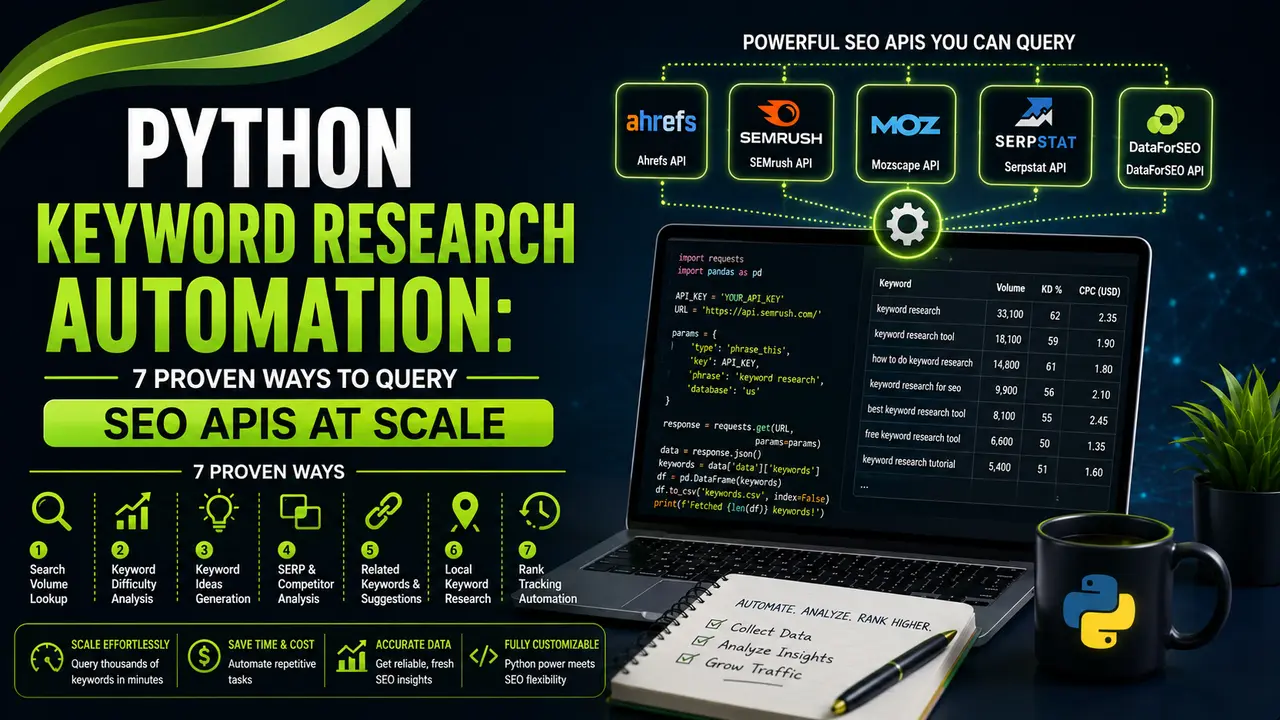
This guide walks through python keyword research automation step by step, from authenticating with the Google Ads and DataForSEO APIs to clustering thousands of keywords automatically with Python.
Table of Contents
ToggleMost SEO teams still build keyword lists by hand, one browser tab and one export at a time. Python keyword research automation replaces that slow loop with a script that runs in seconds and scales to thousands of terms.
The first time I automated a client's keyword list with a script instead of a spreadsheet, it pulled 4,800 keyword variants with search volume, CPC, and competition data in under two minutes.
The equivalent manual export from Google Keyword Planner, cleaned and deduplicated by hand, had taken our team most of a working day the week before.
That gap is the whole case for python keyword research automation. It is not about replacing strategic judgment, since a script cannot decide which keywords fit your content plan or your business.
What it does remove is the part that is repetitive and prone to errors: logging into an API, paging through results, merging data from more than one source, and running the same query again next month without starting from zero.
This guide is a working build, not a theory piece. You will set up a Python environment and authenticate against two different keyword APIs.
From there you will pull and merge live search volume data, cluster the results into topics, and schedule the whole pipeline to run on its own. Along the way we will cover the failure modes that actually show up in production, including rate limits, quota errors, and mismatched locales.
Why Python Keyword Research Automation Beats Manual Spreadsheets
Manual keyword research has a ceiling. A person can comfortably review a few hundred terms before quality starts to drop.
Fatigue sets in, formatting gets inconsistent, and duplicate or near duplicate keywords slip through. Manual work also does not refresh itself, so last quarter's volume numbers sit untouched until someone remembers to export them again.
A script has none of those limits. Once the authentication and request logic are written, running it again next month costs almost nothing.
This matters even more once you are trying to align keyword targeting with search intent across a large site. That kind of classification is far easier to apply consistently when you are working with one structured dataframe instead of a scattered set of CSV exports from different tools.
There is also a data quality argument. Ahrefs, Semrush, DataForSEO, and Google's own Keyword Planner rarely agree exactly on volume for the same term, because each pulls from different sample sizes and methods.
Ahrefs' own study comparing Search Console and Keyword Planner volumes puts that gap in concrete numbers. Blending two or three sources programmatically, then averaging or flagging outliers, is realistic in Python. Doing the same thing by hand across multiple browser tabs is not, as Ahrefs' comparison of Search Console and Keyword Planner data makes clear.
Setting Up Your Python Environment for SEO API Calls
Every python keyword research automation project starts with the same small, reproducible environment. You need an HTTP client, a place to hold results, a way to keep API keys out of your codebase, and a retry layer for the moments when an endpoint throttles you partway through a run.
# create an isolated environment so package versions don't clash
python -m venv venv
source venv/bin/activate      # Windows: venv\Scripts\activate

pip install requests pandas python-dotenv tenacity google-ads gspread
Store credentials in a .env file and load them with python-dotenv. Never hardcode API keys into a script you might commit to a public repository.
DATAFORSEO_LOGIN=your_login
DATAFORSEO_PASSWORD=your_password
GOOGLE_ADS_DEVELOPER_TOKEN=your_dev_token
GOOGLE_ADS_CLIENT_ID=your_client_id
GOOGLE_ADS_CLIENT_SECRET=your_client_secret
GOOGLE_ADS_REFRESH_TOKEN=your_refresh_token
GOOGLE_ADS_CUSTOMER_ID=1234567890import os
from dotenv import load_dotenv
load_dotenv()
DATAFORSEO_LOGIN = os.getenv("DATAFORSEO_LOGIN")
DATAFORSEO_PASSWORD = os.getenv("DATAFORSEO_PASSWORD")
if not DATAFORSEO_LOGIN:
raise EnvironmentError("Missing DATAFORSEO_LOGIN in .env")This structure matters. A dedicated config.py that fails loudly when a credential is missing saves you from a much worse failure mode: a script that silently sends empty auth headers and returns a generic 401 three modules deep into a pipeline.
Choosing the Right Keyword Data API for Your Python Pipeline
Every keyword API trades off differently on cost, setup complexity, and freshness. Before writing a single request for python keyword research automation, decide which one actually fits the job.
Pulling seed keyword volume for a content calendar has very different requirements than continuously monitoring competitor rankings. For a broader look at the tools themselves, read our comparison of the best keyword research tools. Here is how the four most commonly scripted APIs stack up for Python automation specifically.
| API | Auth Method | Free Tier | Best For |
|---|---|---|---|
| Google Ads API (Keyword Planner) | OAuth2 plus developer token | Free with an active Google Ads account | Google sourced volume and Keyword Ideas expansion |
| DataForSEO Labs / Keywords Data | HTTP Basic Auth | Pay as you go, with no monthly minimum on most endpoints | Bulk volume, related keywords, clustering based on real search results |
| Semrush API | API key (purchased units) | None. Units are bought separately from the subscription | Competitor keyword gaps, difficulty scoring |
| Keywords Everywhere API | API key (credit packs) | Small free credit allowance | Lightweight volume lookups, browser and script parity |
For most teams, the practical answer is to combine two APIs. Use the Google Ads API for authoritative search volume and keyword ideas sourced directly from Google, and use DataForSEO for the bulk keyword expansion and clustering data that Google's own API does not expose.
That pairing is what the rest of this walkthrough uses.
Pulling Search Volume Data with the DataForSEO API
The first practical step in python keyword research automation is pulling real search volume, not theoretical seed terms. DataForSEO's Keywords Data endpoints accept a list of seed terms and return monthly search volume, CPC, and competition in a single request.
For lists under 1,000 keywords per call, no pagination is required.
import base64
import requests
import pandas as pd
from tenacity import retry, wait_exponential, stop_after_attempt
from config import DATAFORSEO_LOGIN, DATAFORSEO_PASSWORD

API_URL = "https://api.dataforseo.com/v3/keywords_data/google_ads/search_volume/live"

def _auth_header():
    token = base64.b64encode(
        f"{DATAFORSEO_LOGIN}:{DATAFORSEO_PASSWORD}".encode()
    ).decode()
    return {"Authorization": f"Basic {token}", "Content-Type": "application/json"}

@retry(wait=wait_exponential(multiplier=1, min=2, max=30), stop=stop_after_attempt(5))
def get_search_volume(keywords: list, location_code: int = 2840, language_code: str = "en"):
    """Fetch search volume for up to 1000 keywords in one call."""
    payload = [{
        "keywords": keywords,
        "location_code": location_code,
        "language_code": language_code,
    }]
    response = requests.post(API_URL, json=payload, headers=_auth_header(), timeout=30)
    response.raise_for_status()
    data = response.json()

    rows = []
    for task in data.get("tasks", []):
        for item in (task.get("result") or []):
            rows.append({
                "keyword": item.get("keyword"),
                "search_volume": item.get("search_volume"),
                "cpc": item.get("cpc"),
                "competition": item.get("competition"),
            })
    return pd.DataFrame(rows)

if __name__ == "__main__":
    seeds = ["python for seo", "keyword research api", "seo automation tools"]
    df = get_search_volume(seeds)
    df.to_csv("volume_report.csv", index=False)
    print(df.sort_values("search_volume", ascending=False))
The @retry decorator from Tenacity is doing real work here, not just decoration. DataForSEO, like most SEO APIs, will occasionally return a 429 or a brief 500 under load.
Exponential backoff is the difference between a script that fails cleanly on a genuine outage and one that fails on a blip that would have resolved itself two seconds later.
Expanding Seed Keywords with the Google Ads API
The Google Ads API's KeywordPlanIdeaService is the closest thing to raw Keyword Planner data you can script against. Setup is heavier than DataForSEO.
You need a developer token approved on a Google Ads manager account, plus an OAuth2 refresh token. In exchange, the data comes straight from Google.
developer_token: "YOUR_DEV_TOKEN"
client_id: "YOUR_CLIENT_ID"
client_secret: "YOUR_CLIENT_SECRET"
refresh_token: "YOUR_REFRESH_TOKEN"
login_customer_id: "1234567890"from google.ads.googleads.client import GoogleAdsClient
def generate_keyword_ideas(customer_id: str, seed_keywords: list, page_url: str = None):
client = GoogleAdsClient.load_from_storage("google_ads.yaml")
keyword_plan_idea_service = client.get_service("KeywordPlanIdeaService")
request = client.get_type("GenerateKeywordIdeasRequest")
request.customer_id = customer_id
request.language = "languageConstants/1000" # English
request.geo_target_constants.append("geoTargetConstants/2840") # US
request.keyword_plan_network = (
client.enums.KeywordPlanNetworkEnum.GOOGLE_SEARCH
)
request.keyword_seed.keywords.extend(seed_keywords)
results = keyword_plan_idea_service.generate_keyword_ideas(request=request)
ideas = []
for result in results:
metrics = result.keyword_idea_metrics
ideas.append({
"keyword": result.text,
"avg_monthly_searches": metrics.avg_monthly_searches,
"competition": metrics.competition.name,
})
return ideasTwo setup details trip people up every time. First, login_customer_id must be the manager account, not the client account, if you are accessing data through an agency's MCC structure.
Second, the refresh token has to be generated with the exact OAuth scope that Google's OAuth2 documentation specifies for Ads API access. A token generated for a different Google API scope will authenticate, but it will fail silently on every call to the Ads API.
Clustering Thousands of Keywords Automatically in Python
Raw volume data is not a content plan. It is a spreadsheet with thousands of rows until it gets grouped into topics someone can actually write against.
This is where python keyword research automation earns its keep a second time. Clustering by hand past a few hundred rows is genuinely impractical, but a script can group thousands of keywords by similarity in seconds.
A lightweight approach uses term frequency vectors and cosine similarity. It needs no external embedding API, which keeps the pipeline free to run:
from sklearn.feature_extraction.text import TfidfVectorizer
from sklearn.cluster import KMeans
import pandas as pd

def cluster_keywords(df: pd.DataFrame, n_clusters: int = 12):
    vectorizer = TfidfVectorizer(stop_words="english", ngram_range=(1, 2))
    vectors = vectorizer.fit_transform(df["keyword"])

    model = KMeans(n_clusters=n_clusters, random_state=42, n_init="auto")
    df["cluster"] = model.fit_predict(vectors)

    # label each cluster with its highest volume keyword
    labels = (
        df.sort_values("search_volume", ascending=False)
          .groupby("cluster")["keyword"]
          .first()
          .to_dict()
    )
    df["cluster_label"] = df["cluster"].map(labels)
    return df
Set n_clusters conservatively at first. Clustering too aggressively fragments closely related terms across separate topics, which defeats the point.
A good starting rule is one cluster for every 15 to 25 keywords in your input set, then adjust by hand once you see the output. Once clusters are labeled, feeding them into a proper topic cluster structure is a much shorter step than starting from an unsorted keyword list.
Scheduling the Pipeline and Storing Results Automatically
A script you run manually once is only a proof of concept, not python keyword research automation. A script that runs itself on a schedule and writes results somewhere your team actually looks, that is the real deliverable.
Two practical options exist here. Use a cron job on a server you control, or use a GitHub Actions workflow if your code already lives in a repository.
name: Weekly Keyword Report
on:
  schedule:
    - cron: "0 6 * * 1"   # every Monday at 06:00 UTC
  workflow_dispatch: {}

jobs:
  run_report:
    runs-on: ubuntu-latest
    steps:
      - uses: actions/checkout@v4
      - uses: actions/setup-python@v5
        with:
          python-version: "3.11"
      - run: pip install -r requirements.txt
      - run: python run_pipeline.py
        env:
          DATAFORSEO_LOGIN: ${{ secrets.DATAFORSEO_LOGIN }}
          DATAFORSEO_PASSWORD: ${{ secrets.DATAFORSEO_PASSWORD }}
For storage, writing straight to Google Sheets with gspread keeps results visible to teammates who are not developers, without building a dashboard:
import gspread
import pandas as pd

def push_to_sheet(df: pd.DataFrame, sheet_id: str, worksheet_name: str = "Keywords"):
    gc = gspread.service_account(filename="service_account.json")
    sheet = gc.open_by_key(sheet_id)
    try:
        ws = sheet.worksheet(worksheet_name)
    except gspread.WorksheetNotFound:
        ws = sheet.add_worksheet(title=worksheet_name, rows="2000", cols="10")

    ws.clear()
ws.update([df.columns.values.tolist()] + df.values.tolist())Handling Rate Limits, Quota Errors, and Other Edge Cases
Every python keyword research automation pipeline that runs unattended will eventually meet an edge case a manual workflow would have caught by eye. Build for these before they show up in an early morning scheduled run with nobody watching.
- Rate limit responses (429): back off exponentially and cap total retries. Do not loop indefinitely against an API that is actively throttling you.
- Keywords with zero volume: DataForSEO and Google Ads both return
Noneor0for terms that get very little search traffic. Filter or flag these rather than treating them as errors. - Locale and currency mismatches: a
location_codeorlanguage_codeset incorrectly returns data that looks valid but is wrong. It will not throw an error, so validate outputs against a known baseline keyword. - Duplicate keywords across sources: normalize casing and whitespace before merging DataForSEO and Google Ads results, or you will count the same term twice under two different labels.
- API quota running out partway through: log progress to disk as you go, so a failed run at keyword 8,000 of 10,000 does not force a full restart from zero.
None of these are exotic. They are the same categories of failure covered in Real Python's guide to the requests library, and building error handling for them up front is far cheaper than debugging a silent data quality issue three weeks later.
API Key Security and Compliance Considerations
Two things get overlooked once a pipeline works: where the credentials live, and whether the method of collection is actually allowed. Neither is optional to think through.
Keep every credential in environment variables or a secrets manager, never in a script committed to version control. Add .env to .gitignore on day one, not after a key leaks.
If the pipeline runs in CI, store credentials as encrypted repository secrets, as shown in the GitHub Actions example above, rather than pasting them into workflow files directly.
On compliance, everything in this guide queries official, documented APIs: Google Ads, DataForSEO, Semrush, and Keywords Everywhere. Each is governed by its own terms of service and rate limits that are meant to be respected, not routed around.
That is a meaningfully different activity from scraping Google's live search results pages directly, which sits outside Google's terms and carries its own risk. Search Engine Land and Search Engine Journal have both covered enforcement actions against tools that scrape rather than query approved endpoints, a good reminder to build python keyword research automation on official APIs, not around them.
API Cost & Quota Estimator
Pick a provider and a monthly keyword volume to see roughly what the automation costs to run.
Watch: Building a Keyword Research Tool in Python
Seeing python keyword research automation run outside a code editor helps it click. For a walkthrough of querying Google's keyword data directly from a script, JC Chouinard covers the request and response structure end to end in this video.
He is a Python and SEO practitioner whose scripts and tutorials at jcchouinard.com are widely referenced in the technical SEO community.
Video credit: JC Chouinard, jcchouinard.com.
The core logic in the video maps closely to the DataForSEO and Google Ads examples above. Authenticate, send seed keywords, then parse the JSON response into rows you can actually work with in pandas.
Related Articles
Frequently Asked Questions
Yes. DataForSEO, Semrush, and Keywords Everywhere all offer keyword volume and related keyword endpoints that do not require a Google Ads account. Only the Google Ads API's Keyword Planner data specifically requires one, since it is tied to that platform.
The standard requests library covers most of what python keyword research automation needs for DataForSEO, Semrush, and Keywords Everywhere, with no extra dependency. For the Google Ads API specifically, Google's official google-ads Python client handles the more complex OAuth2 flow and the request objects built on protobuf for you.
Scraping Google's interfaces directly falls outside Google's terms of service and risks getting your account or IP address blocked. Querying the official Google Ads API with an approved developer token is the compliant path, and it is the one used throughout this guide.
It depends entirely on which API and volume you choose. The Google Ads API is free with an active account, while DataForSEO and Keywords Everywhere typically run a few dollars per few thousand keywords. Use the cost estimator earlier in this article to model your own volume.
Yes. The term frequency and KMeans approach shown above uses functions already included in scikit-learn, and it requires no prior machine learning background to run. You are calling two functions, not designing a model from scratch.
What We Learn Today
Automation removes the ceiling
Python keyword research automation scales past the few hundred terms a person can review manually in a session.
Environment setup matters
A .env file, retry logic, and a config module that fails loudly prevent silent failures down the line.
No single API is complete
Blending Google Ads and DataForSEO data covers gaps neither source fills alone.
Clustering turns data into a plan
Term frequency vectors and KMeans group thousands of keywords into usable topics in seconds.
Scheduling makes it real
Cron jobs and GitHub Actions turn a single script into a pipeline that runs itself weekly.
Compliance isn't optional
Official APIs, secured credentials, and respected rate limits keep the pipeline sustainable long term.
Ready to Build Your Own SEO Automation Stack?
Explore more practical technical guides and tool comparisons to keep expanding your python keyword research automation toolkit.
Related Posts



Previous Post
Next Post
Previous Post
Next Post





- Artificial Intelligence
- Content
- Core Web Vitals
- Development
- Digital Marketing
- Display Advertising
- Google Ads
- Google Search Console
- GTM
- HTML
- HTML CSS
- JavaScript
- Keyword Research
- Link Building
- LinkedIn Ads
- Local SEO
- Meta Ads
- Mobile SEO
- Off-Page SEO
- On-Page SEO
- Paid Media
- Paid Media Analytics
- PHP
- PPC Strategy
- Python
- SEO
- SEO Basics
- SEO Tools
- Social
- Technical SEO




