Gemini Notebook Interactive Sites: Turn Sources Into Pages
Gemini Notebook interactive sites turn your PDFs, Docs, Sheets and videos into shareable pages. How it works, who gets it and smart uses for marketing teams.


In this article
Gemini Notebook interactive sites are now rolling out. Google’s notebook tool, which works from the sources you upload, can turn those notes, documents and files into a working web page that you can open in a new tab and share with others.
Google announced the feature on November 16, 2026 in a short post, Transform notes, research, and sources into interactive sites with Gemini Notebook, by Maria Ines Aranguren of Google Labs. It is rolling out globally on the web first, with the mobile app to follow.
For marketers, this matters because so much of our work is turning raw material into something a client or boss can use. A campaign brief, a set of reports or a research pack could become a clickable page in minutes, without a developer.
What Google launched
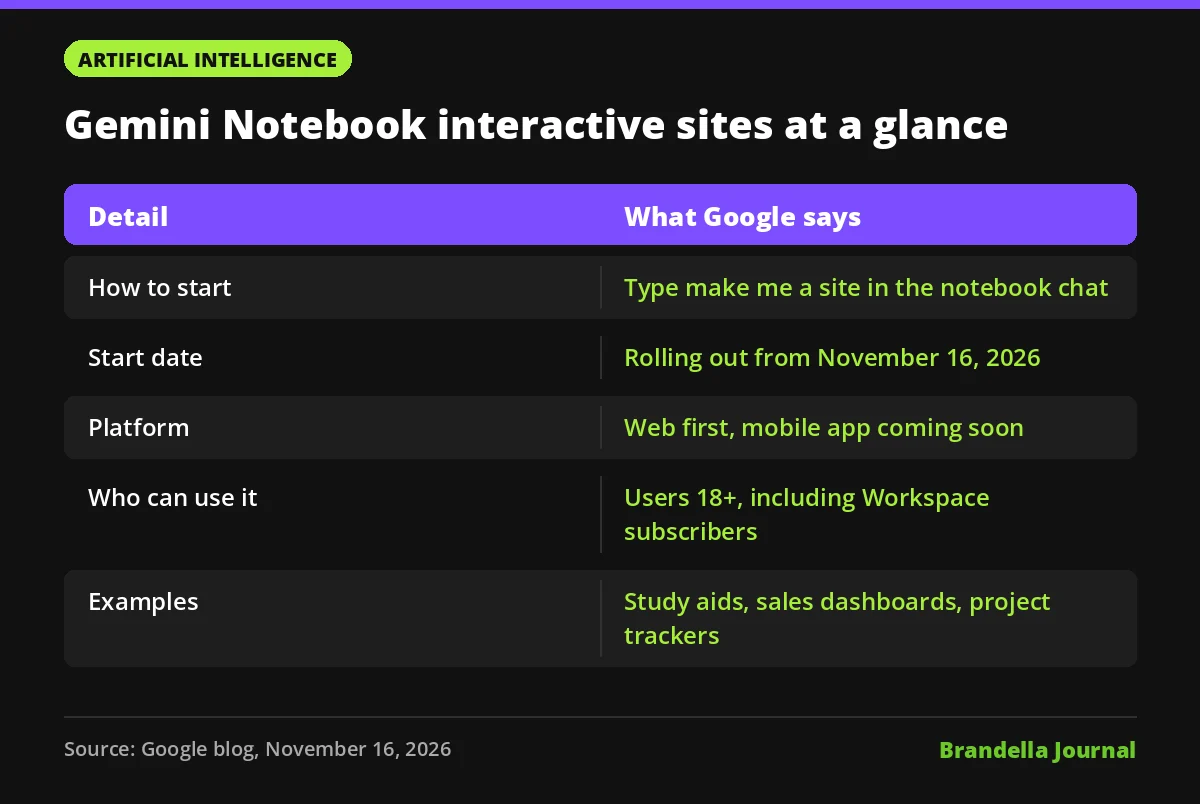
The new option lives inside the Gemini Notebook chat. You open a notebook that already holds your sources, type “make me a site” and describe what you want. Gemini Notebook then builds an interactive page grounded in those sources.
Google gives three kinds of examples in its post:
- Visual study aids, such as an interactive periodic table or a historical timeline.
- Interactive dashboards for exploring data, such as quarterly sales performance.
- Project trackers for organising tasks and deadlines.
Once the site is ready, you select “Open in a new tab” to use it, and you can share it with other people.
Who can use Gemini Notebook interactive sites
Google’s post sets out the availability clearly, and the details below come straight from it.
| Detail | What Google says |
|---|---|
| Start date | Rolling out from November 16, 2026 |
| Platform | Web first, mobile app coming soon |
| Regions | Rolling out globally |
| Age | Users 18 and over |
| Accounts | Gemini Notebook users, including Google Workspace subscribers |
PPC Land points out what the post leaves out: pricing, usage limits, the model behind it, supported languages and how sharing permissions work. Digital Trends also covered the launch. Until Google says more, assume these points may change.
Why this matters for marketing teams
Most teams already collect sources in one place: decks, PDFs, spreadsheets, call notes and links. The hard part is presenting them. A tool that turns those sources into a page you can click through could cut the time between “we have the data” and “the client understands it”.
It also fits a wider trend. Google’s Gemini Decisions API and Anthropic’s Claude Sheets and Whiteboards show AI companies racing to make output more visual and more usable, not just more text.
One caution: a generated page is only as good as the sources behind it. If your notebook includes an outdated report, the site will look polished and still be wrong. Our explainer on AI hallucinations covers why checking AI output against the original data still matters.
Practical ways to use Gemini Notebook sites
These are Brandella’s ideas, not use cases Google has listed.
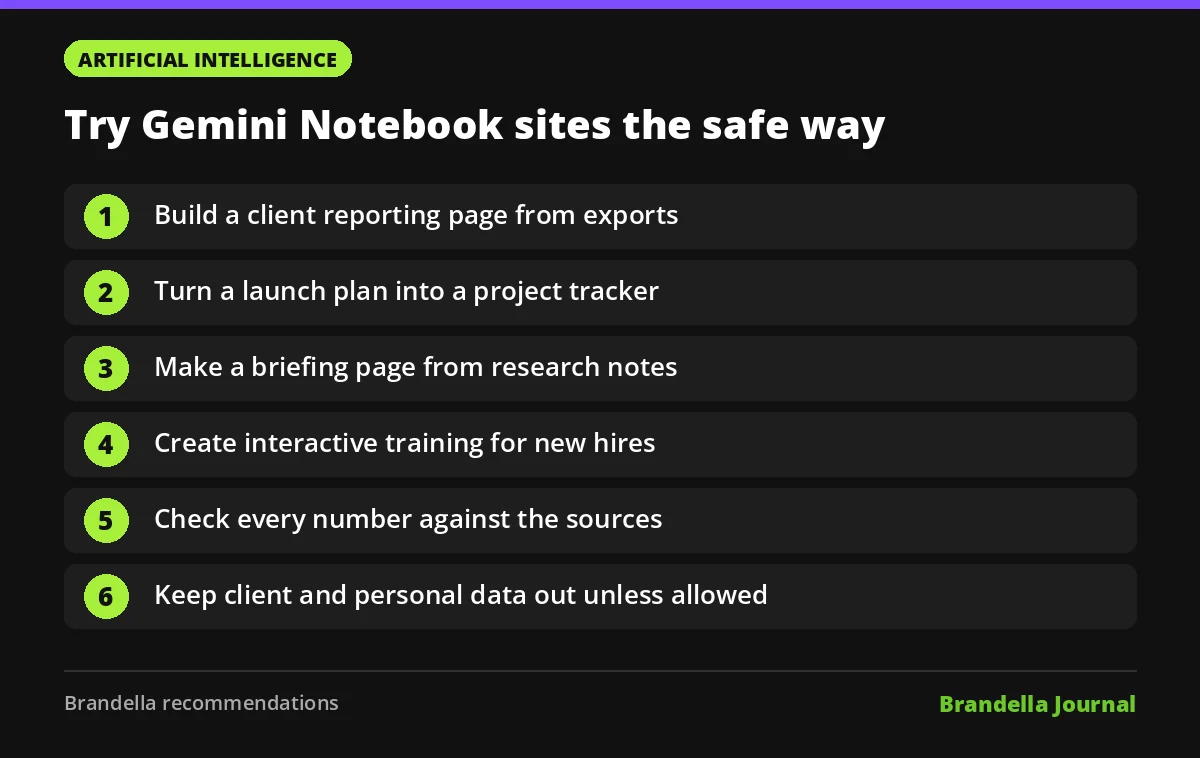
- Build a client reporting page. Add a month of exported reports and ask for a simple dashboard that explains the trends. Compare it with your normal paid media reporting dashboard before sharing.
- Make a campaign tracker. Upload the launch plan and ask for a project tracker with tasks and deadlines, which matches one of Google’s own examples.
- Turn research into a briefing page. Put competitor notes and survey results into one notebook and ask for a page your sales team can browse.
- Create training material. Turn an internal SEO or tracking guide into an interactive page for new hires.
- Check every number. Before sharing, compare key figures on the site with the source files.
- Control what you share. Do not add client data or personal information to a notebook unless your company policy allows it, because Google has not detailed how shared sites are protected.
What to watch next
Google says mobile support is coming soon. The bigger questions for business users are about control: who can see a shared site, whether links expire and whether Workspace admins can manage sharing. Watch Google’s Workspace updates and the Gemini Notebook help pages for those answers.
It is also worth thinking about how pages like these could change how people consume your content. If readers can turn your public guides into their own interactive pages, clear structure becomes even more useful. Our guide to structuring HTML for AI crawlability explains how to make content easy for AI tools to read.
FAQ about Gemini Notebook interactive sites
How do I create a site in Gemini Notebook?
Open a notebook with your sources, type “make me a site” in the chat and describe what you want to build. When it is ready, select “Open in a new tab” to use it.
Is it available on mobile?
Not yet. Google says the feature is rolling out on the web first and is coming soon to the mobile app.
Can Workspace users try it?
Yes. Google says it is available to Gemini Notebook users aged 18 and over, including Google Workspace subscribers.
Is it free?
Google’s announcement does not mention pricing or usage limits, so check your plan’s details before relying on it for client work.