Search Analytics API Adds Branded Queries and Lens Data
The Search Analytics API now returns branded query data, web multimodal results from Lens and multi-country filters. What changed and how to use it.

In this article
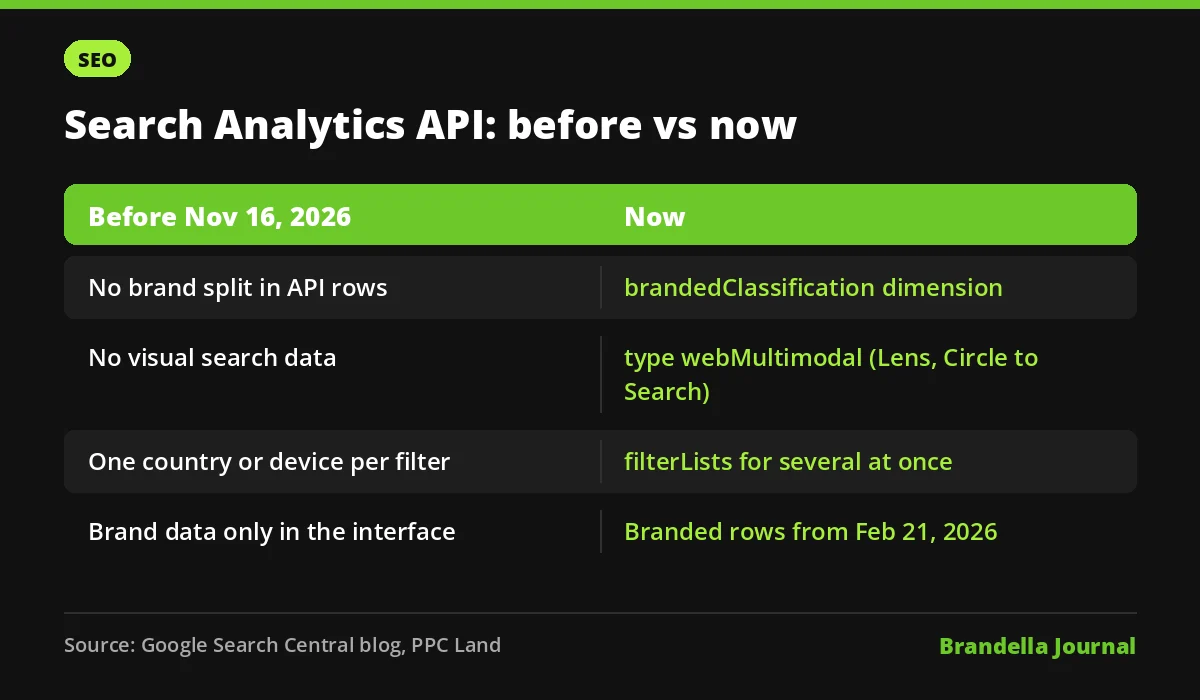
Google has updated the Search Analytics API, the part of the Search Console API that returns clicks, impressions, CTR and position. Since November 16, 2026, the API can split queries into branded and non branded, return data for visual searches made with Google Lens, and filter one request by several countries or devices.
The change was announced on the Google Search Central blog by Daniel Waisberg, Nati Yosephian and Karin Gadasi from the Search Console team. All three features already existed in the Search Console Performance report. Google says: “Today, we’re bringing all three capabilities to the Search Analytics API.”
This matters most for anyone who reports on SEO through scripts, Looker Studio connectors, BigQuery or custom dashboards. Until now, those reports could not match what you saw in the Search Console interface for brand traffic and visual search.
What the Search Analytics API update adds
The update has three parts. Here is what each one does and how you call it, based on the Google post and the API reference.
| Capability | How you use it in the API | What it returns |
|---|---|---|
| Branded queries | New brandedClassification dimension |
Rows split into branded and non branded |
| Web multimodal | type set to webMultimodal |
Clicks and impressions from Google Lens, Circle to Search on Android and image uploads in Search |
| Multi-country and multi-device | New filterLists field |
Several countries or devices filtered in one request |
Google also says the web multimodal data “will also be available in BigQuery for properties with an active bulk data export”, which is covered in its bulk data export help page.
Branded query data: who gets it and from when
The branded split only works for eligible properties. In Google’s words: “As in Search Console, this data is only available for eligible properties.” If your property is not eligible, the response simply will not include any rows for that dimension.
According to PPC Land, the API reference lists the values as BRANDED and NON_BRANDED and states that data is available starting February 21, 2026. PPC Land also notes the data is limited to top level properties with enough search volume. That start date is important: you cannot use the API to compare this year’s brand share with 2025.
If you have not used brand segmentation before, our guide to the branded queries filter in Search Console explains why separating brand from non brand traffic gives a truer picture of SEO growth.
Web multimodal: visual search finally in your exports
Google introduced web multimodal reporting in Search Console in September 2026. It covers searches where people point a camera, circle something on screen or upload a picture instead of typing.
With the API change, that data can sit next to your normal Web, Image and News numbers in any automated report. For ecommerce, recipe, fashion and home sites, this is often the first clean way to see how much traffic comes from people searching with images.
A minimal request body looks like this:
{
  "startDate": "2026-10-01",
  "endDate": "2026-10-31",
  "type": "webMultimodal",
  "dimensions": ["page"]
}
Multi-country and multi-device filters with filterLists
Earlier this month the Performance report gained multi-select for countries and then devices, as we covered in our piece on the Search Console device filter. The new filterLists field brings the same idea to the API, so one call can return, for example, India plus the UAE, or mobile plus tablet.
Google does not list the exact accepted values in the blog post and points developers to the API documentation. Check the reference page for the exact structure before you change production scripts.
What SEO teams should do now
These are Brandella’s suggested steps, not official Google instructions.
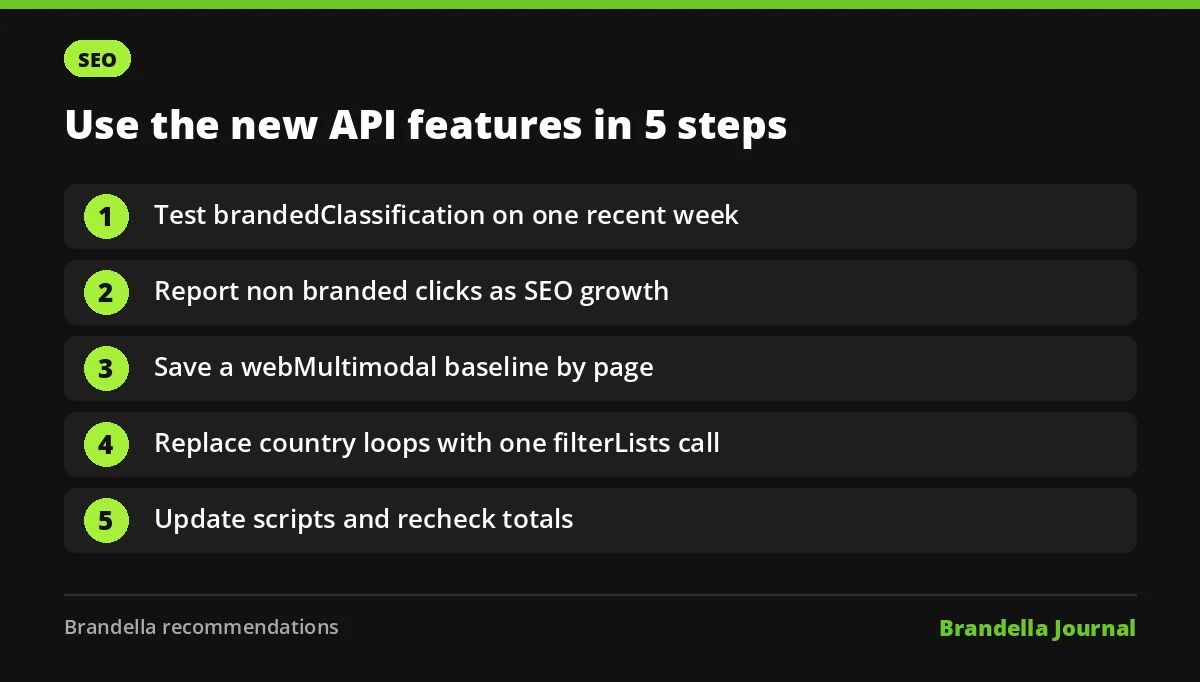
- Test eligibility first. Run one request with
brandedClassificationas a dimension for a recent week. Empty rows mean your property is not eligible, so keep using query regex filters for brand. - Add a brand split to monthly reports. Report non branded clicks as your main SEO growth number, and track branded clicks as a signal of brand demand.
- Start a multimodal baseline. Pull
webMultimodaldata by page for the last full month and save it. You will need it to measure future changes in visual search. - Simplify regional pulls. Replace loops that request each country one by one with a single
filterListscall so you make fewer API calls. - Update your Python or Sheets scripts. If you followed our tutorial on Search Console data pulls with Python, add the new dimension and type as options, then recheck totals against the interface. Our guide to Python and Pandas SEO reporting shows how to chart the brand split.
Limits to keep in mind
The brand classification is Google’s own. You cannot edit which queries count as branded through the API, so treat it as a consistent signal rather than a perfect label.
Totals can also differ from table rows because of anonymized queries and data truncation, which was already true in the Search Console performance report. Compare like with like: same dates, same search type and same filters.
FAQ about the Search Analytics API update
Is the branded query data available for every site?
No. Google says it is only available for eligible properties, and ineligible properties get no rows for that dimension.
How far back does branded data go in the API?
PPC Land reports the API reference says data is available starting February 21, 2026.
What counts as web multimodal search?
Google lists Google Lens, Circle to Search on Android and image uploads in Google Search.
Do I need BigQuery to get multimodal data?
No. You can call the API with type set to webMultimodal. BigQuery bulk export is an extra option for properties that already use it.