

- Home
- SEODiscover the latest updates from across the United States, including politics, culture, economy, and trending stories. Stay informed on the key events shaping the nation and the topics everyone’s talking about.
- Technical SEOLearn technical SEO concepts including crawling, indexing, XML sitemaps, robots.txt, canonical tags, site architecture, and website performance.
- Local SEOOptimize your business for local seo with Google Business Profile, local citations, reviews, maps, and location-based SEO.
- Mobile SEOImprove your website’s mobile seo performance with responsive design, mobile-first indexing, usability, and page speed optimization.
- On-Page SEOExplore on-page seo optimization techniques such as title tags, meta descriptions, headings, URLs, internal linking, and content optimization.
- Off-Page SEODiscover off-page SEO strategies such as backlinks, digital PR, brand mentions, outreach, and authority building.
- SEO ToolsExplore the best SEO tools for keyword research, technical audits, backlink analysis, rank tracking, and website optimization.
- Core Web VitalsLearn how to improve Core Web Vitals including LCP, INP, CLS, page speed, and overall user experience for better rankings.
- Keyword ResearchLearn how to find profitable keywords, analyze search intent, evaluate competition, and build effective keyword strategies.
- Link BuildingMaster ethical link building techniques, backlink analysis, outreach methods, guest posting, and authority growth strategies.
- Google Search ConsoleLearn how to use Google Search Console to monitor indexing, fix errors, analyze search performance, and improve SEO.
- SEO BasicsLearn the fundamentals of search engine optimization (SEO Basics), including how search engines work, SEO terminology, and beginner-friendly best practices.
- Paid Media
- Display AdvertisingLearn display advertising strategies, banner ads, audience targeting, remarketing, Google Display campaigns, and optimization techniques.
- Google AdsLearn Google Ads strategies, campaign setup, bidding, keywords, Performance Max, Search Ads, and optimization techniques.
- LinkedIn AdsLearn LinkedIn Ads strategies for B2B marketing, lead generation, audience targeting, campaign optimization, and paid social advertising.
- Meta AdsLearn Meta Ads strategies for Facebook and Instagram, including campaign setup, targeting, retargeting, and performance optimization.
- Paid Media AnalyticsLearn paid media analytics, including CPC, CTR, CPA, ROAS, conversion tracking, attribution, reporting, and campaign performance analysis.
- PPC StrategyLearn effective PPC strategies, campaign planning, bidding, keyword targeting, landing pages, conversion optimization, and more.
- ContentTransform your living spaces with inspiration, tips, and trends in interior design. From minimalist decor to bold statements, find ideas for every style and budget.
- Social
- Digital MarketingExplore stories and advice on living your best life. From personal growth to entertainment, dive into the latest in lifestyle trends and inspiration.
- Artificial IntelligenceStay informed about health and wellness with expert advice, fitness tips, and the latest medical breakthroughs. Your guide to a healthier and happier life.
- DevelopmentYou will find development related educational articles
- GTMLearn Google Tag Manager (GTM) with practical guides for tags, triggers, variables, tracking, conversions, and website analytics implementation.
- HTMLLearn HTML with simple tutorials, examples, tags, elements, attributes, and best practices for building modern web pages.
- HTML CSSLearn HTML CSS together with practical tutorials, examples, layouts, styling techniques, responsive design, and modern web development practices.
- HTML JSLearn HTML JS – JavaScript with practical tutorials and examples for adding interactivity, dynamic content, events, and functionality to web pages.
- JavaScriptExplore JavaScript tutorials, examples, concepts, and practical techniques for creating interactive and dynamic websites and web applications.
- PHPLearn PHP programming with practical tutorials, examples, functions, syntax, and web development techniques for beginners and developers.
- PythonLearn Python programming with practical tutorials, examples, syntax, functions, automation techniques, and useful programming concepts.
- Home
- SEODiscover the latest updates from across the United States, including politics, culture, economy, and trending stories. Stay informed on the key events shaping the nation and the topics everyone’s talking about.
- Technical SEOLearn technical SEO concepts including crawling, indexing, XML sitemaps, robots.txt, canonical tags, site architecture, and website performance.
- Local SEOOptimize your business for local seo with Google Business Profile, local citations, reviews, maps, and location-based SEO.
- Mobile SEOImprove your website’s mobile seo performance with responsive design, mobile-first indexing, usability, and page speed optimization.
- On-Page SEOExplore on-page seo optimization techniques such as title tags, meta descriptions, headings, URLs, internal linking, and content optimization.
- Off-Page SEODiscover off-page SEO strategies such as backlinks, digital PR, brand mentions, outreach, and authority building.
- SEO ToolsExplore the best SEO tools for keyword research, technical audits, backlink analysis, rank tracking, and website optimization.
- Core Web VitalsLearn how to improve Core Web Vitals including LCP, INP, CLS, page speed, and overall user experience for better rankings.
- Keyword ResearchLearn how to find profitable keywords, analyze search intent, evaluate competition, and build effective keyword strategies.
- Link BuildingMaster ethical link building techniques, backlink analysis, outreach methods, guest posting, and authority growth strategies.
- Google Search ConsoleLearn how to use Google Search Console to monitor indexing, fix errors, analyze search performance, and improve SEO.
- SEO BasicsLearn the fundamentals of search engine optimization (SEO Basics), including how search engines work, SEO terminology, and beginner-friendly best practices.
- Paid Media
- Display AdvertisingLearn display advertising strategies, banner ads, audience targeting, remarketing, Google Display campaigns, and optimization techniques.
- Google AdsLearn Google Ads strategies, campaign setup, bidding, keywords, Performance Max, Search Ads, and optimization techniques.
- LinkedIn AdsLearn LinkedIn Ads strategies for B2B marketing, lead generation, audience targeting, campaign optimization, and paid social advertising.
- Meta AdsLearn Meta Ads strategies for Facebook and Instagram, including campaign setup, targeting, retargeting, and performance optimization.
- Paid Media AnalyticsLearn paid media analytics, including CPC, CTR, CPA, ROAS, conversion tracking, attribution, reporting, and campaign performance analysis.
- PPC StrategyLearn effective PPC strategies, campaign planning, bidding, keyword targeting, landing pages, conversion optimization, and more.
- ContentTransform your living spaces with inspiration, tips, and trends in interior design. From minimalist decor to bold statements, find ideas for every style and budget.
- Social
- Digital MarketingExplore stories and advice on living your best life. From personal growth to entertainment, dive into the latest in lifestyle trends and inspiration.
- Artificial IntelligenceStay informed about health and wellness with expert advice, fitness tips, and the latest medical breakthroughs. Your guide to a healthier and happier life.
- DevelopmentYou will find development related educational articles
- GTMLearn Google Tag Manager (GTM) with practical guides for tags, triggers, variables, tracking, conversions, and website analytics implementation.
- HTMLLearn HTML with simple tutorials, examples, tags, elements, attributes, and best practices for building modern web pages.
- HTML CSSLearn HTML CSS together with practical tutorials, examples, layouts, styling techniques, responsive design, and modern web development practices.
- HTML JSLearn HTML JS – JavaScript with practical tutorials and examples for adding interactivity, dynamic content, events, and functionality to web pages.
- JavaScriptExplore JavaScript tutorials, examples, concepts, and practical techniques for creating interactive and dynamic websites and web applications.
- PHPLearn PHP programming with practical tutorials, examples, functions, syntax, and web development techniques for beginners and developers.
- PythonLearn Python programming with practical tutorials, examples, syntax, functions, automation techniques, and useful programming concepts.
Now Reading: Google Search Console Data Pulls With Python: 7 Steps to Complete Automated Reporting
-
01
Google Search Console Data Pulls With Python: 7 Steps to Complete Automated Reporting
- Home//
- SEO//Discover the latest updates from across the United States, including politics, culture, economy, and trending stories. Stay informed on the key events shaping the nation and the topics everyone’s talking about.
- Technical SEO//Learn technical SEO concepts including crawling, indexing, XML sitemaps, robots.txt, canonical tags, site architecture, and website performance.
- Local SEO//Optimize your business for local seo with Google Business Profile, local citations, reviews, maps, and location-based SEO.
- Mobile SEO//Improve your website’s mobile seo performance with responsive design, mobile-first indexing, usability, and page speed optimization.
- On-Page SEO//Explore on-page seo optimization techniques such as title tags, meta descriptions, headings, URLs, internal linking, and content optimization.
- Off-Page SEO//Discover off-page SEO strategies such as backlinks, digital PR, brand mentions, outreach, and authority building.
- SEO Tools//Explore the best SEO tools for keyword research, technical audits, backlink analysis, rank tracking, and website optimization.
- Core Web Vitals//Learn how to improve Core Web Vitals including LCP, INP, CLS, page speed, and overall user experience for better rankings.
- Keyword Research//Learn how to find profitable keywords, analyze search intent, evaluate competition, and build effective keyword strategies.
- Link Building//Master ethical link building techniques, backlink analysis, outreach methods, guest posting, and authority growth strategies.
- Google Search Console//Learn how to use Google Search Console to monitor indexing, fix errors, analyze search performance, and improve SEO.
- SEO Basics//Learn the fundamentals of search engine optimization (SEO Basics), including how search engines work, SEO terminology, and beginner-friendly best practices.
- Paid Media//
- Display Advertising//Learn display advertising strategies, banner ads, audience targeting, remarketing, Google Display campaigns, and optimization techniques.
- Google Ads//Learn Google Ads strategies, campaign setup, bidding, keywords, Performance Max, Search Ads, and optimization techniques.
- LinkedIn Ads//Learn LinkedIn Ads strategies for B2B marketing, lead generation, audience targeting, campaign optimization, and paid social advertising.
- Meta Ads//Learn Meta Ads strategies for Facebook and Instagram, including campaign setup, targeting, retargeting, and performance optimization.
- Paid Media Analytics//Learn paid media analytics, including CPC, CTR, CPA, ROAS, conversion tracking, attribution, reporting, and campaign performance analysis.
- PPC Strategy//Learn effective PPC strategies, campaign planning, bidding, keyword targeting, landing pages, conversion optimization, and more.
- Content//Transform your living spaces with inspiration, tips, and trends in interior design. From minimalist decor to bold statements, find ideas for every style and budget.
- Social//
- Digital Marketing//Explore stories and advice on living your best life. From personal growth to entertainment, dive into the latest in lifestyle trends and inspiration.
- Artificial Intelligence//Stay informed about health and wellness with expert advice, fitness tips, and the latest medical breakthroughs. Your guide to a healthier and happier life.
- Development//You will find development related educational articles
- GTM//Learn Google Tag Manager (GTM) with practical guides for tags, triggers, variables, tracking, conversions, and website analytics implementation.
- HTML//Learn HTML with simple tutorials, examples, tags, elements, attributes, and best practices for building modern web pages.
- HTML CSS//Learn HTML CSS together with practical tutorials, examples, layouts, styling techniques, responsive design, and modern web development practices.
- HTML JS//Learn HTML JS – JavaScript with practical tutorials and examples for adding interactivity, dynamic content, events, and functionality to web pages.
- JavaScript//Explore JavaScript tutorials, examples, concepts, and practical techniques for creating interactive and dynamic websites and web applications.
- PHP//Learn PHP programming with practical tutorials, examples, functions, syntax, and web development techniques for beginners and developers.
- Python//Learn Python programming with practical tutorials, examples, syntax, functions, automation techniques, and useful programming concepts.
- Home
- Development
- Python
- Google Search Console Data Pulls With Python: 7 Steps to Complete Automated Reporting
Google Search Console Data Pulls With Python: 7 Steps to Complete Automated Reporting

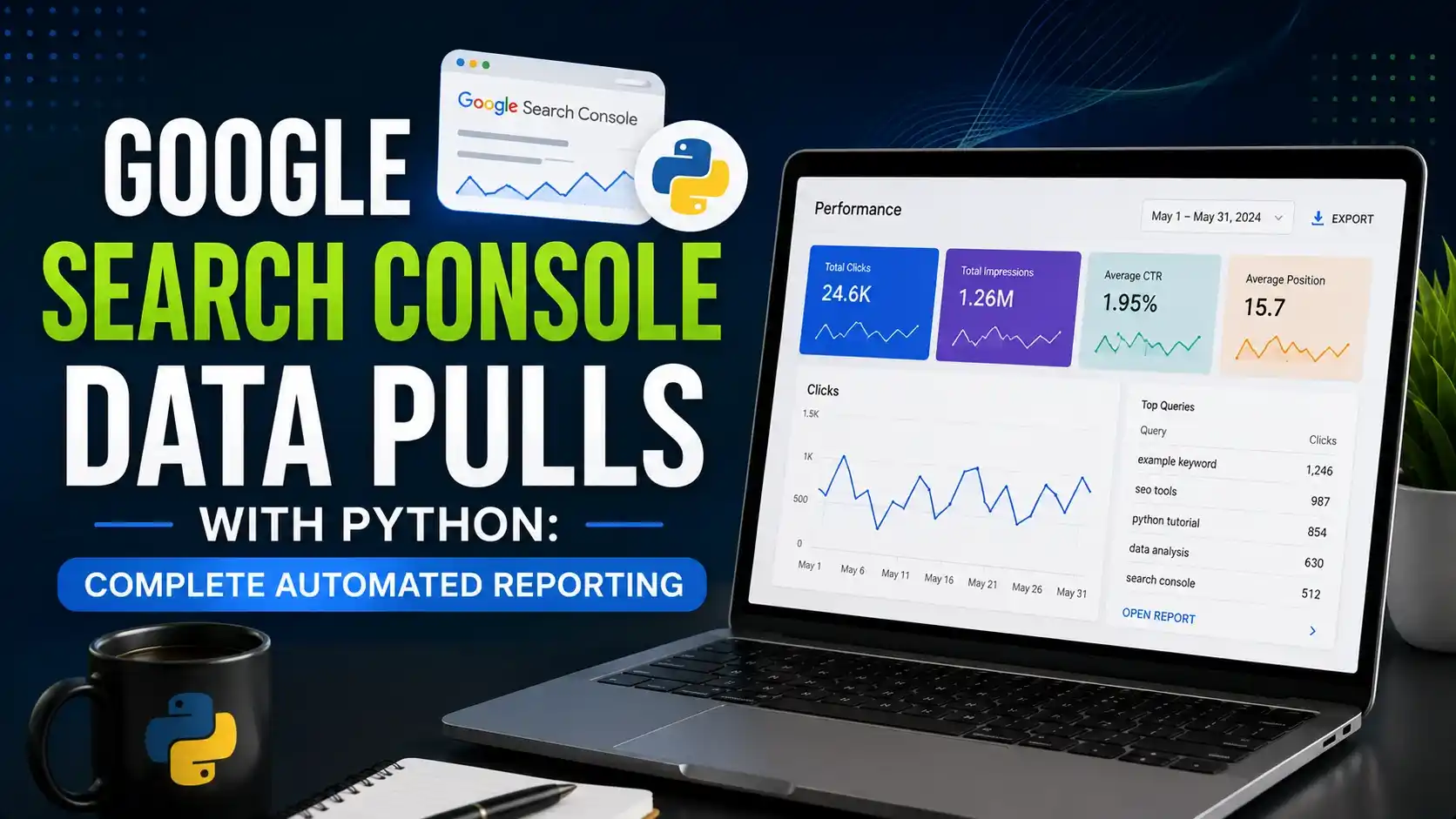
This guide builds google search console data pulls with python from scratch, authenticating with the Search Console API and exporting query, click, and impression data automatically.
Table of Contents
ToggleThe Search Console interface caps most reports at a thousand rows and quietly ages data out after around sixteen months. Google search console data pulls with python remove both limits and turn a manual export habit into a running archive.
A site with a few thousand ranking queries hits that thousand row wall almost immediately. Whatever did not fit in the export just never gets analyzed.
The sixteen month window causes a quieter problem. Ask what changed since a redesign two years ago, and the interface simply cannot answer, because the data behind that point is already gone.
Google search console data pulls with python solve both problems at once. A script does not care whether a query is row four or row forty thousand, and once it starts saving results daily, the sixteen month ceiling stops mattering.
This guide authenticates against the Search Console API, pulls query and page performance data, works past the API's own row limit, and saves everything somewhere that outlives the dashboard's memory.
None of it needs anything exotic. A Google Cloud project, a Python environment, and about forty lines of working code cover the whole thing.
Why Google Search Console Data Pulls With Python Beat Manual Exports
The Search Console dashboard is genuinely useful for a quick look. It becomes a poor research tool the moment you need more history or more rows than the interface is willing to show.
Comparing this quarter to the same quarter two years ago is a common request that the UI simply cannot fulfill once the data has aged out of its visible window.
Exporting by hand every week is also easy to forget. A missed week is not just a gap, it is a permanent gap, since that data is not sitting somewhere waiting to be pulled later.
Pairing this with a wider Search Console configuration review is worth doing once the automated pulls are running, since a script surfaces patterns a manual glance at the dashboard tends to miss.
Setting Up Google Cloud Access for the Search Console API
Before any Python runs, the Search Console API needs to be turned on for a Google Cloud project, and something needs permission to use it.
A service account is the cleanest option for a script that runs unattended, since it never depends on a personal login session expiring.
- Create a Google Cloud project: or reuse an existing one, then enable the Search Console API from the API library.
- Create a service account: under IAM and Admin, and download its JSON key file. Treat this file exactly like a password.
- Grant the service account access: add its email address as a user in Search Console, under Settings and then Users and Permissions, with at least Restricted access.
- Keep the key file out of version control: add it to
.gitignoreimmediately, the same as any other credential.
Skipping that third step is the most common reason a first script fails. The API call authenticates fine and then returns an empty result, because the account making the request was never actually added to the property.
Setting Up Your Python Environment
# create an isolated environment so package versions don't clash
python -m venv venv
source venv/bin/activate      # Windows: venv\Scripts\activate

pip install google-api-python-client google-auth pandas
The google-api-python-client package builds the actual API connection, google-auth handles the service account authentication, and pandas holds the results once they come back.
Authenticating and Connecting to the Search Console API
With the service account key in hand, connecting takes a few lines. This function builds a reusable client that every later script in this guide calls.
from google.oauth2 import service_account
from googleapiclient.discovery import build

SCOPES = ["https://www.googleapis.com/auth/webmasters.readonly"]
KEY_FILE = "service_account.json"

def get_gsc_service():
    credentials = service_account.Credentials.from_service_account_file(
        KEY_FILE, scopes=SCOPES
    )
    return build("searchconsole", "v1", credentials=credentials)
The read only scope is intentional. A reporting script has no reason to ever modify a property's settings, so limiting what the credential can do keeps the blast radius small if the key ever leaks.
The full setup, including where each button lives inside the Google Cloud console, is also documented step by step on jcchouinard.com if a screenshot heavy walkthrough helps.
Pulling Query and Page Performance Data
Every real implementation of google search console data pulls with python starts at the same endpoint. The searchanalytics.query call accepts a date range and a list of dimensions, then returns clicks, impressions, position, and click through rate for each row.
import pandas as pd
from gsc_client import get_gsc_service

def pull_search_data(site_url: str, start_date: str, end_date: str, row_limit: int = 25000) -> pd.DataFrame:
    service = get_gsc_service()

    request = {
        "startDate": start_date,
        "endDate": end_date,
        "dimensions": ["query", "page"],
        "rowLimit": row_limit,
    }

    response = service.searchanalytics().query(siteUrl=site_url, body=request).execute()
    rows = response.get("rows", [])

    records = [{
        "query": row["keys"][0],
        "page": row["keys"][1],
        "clicks": row["clicks"],
        "impressions": row["impressions"],
        "ctr": row["ctr"],
        "position": row["position"],
    } for row in rows]

    return pd.DataFrame(records)
Splitting queries from branded queries becomes trivial once this data sits in a dataframe instead of an export you have to filter by hand every time.
Working Past the 25,000 Row Limit With Pagination
A single request tops out at 25,000 rows, and a busy site can easily have more query and page combinations than that in a single month. The startRow parameter is how you keep going past it.
import time
import pandas as pd
from gsc_client import get_gsc_service

PAGE_SIZE = 25000

def pull_all_rows(site_url: str, start_date: str, end_date: str) -> pd.DataFrame:
    service = get_gsc_service()
    all_rows = []
    start_row = 0

    while True:
        request = {
            "startDate": start_date,
            "endDate": end_date,
            "dimensions": ["query", "page"],
            "rowLimit": PAGE_SIZE,
            "startRow": start_row,
        }
        response = service.searchanalytics().query(siteUrl=site_url, body=request).execute()
        rows = response.get("rows", [])

        if not rows:
            break

        all_rows.extend(rows)
        start_row += PAGE_SIZE
        time.sleep(1)   # stay well under the daily quota

    return pd.DataFrame(all_rows)
The loop stops the moment a page comes back empty, which is the API's own signal that there is nothing left to fetch. That is a cleaner stopping condition than guessing at a total row count in advance.
Automating Multiple Properties and Date Ranges
Most agencies and multi site owners are not pulling data for one property. The same function works for many, as long as the service account has been added to each one.
from datetime import date, timedelta
from pull_all_rows import pull_all_rows

SITES = [
    "https://brandella.in/",
    "sc-domain:example-client.com",
]

def run_daily_pull():
    yesterday = (date.today() - timedelta(days=3)).isoformat()

    for site in SITES:
        df = pull_all_rows(site, yesterday, yesterday)
        df["site"] = site
        df["pull_date"] = yesterday
        df.to_csv(f"data/{site.replace('/', '_')}_{yesterday}.csv", index=False)
Notice the three day offset in the date calculation. Search Console data is not final the moment a click happens, and pulling too close to today usually returns partial numbers that revise upward later.
Pagination Request Estimator
Estimate how many paginated API calls a pull needs, based on the API's 25,000 row limit per request.
Storing Results Beyond the Dashboard's Memory
Saving each day to its own CSV works, but it makes trend analysis harder than it needs to be. Once google search console data pulls with python are running daily, appending every pull into one growing table is usually the better long term shape.
import os
import pandas as pd

ARCHIVE_PATH = "data/gsc_archive.csv"

def append_to_archive(new_df: pd.DataFrame):
    if os.path.exists(ARCHIVE_PATH):
        existing = pd.read_csv(ARCHIVE_PATH)
        combined = pd.concat([existing, new_df]).drop_duplicates(
            subset=["site", "pull_date", "query", "page"]
        )
    else:
        combined = new_df

    combined.to_csv(ARCHIVE_PATH, index=False)
The drop_duplicates call matters more than it looks. A script that reruns after a partial failure should never double count a day it already saved successfully.
name: Daily Search Console Pull
on:
  schedule:
    - cron: "0 8 * * *"   # every day at 08:00 UTC
  workflow_dispatch: {}

jobs:
  pull_data:
    runs-on: ubuntu-latest
    steps:
      - uses: actions/checkout@v4
      - uses: actions/setup-python@v5
        with:
          python-version: "3.11"
      - run: pip install -r requirements.txt
      - run: python multi_property.py
A daily run through GitHub Actions means the archive keeps growing on its own, well past whatever window the Search Console interface happens to keep visible.
Handling Quotas, Data Lag, and Other Edge Cases
A few details separate a script that runs once from one that keeps running reliably every day without someone checking on it.
- Daily quota limits: the API enforces a per project request quota. Spread large historical backfills across several days rather than requesting years of data in one run.
- Data freshness lag: figures for the last two to three days are often incomplete. Pull with a delay, as shown in the multi property example above.
- Empty rows on new properties: a property added recently may return nothing for older date ranges, which is expected rather than a bug in the script.
- Zero click, zero impression noise: some low volume queries add little analytical value. Filter these out after the pull rather than during it, so the raw archive stays complete.
- Service account access changes: if someone removes the service account from a property's user list, the script fails quietly with an empty result rather than a clear error.
None of these are difficult to handle once you know to expect them. They are simply the parts that a first script, written in an afternoon, tends to miss. Search Engine Journal has covered similar lag and quota issues across other Google reporting APIs, and the same patience pays off here too.
Watch: Connecting to the Search Console API With Python
JC Chouinard, a Python and SEO practitioner whose tutorials at jcchouinard.com are widely referenced in the technical SEO community, published a walkthrough covering exactly the authentication step this guide starts with.
Video credit: JC Chouinard, jcchouinard.com.
The credential setup shown there is the same service account pattern used throughout this guide, just walked through one click at a time inside the Google Cloud console.
Related Articles
Frequently Asked Questions
No. The Search Console API only needs a verified Search Console property and a Google Cloud project with the API enabled. It has no connection to Google Ads at all.
This almost always means the service account was never added as a user on the Search Console property. Add its email address under Settings and Users and Permissions, and the same request will start returning rows.
By paginating with the startRow parameter. Each request returns up to 25,000 rows, and looping with an increasing startRow value until an empty response comes back collects everything available.
The API generally exposes a similar window to what the interface shows, roughly sixteen months. The value of automating the pull is capturing new data going forward so future gaps never happen again.
A service account is usually better for anything scheduled and unattended, since it never expires the way a personal OAuth session can. OAuth makes more sense for a script you run interactively yourself.
What We Learn Today
The UI has real limits
Row caps and a rolling history window make manual exports a poor long term data source.
Access setup comes first
The service account must be added to the property, or every later request comes back empty.
Pagination is not optional
The 25,000 row cap per request means most real pulls need a loop, not a single call.
Data lag is real
Pulling with a few days of delay avoids saving numbers that have not finished settling.
Archiving beats exporting again
Appending daily pulls into one deduplicated table builds history the dashboard cannot offer.
Scheduling makes it durable
A daily GitHub Actions run keeps the archive current without anyone remembering to click export.
Ready to Stop Losing Search Console History?
Pair google search console data pulls with python and a broader reporting workflow to keep every metric that matters within reach.
Related Posts



Previous Post
Next Post
Previous Post
Next Post





- Artificial Intelligence
- Content
- Core Web Vitals
- Development
- Digital Marketing
- Display Advertising
- Google Ads
- Google Search Console
- GTM
- HTML
- HTML CSS
- JavaScript
- Keyword Research
- Link Building
- LinkedIn Ads
- Local SEO
- Meta Ads
- Mobile SEO
- Off-Page SEO
- On-Page SEO
- Paid Media
- Paid Media Analytics
- PHP
- PPC Strategy
- Python
- SEO
- SEO Basics
- SEO Tools
- Social
- Technical SEO




