Google Ads Language Targeting Removed From Search: What to Do
Google Ads language targeting is disappearing from Search campaigns. How ads now match by language, what changes in Performance Max, and what to check.


In this article
Google Ads language targeting is now disappearing from Search campaigns in live accounts. The campaign level setting that let advertisers pick which languages a campaign should reach is being removed, and Search ads will instead be matched to users based on the language of the ads themselves.
The change was announced months ago, but it is only now showing up for advertisers. PPC Land reported on November 8, 2026 that Google Ads practitioner Thomas Eccel noticed the setting missing from a live account on the morning of November 3, and that PPC News Feed reported the removal on November 4.
This affects anyone running Search campaigns or Performance Max in more than one language, or in markets where users search in a mix of languages. Here is what Google says changes, what stays the same, and how to protect your campaigns.
What Google says changes in Search campaigns
Google’s help page About language targeting states: “Starting in September 2026, the way language targeting works is changing for Search campaigns.” For Search, it says plainly: “The campaign-level language targeting setting will be removed.”
Instead, “Search ads will automatically match based on the language of your ads.” Google says “Language comprehension automatically aligns your ads with user language,” and that “We prioritize ads that match the user’s search term language.”
Google also says “No action is required by advertisers for this change.” That is true for keeping campaigns running, but it does not mean nothing changes for your results.
What changes in Performance Max and Shopping
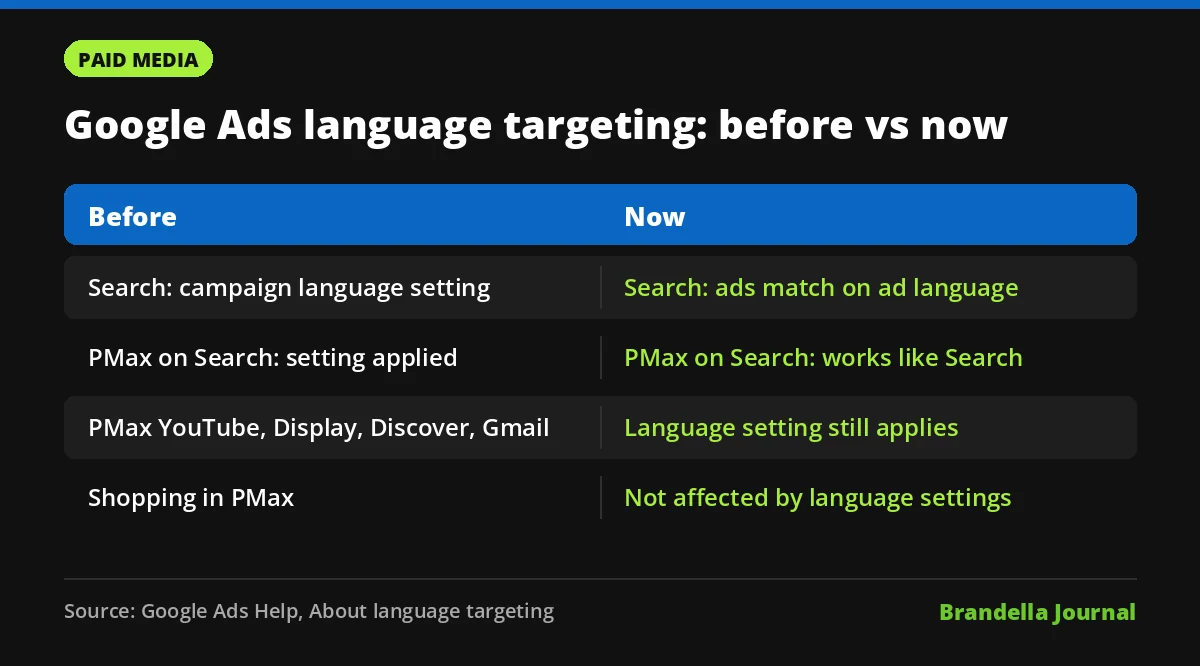
Performance Max is split. Per Google’s help page, “The campaign-level language setting will no longer apply to ads shown on the Google Search Network.” Those placements “will function like standard Search campaigns.”
The setting does stay for other channels: “the language settings you select will continue to apply to other channels within your Performance Max campaign, such as YouTube, Display, Discover, and Gmail.” Shopping is not touched: “Shopping ads within Performance Max are not affected by language settings.”
| Campaign or channel | Before | Now |
|---|---|---|
| Search campaigns | Campaign language setting chose who could see ads | Setting removed, ads match on ad language |
| Performance Max on Search Network | Campaign language setting applied | Works like standard Search |
| Performance Max on YouTube, Display, Discover, Gmail | Campaign language setting applied | Setting still applies |
| Shopping ads in Performance Max | Not part of this change | Not affected by language settings |
The timing is uneven across accounts
The help page says the change starts in September 2026, but the rollout has clearly been slow. PPC Land notes that Google first said the setting would go by the end of 2025, then gave September 2026, and that by November 8 the help page still described a September start.
PPC Land also reports that some practitioners still see the setting in Google Ads Editor, and that others have not seen the change in their accounts yet. Google has not published a completion date. So if you still see the setting today, expect it to go.
Why Google Ads language targeting removal matters
For single language campaigns in single language markets, this is unlikely to change much. The risk sits with multilingual setups. If you run English and Hindi ads for India, or English and French ads for Canada, the language of each ad and its landing page now does the job that the setting used to do.
That means mixed language ad groups become a problem. If one ad group holds ads in two languages, you lose clear control over which version is matched to which user, and your reporting gets harder to read. PPC Land also lists open questions, such as how Google handles ads that mix languages and how it treats multilingual markets.
Our view: the cleaner your language structure, the less this change can hurt you.
What advertisers should do now
These steps are Brandella’s recommendations, not official Google instructions.
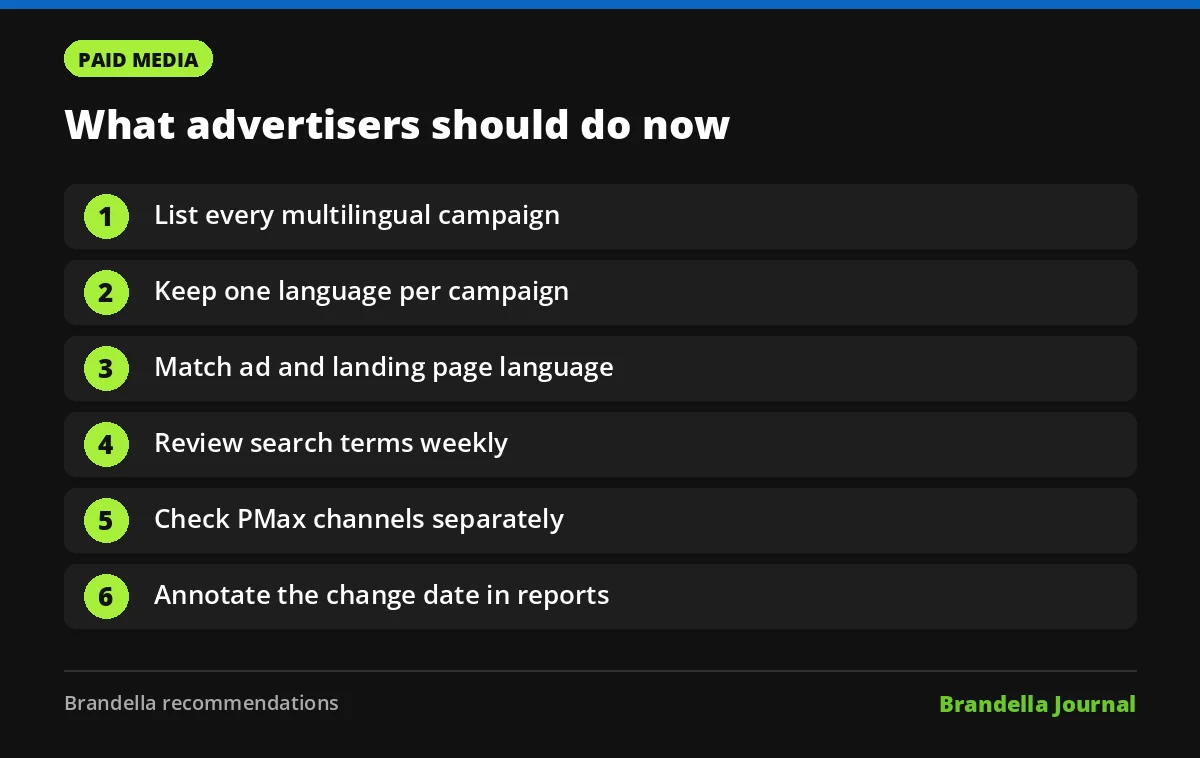
- List every multilingual campaign. Export your Search and Performance Max campaigns and flag any that target more than one language or run in multilingual markets.
- Keep one language per campaign. Separate campaigns by language so budget, bids and reports stay clean. Do not mix languages inside one ad group.
- Match ad and landing page language. Make sure each ad’s headlines, descriptions and final URL use the same language. Use your PPC ad copy testing process to check translated ads perform.
- Review search terms weekly. Google’s search terms report shows the actual searches that triggered your ads. Watch it for queries in an unexpected language and add negative keywords where traffic is clearly wrong, as Google itself suggests for irrelevant terms.
- Check Performance Max channels separately. Remember the language setting still controls YouTube, Display, Discover and Gmail inside PMax, so leave it set correctly. Our guide to Search vs Performance Max explains how the two campaign types overlap.
- Annotate the change date. Note in your reports when the setting disappeared from your account, so any change in clicks or conversion rate can be traced back.
The bigger trend in Google Ads
This is one more step in Google’s move from manual settings to automatic matching. It follows the same direction as broad match and AI driven campaign types, where Google reads signals from your ads and landing pages rather than relying on settings you choose.
If you want to stay in control, your creative is now your targeting. Clear, well structured ads in the right language, sent to the right landing page, give Google’s systems the signals they need. For more on how Google picks which ads to show, read how the Google Ads auction works.