

- Home
- SEODiscover the latest updates from across the United States, including politics, culture, economy, and trending stories. Stay informed on the key events shaping the nation and the topics everyone’s talking about.
- Technical SEOLearn technical SEO concepts including crawling, indexing, XML sitemaps, robots.txt, canonical tags, site architecture, and website performance.
- Local SEOOptimize your business for local seo with Google Business Profile, local citations, reviews, maps, and location-based SEO.
- Mobile SEOImprove your website’s mobile seo performance with responsive design, mobile-first indexing, usability, and page speed optimization.
- On-Page SEOExplore on-page seo optimization techniques such as title tags, meta descriptions, headings, URLs, internal linking, and content optimization.
- Off-Page SEODiscover off-page SEO strategies such as backlinks, digital PR, brand mentions, outreach, and authority building.
- SEO ToolsExplore the best SEO tools for keyword research, technical audits, backlink analysis, rank tracking, and website optimization.
- Core Web VitalsLearn how to improve Core Web Vitals including LCP, INP, CLS, page speed, and overall user experience for better rankings.
- Keyword ResearchLearn how to find profitable keywords, analyze search intent, evaluate competition, and build effective keyword strategies.
- Link BuildingMaster ethical link building techniques, backlink analysis, outreach methods, guest posting, and authority growth strategies.
- Google Search ConsoleLearn how to use Google Search Console to monitor indexing, fix errors, analyze search performance, and improve SEO.
- SEO BasicsLearn the fundamentals of search engine optimization (SEO Basics), including how search engines work, SEO terminology, and beginner-friendly best practices.
- Paid Media
- Display AdvertisingLearn display advertising strategies, banner ads, audience targeting, remarketing, Google Display campaigns, and optimization techniques.
- Google AdsLearn Google Ads strategies, campaign setup, bidding, keywords, Performance Max, Search Ads, and optimization techniques.
- LinkedIn AdsLearn LinkedIn Ads strategies for B2B marketing, lead generation, audience targeting, campaign optimization, and paid social advertising.
- Meta AdsLearn Meta Ads strategies for Facebook and Instagram, including campaign setup, targeting, retargeting, and performance optimization.
- Paid Media AnalyticsLearn paid media analytics, including CPC, CTR, CPA, ROAS, conversion tracking, attribution, reporting, and campaign performance analysis.
- PPC StrategyLearn effective PPC strategies, campaign planning, bidding, keyword targeting, landing pages, conversion optimization, and more.
- ContentTransform your living spaces with inspiration, tips, and trends in interior design. From minimalist decor to bold statements, find ideas for every style and budget.
- Social
- Digital MarketingExplore stories and advice on living your best life. From personal growth to entertainment, dive into the latest in lifestyle trends and inspiration.
- Artificial IntelligenceStay informed about health and wellness with expert advice, fitness tips, and the latest medical breakthroughs. Your guide to a healthier and happier life.
- DevelopmentYou will find development related educational articles
- GTMLearn Google Tag Manager (GTM) with practical guides for tags, triggers, variables, tracking, conversions, and website analytics implementation.
- HTMLLearn HTML with simple tutorials, examples, tags, elements, attributes, and best practices for building modern web pages.
- HTML CSSLearn HTML CSS together with practical tutorials, examples, layouts, styling techniques, responsive design, and modern web development practices.
- HTML JSLearn HTML JS – JavaScript with practical tutorials and examples for adding interactivity, dynamic content, events, and functionality to web pages.
- JavaScriptExplore JavaScript tutorials, examples, concepts, and practical techniques for creating interactive and dynamic websites and web applications.
- PHPLearn PHP programming with practical tutorials, examples, functions, syntax, and web development techniques for beginners and developers.
- PythonLearn Python programming with practical tutorials, examples, syntax, functions, automation techniques, and useful programming concepts.
- Home
- SEODiscover the latest updates from across the United States, including politics, culture, economy, and trending stories. Stay informed on the key events shaping the nation and the topics everyone’s talking about.
- Technical SEOLearn technical SEO concepts including crawling, indexing, XML sitemaps, robots.txt, canonical tags, site architecture, and website performance.
- Local SEOOptimize your business for local seo with Google Business Profile, local citations, reviews, maps, and location-based SEO.
- Mobile SEOImprove your website’s mobile seo performance with responsive design, mobile-first indexing, usability, and page speed optimization.
- On-Page SEOExplore on-page seo optimization techniques such as title tags, meta descriptions, headings, URLs, internal linking, and content optimization.
- Off-Page SEODiscover off-page SEO strategies such as backlinks, digital PR, brand mentions, outreach, and authority building.
- SEO ToolsExplore the best SEO tools for keyword research, technical audits, backlink analysis, rank tracking, and website optimization.
- Core Web VitalsLearn how to improve Core Web Vitals including LCP, INP, CLS, page speed, and overall user experience for better rankings.
- Keyword ResearchLearn how to find profitable keywords, analyze search intent, evaluate competition, and build effective keyword strategies.
- Link BuildingMaster ethical link building techniques, backlink analysis, outreach methods, guest posting, and authority growth strategies.
- Google Search ConsoleLearn how to use Google Search Console to monitor indexing, fix errors, analyze search performance, and improve SEO.
- SEO BasicsLearn the fundamentals of search engine optimization (SEO Basics), including how search engines work, SEO terminology, and beginner-friendly best practices.
- Paid Media
- Display AdvertisingLearn display advertising strategies, banner ads, audience targeting, remarketing, Google Display campaigns, and optimization techniques.
- Google AdsLearn Google Ads strategies, campaign setup, bidding, keywords, Performance Max, Search Ads, and optimization techniques.
- LinkedIn AdsLearn LinkedIn Ads strategies for B2B marketing, lead generation, audience targeting, campaign optimization, and paid social advertising.
- Meta AdsLearn Meta Ads strategies for Facebook and Instagram, including campaign setup, targeting, retargeting, and performance optimization.
- Paid Media AnalyticsLearn paid media analytics, including CPC, CTR, CPA, ROAS, conversion tracking, attribution, reporting, and campaign performance analysis.
- PPC StrategyLearn effective PPC strategies, campaign planning, bidding, keyword targeting, landing pages, conversion optimization, and more.
- ContentTransform your living spaces with inspiration, tips, and trends in interior design. From minimalist decor to bold statements, find ideas for every style and budget.
- Social
- Digital MarketingExplore stories and advice on living your best life. From personal growth to entertainment, dive into the latest in lifestyle trends and inspiration.
- Artificial IntelligenceStay informed about health and wellness with expert advice, fitness tips, and the latest medical breakthroughs. Your guide to a healthier and happier life.
- DevelopmentYou will find development related educational articles
- GTMLearn Google Tag Manager (GTM) with practical guides for tags, triggers, variables, tracking, conversions, and website analytics implementation.
- HTMLLearn HTML with simple tutorials, examples, tags, elements, attributes, and best practices for building modern web pages.
- HTML CSSLearn HTML CSS together with practical tutorials, examples, layouts, styling techniques, responsive design, and modern web development practices.
- HTML JSLearn HTML JS – JavaScript with practical tutorials and examples for adding interactivity, dynamic content, events, and functionality to web pages.
- JavaScriptExplore JavaScript tutorials, examples, concepts, and practical techniques for creating interactive and dynamic websites and web applications.
- PHPLearn PHP programming with practical tutorials, examples, functions, syntax, and web development techniques for beginners and developers.
- PythonLearn Python programming with practical tutorials, examples, syntax, functions, automation techniques, and useful programming concepts.
Now Reading: Crawl Budget Explained: Why Google Ignores Some Pages and How to Fix It
-
01
Crawl Budget Explained: Why Google Ignores Some Pages and How to Fix It
- Home//
- SEO//Discover the latest updates from across the United States, including politics, culture, economy, and trending stories. Stay informed on the key events shaping the nation and the topics everyone’s talking about.
- Technical SEO//Learn technical SEO concepts including crawling, indexing, XML sitemaps, robots.txt, canonical tags, site architecture, and website performance.
- Local SEO//Optimize your business for local seo with Google Business Profile, local citations, reviews, maps, and location-based SEO.
- Mobile SEO//Improve your website’s mobile seo performance with responsive design, mobile-first indexing, usability, and page speed optimization.
- On-Page SEO//Explore on-page seo optimization techniques such as title tags, meta descriptions, headings, URLs, internal linking, and content optimization.
- Off-Page SEO//Discover off-page SEO strategies such as backlinks, digital PR, brand mentions, outreach, and authority building.
- SEO Tools//Explore the best SEO tools for keyword research, technical audits, backlink analysis, rank tracking, and website optimization.
- Core Web Vitals//Learn how to improve Core Web Vitals including LCP, INP, CLS, page speed, and overall user experience for better rankings.
- Keyword Research//Learn how to find profitable keywords, analyze search intent, evaluate competition, and build effective keyword strategies.
- Link Building//Master ethical link building techniques, backlink analysis, outreach methods, guest posting, and authority growth strategies.
- Google Search Console//Learn how to use Google Search Console to monitor indexing, fix errors, analyze search performance, and improve SEO.
- SEO Basics//Learn the fundamentals of search engine optimization (SEO Basics), including how search engines work, SEO terminology, and beginner-friendly best practices.
- Paid Media//
- Display Advertising//Learn display advertising strategies, banner ads, audience targeting, remarketing, Google Display campaigns, and optimization techniques.
- Google Ads//Learn Google Ads strategies, campaign setup, bidding, keywords, Performance Max, Search Ads, and optimization techniques.
- LinkedIn Ads//Learn LinkedIn Ads strategies for B2B marketing, lead generation, audience targeting, campaign optimization, and paid social advertising.
- Meta Ads//Learn Meta Ads strategies for Facebook and Instagram, including campaign setup, targeting, retargeting, and performance optimization.
- Paid Media Analytics//Learn paid media analytics, including CPC, CTR, CPA, ROAS, conversion tracking, attribution, reporting, and campaign performance analysis.
- PPC Strategy//Learn effective PPC strategies, campaign planning, bidding, keyword targeting, landing pages, conversion optimization, and more.
- Content//Transform your living spaces with inspiration, tips, and trends in interior design. From minimalist decor to bold statements, find ideas for every style and budget.
- Social//
- Digital Marketing//Explore stories and advice on living your best life. From personal growth to entertainment, dive into the latest in lifestyle trends and inspiration.
- Artificial Intelligence//Stay informed about health and wellness with expert advice, fitness tips, and the latest medical breakthroughs. Your guide to a healthier and happier life.
- Development//You will find development related educational articles
- GTM//Learn Google Tag Manager (GTM) with practical guides for tags, triggers, variables, tracking, conversions, and website analytics implementation.
- HTML//Learn HTML with simple tutorials, examples, tags, elements, attributes, and best practices for building modern web pages.
- HTML CSS//Learn HTML CSS together with practical tutorials, examples, layouts, styling techniques, responsive design, and modern web development practices.
- HTML JS//Learn HTML JS – JavaScript with practical tutorials and examples for adding interactivity, dynamic content, events, and functionality to web pages.
- JavaScript//Explore JavaScript tutorials, examples, concepts, and practical techniques for creating interactive and dynamic websites and web applications.
- PHP//Learn PHP programming with practical tutorials, examples, functions, syntax, and web development techniques for beginners and developers.
- Python//Learn Python programming with practical tutorials, examples, syntax, functions, automation techniques, and useful programming concepts.
- Home
- SEO
- Technical SEO
- Crawl Budget Explained: Why Google Ignores Some Pages and How to Fix It
Crawl Budget Explained: Why Google Ignores Some Pages and How to Fix It

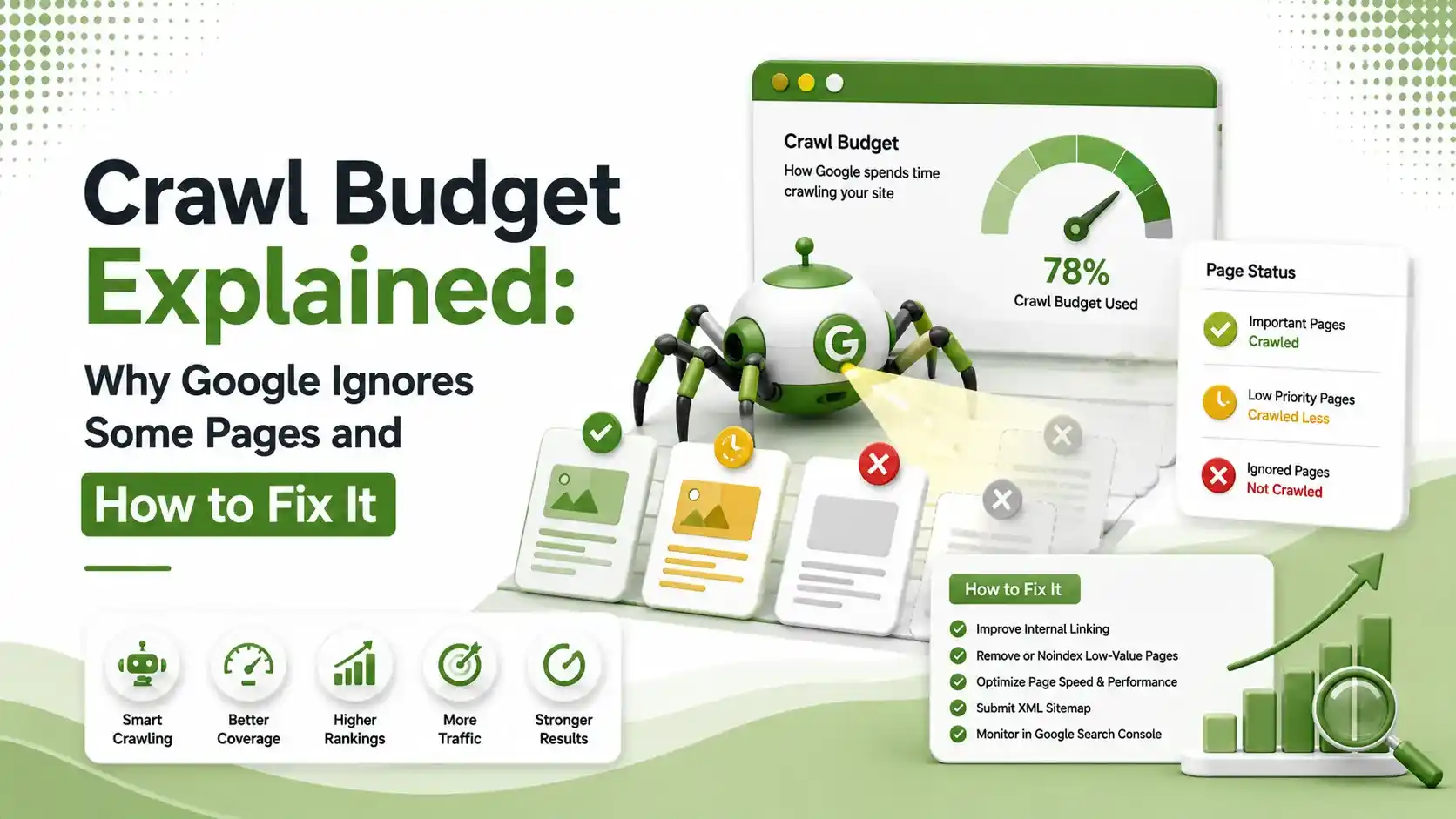
Understand crawl budget, why Google skips certain pages, and practical ways to improve crawling, indexing, and your website's SEO performance.
Table of Contents
ToggleOne ecommerce site built 50,000 product pages. Only 8,000 ever got indexed. Not penalized, not blocked, just never crawled often enough to matter. That is crawl budget at work, and if your site has more than a few thousand pages, it might already be quietly ignoring large parts of your content.
Crawl budget is the number of pages Googlebot is willing to crawl on your site within a given timeframe. It is not a ranking factor by itself.
It directly affects how quickly new or updated pages get discovered, and pages that never get crawled never get indexed at all.
This pairs directly with our guide on canonicalization and duplicate content, since duplicate URLs are one of the biggest sources of wasted crawl activity on any growing site.
pages is the rough threshold where crawl budget starts becoming a real concern
out of 50,000 product pages indexed in one documented ecommerce crawl budget case
is roughly where Googlebot starts truncating a page's source HTML during a crawl
Where Your Crawl Budget Actually Goes
On most mid-to-large sites, crawl activity is not evenly split between valuable and wasted pages. A meaningful share often goes toward URLs that never should have been crawled in the first place.
Do You Actually Need to Worry About Crawl Budget?
Most sites do not. According to Futuristic Marketing Services' 2026 crawl budget guide, crawl budget is not a concern for the majority of websites, and Google generally crawls smaller sites efficiently without any extra guidance.
The picture changes at scale. According to Incremys' technical crawl budget guide, Google treats crawl budget optimization as most relevant for very large sites and sites with content that changes daily.
It is also relevant for any site showing a large number of pages stuck in the "Discovered, currently not indexed" state in Search Console.
Five Common Causes of Wasted Crawl Budget
Faceted Navigation and Filters
Ecommerce sites with color, size, and sorting filters can generate millions of parameter combinations, according to CrawlWP's 2026 crawl budget guide, each one technically a new URL competing for the same limited crawl slots.
Duplicate and Near-Duplicate URLs
Tracking parameters, sorting variants, and http/https or www mismatches all create separate URLs Googlebot has to crawl individually, even when the content is identical.
Long Redirect Chains
Each hop in a redirect chain requires a separate request. On a large catalog, redirect chains accumulate quickly and quietly drain crawl activity that should go toward live pages.
Slow Server Response Times
According to Upward Engine's crawl budget guide, slow server response times cause Googlebot to actively throttle its own request rate to avoid overloading the server, shrinking your effective crawl budget.
Heavy, Bloated Pages
Pages loaded with inline CSS, unoptimized images, or excessive JavaScript take longer to crawl and render, and extremely heavy source HTML can get truncated by Googlebot entirely.
Checking Crawl Waste With Robots.txt
One of the fastest wins for crawl budget is blocking known low-value URL patterns directly in robots.txt, so Googlebot never spends requests on them in the first place.
# Example robots.txt rules to reduce crawl waste
User-agent: *
Disallow: /*?sort=
Disallow: /*?utm_
Disallow: /cart/
Disallow: /search/
Allow: /
Blocking common low-value parameter and session URLs from being crawled at all
Small Site or Crawl Budget Problem? Check Both Sides
Not every indexing issue is actually a crawl budget issue. Tap through both scenarios to see which one matches your situation.
According to Bridgeway Digital's 2026 crawl budget guide, sites with a few hundred pages that already index quickly are usually fine. Slow indexing here is more likely a content quality or internal linking issue than a crawl budget problem.
Large ecommerce catalogs, marketplaces, daily-publishing news sites, and any site with thousands of pages stuck in "Discovered, currently not indexed" are the classic crawl budget cases described across DigitalByteTeck's 2026 guide for large websites.
What Influences How Much Crawl Budget You Get
| Factor | Effect on Crawl Budget |
|---|---|
| Domain authority and backlink profile | Higher authority sites generally receive larger crawl allocations |
| Server response speed | Faster servers allow more requests before Googlebot throttles back |
| Content freshness and update frequency | Frequently updated sites tend to get crawled more often |
| Site size and URL count | Larger sites need proportionally more crawl budget to stay fully indexed |
| Duplicate or low-value URL volume | High duplicate volume dilutes budget away from valuable pages |
How to Check Your Crawl Budget in Search Console
Open the Crawl Stats report inside Google Search Console, found under Settings. This report shows total crawl requests over time, broken down by response code, file type, and purpose.
Look specifically for a high proportion of 404s, redirects, or non-HTML files consuming crawl requests. According to Ranks Digital Media's crawl budget optimization guide, these patterns are strong indicators of crawl waste worth fixing before requesting more crawl activity from Google.
Cross-reference this against your Pages report to see how many URLs sit in "Discovered, currently not indexed." A high number here, combined with crawl stats dominated by low-value URLs, is close to a confirmed crawl budget problem rather than a content quality issue.
How to Fix a Crawl Budget Problem
Start with the highest-impact fix: eliminate duplicate URLs using proper canonical tags, since duplicate content is one of the most common sources of wasted crawl activity on any growing site.
Next, clean up redirect chains. According to CaptainDNS's 2026 crawl budget guide, every hop in a chain costs a separate request, so pointing redirects directly to their final destination recovers meaningful crawl capacity on large sites.
Finally, strengthen internal linking to your priority pages. According to CrawlVision's guide to crawl efficiency, a smarter internal linking structure helps guide Googlebot toward the pages that actually matter, rather than leaving discovery to chance.
What Log File Analysis Reveals That Search Console Doesn't
Search Console's Crawl Stats report gives a useful overview, but it aggregates data in ways that can hide specific problems. Server log files show exactly which URLs Googlebot requested, when, and how often.
According to DigitalByteTeck's guide for large websites, log file analysis tools like Screaming Frog and Sitebulb can cross-reference actual bot activity against your sitemap, revealing exactly which sections of a site are being crawled excessively and which are being ignored.
This level of detail matters because two sites with identical page counts can have completely different crawl patterns.
One might see Googlebot spending most of its time on a handful of high-value pages. Another might see the bulk of activity going toward login pages, session URLs, or infinite-scroll parameters that provide no SEO value whatsoever.
Reviewing logs periodically, rather than only when something looks wrong, catches emerging patterns early.
A sudden spike in requests to a specific URL pattern often signals a new technical issue, such as a broken redirect or an accidentally unblocked parameter, before it has a chance to meaningfully affect indexing.
Crawl Budget and the Rise of AI Search
Efficient crawling matters for more than traditional rankings now. Before any search engine or AI system can summarize, cite, or feature your content, it first has to discover and process it.
A site that wastes most of its allocated crawl activity on low-value URLs is slower to get new content processed for both traditional indexing and inclusion in AI-generated answers.
This connects the crawl-level technical work covered here to the broader visibility strategy in our Generative Engine Optimization guide, since neither AI citations nor traditional rankings are possible for content a search engine has not yet fully processed.
Putting It All Together Into a Simple Routine
You do not need constant monitoring to stay on top of this. A quarterly check of the Crawl Stats and Pages reports catches most emerging issues before they compound into a bigger problem.
Focus first on the biggest levers: eliminating duplicate URLs, shortening redirect chains, and keeping server response times fast. These three changes address the majority of wasted requests on most sites, without requiring an ongoing deep technical investment.
As your site continues to grow, revisit this routine alongside your broader technical SEO checklist, the same way you would review canonical tags or schema markup.
Treating discoverability as an evolving part of your site's health, rather than a one-time setup task, keeps your most valuable pages consistently visible to both search engines and the AI systems increasingly standing between your content and its next reader.
FAQs on Crawl Budget
Related Articles
What We Learn Today
Crawl budget is the number of pages Googlebot crawls on your site in a given time.
✓Most small sites never need to worry about it. Scale is what changes that.
✓Duplicate URLs, redirect chains, and slow servers are the biggest sources of waste.
✓Publishing more content does not increase crawl budget on its own.
✓The Crawl Stats report in Search Console is the starting point for any audit.
✓Canonical tags, clean redirects, and strong internal linking fix most crawl waste.
✓Related Posts



Previous Post
Next Post
Previous Post
Next Post





- Artificial Intelligence
- Content
- Core Web Vitals
- Development
- Digital Marketing
- Google Ads
- Google Search Console
- GTM
- HTML
- HTML CSS
- JavaScript
- Keyword Research
- Link Building
- Local SEO
- Meta Ads
- Mobile SEO
- Off-Page SEO
- On-Page SEO
- Paid Media
- Paid Media Analytics
- PHP
- PPC Strategy
- Python
- SEO
- SEO Basics
- SEO Tools
- Social
- Technical SEO




