

- Home
- SEODiscover the latest updates from across the United States, including politics, culture, economy, and trending stories. Stay informed on the key events shaping the nation and the topics everyone’s talking about.
- Technical SEOLearn technical SEO concepts including crawling, indexing, XML sitemaps, robots.txt, canonical tags, site architecture, and website performance.
- Local SEOOptimize your business for local seo with Google Business Profile, local citations, reviews, maps, and location-based SEO.
- Mobile SEOImprove your website’s mobile seo performance with responsive design, mobile-first indexing, usability, and page speed optimization.
- On-Page SEOExplore on-page seo optimization techniques such as title tags, meta descriptions, headings, URLs, internal linking, and content optimization.
- Off-Page SEODiscover off-page SEO strategies such as backlinks, digital PR, brand mentions, outreach, and authority building.
- SEO ToolsExplore the best SEO tools for keyword research, technical audits, backlink analysis, rank tracking, and website optimization.
- Core Web VitalsLearn how to improve Core Web Vitals including LCP, INP, CLS, page speed, and overall user experience for better rankings.
- Keyword ResearchLearn how to find profitable keywords, analyze search intent, evaluate competition, and build effective keyword strategies.
- Link BuildingMaster ethical link building techniques, backlink analysis, outreach methods, guest posting, and authority growth strategies.
- Google Search ConsoleLearn how to use Google Search Console to monitor indexing, fix errors, analyze search performance, and improve SEO.
- SEO BasicsLearn the fundamentals of search engine optimization (SEO Basics), including how search engines work, SEO terminology, and beginner-friendly best practices.
- Paid Media
- Display AdvertisingLearn display advertising strategies, banner ads, audience targeting, remarketing, Google Display campaigns, and optimization techniques.
- Google AdsLearn Google Ads strategies, campaign setup, bidding, keywords, Performance Max, Search Ads, and optimization techniques.
- LinkedIn AdsLearn LinkedIn Ads strategies for B2B marketing, lead generation, audience targeting, campaign optimization, and paid social advertising.
- Meta AdsLearn Meta Ads strategies for Facebook and Instagram, including campaign setup, targeting, retargeting, and performance optimization.
- Paid Media AnalyticsLearn paid media analytics, including CPC, CTR, CPA, ROAS, conversion tracking, attribution, reporting, and campaign performance analysis.
- PPC StrategyLearn effective PPC strategies, campaign planning, bidding, keyword targeting, landing pages, conversion optimization, and more.
- ContentTransform your living spaces with inspiration, tips, and trends in interior design. From minimalist decor to bold statements, find ideas for every style and budget.
- Social
- Digital MarketingExplore stories and advice on living your best life. From personal growth to entertainment, dive into the latest in lifestyle trends and inspiration.
- Artificial IntelligenceStay informed about health and wellness with expert advice, fitness tips, and the latest medical breakthroughs. Your guide to a healthier and happier life.
- DevelopmentYou will find development related educational articles
- GTMLearn Google Tag Manager (GTM) with practical guides for tags, triggers, variables, tracking, conversions, and website analytics implementation.
- HTMLLearn HTML with simple tutorials, examples, tags, elements, attributes, and best practices for building modern web pages.
- HTML CSSLearn HTML CSS together with practical tutorials, examples, layouts, styling techniques, responsive design, and modern web development practices.
- HTML JSLearn HTML JS – JavaScript with practical tutorials and examples for adding interactivity, dynamic content, events, and functionality to web pages.
- JavaScriptExplore JavaScript tutorials, examples, concepts, and practical techniques for creating interactive and dynamic websites and web applications.
- PHPLearn PHP programming with practical tutorials, examples, functions, syntax, and web development techniques for beginners and developers.
- PythonLearn Python programming with practical tutorials, examples, syntax, functions, automation techniques, and useful programming concepts.
- Home
- SEODiscover the latest updates from across the United States, including politics, culture, economy, and trending stories. Stay informed on the key events shaping the nation and the topics everyone’s talking about.
- Technical SEOLearn technical SEO concepts including crawling, indexing, XML sitemaps, robots.txt, canonical tags, site architecture, and website performance.
- Local SEOOptimize your business for local seo with Google Business Profile, local citations, reviews, maps, and location-based SEO.
- Mobile SEOImprove your website’s mobile seo performance with responsive design, mobile-first indexing, usability, and page speed optimization.
- On-Page SEOExplore on-page seo optimization techniques such as title tags, meta descriptions, headings, URLs, internal linking, and content optimization.
- Off-Page SEODiscover off-page SEO strategies such as backlinks, digital PR, brand mentions, outreach, and authority building.
- SEO ToolsExplore the best SEO tools for keyword research, technical audits, backlink analysis, rank tracking, and website optimization.
- Core Web VitalsLearn how to improve Core Web Vitals including LCP, INP, CLS, page speed, and overall user experience for better rankings.
- Keyword ResearchLearn how to find profitable keywords, analyze search intent, evaluate competition, and build effective keyword strategies.
- Link BuildingMaster ethical link building techniques, backlink analysis, outreach methods, guest posting, and authority growth strategies.
- Google Search ConsoleLearn how to use Google Search Console to monitor indexing, fix errors, analyze search performance, and improve SEO.
- SEO BasicsLearn the fundamentals of search engine optimization (SEO Basics), including how search engines work, SEO terminology, and beginner-friendly best practices.
- Paid Media
- Display AdvertisingLearn display advertising strategies, banner ads, audience targeting, remarketing, Google Display campaigns, and optimization techniques.
- Google AdsLearn Google Ads strategies, campaign setup, bidding, keywords, Performance Max, Search Ads, and optimization techniques.
- LinkedIn AdsLearn LinkedIn Ads strategies for B2B marketing, lead generation, audience targeting, campaign optimization, and paid social advertising.
- Meta AdsLearn Meta Ads strategies for Facebook and Instagram, including campaign setup, targeting, retargeting, and performance optimization.
- Paid Media AnalyticsLearn paid media analytics, including CPC, CTR, CPA, ROAS, conversion tracking, attribution, reporting, and campaign performance analysis.
- PPC StrategyLearn effective PPC strategies, campaign planning, bidding, keyword targeting, landing pages, conversion optimization, and more.
- ContentTransform your living spaces with inspiration, tips, and trends in interior design. From minimalist decor to bold statements, find ideas for every style and budget.
- Social
- Digital MarketingExplore stories and advice on living your best life. From personal growth to entertainment, dive into the latest in lifestyle trends and inspiration.
- Artificial IntelligenceStay informed about health and wellness with expert advice, fitness tips, and the latest medical breakthroughs. Your guide to a healthier and happier life.
- DevelopmentYou will find development related educational articles
- GTMLearn Google Tag Manager (GTM) with practical guides for tags, triggers, variables, tracking, conversions, and website analytics implementation.
- HTMLLearn HTML with simple tutorials, examples, tags, elements, attributes, and best practices for building modern web pages.
- HTML CSSLearn HTML CSS together with practical tutorials, examples, layouts, styling techniques, responsive design, and modern web development practices.
- HTML JSLearn HTML JS – JavaScript with practical tutorials and examples for adding interactivity, dynamic content, events, and functionality to web pages.
- JavaScriptExplore JavaScript tutorials, examples, concepts, and practical techniques for creating interactive and dynamic websites and web applications.
- PHPLearn PHP programming with practical tutorials, examples, functions, syntax, and web development techniques for beginners and developers.
- PythonLearn Python programming with practical tutorials, examples, syntax, functions, automation techniques, and useful programming concepts.
Now Reading: Meta Robots Tags Explained: Index, Noindex, Follow, Nofollow, and More
-
01
Meta Robots Tags Explained: Index, Noindex, Follow, Nofollow, and More
- Home//
- SEO//Discover the latest updates from across the United States, including politics, culture, economy, and trending stories. Stay informed on the key events shaping the nation and the topics everyone’s talking about.
- Technical SEO//Learn technical SEO concepts including crawling, indexing, XML sitemaps, robots.txt, canonical tags, site architecture, and website performance.
- Local SEO//Optimize your business for local seo with Google Business Profile, local citations, reviews, maps, and location-based SEO.
- Mobile SEO//Improve your website’s mobile seo performance with responsive design, mobile-first indexing, usability, and page speed optimization.
- On-Page SEO//Explore on-page seo optimization techniques such as title tags, meta descriptions, headings, URLs, internal linking, and content optimization.
- Off-Page SEO//Discover off-page SEO strategies such as backlinks, digital PR, brand mentions, outreach, and authority building.
- SEO Tools//Explore the best SEO tools for keyword research, technical audits, backlink analysis, rank tracking, and website optimization.
- Core Web Vitals//Learn how to improve Core Web Vitals including LCP, INP, CLS, page speed, and overall user experience for better rankings.
- Keyword Research//Learn how to find profitable keywords, analyze search intent, evaluate competition, and build effective keyword strategies.
- Link Building//Master ethical link building techniques, backlink analysis, outreach methods, guest posting, and authority growth strategies.
- Google Search Console//Learn how to use Google Search Console to monitor indexing, fix errors, analyze search performance, and improve SEO.
- SEO Basics//Learn the fundamentals of search engine optimization (SEO Basics), including how search engines work, SEO terminology, and beginner-friendly best practices.
- Paid Media//
- Display Advertising//Learn display advertising strategies, banner ads, audience targeting, remarketing, Google Display campaigns, and optimization techniques.
- Google Ads//Learn Google Ads strategies, campaign setup, bidding, keywords, Performance Max, Search Ads, and optimization techniques.
- LinkedIn Ads//Learn LinkedIn Ads strategies for B2B marketing, lead generation, audience targeting, campaign optimization, and paid social advertising.
- Meta Ads//Learn Meta Ads strategies for Facebook and Instagram, including campaign setup, targeting, retargeting, and performance optimization.
- Paid Media Analytics//Learn paid media analytics, including CPC, CTR, CPA, ROAS, conversion tracking, attribution, reporting, and campaign performance analysis.
- PPC Strategy//Learn effective PPC strategies, campaign planning, bidding, keyword targeting, landing pages, conversion optimization, and more.
- Content//Transform your living spaces with inspiration, tips, and trends in interior design. From minimalist decor to bold statements, find ideas for every style and budget.
- Social//
- Digital Marketing//Explore stories and advice on living your best life. From personal growth to entertainment, dive into the latest in lifestyle trends and inspiration.
- Artificial Intelligence//Stay informed about health and wellness with expert advice, fitness tips, and the latest medical breakthroughs. Your guide to a healthier and happier life.
- Development//You will find development related educational articles
- GTM//Learn Google Tag Manager (GTM) with practical guides for tags, triggers, variables, tracking, conversions, and website analytics implementation.
- HTML//Learn HTML with simple tutorials, examples, tags, elements, attributes, and best practices for building modern web pages.
- HTML CSS//Learn HTML CSS together with practical tutorials, examples, layouts, styling techniques, responsive design, and modern web development practices.
- HTML JS//Learn HTML JS – JavaScript with practical tutorials and examples for adding interactivity, dynamic content, events, and functionality to web pages.
- JavaScript//Explore JavaScript tutorials, examples, concepts, and practical techniques for creating interactive and dynamic websites and web applications.
- PHP//Learn PHP programming with practical tutorials, examples, functions, syntax, and web development techniques for beginners and developers.
- Python//Learn Python programming with practical tutorials, examples, syntax, functions, automation techniques, and useful programming concepts.
Meta Robots Tags Explained: Index, Noindex, Follow, Nofollow, and More

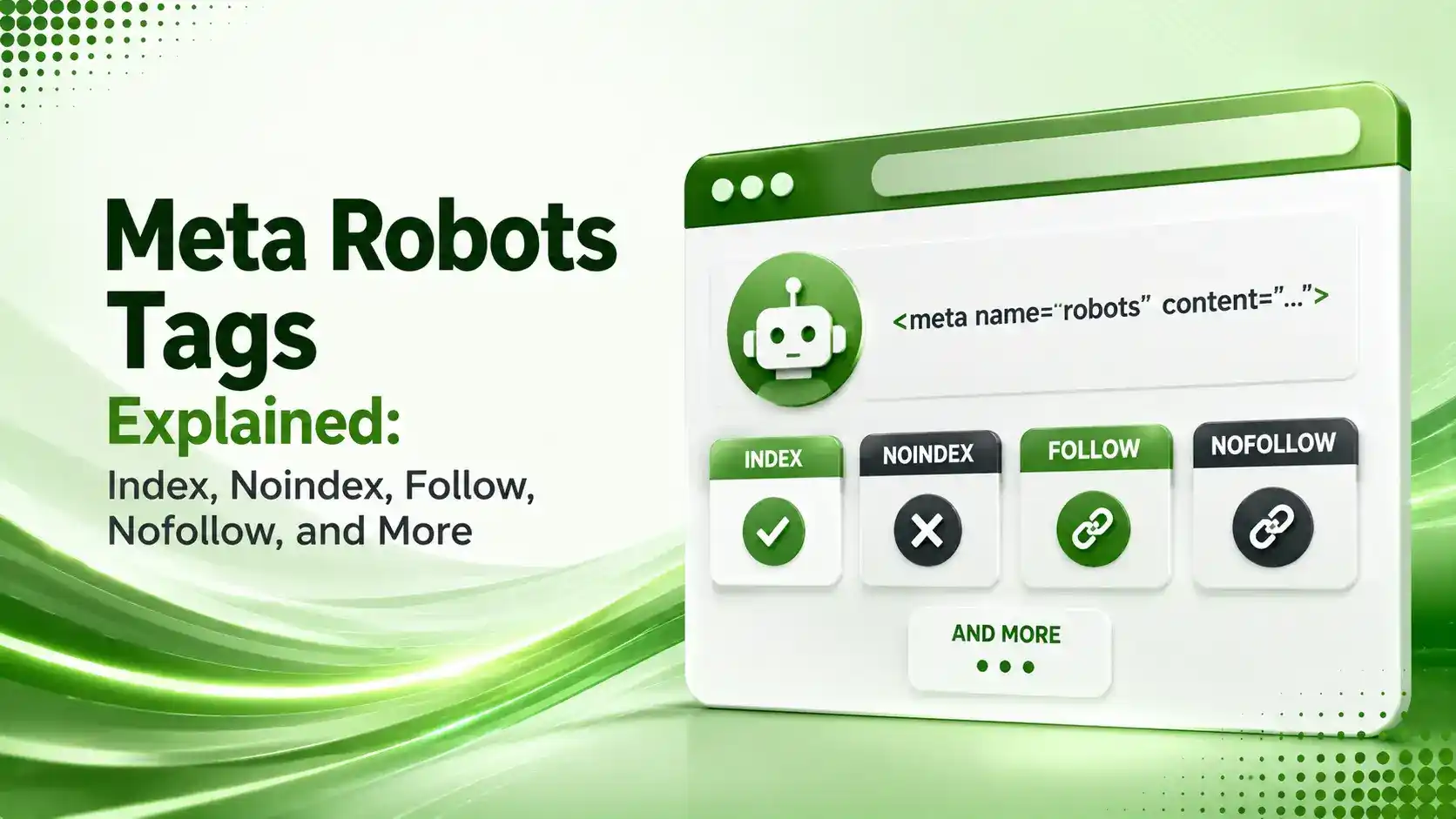
Meta robots tags explained simply: what index, noindex, follow, and nofollow control, how they differ from robots.txt, and the combinations to use where.
Table of Contents
ToggleMeta robots tags control something more specific than most site owners realize: not whether Google can visit a page, but whether it can include that page in search results and whether it should follow the links sitting on it. Get the directive wrong and you can accidentally deindex a page that took months to rank.
The confusion usually starts with terminology. Robots.txt, meta robots tags, and X-Robots-Tag all sound like the same thing, but they control different layers of how search engines interact with a page, and mixing them up is one of the most common technical SEO mistakes.
These directives operate at the individual URL level, sitting inside a page's head section rather than applying sitewide. That precision is exactly what makes them useful, and exactly what makes a single misplaced tag dangerous.
This guide breaks down every meta robots directive worth knowing, how index, noindex, follow, and nofollow actually behave, and the mistakes that quietly cost sites their rankings.
01What Meta Robots Tags Actually Do
Devender Gupta's technical breakdown defines it precisely: a meta robots tag is an HTML snippet placed in a document's head that tells search engines whether they can include the page in their index and whether they should follow its links, operating at the individual URL level rather than sitewide.
MDN's official reference notes this isn't part of any formal web specification, it's a de-facto standard for communicating with search bots, crawlers, and similar user agents, cooperatively honored by Google, Bing, and other major engines.
02Index vs Noindex: What Each Directive Controls
Olibro's guide to meta robots directives puts it simply: index tells search engines to include the page in results, while noindex hides it from view entirely. Without any such tag present, Digital Applied's complete SEO reference confirms Google defaults to index, follow automatically.
Noindex doesn't stop crawling on its own. Devender Gupta's breakdown, referenced above, explains Google continues visiting a noindexed page periodically to check whether the directive has changed, which is why removing thousands of pages via noindex takes real time to fully process.
Conductor's 2026 meta robots guide flags an important side effect: search engines significantly reduce re-crawling of a noindexed page over time, which functionally turns it into a noindex, nofollow situation, since links on a page that rarely gets crawled stop passing meaningful signal either.
03Follow vs Nofollow: What Changed in 2019
Follow tells search engines to crawl and potentially index the pages a link points to. Nofollow tells them to skip that, historically preventing any link authority from passing through.
Devender Gupta's breakdown, referenced above, notes a shift worth knowing: since 2019, Google treats nofollow as a hint for crawling and indexing purposes rather than a strict directive. It usually still blocks PageRank transfer, but Google may still discover and follow the link if it finds the same URL referenced elsewhere.
04Common Meta Robots Tag Combinations
Index and follow behave independently, which means all four combinations are valid and each serves a distinct purpose. Victorious' guide to noindex tags offers a useful mental model: think of your site as connected rooms, where index or noindex controls whether a search engine can enter a room, and follow or nofollow controls whether it explores the doorways inside.
Olibro's guide, referenced above, ties each combination to real use cases: noindex, follow suits "thank you" pages you still want to pass discovery signal through, while index, nofollow fits pages you want visible in search but don't want passing authority onward, like user-generated content pages.
05Additional Meta Robots Directives Worth Knowing
Index, noindex, follow, and nofollow aren't the whole list. MDN's reference documents several more: noarchive prevents a cached version from appearing in results, nosnippet blocks any text snippet or video preview, and max-image-preview:large is essential for Google Discover eligibility specifically.
Search Roost's directive guide adds unavailable_after, which schedules a page for automatic removal from search results at a specific date and time, useful for time-limited content like event pages or expiring promotions without needing a manual cleanup later.
06Meta Robots vs Robots.txt vs X-Robots-Tag
This distinction causes more damage than any single directive mistake. iRankly's guide states it plainly: robots.txt controls crawling, meta robots controls indexing, and confusing the two is one of the most common points of failure in technical SEO setups.
Digital Applied's complete reference issues the critical warning directly: never combine disallow with noindex. If robots.txt blocks a URL, Googlebot cannot fetch the page and will never see the meta noindex tag inside it, so the URL can remain indexable indefinitely despite your intent to remove it.
X-Robots-Tag solves a different problem entirely. Google's own Search Central documentation on robots meta directives confirms it carries the same values as meta robots but works as an HTTP header, making it the right choice for non-HTML files like PDFs and images where editing a head section isn't possible.
Allow crawling first, then apply noindex — never combine disallow with noindex on the same URL.
07Watch: Noindex vs Disallow Explained by Google
For a walkthrough of the exact mistake covered above, mixing a robots.txt disallow with a page-level noindex tag, this video breaks down troubleshooting the "Excluded by noindex tag" status directly inside Search Console.
08Meta Robots Directive Combinations at a Glance
User Growth's comprehensive guide to robots meta tags and Victorious' room analogy both map onto the same practical set of use cases.
| Directive | Effect | Typical Use Case |
|---|---|---|
| index, follow | Default; page indexed, links passed | Standard content pages (no tag needed) |
| noindex, follow | Page hidden, links still discoverable | Thank-you pages, internal search results |
| index, nofollow | Page indexed, links don't pass authority | User-generated content, affiliate-heavy pages |
| noindex, nofollow | Page hidden, links not passed (same as "none") | Admin pages, staging sites, cart/checkout |
09Meta Robots and X-Robots-Tag Code Examples
Here are the exact tag formats for the most common scenarios, plus the server-side equivalents for non-HTML files.
<!-- Standard noindex, follow -->
<meta name="robots" content="noindex, follow">

<!-- Fully hidden, no link equity passed -->
<meta name="robots" content="noindex, nofollow">

<!-- Target Googlebot specifically -->
<meta name="googlebot" content="noindex">

<!-- Schedule automatic removal -->
<meta name="robots" content="unavailable_after: 2026-12-31T23:59:59+00:00">
# Apply noindex to all PDF files
<FilesMatch "\.pdf$">
  Header set X-Robots-Tag "noindex, nofollow"
</FilesMatch>

# Apply noindex to image file types sitewide
<Files ~ "\.(png|jpe?g|gif)$">
  Header set X-Robots-Tag "noindex"
</Files>
10Meta Robots Implementation Checklist
A disciplined process prevents the accidental deindexing that meta robots mistakes are most known for.
Never combine disallow with noindex on the same URL; allow crawling first, then apply noindex.
Check for conflicting signals, a noindex tag alongside a self-referencing canonical sends mixed instructions.
Don't noindex paginated pages, Google handles pagination differently and won't treat it as duplicate content.
Exclude noindexed pages from your XML sitemap, since the sitemap signals which pages should be indexed.
Watch for JavaScript-injected tags, a directive added after hydration can delay or silently fail to take effect.
11Priority Decision Workflow
Five questions cover most meta robots decisions. Tap each one for guidance.
Should It Appear in Search?
If yes, use index (or omit the tag entirely). If no, use noindex. This is the core question every page needs answered.
12Which Directive Should You Use Score
Answer a few questions about the page you're configuring to see the recommended meta robots directive.
Which Meta Robots Directive Fits This Page
Select the option that matches your page's purpose
13FAQs on Meta Robots Tags
index, follow. Google indexes the page and passes link equity through its links by default, with no tag required.
No. Noindex only removes the page from search results. Google continues crawling it periodically to check whether the directive has changed.
No, and this is one of the most common technical SEO mistakes. If robots.txt blocks the page, Google never fetches it and never sees the noindex tag inside.
No. Since 2019, Google treats nofollow as a hint rather than an absolute rule, though it usually still prevents link equity from passing.
For non-HTML files like PDFs, images, or videos, where you can't add an HTML head tag. X-Robots-Tag applies the same directives via an HTTP header.
Related Articles
What We Learn Today
The default behavior without any tag is index, follow
Noindex hides a page but doesn't stop Google from crawling it
Nofollow has been a hint, not a strict rule, since 2019
Never combine robots.txt disallow with a noindex tag
X-Robots-Tag handles non-HTML files meta tags can't reach
Conflicting canonical and noindex signals cause unpredictable results
Build a Complete Technical SEO Foundation
Directives pair directly with indexing diagnostics. Explore our URL Inspection tool guide next to verify your directives are working.
Related Posts


Previous Post
Next Post
Previous Post
Next Post





- Artificial Intelligence
- Content
- Core Web Vitals
- Development
- Digital Marketing
- Display Advertising
- Google Ads
- Google Search Console
- GTM
- HTML
- HTML CSS
- JavaScript
- Keyword Research
- Link Building
- LinkedIn Ads
- Local SEO
- Meta Ads
- Mobile SEO
- Off-Page SEO
- On-Page SEO
- Paid Media
- Paid Media Analytics
- PHP
- PPC Strategy
- Python
- SEO
- SEO Basics
- SEO Tools
- Social
- Technical SEO




