

- Home
- SEODiscover the latest updates from across the United States, including politics, culture, economy, and trending stories. Stay informed on the key events shaping the nation and the topics everyone’s talking about.
- Technical SEOLearn technical SEO concepts including crawling, indexing, XML sitemaps, robots.txt, canonical tags, site architecture, and website performance.
- Local SEOOptimize your business for local seo with Google Business Profile, local citations, reviews, maps, and location-based SEO.
- Mobile SEOImprove your website’s mobile seo performance with responsive design, mobile-first indexing, usability, and page speed optimization.
- On-Page SEOExplore on-page seo optimization techniques such as title tags, meta descriptions, headings, URLs, internal linking, and content optimization.
- Off-Page SEODiscover off-page SEO strategies such as backlinks, digital PR, brand mentions, outreach, and authority building.
- SEO ToolsExplore the best SEO tools for keyword research, technical audits, backlink analysis, rank tracking, and website optimization.
- Core Web VitalsLearn how to improve Core Web Vitals including LCP, INP, CLS, page speed, and overall user experience for better rankings.
- Keyword ResearchLearn how to find profitable keywords, analyze search intent, evaluate competition, and build effective keyword strategies.
- Link BuildingMaster ethical link building techniques, backlink analysis, outreach methods, guest posting, and authority growth strategies.
- Google Search ConsoleLearn how to use Google Search Console to monitor indexing, fix errors, analyze search performance, and improve SEO.
- SEO BasicsLearn the fundamentals of search engine optimization (SEO Basics), including how search engines work, SEO terminology, and beginner-friendly best practices.
- Paid Media
- Display AdvertisingLearn display advertising strategies, banner ads, audience targeting, remarketing, Google Display campaigns, and optimization techniques.
- Google AdsLearn Google Ads strategies, campaign setup, bidding, keywords, Performance Max, Search Ads, and optimization techniques.
- LinkedIn AdsLearn LinkedIn Ads strategies for B2B marketing, lead generation, audience targeting, campaign optimization, and paid social advertising.
- Meta AdsLearn Meta Ads strategies for Facebook and Instagram, including campaign setup, targeting, retargeting, and performance optimization.
- Paid Media AnalyticsLearn paid media analytics, including CPC, CTR, CPA, ROAS, conversion tracking, attribution, reporting, and campaign performance analysis.
- PPC StrategyLearn effective PPC strategies, campaign planning, bidding, keyword targeting, landing pages, conversion optimization, and more.
- ContentTransform your living spaces with inspiration, tips, and trends in interior design. From minimalist decor to bold statements, find ideas for every style and budget.
- Social
- Digital MarketingExplore stories and advice on living your best life. From personal growth to entertainment, dive into the latest in lifestyle trends and inspiration.
- Artificial IntelligenceStay informed about health and wellness with expert advice, fitness tips, and the latest medical breakthroughs. Your guide to a healthier and happier life.
- DevelopmentYou will find development related educational articles
- GTMLearn Google Tag Manager (GTM) with practical guides for tags, triggers, variables, tracking, conversions, and website analytics implementation.
- HTMLLearn HTML with simple tutorials, examples, tags, elements, attributes, and best practices for building modern web pages.
- HTML CSSLearn HTML CSS together with practical tutorials, examples, layouts, styling techniques, responsive design, and modern web development practices.
- HTML JSLearn HTML JS – JavaScript with practical tutorials and examples for adding interactivity, dynamic content, events, and functionality to web pages.
- JavaScriptExplore JavaScript tutorials, examples, concepts, and practical techniques for creating interactive and dynamic websites and web applications.
- PHPLearn PHP programming with practical tutorials, examples, functions, syntax, and web development techniques for beginners and developers.
- PythonLearn Python programming with practical tutorials, examples, syntax, functions, automation techniques, and useful programming concepts.
- Home
- SEODiscover the latest updates from across the United States, including politics, culture, economy, and trending stories. Stay informed on the key events shaping the nation and the topics everyone’s talking about.
- Technical SEOLearn technical SEO concepts including crawling, indexing, XML sitemaps, robots.txt, canonical tags, site architecture, and website performance.
- Local SEOOptimize your business for local seo with Google Business Profile, local citations, reviews, maps, and location-based SEO.
- Mobile SEOImprove your website’s mobile seo performance with responsive design, mobile-first indexing, usability, and page speed optimization.
- On-Page SEOExplore on-page seo optimization techniques such as title tags, meta descriptions, headings, URLs, internal linking, and content optimization.
- Off-Page SEODiscover off-page SEO strategies such as backlinks, digital PR, brand mentions, outreach, and authority building.
- SEO ToolsExplore the best SEO tools for keyword research, technical audits, backlink analysis, rank tracking, and website optimization.
- Core Web VitalsLearn how to improve Core Web Vitals including LCP, INP, CLS, page speed, and overall user experience for better rankings.
- Keyword ResearchLearn how to find profitable keywords, analyze search intent, evaluate competition, and build effective keyword strategies.
- Link BuildingMaster ethical link building techniques, backlink analysis, outreach methods, guest posting, and authority growth strategies.
- Google Search ConsoleLearn how to use Google Search Console to monitor indexing, fix errors, analyze search performance, and improve SEO.
- SEO BasicsLearn the fundamentals of search engine optimization (SEO Basics), including how search engines work, SEO terminology, and beginner-friendly best practices.
- Paid Media
- Display AdvertisingLearn display advertising strategies, banner ads, audience targeting, remarketing, Google Display campaigns, and optimization techniques.
- Google AdsLearn Google Ads strategies, campaign setup, bidding, keywords, Performance Max, Search Ads, and optimization techniques.
- LinkedIn AdsLearn LinkedIn Ads strategies for B2B marketing, lead generation, audience targeting, campaign optimization, and paid social advertising.
- Meta AdsLearn Meta Ads strategies for Facebook and Instagram, including campaign setup, targeting, retargeting, and performance optimization.
- Paid Media AnalyticsLearn paid media analytics, including CPC, CTR, CPA, ROAS, conversion tracking, attribution, reporting, and campaign performance analysis.
- PPC StrategyLearn effective PPC strategies, campaign planning, bidding, keyword targeting, landing pages, conversion optimization, and more.
- ContentTransform your living spaces with inspiration, tips, and trends in interior design. From minimalist decor to bold statements, find ideas for every style and budget.
- Social
- Digital MarketingExplore stories and advice on living your best life. From personal growth to entertainment, dive into the latest in lifestyle trends and inspiration.
- Artificial IntelligenceStay informed about health and wellness with expert advice, fitness tips, and the latest medical breakthroughs. Your guide to a healthier and happier life.
- DevelopmentYou will find development related educational articles
- GTMLearn Google Tag Manager (GTM) with practical guides for tags, triggers, variables, tracking, conversions, and website analytics implementation.
- HTMLLearn HTML with simple tutorials, examples, tags, elements, attributes, and best practices for building modern web pages.
- HTML CSSLearn HTML CSS together with practical tutorials, examples, layouts, styling techniques, responsive design, and modern web development practices.
- HTML JSLearn HTML JS – JavaScript with practical tutorials and examples for adding interactivity, dynamic content, events, and functionality to web pages.
- JavaScriptExplore JavaScript tutorials, examples, concepts, and practical techniques for creating interactive and dynamic websites and web applications.
- PHPLearn PHP programming with practical tutorials, examples, functions, syntax, and web development techniques for beginners and developers.
- PythonLearn Python programming with practical tutorials, examples, syntax, functions, automation techniques, and useful programming concepts.
Now Reading: Preload vs Prefetch vs Preconnect: Which Resource Hint Should You Use?
-
01
Preload vs Prefetch vs Preconnect: Which Resource Hint Should You Use?
- Home//
- SEO//Discover the latest updates from across the United States, including politics, culture, economy, and trending stories. Stay informed on the key events shaping the nation and the topics everyone’s talking about.
- Technical SEO//Learn technical SEO concepts including crawling, indexing, XML sitemaps, robots.txt, canonical tags, site architecture, and website performance.
- Local SEO//Optimize your business for local seo with Google Business Profile, local citations, reviews, maps, and location-based SEO.
- Mobile SEO//Improve your website’s mobile seo performance with responsive design, mobile-first indexing, usability, and page speed optimization.
- On-Page SEO//Explore on-page seo optimization techniques such as title tags, meta descriptions, headings, URLs, internal linking, and content optimization.
- Off-Page SEO//Discover off-page SEO strategies such as backlinks, digital PR, brand mentions, outreach, and authority building.
- SEO Tools//Explore the best SEO tools for keyword research, technical audits, backlink analysis, rank tracking, and website optimization.
- Core Web Vitals//Learn how to improve Core Web Vitals including LCP, INP, CLS, page speed, and overall user experience for better rankings.
- Keyword Research//Learn how to find profitable keywords, analyze search intent, evaluate competition, and build effective keyword strategies.
- Link Building//Master ethical link building techniques, backlink analysis, outreach methods, guest posting, and authority growth strategies.
- Google Search Console//Learn how to use Google Search Console to monitor indexing, fix errors, analyze search performance, and improve SEO.
- SEO Basics//Learn the fundamentals of search engine optimization (SEO Basics), including how search engines work, SEO terminology, and beginner-friendly best practices.
- Paid Media//
- Display Advertising//Learn display advertising strategies, banner ads, audience targeting, remarketing, Google Display campaigns, and optimization techniques.
- Google Ads//Learn Google Ads strategies, campaign setup, bidding, keywords, Performance Max, Search Ads, and optimization techniques.
- LinkedIn Ads//Learn LinkedIn Ads strategies for B2B marketing, lead generation, audience targeting, campaign optimization, and paid social advertising.
- Meta Ads//Learn Meta Ads strategies for Facebook and Instagram, including campaign setup, targeting, retargeting, and performance optimization.
- Paid Media Analytics//Learn paid media analytics, including CPC, CTR, CPA, ROAS, conversion tracking, attribution, reporting, and campaign performance analysis.
- PPC Strategy//Learn effective PPC strategies, campaign planning, bidding, keyword targeting, landing pages, conversion optimization, and more.
- Content//Transform your living spaces with inspiration, tips, and trends in interior design. From minimalist decor to bold statements, find ideas for every style and budget.
- Social//
- Digital Marketing//Explore stories and advice on living your best life. From personal growth to entertainment, dive into the latest in lifestyle trends and inspiration.
- Artificial Intelligence//Stay informed about health and wellness with expert advice, fitness tips, and the latest medical breakthroughs. Your guide to a healthier and happier life.
- Development//You will find development related educational articles
- GTM//Learn Google Tag Manager (GTM) with practical guides for tags, triggers, variables, tracking, conversions, and website analytics implementation.
- HTML//Learn HTML with simple tutorials, examples, tags, elements, attributes, and best practices for building modern web pages.
- HTML CSS//Learn HTML CSS together with practical tutorials, examples, layouts, styling techniques, responsive design, and modern web development practices.
- HTML JS//Learn HTML JS – JavaScript with practical tutorials and examples for adding interactivity, dynamic content, events, and functionality to web pages.
- JavaScript//Explore JavaScript tutorials, examples, concepts, and practical techniques for creating interactive and dynamic websites and web applications.
- PHP//Learn PHP programming with practical tutorials, examples, functions, syntax, and web development techniques for beginners and developers.
- Python//Learn Python programming with practical tutorials, examples, syntax, functions, automation techniques, and useful programming concepts.
Preload vs Prefetch vs Preconnect: Which Resource Hint Should You Use?

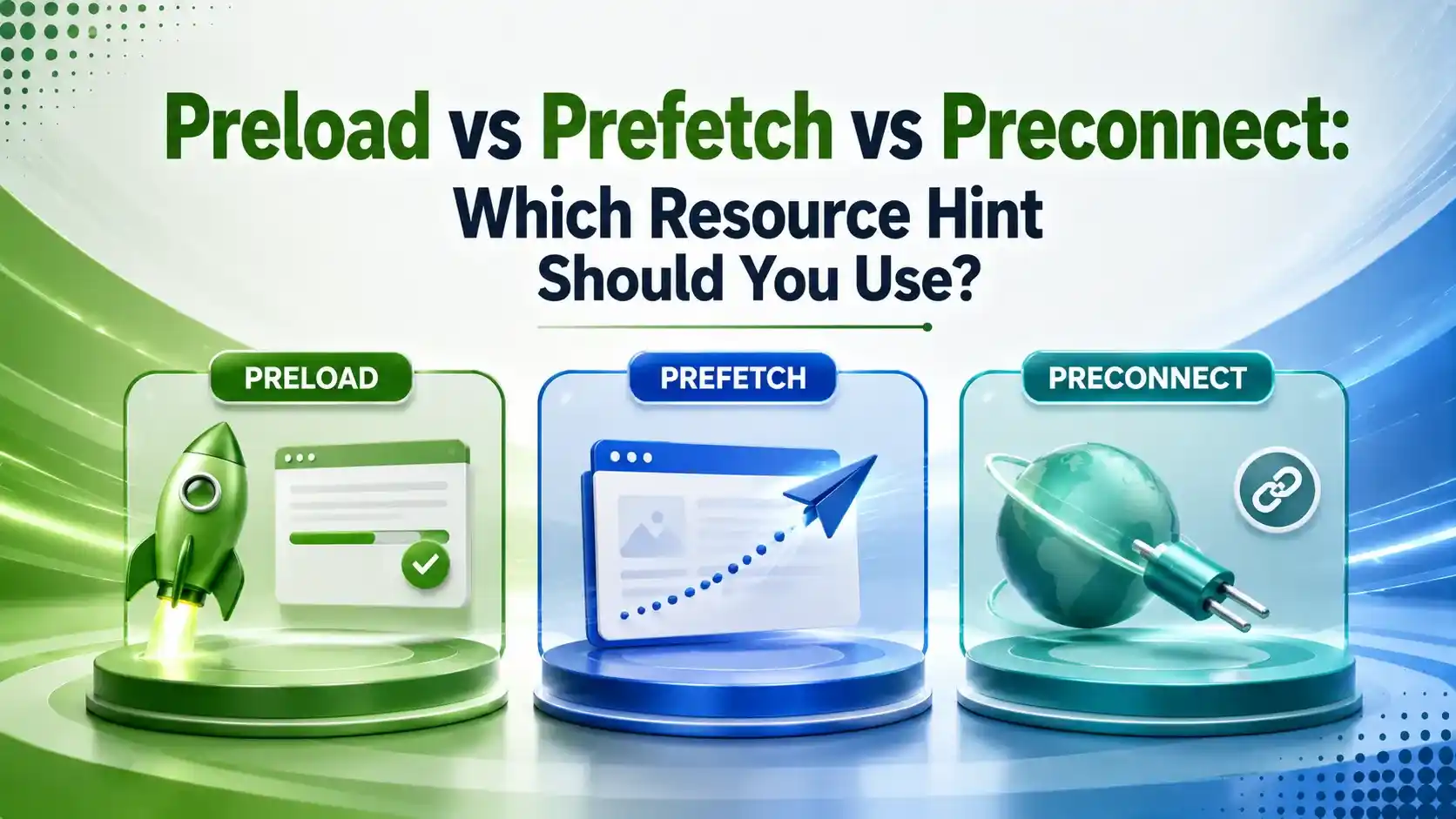
Preload vs prefetch vs preconnect trips up more developers than any other performance topic. Here's the exact decision flow for which hint to use where.
Table of Contents
TogglePreload vs prefetch vs preconnect trips up more developers than almost any other performance topic, and using the wrong one is the most common cause behind "I added a preload and my LCP got worse." All three are single-line HTML hints, but they tell the browser to do completely different work.
Resource hints are link tags placed in your page's head section that make the browser proactive instead of reactive. Left alone, a browser only discovers what it needs as it parses your HTML. Resource hints give it a head start on network work it would otherwise do later.
Getting these three hints right can shave hundreds of milliseconds off Largest Contentful Paint. Getting it wrong does the opposite, competing for bandwidth with resources the browser actually needed sooner.
This guide breaks down exactly what each hint does, when to reach for it, and the mistakes that make resource hints backfire instead of help.
01What Resource Hints Actually Do
WPThrill's 2026 guide frames the concept simply: resource hints are instructions you give the browser, a behind-the-scenes roadmap that helps it prepare for the page journey before a user even clicks anything. They're added as link tags directly in your HTML's head section.
HTTP.dev's technical reference lists the four most common hints in order of how much work each one does: dns-prefetch resolves DNS only, preconnect does a full DNS plus TCP plus TLS handshake, preload fetches a specific resource at high priority, and prefetch fetches a resource at low priority for a likely next page.
02Preload vs Prefetch vs Preconnect: The Core Differences
WebPerfClinic's 2026 decision-flow guide draws the cleanest line between the three: preload fetches a resource needed for the current page, prefetch fetches one needed for a future page, and preconnect opens a connection to an origin you're about to use without fetching anything specific yet.
That distinction, current page versus future page versus just the connection, is the entire decision in one sentence. Get the timing wrong and you either waste bandwidth on something not needed yet, or delay something that was needed immediately.
HTTP.dev's reference, cited above, makes a specific warning worth repeating: preload is for the current page, prefetch is for the next page. Applying both hints to the same resource doesn't stack the benefit, it just duplicates the request and wastes bandwidth.
03When to Use Preload
WebPerfClinic's complete resource hints guide is direct about this: preload fetches a resource at high priority for the current page, and it's mandatory, the browser must execute it. Reserve it for resources on the critical rendering path that the browser's own preload scanner wouldn't discover early enough on its own.
DebugBear's technical breakdown gives a concrete case: a hero image referenced only inside CSS, or a custom web font, are exactly the kind of late-discovered resources preload was built for. Preloading something the scanner would already find fast, like a stylesheet already linked in the head, wastes a request slot.
04When to Use Prefetch
Fershad Irani's introduction to resource hints uses a practical retail example: if analytics show most visitors move from a product listing page to a product detail page that shares the same CSS file, prefetching that CSS on the listing page means it's already cached by the time the user navigates.
DebugBear's guide adds an important caveat, referenced above: prefetched resources load at much lower priority than preloaded ones specifically so they don't compete with the current page, though Chrome can still fetch them early enough to slow down other content if overused.
05When to Use Preconnect
DebugBear's explanation of preconnect is the clearest available: it lets you set up a connection to a server even before you know the exact request URL, useful when a third-party script's eventual requests are hard to predict in advance.
WebPerfClinic's decision-flow guide adds a hard limit worth following: more than four preconnects per page typically hurts more than it helps, since each open connection consumes a socket from the browser's limited pool and competes for TLS state. Keep preconnects to your top 3 to 4 critical origins and use dns-prefetch for everything else.
06dns-prefetch: The Lighter Preconnect Alternative
Pravin Kumar's 2026 Webflow guide explains the trade-off simply: dns-prefetch resolves only the DNS for a domain, a lighter version of what preconnect does. Use preconnect when you're confident the browser will need that origin soon, and use dns-prefetch as a cheaper fallback for origins you're less certain about.
Nitropack's guide adds a cost worth knowing: preconnect's certificate handshake carries roughly 3KB of overhead per connection, competing with bandwidth for other resources. If an established preconnect isn't used within about 10 seconds, Chrome closes it automatically, wasting that setup work entirely.
07Why Preload vs Prefetch vs Preconnect Matters for SEO
Copebusiness' technical SEO guide connects this directly to rankings: Google has confirmed Core Web Vitals, specifically Largest Contentful Paint, are ranking factors, and resource hints are an underutilized lever most SEOs skip in favor of image compression and caching alone.
Preload is the highest-impact hint for LCP specifically, since it ensures the browser fetches the LCP resource as early as possible. Preconnect helps when that LCP resource comes from a third-party domain, eliminating connection setup time from the critical path.
08Watch: An Introduction to Resource Hints
For a walkthrough of how preload, prefetch, and preconnect work under the hood, Robin Drexler's talk at JSUnconf covers the fundamentals with live examples.
09Preload vs Prefetch vs Preconnect at a Glance
Smart Prefetch's definitive guide and WebPerfClinic's resource hints reference both converge on a similar breakdown across the factors that matter for implementation.
| Hint | What It Does | Priority | Best Use Case |
|---|---|---|---|
| preload | Fetches a specific resource now | High, mandatory | LCP images, fonts hidden in CSS, critical CSS |
| prefetch | Fetches a resource for likely next page | Low, speculative | Next-page assets on predictable user journeys |
| preconnect | Opens DNS+TCP+TLS connection early | Low but resource-costly | Third-party origins used soon (CDN, fonts, analytics) |
| dns-prefetch | Resolves DNS only | Very low, cheap | Lower-confidence third-party origins |
10All Four Resource Hints in One Example
Here's a practical example combining preload, preconnect, prefetch, and dns-prefetch correctly inside a page head.
<head>
  <!-- Preload: critical LCP hero image for THIS page -->
  <link rel="preload" as="image" href="/hero.avif" type="image/avif">

  <!-- Preload: critical web font hidden inside CSS -->
  <link rel="preload" as="font" href="/fonts/heading.woff2"
        type="font/woff2" crossorigin>

  <!-- Preconnect: third-party origin needed soon (top 3-4 only) -->
  <link rel="preconnect" href="https://fonts.gstatic.com" crossorigin>
  <link rel="preconnect" href="https://cdn.example.com">

  <!-- dns-prefetch: lighter fallback for lower-confidence origins -->
  <link rel="dns-prefetch" href="https://analytics.example.com">

  <!-- Prefetch: likely NEXT page resource, not this page -->
  <link rel="prefetch" href="/product-detail.css">
</head>
11Resource Hints Implementation Checklist
A disciplined approach beats scattering hints across every page and hoping for the best.
Limit preload to 2-4 truly critical resources, testing consistently shows pages with 10+ preloads load slower, not faster.
Cap preconnect at 3-4 origins, each connection consumes a limited browser socket and competes for TLS state.
Never preload and prefetch the same resource, it duplicates the request rather than improving performance.
Use dns-prefetch for uncertain origins instead of preconnect, it's cheaper and still provides a head start.
Test before and after with Chrome DevTools, resource hints can hurt as easily as they help if misapplied.
12Priority Decision Workflow
Five questions settle most preload vs prefetch vs preconnect decisions. Tap each one for guidance.
Is It Needed Now?
If the resource is critical to the current page's render, especially LCP, use preload. If it's for a future page, use prefetch instead.
13Which Hint Should You Use Score
Answer a few questions about your resource to see which hint fits best.
Which Resource Hint Should You Use
Select the option that matches your specific resource
14FAQs on Preload vs Prefetch vs Preconnect
Preload is for the current page, prefetch is for the next page, and preconnect just opens a connection without fetching a specific file.
Yes. Testing consistently shows pages with 10+ preloads load slower than pages with a few well-targeted ones, since every preload competes for bandwidth.
3 to 4 maximum. More than that typically hurts performance more than it helps, since each connection consumes a limited browser socket.
Use preconnect for origins you're confident you'll need soon. Use the cheaper dns-prefetch for lower-confidence origins or once you've hit your preconnect limit.
Indirectly, yes. Correct use of preload and preconnect improves Largest Contentful Paint, which Google has confirmed is a Core Web Vitals ranking factor.
Related Articles
What We Learn Today
Preload is for the current page; prefetch is for the next one
Preconnect opens a connection without fetching a specific file
Limit preload to 2-4 truly critical resources
Cap preconnect at 3-4 origins to avoid diminishing returns
dns-prefetch is the cheaper fallback for uncertain origins
Correct hint use directly improves LCP, a ranking factor
Build a Complete Technical SEO Foundation
Resource hints pair directly with image optimization and mobile performance. Explore our WebP vs AVIF and mobile testing guides next.
Related Posts


Previous Post
Next Post
Previous Post
Next Post





- Artificial Intelligence
- Content
- Core Web Vitals
- Development
- Digital Marketing
- Display Advertising
- Google Ads
- Google Search Console
- GTM
- HTML
- HTML CSS
- JavaScript
- Keyword Research
- Link Building
- LinkedIn Ads
- Local SEO
- Meta Ads
- Mobile SEO
- Off-Page SEO
- On-Page SEO
- Paid Media
- Paid Media Analytics
- PHP
- PPC Strategy
- Python
- SEO
- SEO Basics
- SEO Tools
- Social
- Technical SEO




