

- Home
- SEODiscover the latest updates from across the United States, including politics, culture, economy, and trending stories. Stay informed on the key events shaping the nation and the topics everyone’s talking about.
- Technical SEOLearn technical SEO concepts including crawling, indexing, XML sitemaps, robots.txt, canonical tags, site architecture, and website performance.
- Local SEOOptimize your business for local seo with Google Business Profile, local citations, reviews, maps, and location-based SEO.
- Mobile SEOImprove your website’s mobile seo performance with responsive design, mobile-first indexing, usability, and page speed optimization.
- On-Page SEOExplore on-page seo optimization techniques such as title tags, meta descriptions, headings, URLs, internal linking, and content optimization.
- Off-Page SEODiscover off-page SEO strategies such as backlinks, digital PR, brand mentions, outreach, and authority building.
- SEO ToolsExplore the best SEO tools for keyword research, technical audits, backlink analysis, rank tracking, and website optimization.
- Core Web VitalsLearn how to improve Core Web Vitals including LCP, INP, CLS, page speed, and overall user experience for better rankings.
- Keyword ResearchLearn how to find profitable keywords, analyze search intent, evaluate competition, and build effective keyword strategies.
- Link BuildingMaster ethical link building techniques, backlink analysis, outreach methods, guest posting, and authority growth strategies.
- Google Search ConsoleLearn how to use Google Search Console to monitor indexing, fix errors, analyze search performance, and improve SEO.
- SEO BasicsLearn the fundamentals of search engine optimization (SEO Basics), including how search engines work, SEO terminology, and beginner-friendly best practices.
- Paid Media
- Display AdvertisingLearn display advertising strategies, banner ads, audience targeting, remarketing, Google Display campaigns, and optimization techniques.
- Google AdsLearn Google Ads strategies, campaign setup, bidding, keywords, Performance Max, Search Ads, and optimization techniques.
- LinkedIn AdsLearn LinkedIn Ads strategies for B2B marketing, lead generation, audience targeting, campaign optimization, and paid social advertising.
- Meta AdsLearn Meta Ads strategies for Facebook and Instagram, including campaign setup, targeting, retargeting, and performance optimization.
- Paid Media AnalyticsLearn paid media analytics, including CPC, CTR, CPA, ROAS, conversion tracking, attribution, reporting, and campaign performance analysis.
- PPC StrategyLearn effective PPC strategies, campaign planning, bidding, keyword targeting, landing pages, conversion optimization, and more.
- ContentTransform your living spaces with inspiration, tips, and trends in interior design. From minimalist decor to bold statements, find ideas for every style and budget.
- Social
- Digital MarketingExplore stories and advice on living your best life. From personal growth to entertainment, dive into the latest in lifestyle trends and inspiration.
- Artificial IntelligenceStay informed about health and wellness with expert advice, fitness tips, and the latest medical breakthroughs. Your guide to a healthier and happier life.
- DevelopmentYou will find development related educational articles
- GTMLearn Google Tag Manager (GTM) with practical guides for tags, triggers, variables, tracking, conversions, and website analytics implementation.
- HTMLLearn HTML with simple tutorials, examples, tags, elements, attributes, and best practices for building modern web pages.
- HTML CSSLearn HTML CSS together with practical tutorials, examples, layouts, styling techniques, responsive design, and modern web development practices.
- HTML JSLearn HTML JS – JavaScript with practical tutorials and examples for adding interactivity, dynamic content, events, and functionality to web pages.
- JavaScriptExplore JavaScript tutorials, examples, concepts, and practical techniques for creating interactive and dynamic websites and web applications.
- PHPLearn PHP programming with practical tutorials, examples, functions, syntax, and web development techniques for beginners and developers.
- PythonLearn Python programming with practical tutorials, examples, syntax, functions, automation techniques, and useful programming concepts.
- Home
- SEODiscover the latest updates from across the United States, including politics, culture, economy, and trending stories. Stay informed on the key events shaping the nation and the topics everyone’s talking about.
- Technical SEOLearn technical SEO concepts including crawling, indexing, XML sitemaps, robots.txt, canonical tags, site architecture, and website performance.
- Local SEOOptimize your business for local seo with Google Business Profile, local citations, reviews, maps, and location-based SEO.
- Mobile SEOImprove your website’s mobile seo performance with responsive design, mobile-first indexing, usability, and page speed optimization.
- On-Page SEOExplore on-page seo optimization techniques such as title tags, meta descriptions, headings, URLs, internal linking, and content optimization.
- Off-Page SEODiscover off-page SEO strategies such as backlinks, digital PR, brand mentions, outreach, and authority building.
- SEO ToolsExplore the best SEO tools for keyword research, technical audits, backlink analysis, rank tracking, and website optimization.
- Core Web VitalsLearn how to improve Core Web Vitals including LCP, INP, CLS, page speed, and overall user experience for better rankings.
- Keyword ResearchLearn how to find profitable keywords, analyze search intent, evaluate competition, and build effective keyword strategies.
- Link BuildingMaster ethical link building techniques, backlink analysis, outreach methods, guest posting, and authority growth strategies.
- Google Search ConsoleLearn how to use Google Search Console to monitor indexing, fix errors, analyze search performance, and improve SEO.
- SEO BasicsLearn the fundamentals of search engine optimization (SEO Basics), including how search engines work, SEO terminology, and beginner-friendly best practices.
- Paid Media
- Display AdvertisingLearn display advertising strategies, banner ads, audience targeting, remarketing, Google Display campaigns, and optimization techniques.
- Google AdsLearn Google Ads strategies, campaign setup, bidding, keywords, Performance Max, Search Ads, and optimization techniques.
- LinkedIn AdsLearn LinkedIn Ads strategies for B2B marketing, lead generation, audience targeting, campaign optimization, and paid social advertising.
- Meta AdsLearn Meta Ads strategies for Facebook and Instagram, including campaign setup, targeting, retargeting, and performance optimization.
- Paid Media AnalyticsLearn paid media analytics, including CPC, CTR, CPA, ROAS, conversion tracking, attribution, reporting, and campaign performance analysis.
- PPC StrategyLearn effective PPC strategies, campaign planning, bidding, keyword targeting, landing pages, conversion optimization, and more.
- ContentTransform your living spaces with inspiration, tips, and trends in interior design. From minimalist decor to bold statements, find ideas for every style and budget.
- Social
- Digital MarketingExplore stories and advice on living your best life. From personal growth to entertainment, dive into the latest in lifestyle trends and inspiration.
- Artificial IntelligenceStay informed about health and wellness with expert advice, fitness tips, and the latest medical breakthroughs. Your guide to a healthier and happier life.
- DevelopmentYou will find development related educational articles
- GTMLearn Google Tag Manager (GTM) with practical guides for tags, triggers, variables, tracking, conversions, and website analytics implementation.
- HTMLLearn HTML with simple tutorials, examples, tags, elements, attributes, and best practices for building modern web pages.
- HTML CSSLearn HTML CSS together with practical tutorials, examples, layouts, styling techniques, responsive design, and modern web development practices.
- HTML JSLearn HTML JS – JavaScript with practical tutorials and examples for adding interactivity, dynamic content, events, and functionality to web pages.
- JavaScriptExplore JavaScript tutorials, examples, concepts, and practical techniques for creating interactive and dynamic websites and web applications.
- PHPLearn PHP programming with practical tutorials, examples, functions, syntax, and web development techniques for beginners and developers.
- PythonLearn Python programming with practical tutorials, examples, syntax, functions, automation techniques, and useful programming concepts.
Now Reading: Python Log File Analysis: 8 Proven Steps to Decode Googlebot Crawl Behavior
-
01
Python Log File Analysis: 8 Proven Steps to Decode Googlebot Crawl Behavior
- Home//
- SEO//Discover the latest updates from across the United States, including politics, culture, economy, and trending stories. Stay informed on the key events shaping the nation and the topics everyone’s talking about.
- Technical SEO//Learn technical SEO concepts including crawling, indexing, XML sitemaps, robots.txt, canonical tags, site architecture, and website performance.
- Local SEO//Optimize your business for local seo with Google Business Profile, local citations, reviews, maps, and location-based SEO.
- Mobile SEO//Improve your website’s mobile seo performance with responsive design, mobile-first indexing, usability, and page speed optimization.
- On-Page SEO//Explore on-page seo optimization techniques such as title tags, meta descriptions, headings, URLs, internal linking, and content optimization.
- Off-Page SEO//Discover off-page SEO strategies such as backlinks, digital PR, brand mentions, outreach, and authority building.
- SEO Tools//Explore the best SEO tools for keyword research, technical audits, backlink analysis, rank tracking, and website optimization.
- Core Web Vitals//Learn how to improve Core Web Vitals including LCP, INP, CLS, page speed, and overall user experience for better rankings.
- Keyword Research//Learn how to find profitable keywords, analyze search intent, evaluate competition, and build effective keyword strategies.
- Link Building//Master ethical link building techniques, backlink analysis, outreach methods, guest posting, and authority growth strategies.
- Google Search Console//Learn how to use Google Search Console to monitor indexing, fix errors, analyze search performance, and improve SEO.
- SEO Basics//Learn the fundamentals of search engine optimization (SEO Basics), including how search engines work, SEO terminology, and beginner-friendly best practices.
- Paid Media//
- Display Advertising//Learn display advertising strategies, banner ads, audience targeting, remarketing, Google Display campaigns, and optimization techniques.
- Google Ads//Learn Google Ads strategies, campaign setup, bidding, keywords, Performance Max, Search Ads, and optimization techniques.
- LinkedIn Ads//Learn LinkedIn Ads strategies for B2B marketing, lead generation, audience targeting, campaign optimization, and paid social advertising.
- Meta Ads//Learn Meta Ads strategies for Facebook and Instagram, including campaign setup, targeting, retargeting, and performance optimization.
- Paid Media Analytics//Learn paid media analytics, including CPC, CTR, CPA, ROAS, conversion tracking, attribution, reporting, and campaign performance analysis.
- PPC Strategy//Learn effective PPC strategies, campaign planning, bidding, keyword targeting, landing pages, conversion optimization, and more.
- Content//Transform your living spaces with inspiration, tips, and trends in interior design. From minimalist decor to bold statements, find ideas for every style and budget.
- Social//
- Digital Marketing//Explore stories and advice on living your best life. From personal growth to entertainment, dive into the latest in lifestyle trends and inspiration.
- Artificial Intelligence//Stay informed about health and wellness with expert advice, fitness tips, and the latest medical breakthroughs. Your guide to a healthier and happier life.
- Development//You will find development related educational articles
- GTM//Learn Google Tag Manager (GTM) with practical guides for tags, triggers, variables, tracking, conversions, and website analytics implementation.
- HTML//Learn HTML with simple tutorials, examples, tags, elements, attributes, and best practices for building modern web pages.
- HTML CSS//Learn HTML CSS together with practical tutorials, examples, layouts, styling techniques, responsive design, and modern web development practices.
- HTML JS//Learn HTML JS – JavaScript with practical tutorials and examples for adding interactivity, dynamic content, events, and functionality to web pages.
- JavaScript//Explore JavaScript tutorials, examples, concepts, and practical techniques for creating interactive and dynamic websites and web applications.
- PHP//Learn PHP programming with practical tutorials, examples, functions, syntax, and web development techniques for beginners and developers.
- Python//Learn Python programming with practical tutorials, examples, syntax, functions, automation techniques, and useful programming concepts.
- Home
- Development
- Python
- Python Log File Analysis: 8 Proven Steps to Decode Googlebot Crawl Behavior
Python Log File Analysis: 8 Proven Steps to Decode Googlebot Crawl Behavior

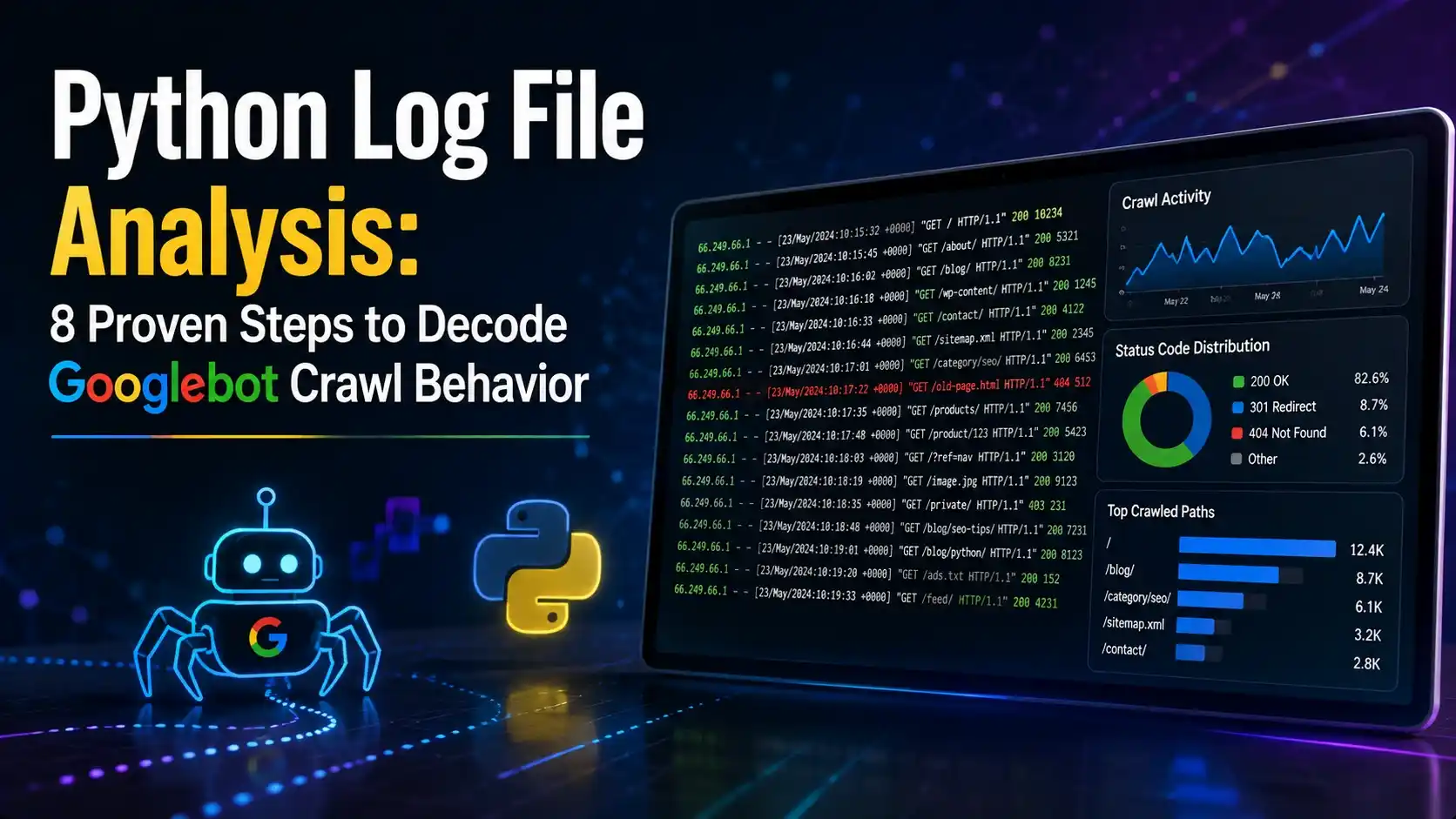
This guide builds python log file analysis from scratch in Python, parsing raw access logs to reveal real Googlebot crawl behavior, crawl frequency, and wasted crawl budget.
Table of Contents
ToggleSearch Console shows a sampled, aggregated version of how Google sees your site. Server logs show every single request, exactly as it happened. Python log file analysis is how you read that second, more honest record.
A site we reviewed once looked completely healthy in Search Console. Crawl stats were steady, nothing alarming in the charts.
The raw log files told a different story. Roughly sixty percent of Googlebot's requests that month went to filtered category URLs with parameters attached, not to the actual product pages anyone wanted ranked.
No dashboard surfaced that pattern on its own. Only the logs, read line by line through python log file analysis, showed exactly where the crawl budget was actually going.
Python log file analysis is what makes reading thousands or millions of those lines practical. This guide parses raw server logs, separates genuine Googlebot requests from spoofed ones, and turns the result into a clear picture of real crawl behavior.
Nothing here needs a paid log analyzer. A folder of log files and a Python environment cover the whole thing.
Why Python Log File Analysis Reveals What Search Console Cannot
The crawl stats report in Search Console is a genuinely useful summary. It is still a summary, built from aggregated numbers rather than the individual requests behind them.
A server log has no such filter. Every request Googlebot ever made to your server sits there, one line at a time, with a timestamp, a path, and a status code attached.
That level of detail is what makes it possible to answer specific questions a dashboard was never built to answer. Which exact pages get crawled daily, and which have not been touched in months.
Whether Googlebot is spending its visits on real content or burning through crawl budget on filtered, parameterized, or duplicate URLs is a question only python log file analysis can answer with certainty.
Getting Your Server Log Files
Where log files live depends entirely on the hosting setup. Shared hosting often exposes them through a control panel, a VPS usually keeps them in a predictable system folder, and sites behind a CDN need an export from that provider instead.
| Format | Common Source | Key Fields |
|---|---|---|
| Apache Combined Log Format | Apache, most shared hosting | IP, timestamp, request, status, bytes, referrer, user agent |
| Nginx access log | Nginx servers | Same core fields, slightly different default layout |
| CDN or edge logs | Cloudflare, Fastly, and similar | Often JSON, with extra edge and cache fields included |
| Custom application logs | Some frameworks and platforms | Varies widely, always worth checking the format first |
The examples in this guide use the Apache combined log format, since it covers the large majority of sites and is close enough to the Nginx default format that the parsing logic adapts easily.
Setting Up Your Python Environment
# create an isolated environment so package versions don't clash
python -m venv venv
source venv/bin/activate      # Windows: venv\Scripts\activate

pip install pandas
That is genuinely the whole list. Parsing a standard combined log line only needs Python's built in re module, and pandas is enough to hold and analyze everything that comes out of it.
Parsing Raw Log Lines Into Structured Data
A single combined format log line looks dense at first glance, but it breaks down into the same handful of fields every time. A regular expression captures all of them in one pass.
import re
import pandas as pd

LOG_PATTERN = re.compile(
    r'(?P<ip>\S+) \S+ \S+ \[(?P<timestamp>.+?)\] '
    r'"(?P<method>\S+) (?P<path>\S+) \S+" '
    r'(?P<status>\d+) (?P<bytes>\S+) '
    r'"(?P<referrer>.*?)" "(?P<user_agent>.*?)"'
)

def parse_log_file(file_path: str) -> pd.DataFrame:
    records = []

    with open(file_path, "r", encoding="utf-8", errors="ignore") as f:
        for line in f:
            match = LOG_PATTERN.match(line)
            if match:
                records.append(match.groupdict())

    df = pd.DataFrame(records)
    df["status"] = df["status"].astype(int)
    return df
Lines that do not match the pattern are simply skipped rather than crashing the whole run. A stray malformed line in a multi million row file should never take down the entire analysis.
Filtering for Googlebot Requests
With the log parsed into a dataframe, the next stage of python log file analysis is isolating Googlebot's own requests with a simple filter on the user agent string.
def filter_googlebot_claims(df: pd.DataFrame) -> pd.DataFrame:
    return df[df["user_agent"].str.contains("Googlebot", case=False, na=False)]
Call this step a filter for requests that claim to be Googlebot, not a filter for confirmed Googlebot. That distinction matters more than it sounds, and it is the entire subject of the next section.
Verifying Real Googlebot With Reverse DNS
Anyone can send a request with Googlebot typed into the user agent header. The string alone proves nothing, and fake Googlebot traffic claiming to be the real crawler is common enough to have its own name.
Google's own documentation describes the fix for genuine python log file analysis: a forward confirmed reverse DNS lookup. Look up the hostname behind the request's IP address, confirm it ends in googlebot.com or google.com, then look that hostname back up and confirm it resolves to the same original IP.
import socket

VALID_SUFFIXES = (".googlebot.com", ".google.com")

def is_verified_googlebot(ip_address: str) -> bool:
    try:
        hostname, _, _ = socket.gethostbyaddr(ip_address)
    except socket.herror:
        return False

    if not hostname.endswith(VALID_SUFFIXES):
        return False

    try:
        forward_ip = socket.gethostbyname(hostname)
    except socket.gaierror:
        return False

    return forward_ip == ip_address
Run this once per unique IP rather than once per log line. A busy site might see the same Googlebot IP thousands of times in a single day, and there is no reason to repeat the same two DNS lookups that many times.
def apply_verification(df: pd.DataFrame) -> pd.DataFrame:
    unique_ips = df["ip"].unique()
    verification = {ip: is_verified_googlebot(ip) for ip in unique_ips}

    df["is_verified"] = df["ip"].map(verification)
    return df
Anything that fails this check but still claims to be Googlebot in its user agent is worth a second look. That combination is one of the more reliable signals of a spoofed crawler or a scraper hiding behind a familiar name, a pattern how Googlebot actually crawls the web covers in more depth.
Analyzing Crawl Frequency and Patterns
Once verified Googlebot rows are isolated, grouping by path and by day turns raw requests into an actual picture of crawl behavior.
def crawl_frequency_by_path(df: pd.DataFrame) -> pd.DataFrame:
    verified = df[df["is_verified"]]
    counts = verified.groupby("path").size().reset_index(name="crawl_count")
    return counts.sort_values("crawl_count", ascending=False)

def crawl_volume_by_day(df: pd.DataFrame) -> pd.DataFrame:
    verified = df[df["is_verified"]].copy()
    verified["date"] = pd.to_datetime(
        verified["timestamp"], format="%d/%b/%Y:%H:%M:%S %z"
    ).dt.date
    return verified.groupby("date").size().reset_index(name="requests")
The most crawled paths often line up with what you would expect, the homepage and top category pages. The genuinely useful part is what shows up unexpectedly high, or what important pages barely show up at all.
Finding Wasted Crawl Budget
Grouping verified requests by status code shows exactly where crawl budget is going, and how much of it is going somewhere other than a real, indexable page.
def status_code_breakdown(df: pd.DataFrame) -> pd.DataFrame:
    verified = df[df["is_verified"]]
    breakdown = verified["status"].value_counts(normalize=True) * 100
    return breakdown.round(1)

def parameter_url_share(df: pd.DataFrame) -> float:
    verified = df[df["is_verified"]]
    has_params = verified["path"].str.contains(r"\?", regex=True)
    return round(has_params.mean() * 100, 1)
A high share of 404s, redirects, or parameter heavy URLs in that breakdown is the exact signal that sent us digging in the anecdote at the start of this guide. The fix always starts with seeing the number first.
Turning Log Data Into a Recurring Crawl Report
Logs rotate and get deleted on most hosts after a set number of days, so a one time run of python log file analysis only captures a narrow window. Running it on a schedule keeps a longer history than the server itself ever holds onto.
import pandas as pd
from log_parser import parse_log_file
from filter_bots import filter_googlebot_claims
from verify_googlebot import apply_verification

def run(log_file: str):
    df = parse_log_file(log_file)
    bots = filter_googlebot_claims(df)
    verified = apply_verification(bots)

    summary = pd.DataFrame({
        "total_claimed_googlebot": [len(bots)],
        "verified_googlebot": [verified["is_verified"].sum()],
        "unverified_claims": [(not verified["is_verified"]).sum()],
    })
    summary.to_csv("crawl_verification_summary.csv", index=False)
    print(summary)

if __name__ == "__main__":
    run("access.log")
Scheduling this weekly through GitHub Actions, the same way earlier automation guides in this series do, keeps a running archive of crawl behavior long after the raw log itself has been rotated away.
- Confirm the log format first: check a few sample lines before trusting any parser against a new host.
- Always verify, never trust the user agent alone: the reverse DNS check is not optional if the analysis will inform real decisions.
- Cache DNS results per IP: avoid repeating the same lookup thousands of times across one log file.
- Watch parameter and redirect heavy paths: these are the most common source of wasted crawl budget.
- Archive summaries before logs rotate: most hosts do not keep raw logs longer than a few weeks.
Watch: How Googlebot Actually Crawls and Renders Pages
Martin Splitt, a Google Search Central developer advocate who works directly on crawling and rendering, explains the mechanics of how Googlebot processes a page once it has been requested, which is exactly what shows up as a single line in the logs this guide parses.
Video credit: Martin Splitt, Google Search Central.
Seeing what happens after the request lands helps explain why a single crawl in the logs does not always mean a page updates in search results right away.
Related Articles
Frequently Asked Questions
No. The user agent string is trivial to fake, so any serious analysis needs a reverse DNS check to confirm a request is genuinely coming from Google's own IP ranges.
It depends on the host. Shared hosting usually exposes logs through a control panel, a VPS keeps them in a standard system folder, and sites behind a CDN need to export them from that provider instead.
Two to four weeks is usually enough to spot real patterns rather than a single unusual day. Archiving weekly summaries over time builds a much longer picture than any one export can.
No, the two complement each other. Search Console is a fast, convenient summary, while raw logs give the exact request level detail needed to investigate anything the summary only hints at.
Basic comfort with Python and pandas is enough. The regular expression for parsing is the most complex single piece, and it can be copied and reused as is once a log format is confirmed.
What We Learn Today
Logs show ground truth
Python log file analysis works from every actual request, not a sampled summary.
Format comes before parsing
Confirming the log format first avoids building a parser against the wrong pattern.
User agent is just a claim
Only a forward confirmed reverse DNS check actually verifies a request as real Googlebot.
Frequency reveals priorities
Grouping by path shows exactly which pages Google actually bothers to revisit.
Status codes expose waste
A high share of 404s or parameter URLs points straight at wasted crawl budget.
Logs disappear fast
Scheduling regular runs preserves history the server itself will not keep for long.
Ready to See What Googlebot Is Really Doing?
Pair python log file analysis with a full crawl budget review to find exactly where Google's attention is going on your site. Real Python's guide to regular expressions is a good next stop for adapting the parser to a custom log format.
Related Posts



Previous Post
Next Post
Previous Post
Next Post





- Artificial Intelligence
- Content
- Core Web Vitals
- Development
- Digital Marketing
- Display Advertising
- Google Ads
- Google Search Console
- GTM
- HTML
- HTML CSS
- JavaScript
- Keyword Research
- Link Building
- LinkedIn Ads
- Local SEO
- Meta Ads
- Mobile SEO
- Off-Page SEO
- On-Page SEO
- Paid Media
- Paid Media Analytics
- PHP
- PPC Strategy
- Python
- SEO
- SEO Basics
- SEO Tools
- Social
- Technical SEO




