

- Home
- SEODiscover the latest updates from across the United States, including politics, culture, economy, and trending stories. Stay informed on the key events shaping the nation and the topics everyone’s talking about.
- Technical SEOLearn technical SEO concepts including crawling, indexing, XML sitemaps, robots.txt, canonical tags, site architecture, and website performance.
- Local SEOOptimize your business for local seo with Google Business Profile, local citations, reviews, maps, and location-based SEO.
- Mobile SEOImprove your website’s mobile seo performance with responsive design, mobile-first indexing, usability, and page speed optimization.
- On-Page SEOExplore on-page seo optimization techniques such as title tags, meta descriptions, headings, URLs, internal linking, and content optimization.
- Off-Page SEODiscover off-page SEO strategies such as backlinks, digital PR, brand mentions, outreach, and authority building.
- SEO ToolsExplore the best SEO tools for keyword research, technical audits, backlink analysis, rank tracking, and website optimization.
- Core Web VitalsLearn how to improve Core Web Vitals including LCP, INP, CLS, page speed, and overall user experience for better rankings.
- Keyword ResearchLearn how to find profitable keywords, analyze search intent, evaluate competition, and build effective keyword strategies.
- Link BuildingMaster ethical link building techniques, backlink analysis, outreach methods, guest posting, and authority growth strategies.
- Google Search ConsoleLearn how to use Google Search Console to monitor indexing, fix errors, analyze search performance, and improve SEO.
- SEO BasicsLearn the fundamentals of search engine optimization (SEO Basics), including how search engines work, SEO terminology, and beginner-friendly best practices.
- Paid Media
- Display AdvertisingLearn display advertising strategies, banner ads, audience targeting, remarketing, Google Display campaigns, and optimization techniques.
- Google AdsLearn Google Ads strategies, campaign setup, bidding, keywords, Performance Max, Search Ads, and optimization techniques.
- LinkedIn AdsLearn LinkedIn Ads strategies for B2B marketing, lead generation, audience targeting, campaign optimization, and paid social advertising.
- Meta AdsLearn Meta Ads strategies for Facebook and Instagram, including campaign setup, targeting, retargeting, and performance optimization.
- Paid Media AnalyticsLearn paid media analytics, including CPC, CTR, CPA, ROAS, conversion tracking, attribution, reporting, and campaign performance analysis.
- PPC StrategyLearn effective PPC strategies, campaign planning, bidding, keyword targeting, landing pages, conversion optimization, and more.
- ContentTransform your living spaces with inspiration, tips, and trends in interior design. From minimalist decor to bold statements, find ideas for every style and budget.
- Social
- Digital MarketingExplore stories and advice on living your best life. From personal growth to entertainment, dive into the latest in lifestyle trends and inspiration.
- Artificial IntelligenceStay informed about health and wellness with expert advice, fitness tips, and the latest medical breakthroughs. Your guide to a healthier and happier life.
- DevelopmentYou will find development related educational articles
- GTMLearn Google Tag Manager (GTM) with practical guides for tags, triggers, variables, tracking, conversions, and website analytics implementation.
- HTMLLearn HTML with simple tutorials, examples, tags, elements, attributes, and best practices for building modern web pages.
- HTML CSSLearn HTML CSS together with practical tutorials, examples, layouts, styling techniques, responsive design, and modern web development practices.
- HTML JSLearn HTML JS – JavaScript with practical tutorials and examples for adding interactivity, dynamic content, events, and functionality to web pages.
- JavaScriptExplore JavaScript tutorials, examples, concepts, and practical techniques for creating interactive and dynamic websites and web applications.
- PHPLearn PHP programming with practical tutorials, examples, functions, syntax, and web development techniques for beginners and developers.
- PythonLearn Python programming with practical tutorials, examples, syntax, functions, automation techniques, and useful programming concepts.
- Home
- SEODiscover the latest updates from across the United States, including politics, culture, economy, and trending stories. Stay informed on the key events shaping the nation and the topics everyone’s talking about.
- Technical SEOLearn technical SEO concepts including crawling, indexing, XML sitemaps, robots.txt, canonical tags, site architecture, and website performance.
- Local SEOOptimize your business for local seo with Google Business Profile, local citations, reviews, maps, and location-based SEO.
- Mobile SEOImprove your website’s mobile seo performance with responsive design, mobile-first indexing, usability, and page speed optimization.
- On-Page SEOExplore on-page seo optimization techniques such as title tags, meta descriptions, headings, URLs, internal linking, and content optimization.
- Off-Page SEODiscover off-page SEO strategies such as backlinks, digital PR, brand mentions, outreach, and authority building.
- SEO ToolsExplore the best SEO tools for keyword research, technical audits, backlink analysis, rank tracking, and website optimization.
- Core Web VitalsLearn how to improve Core Web Vitals including LCP, INP, CLS, page speed, and overall user experience for better rankings.
- Keyword ResearchLearn how to find profitable keywords, analyze search intent, evaluate competition, and build effective keyword strategies.
- Link BuildingMaster ethical link building techniques, backlink analysis, outreach methods, guest posting, and authority growth strategies.
- Google Search ConsoleLearn how to use Google Search Console to monitor indexing, fix errors, analyze search performance, and improve SEO.
- SEO BasicsLearn the fundamentals of search engine optimization (SEO Basics), including how search engines work, SEO terminology, and beginner-friendly best practices.
- Paid Media
- Display AdvertisingLearn display advertising strategies, banner ads, audience targeting, remarketing, Google Display campaigns, and optimization techniques.
- Google AdsLearn Google Ads strategies, campaign setup, bidding, keywords, Performance Max, Search Ads, and optimization techniques.
- LinkedIn AdsLearn LinkedIn Ads strategies for B2B marketing, lead generation, audience targeting, campaign optimization, and paid social advertising.
- Meta AdsLearn Meta Ads strategies for Facebook and Instagram, including campaign setup, targeting, retargeting, and performance optimization.
- Paid Media AnalyticsLearn paid media analytics, including CPC, CTR, CPA, ROAS, conversion tracking, attribution, reporting, and campaign performance analysis.
- PPC StrategyLearn effective PPC strategies, campaign planning, bidding, keyword targeting, landing pages, conversion optimization, and more.
- ContentTransform your living spaces with inspiration, tips, and trends in interior design. From minimalist decor to bold statements, find ideas for every style and budget.
- Social
- Digital MarketingExplore stories and advice on living your best life. From personal growth to entertainment, dive into the latest in lifestyle trends and inspiration.
- Artificial IntelligenceStay informed about health and wellness with expert advice, fitness tips, and the latest medical breakthroughs. Your guide to a healthier and happier life.
- DevelopmentYou will find development related educational articles
- GTMLearn Google Tag Manager (GTM) with practical guides for tags, triggers, variables, tracking, conversions, and website analytics implementation.
- HTMLLearn HTML with simple tutorials, examples, tags, elements, attributes, and best practices for building modern web pages.
- HTML CSSLearn HTML CSS together with practical tutorials, examples, layouts, styling techniques, responsive design, and modern web development practices.
- HTML JSLearn HTML JS – JavaScript with practical tutorials and examples for adding interactivity, dynamic content, events, and functionality to web pages.
- JavaScriptExplore JavaScript tutorials, examples, concepts, and practical techniques for creating interactive and dynamic websites and web applications.
- PHPLearn PHP programming with practical tutorials, examples, functions, syntax, and web development techniques for beginners and developers.
- PythonLearn Python programming with practical tutorials, examples, syntax, functions, automation techniques, and useful programming concepts.
Now Reading: Simple Rank Tracker in Python: Build a Complete SEO Tool in 7 Steps
-
01
Simple Rank Tracker in Python: Build a Complete SEO Tool in 7 Steps
- Home//
- SEO//Discover the latest updates from across the United States, including politics, culture, economy, and trending stories. Stay informed on the key events shaping the nation and the topics everyone’s talking about.
- Technical SEO//Learn technical SEO concepts including crawling, indexing, XML sitemaps, robots.txt, canonical tags, site architecture, and website performance.
- Local SEO//Optimize your business for local seo with Google Business Profile, local citations, reviews, maps, and location-based SEO.
- Mobile SEO//Improve your website’s mobile seo performance with responsive design, mobile-first indexing, usability, and page speed optimization.
- On-Page SEO//Explore on-page seo optimization techniques such as title tags, meta descriptions, headings, URLs, internal linking, and content optimization.
- Off-Page SEO//Discover off-page SEO strategies such as backlinks, digital PR, brand mentions, outreach, and authority building.
- SEO Tools//Explore the best SEO tools for keyword research, technical audits, backlink analysis, rank tracking, and website optimization.
- Core Web Vitals//Learn how to improve Core Web Vitals including LCP, INP, CLS, page speed, and overall user experience for better rankings.
- Keyword Research//Learn how to find profitable keywords, analyze search intent, evaluate competition, and build effective keyword strategies.
- Link Building//Master ethical link building techniques, backlink analysis, outreach methods, guest posting, and authority growth strategies.
- Google Search Console//Learn how to use Google Search Console to monitor indexing, fix errors, analyze search performance, and improve SEO.
- SEO Basics//Learn the fundamentals of search engine optimization (SEO Basics), including how search engines work, SEO terminology, and beginner-friendly best practices.
- Paid Media//
- Display Advertising//Learn display advertising strategies, banner ads, audience targeting, remarketing, Google Display campaigns, and optimization techniques.
- Google Ads//Learn Google Ads strategies, campaign setup, bidding, keywords, Performance Max, Search Ads, and optimization techniques.
- LinkedIn Ads//Learn LinkedIn Ads strategies for B2B marketing, lead generation, audience targeting, campaign optimization, and paid social advertising.
- Meta Ads//Learn Meta Ads strategies for Facebook and Instagram, including campaign setup, targeting, retargeting, and performance optimization.
- Paid Media Analytics//Learn paid media analytics, including CPC, CTR, CPA, ROAS, conversion tracking, attribution, reporting, and campaign performance analysis.
- PPC Strategy//Learn effective PPC strategies, campaign planning, bidding, keyword targeting, landing pages, conversion optimization, and more.
- Content//Transform your living spaces with inspiration, tips, and trends in interior design. From minimalist decor to bold statements, find ideas for every style and budget.
- Social//
- Digital Marketing//Explore stories and advice on living your best life. From personal growth to entertainment, dive into the latest in lifestyle trends and inspiration.
- Artificial Intelligence//Stay informed about health and wellness with expert advice, fitness tips, and the latest medical breakthroughs. Your guide to a healthier and happier life.
- Development//You will find development related educational articles
- GTM//Learn Google Tag Manager (GTM) with practical guides for tags, triggers, variables, tracking, conversions, and website analytics implementation.
- HTML//Learn HTML with simple tutorials, examples, tags, elements, attributes, and best practices for building modern web pages.
- HTML CSS//Learn HTML CSS together with practical tutorials, examples, layouts, styling techniques, responsive design, and modern web development practices.
- HTML JS//Learn HTML JS – JavaScript with practical tutorials and examples for adding interactivity, dynamic content, events, and functionality to web pages.
- JavaScript//Explore JavaScript tutorials, examples, concepts, and practical techniques for creating interactive and dynamic websites and web applications.
- PHP//Learn PHP programming with practical tutorials, examples, functions, syntax, and web development techniques for beginners and developers.
- Python//Learn Python programming with practical tutorials, examples, syntax, functions, automation techniques, and useful programming concepts.
- Home
- Development
- Python
- Simple Rank Tracker in Python: Build a Complete SEO Tool in 7 Steps
Simple Rank Tracker in Python: Build a Complete SEO Tool in 7 Steps

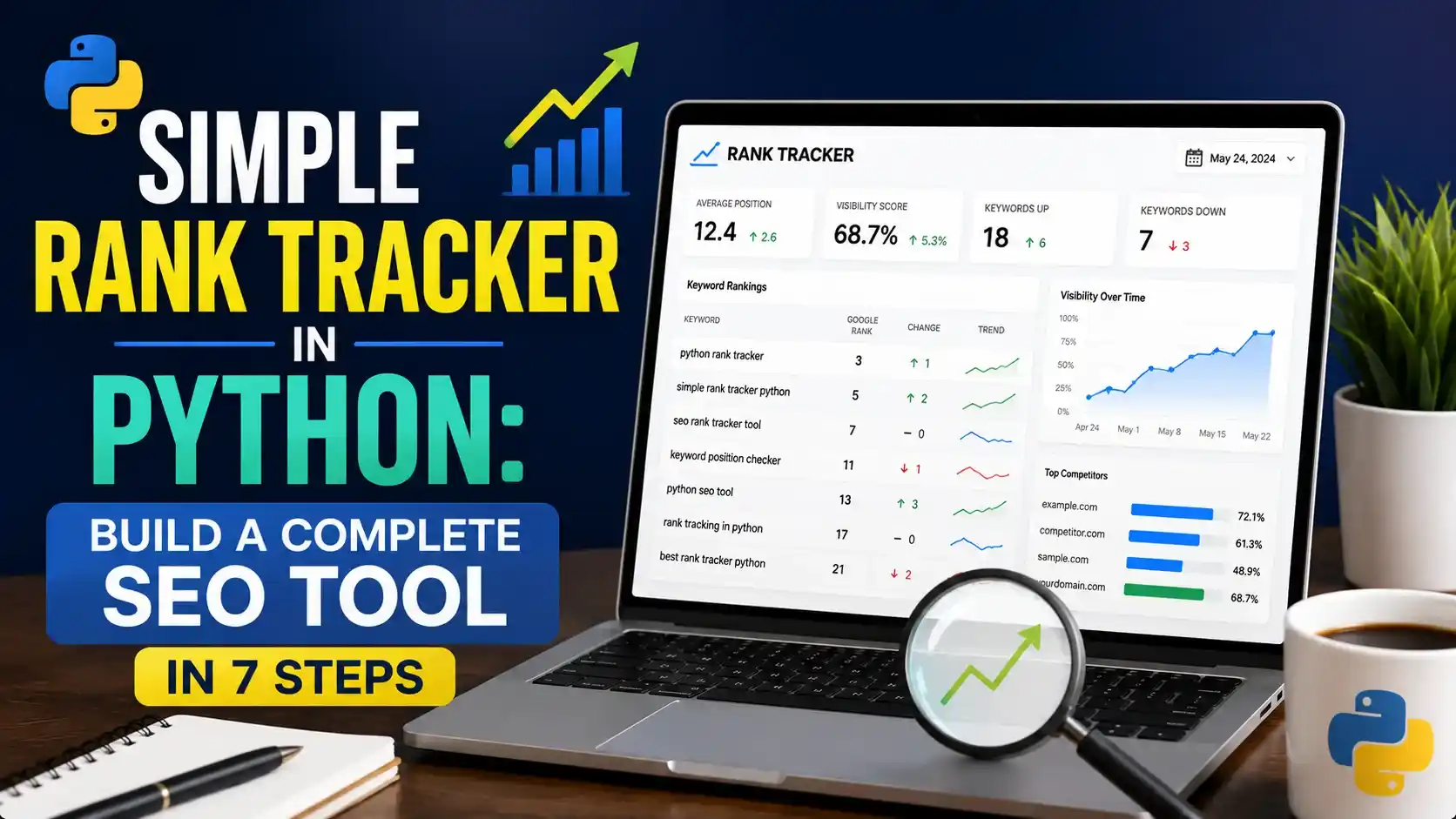
Build a simple rank tracker in Python that checks keyword positions through a compliant SERP API, stores history, and charts movement, no manual spreadsheet checking required.
Table of Contents
ToggleTyping forty keywords into an incognito window every Monday is not rank tracking, it is a chore that produces unreliable numbers. A simple rank tracker in python runs the same check the same way, every time, and remembers what it found.
A client once tracked two hundred keywords by hand in a spreadsheet. Someone spent most of a Monday morning searching each one and writing down where the site landed.
The numbers were never quite trustworthy. Personalization, location, and small mistakes in a long manual process all crept in somewhere along the way.
A simple rank tracker in python fixes both problems at once. It checks every keyword the same way every time, and it never gets tired on keyword one hundred and eighty.
This guide builds one using a proper SERP API rather than scraping Google directly, stores the results with history attached, and turns raw positions into a chart that actually shows movement.
None of it needs a paid rank tracking platform. A SERP API key, a Python environment, and a place to store a growing CSV cover the whole build.
Why a Simple Rank Tracker in Python Beats Manual Checking
Manual rank checking has a quality problem before it even has a scale problem. Google personalizes results based on location, device, and search history, so the same query can return a different order for two different people.
Incognito mode helps a little. It does not remove location signals or device differences, which means two people checking the same keyword in incognito can still see two different rankings.
A script run with fixed parameters does not have that inconsistency. The same location, the same device setting, and the same query structure every single time make the resulting numbers actually comparable week to week.
Comparing keyword rank against a broader keyword research process becomes far more useful once the tracking data behind it is this consistent.
Choosing a Compliant Way to Check Rankings
How a rank tracker actually gets its data matters more than most guides admit. Scraping Google's results pages directly sits outside Google's terms of service, and it tends to break the moment a CAPTCHA shows up.
A dedicated SERP API is the sustainable choice. These services run the search on Google's behalf through infrastructure built for exactly this, and return clean, structured results instead of raw HTML to parse and hope holds together.
| Method | Compliance | Reliability | Cost |
|---|---|---|---|
| Direct scraping of Google results | Outside Google's terms | Breaks often, blocked frequently | Free until it stops working |
| Dedicated SERP API | Compliant, run through licensed infrastructure | Consistent, structured results | Usage based, this guide's approach |
| Search Console average position | Fully compliant, official Google data | Aggregated, not a per search snapshot | Free with a verified property |
This guide builds around a SERP API, using SerpApi as the working example. The same pattern applies to comparable providers, since most return organic results in a similar structured shape.
Setting Up Your Python Environment
# create an isolated environment so package versions don't clash
python -m venv venv
source venv/bin/activate      # Windows: venv\Scripts\activate

pip install google-search-results python-dotenv pandas
The google-search-results package is SerpApi's official client, despite the slightly generic sounding name. python-dotenv keeps the API key out of the code, and pandas holds every result once it comes back.
Checking a Single Keyword's Position
A single search returns a list of organic results, each with its own position. Finding your own domain in that list is the entire job.
import os
from dotenv import load_dotenv
from serpapi import GoogleSearch

load_dotenv()
API_KEY = os.getenv("SERPAPI_KEY")

def check_rank(keyword: str, target_domain: str, location: str = "United States") -> dict:
    params = {
        "engine": "google",
        "q": keyword,
        "location": location,
        "api_key": API_KEY,
    }

    search = GoogleSearch(params)
    results = search.get_dict()
    organic = results.get("organic_results", [])

    for result in organic:
        if target_domain in result.get("link", ""):
            return {"keyword": keyword, "position": result.get("position"), "url": result.get("link")}

    return {"keyword": keyword, "position": None, "url": None}
A None position is not an error, it is real information. The domain genuinely did not appear in the organic results the API returned for that search.
Tracking Multiple Keywords and Locations
A real tracker checks a whole list, and often needs to check it against more than one location if the business serves more than one market.
import time
import pandas as pd
from rank_checker import check_rank

KEYWORDS = ["python for seo", "rank tracker api", "seo automation tools"]
LOCATIONS = ["United States", "United Kingdom"]
TARGET_DOMAIN = "brandella.in"

def run_batch() -> pd.DataFrame:
    rows = []

    for location in LOCATIONS:
        for keyword in KEYWORDS:
            result = check_rank(keyword, TARGET_DOMAIN, location)
            result["location"] = location
            rows.append(result)
            time.sleep(1)   # stay well under API rate limits

    return pd.DataFrame(rows)
The one second pause between calls, using Python's own time.sleep(), is not strictly required by every provider, but it keeps a large batch well behaved and avoids tripping a rate limit partway through a run.
Storing Rank History Over Time
A single day of positions is a snapshot. History is what actually makes a simple rank tracker in python worth running, since movement only means something when you can see it against what came before.
import os
from datetime import date
import pandas as pd

HISTORY_PATH = "data/rank_history.csv"

def append_history(df: pd.DataFrame):
    df["checked_on"] = date.today().isoformat()

    if os.path.exists(HISTORY_PATH):
        existing = pd.read_csv(HISTORY_PATH)
        combined = pd.concat([existing, df]).drop_duplicates(
            subset=["keyword", "location", "checked_on"]
        )
    else:
        combined = df

    combined.to_csv(HISTORY_PATH, index=False)
Running this daily or weekly through GitHub Actions, the same scheduling pattern used across the rest of this series, is what turns a one time check into an actual tracker.
Visualizing Rank Movement
A table of numbers is accurate but hard to read at a glance. A simple line chart, built with matplotlib, makes movement obvious in a way a spreadsheet full of positions never quite does.
import pandas as pd
import matplotlib.pyplot as plt

def plot_keyword_history(history_path: str, keyword: str):
    df = pd.read_csv(history_path)
    subset = df[df["keyword"] == keyword].sort_values("checked_on")

    plt.plot(subset["checked_on"], subset["position"], marker="o")
    plt.gca().invert_yaxis()   # position 1 should sit at the top
    plt.title(f"Ranking history: {keyword}")
    plt.xlabel("Date checked")
    plt.ylabel("Position")
    plt.xticks(rotation=45)
    plt.tight_layout()
    plt.savefig(f"charts/{keyword.replace(' ', '_')}.png")
Inverting the axis is a small detail that matters a lot. Without it, a page climbing from position ten to position one draws a line heading downward, which reads backward to anyone glancing at the chart.
Handling No Rank Results, Volatility, and API Costs
A working script still needs a few judgment calls built in, or the numbers it produces will mislead more than they inform. Search Engine Journal's guide to rank tracking covers several of these same pitfalls from a broader, tool agnostic angle worth reading alongside a simple rank tracker in python.
- Not ranked is a real answer: treat a missing position as data, not a bug, and record it as such rather than skipping the row.
- Single day swings are common: positions naturally move a spot or two day to day. Look at a multi day trend before reacting to any one number.
- API calls cost money at scale: a large keyword list checked daily across several locations adds up fast. Budget for it before committing to a schedule.
- Location genuinely changes results: never assume a national average position reflects what a searcher in a specific city actually sees.
- Keep the target domain check flexible: match on domain, not full URL, so a page that changes its path does not silently vanish from tracking.
Monthly SERP API Cost Estimator
Estimate the monthly call volume for a tracking schedule, based on keywords, locations, and check frequency.
Watch: A Quick Tour of a SERP API in Practice
SerpApi, the company whose API this guide builds around, published an official walkthrough of the same search endpoint and response structure used in the code above.
Video credit: SerpApi, LLC.
Seeing the raw response structure in the video makes it clear why parsing organic_results in Python is as simple as the code in this guide shows it to be.
Related Articles
Frequently Asked Questions
Directly scraping Google's results pages falls outside Google's terms of service and tends to get blocked quickly. A licensed SERP API runs the same search through infrastructure built for exactly this, which is the compliant and durable approach.
Just as accurate for the core number, since both pull from the same kind of SERP API data underneath. Paid platforms mostly add convenience features like dashboards and alerts on top of the same raw check.
Weekly is a reasonable default for most sites. Daily checks make sense for a small set of high value keywords, but running the full list daily usually costs more than the extra detail is worth.
Yes. Most SERP APIs accept a location parameter, and looping the same keyword across several locations is exactly what the batch checking example in this guide does.
It means the target domain did not appear anywhere in the organic results the API returned for that search, typically the first page or two. It is a real result worth recording, not something to filter out.
What We Learn Today
Manual checks are inconsistent
Personalization and location make hand checked rankings hard to compare over time.
Method matters more than speed
A compliant SERP API beats direct scraping on reliability, not just on legality.
Position matching is simple
Finding a domain inside organic results is a short loop, not complex logic.
History is the actual product
A single check is a snapshot. Stored history is what makes movement visible.
Charts beat spreadsheets
An inverted line chart makes rank movement obvious at a glance.
Cost scales with ambition
More keywords, more locations, and more frequency all add up in API calls.
Ready to Track Rankings on Your Own Terms?
Pair a simple rank tracker in python with a wider SEO toolkit to see the full picture behind every ranking change.
Related Posts



Previous Post
Next Post
Previous Post
Next Post





- Artificial Intelligence
- Content
- Core Web Vitals
- Development
- Digital Marketing
- Display Advertising
- Google Ads
- Google Search Console
- GTM
- HTML
- HTML CSS
- JavaScript
- Keyword Research
- Link Building
- LinkedIn Ads
- Local SEO
- Meta Ads
- Mobile SEO
- Off-Page SEO
- On-Page SEO
- Paid Media
- Paid Media Analytics
- PHP
- PPC Strategy
- Python
- SEO
- SEO Basics
- SEO Tools
- Social
- Technical SEO




