

- Home
- SEODiscover the latest updates from across the United States, including politics, culture, economy, and trending stories. Stay informed on the key events shaping the nation and the topics everyone’s talking about.
- Technical SEOLearn technical SEO concepts including crawling, indexing, XML sitemaps, robots.txt, canonical tags, site architecture, and website performance.
- Local SEOOptimize your business for local seo with Google Business Profile, local citations, reviews, maps, and location-based SEO.
- Mobile SEOImprove your website’s mobile seo performance with responsive design, mobile-first indexing, usability, and page speed optimization.
- On-Page SEOExplore on-page seo optimization techniques such as title tags, meta descriptions, headings, URLs, internal linking, and content optimization.
- Off-Page SEODiscover off-page SEO strategies such as backlinks, digital PR, brand mentions, outreach, and authority building.
- SEO ToolsExplore the best SEO tools for keyword research, technical audits, backlink analysis, rank tracking, and website optimization.
- Core Web VitalsLearn how to improve Core Web Vitals including LCP, INP, CLS, page speed, and overall user experience for better rankings.
- Keyword ResearchLearn how to find profitable keywords, analyze search intent, evaluate competition, and build effective keyword strategies.
- Link BuildingMaster ethical link building techniques, backlink analysis, outreach methods, guest posting, and authority growth strategies.
- Google Search ConsoleLearn how to use Google Search Console to monitor indexing, fix errors, analyze search performance, and improve SEO.
- SEO BasicsLearn the fundamentals of search engine optimization (SEO Basics), including how search engines work, SEO terminology, and beginner-friendly best practices.
- Paid Media
- Display AdvertisingLearn display advertising strategies, banner ads, audience targeting, remarketing, Google Display campaigns, and optimization techniques.
- Google AdsLearn Google Ads strategies, campaign setup, bidding, keywords, Performance Max, Search Ads, and optimization techniques.
- LinkedIn AdsLearn LinkedIn Ads strategies for B2B marketing, lead generation, audience targeting, campaign optimization, and paid social advertising.
- Meta AdsLearn Meta Ads strategies for Facebook and Instagram, including campaign setup, targeting, retargeting, and performance optimization.
- Paid Media AnalyticsLearn paid media analytics, including CPC, CTR, CPA, ROAS, conversion tracking, attribution, reporting, and campaign performance analysis.
- PPC StrategyLearn effective PPC strategies, campaign planning, bidding, keyword targeting, landing pages, conversion optimization, and more.
- ContentTransform your living spaces with inspiration, tips, and trends in interior design. From minimalist decor to bold statements, find ideas for every style and budget.
- Social
- Digital MarketingExplore stories and advice on living your best life. From personal growth to entertainment, dive into the latest in lifestyle trends and inspiration.
- Artificial IntelligenceStay informed about health and wellness with expert advice, fitness tips, and the latest medical breakthroughs. Your guide to a healthier and happier life.
- DevelopmentYou will find development related educational articles
- GTMLearn Google Tag Manager (GTM) with practical guides for tags, triggers, variables, tracking, conversions, and website analytics implementation.
- HTMLLearn HTML with simple tutorials, examples, tags, elements, attributes, and best practices for building modern web pages.
- HTML CSSLearn HTML CSS together with practical tutorials, examples, layouts, styling techniques, responsive design, and modern web development practices.
- HTML JSLearn HTML JS – JavaScript with practical tutorials and examples for adding interactivity, dynamic content, events, and functionality to web pages.
- JavaScriptExplore JavaScript tutorials, examples, concepts, and practical techniques for creating interactive and dynamic websites and web applications.
- PHPLearn PHP programming with practical tutorials, examples, functions, syntax, and web development techniques for beginners and developers.
- PythonLearn Python programming with practical tutorials, examples, syntax, functions, automation techniques, and useful programming concepts.
- Home
- SEODiscover the latest updates from across the United States, including politics, culture, economy, and trending stories. Stay informed on the key events shaping the nation and the topics everyone’s talking about.
- Technical SEOLearn technical SEO concepts including crawling, indexing, XML sitemaps, robots.txt, canonical tags, site architecture, and website performance.
- Local SEOOptimize your business for local seo with Google Business Profile, local citations, reviews, maps, and location-based SEO.
- Mobile SEOImprove your website’s mobile seo performance with responsive design, mobile-first indexing, usability, and page speed optimization.
- On-Page SEOExplore on-page seo optimization techniques such as title tags, meta descriptions, headings, URLs, internal linking, and content optimization.
- Off-Page SEODiscover off-page SEO strategies such as backlinks, digital PR, brand mentions, outreach, and authority building.
- SEO ToolsExplore the best SEO tools for keyword research, technical audits, backlink analysis, rank tracking, and website optimization.
- Core Web VitalsLearn how to improve Core Web Vitals including LCP, INP, CLS, page speed, and overall user experience for better rankings.
- Keyword ResearchLearn how to find profitable keywords, analyze search intent, evaluate competition, and build effective keyword strategies.
- Link BuildingMaster ethical link building techniques, backlink analysis, outreach methods, guest posting, and authority growth strategies.
- Google Search ConsoleLearn how to use Google Search Console to monitor indexing, fix errors, analyze search performance, and improve SEO.
- SEO BasicsLearn the fundamentals of search engine optimization (SEO Basics), including how search engines work, SEO terminology, and beginner-friendly best practices.
- Paid Media
- Display AdvertisingLearn display advertising strategies, banner ads, audience targeting, remarketing, Google Display campaigns, and optimization techniques.
- Google AdsLearn Google Ads strategies, campaign setup, bidding, keywords, Performance Max, Search Ads, and optimization techniques.
- LinkedIn AdsLearn LinkedIn Ads strategies for B2B marketing, lead generation, audience targeting, campaign optimization, and paid social advertising.
- Meta AdsLearn Meta Ads strategies for Facebook and Instagram, including campaign setup, targeting, retargeting, and performance optimization.
- Paid Media AnalyticsLearn paid media analytics, including CPC, CTR, CPA, ROAS, conversion tracking, attribution, reporting, and campaign performance analysis.
- PPC StrategyLearn effective PPC strategies, campaign planning, bidding, keyword targeting, landing pages, conversion optimization, and more.
- ContentTransform your living spaces with inspiration, tips, and trends in interior design. From minimalist decor to bold statements, find ideas for every style and budget.
- Social
- Digital MarketingExplore stories and advice on living your best life. From personal growth to entertainment, dive into the latest in lifestyle trends and inspiration.
- Artificial IntelligenceStay informed about health and wellness with expert advice, fitness tips, and the latest medical breakthroughs. Your guide to a healthier and happier life.
- DevelopmentYou will find development related educational articles
- GTMLearn Google Tag Manager (GTM) with practical guides for tags, triggers, variables, tracking, conversions, and website analytics implementation.
- HTMLLearn HTML with simple tutorials, examples, tags, elements, attributes, and best practices for building modern web pages.
- HTML CSSLearn HTML CSS together with practical tutorials, examples, layouts, styling techniques, responsive design, and modern web development practices.
- HTML JSLearn HTML JS – JavaScript with practical tutorials and examples for adding interactivity, dynamic content, events, and functionality to web pages.
- JavaScriptExplore JavaScript tutorials, examples, concepts, and practical techniques for creating interactive and dynamic websites and web applications.
- PHPLearn PHP programming with practical tutorials, examples, functions, syntax, and web development techniques for beginners and developers.
- PythonLearn Python programming with practical tutorials, examples, syntax, functions, automation techniques, and useful programming concepts.
Now Reading: How to Fix “Discovered Currently Not Indexed” Pages: The Complete 2026 Guide
-
01
How to Fix “Discovered Currently Not Indexed” Pages: The Complete 2026 Guide
- Home//
- SEO//Discover the latest updates from across the United States, including politics, culture, economy, and trending stories. Stay informed on the key events shaping the nation and the topics everyone’s talking about.
- Technical SEO//Learn technical SEO concepts including crawling, indexing, XML sitemaps, robots.txt, canonical tags, site architecture, and website performance.
- Local SEO//Optimize your business for local seo with Google Business Profile, local citations, reviews, maps, and location-based SEO.
- Mobile SEO//Improve your website’s mobile seo performance with responsive design, mobile-first indexing, usability, and page speed optimization.
- On-Page SEO//Explore on-page seo optimization techniques such as title tags, meta descriptions, headings, URLs, internal linking, and content optimization.
- Off-Page SEO//Discover off-page SEO strategies such as backlinks, digital PR, brand mentions, outreach, and authority building.
- SEO Tools//Explore the best SEO tools for keyword research, technical audits, backlink analysis, rank tracking, and website optimization.
- Core Web Vitals//Learn how to improve Core Web Vitals including LCP, INP, CLS, page speed, and overall user experience for better rankings.
- Keyword Research//Learn how to find profitable keywords, analyze search intent, evaluate competition, and build effective keyword strategies.
- Link Building//Master ethical link building techniques, backlink analysis, outreach methods, guest posting, and authority growth strategies.
- Google Search Console//Learn how to use Google Search Console to monitor indexing, fix errors, analyze search performance, and improve SEO.
- SEO Basics//Learn the fundamentals of search engine optimization (SEO Basics), including how search engines work, SEO terminology, and beginner-friendly best practices.
- Paid Media//
- Display Advertising//Learn display advertising strategies, banner ads, audience targeting, remarketing, Google Display campaigns, and optimization techniques.
- Google Ads//Learn Google Ads strategies, campaign setup, bidding, keywords, Performance Max, Search Ads, and optimization techniques.
- LinkedIn Ads//Learn LinkedIn Ads strategies for B2B marketing, lead generation, audience targeting, campaign optimization, and paid social advertising.
- Meta Ads//Learn Meta Ads strategies for Facebook and Instagram, including campaign setup, targeting, retargeting, and performance optimization.
- Paid Media Analytics//Learn paid media analytics, including CPC, CTR, CPA, ROAS, conversion tracking, attribution, reporting, and campaign performance analysis.
- PPC Strategy//Learn effective PPC strategies, campaign planning, bidding, keyword targeting, landing pages, conversion optimization, and more.
- Content//Transform your living spaces with inspiration, tips, and trends in interior design. From minimalist decor to bold statements, find ideas for every style and budget.
- Social//
- Digital Marketing//Explore stories and advice on living your best life. From personal growth to entertainment, dive into the latest in lifestyle trends and inspiration.
- Artificial Intelligence//Stay informed about health and wellness with expert advice, fitness tips, and the latest medical breakthroughs. Your guide to a healthier and happier life.
- Development//You will find development related educational articles
- GTM//Learn Google Tag Manager (GTM) with practical guides for tags, triggers, variables, tracking, conversions, and website analytics implementation.
- HTML//Learn HTML with simple tutorials, examples, tags, elements, attributes, and best practices for building modern web pages.
- HTML CSS//Learn HTML CSS together with practical tutorials, examples, layouts, styling techniques, responsive design, and modern web development practices.
- HTML JS//Learn HTML JS – JavaScript with practical tutorials and examples for adding interactivity, dynamic content, events, and functionality to web pages.
- JavaScript//Explore JavaScript tutorials, examples, concepts, and practical techniques for creating interactive and dynamic websites and web applications.
- PHP//Learn PHP programming with practical tutorials, examples, functions, syntax, and web development techniques for beginners and developers.
- Python//Learn Python programming with practical tutorials, examples, syntax, functions, automation techniques, and useful programming concepts.
How to Fix “Discovered Currently Not Indexed” Pages: The Complete 2026 Guide

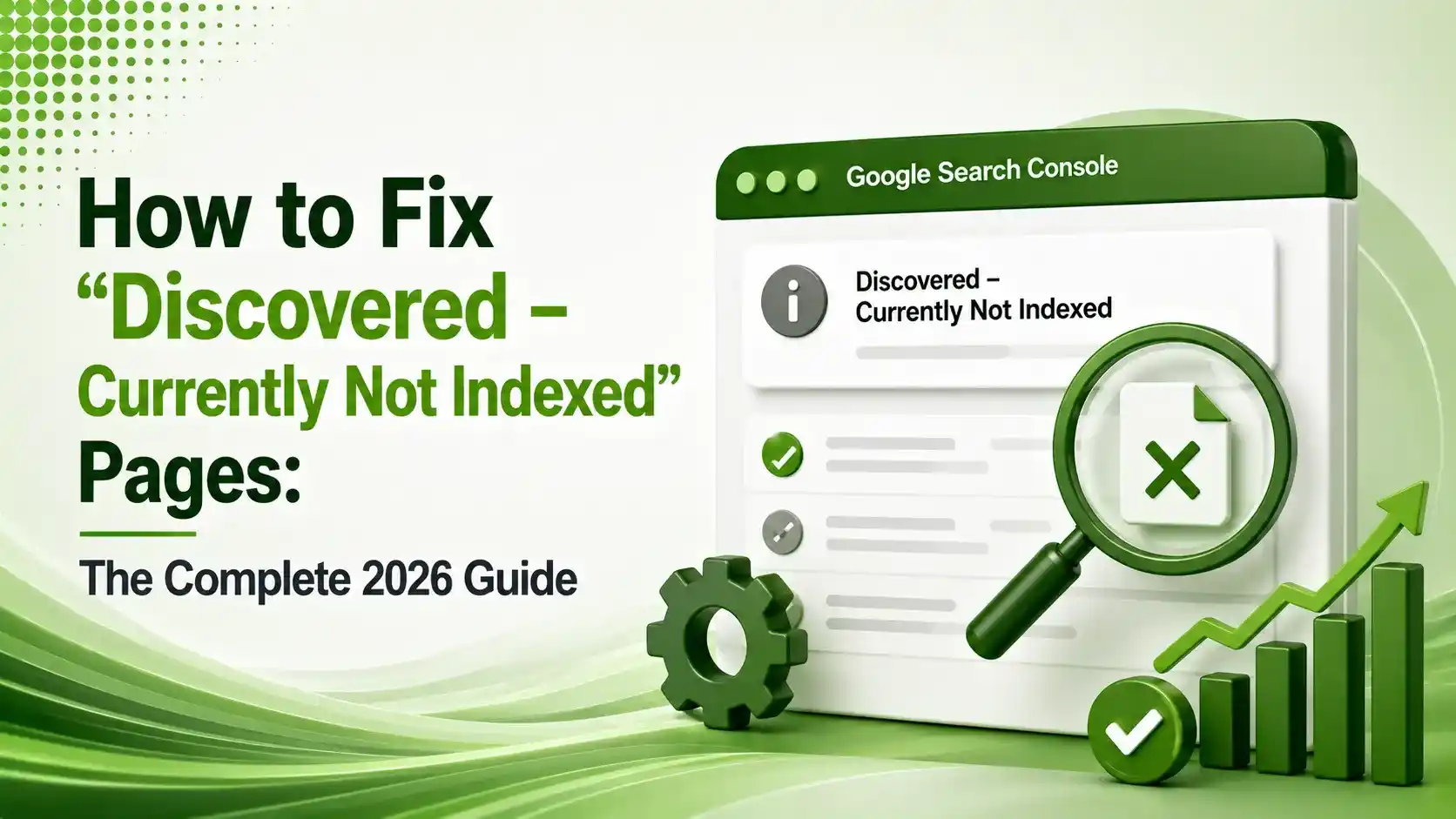
Discovered - currently not indexed is a priority delay, not a penalty. Here's how to diagnose the real cause and fix it, instead of just clicking Request Indexing.
Table of Contents
ToggleDiscovered - currently not indexed means Google knows your page exists but hasn't crawled it yet. It's not a penalty and not a rejection, it's a priority queue delay, and the fix has almost nothing to do with clicking "Request Indexing" over and over.
Most site owners panic the moment they see this status and immediately hammer the Request Indexing button. That instinct treats the symptom instead of the cause. If a page sits in this state for weeks, something structural, weak internal links, crawl budget competition, or thin content, is telling Google this page isn't worth prioritizing yet.
The pages affected usually show no last crawl date at all in Search Console, which is the clearest signal that Googlebot hasn't visited yet. That's different from a page Google crawled and rejected, and the fix for each is completely different.
This guide breaks down why discovered - currently not indexed happens, how to diagnose the real cause, and the specific structural fixes that actually move a discovered - currently not indexed page out of this queue.
01What "Discovered - Currently Not Indexed" Actually Means
Onely's March 2026 guide defines it precisely: the status means Google knows the URL exists but has not crawled it yet. The page may have been found through internal links or an XML sitemap, but Google hasn't fetched it, so it can't be indexed. In Search Console, these URLs usually show no last crawl date at all.
Onely's guide is careful to note what this doesn't mean: it does not automatically signal the page is low quality or permanently excluded. The most common causes are weak internal discovery, low crawl priority, duplicate or low-value URL patterns, and server or crawl-efficiency constraints.
02Why This Happens: The Real Causes
ZipTie's March 2026 breakdown lists four specific reasons pages land here: the website is slow, the entire site isn't a priority for Google, the specific page isn't a priority within the site, or crawl budget is simply stretched thin across too many URLs.
Search Engine Journal's coverage of Google's own statements adds important nuance from John Mueller directly: Googlers have repeatedly said there's no crawl budget in the exact way SEOs imagine it, but Google does have finite capacity, and it tends to index pages that demonstrate real value while declining to prioritize others.
Search Engine Journal's coverage documents Mueller's direct response to a large e-commerce site asking whether deindexing millions of duplicate product pages would help: the real question isn't page count, it's whether the remaining pages actually improve quality. Trimming volume without improving substance doesn't move the needle.
03Discovered vs Crawled - Currently Not Indexed
Onely's guide, referenced above, draws the line that matters most for diagnosis: discovered means Google has not fetched the page at all. Crawled means Google fetched it and still declined to index it, a fundamentally different, quality-driven decision rather than a queue position.
MasterSEOTool's 2026 guide reinforces why this distinction changes your entire approach: if a page is discovered but not indexed, Google hasn't evaluated the content yet, it simply hasn't allocated crawl resources. There's no content judgment to reverse, only a priority problem to solve.
04Step 1: Assess the Severity Before Acting
Onely's guide, referenced above, recommends a specific sequence before touching anything: confirm the URL is genuinely still not indexed, check the scale of the issue across your site, sample a representative set of affected URLs, and match the pattern to a likely diagnosis before prioritizing by business importance.
A handful of affected pages is a different problem than thousands. Ahrefs' guide to the status notes that for a small number of URLs, requesting indexing directly through Search Console is often the fastest fix. For a large-scale pattern, the underlying cause needs solving first.
05Watch: Fixing Discovered, Currently Not Indexed
For a step-by-step walkthrough of diagnosing and fixing this exact status in Search Console, this explainer covers the practical workflow directly.
06Step 2: Fix Crawl Budget and Internal Linking
EasyGuidesHub's 2026 A-Z guide is direct about the fix: to resolve persistent indexation issues, improve the underlying content depth, fix technical errors, and update internal links before requesting re-indexing again. Resubmitting a sitemap alone doesn't guarantee indexing of pages Google has already deprioritized.
Semrush's internal linking guide identifies orphan pages, pages with zero internal links pointing to them, as a common structural cause. Fixing broken links and connecting priority pages to your site's stronger, more established pages directly signals importance to Google's crawler.
Check all four structural factors before requesting indexing again — repeated requests without fixing the cause rarely work.
07When Request Indexing Actually Helps
Ahrefs' guide, referenced above, notes there's an unofficial daily limit on manual submissions, typically 10 to 15 URLs per day, and confirms Google offers a batch Indexing API for submitting multiple URLs at once for eligible content types.
Ryan Robinson's guide, matching the video above, frames the right sequence clearly: request indexing works best after structural fixes are made, not as a substitute for them. Repeating the request on an unchanged page rarely produces a different outcome.
08Cause vs Fix Reference Table
Different root causes call for entirely different fixes, which is why diagnosis has to come before action.
| Likely Cause | Signal to Check | Primary Fix |
|---|---|---|
| Weak internal linking | Orphan pages, few internal links pointing in | Link from established, relevant pages |
| Crawl budget competition | Large site, many low-value URLs | Trim thin/duplicate pages, prioritize sitemap |
| Slow site performance | Poor Core Web Vitals, slow server response | Improve page speed and server capacity |
| Low page priority | Thin, generic, or commodity content | Add genuine depth and differentiation |
09Checking Sitemap Priority and Orphan Pages
Here's a practical way to flag orphan pages and confirm your sitemap reflects genuine priority rather than every URL treated equally.
<url>
  <loc>https://example.com/high-priority-page/</loc>
  <lastmod>2026-08-01</lastmod>
  <priority>0.9</priority>
</url>
<url>
  <loc>https://example.com/low-priority-page/</loc>
  <lastmod>2025-02-14</lastmod>
  <priority>0.3</priority>
</url>

# Only include indexable, canonical URLs in your sitemap.
# Remove noindexed, redirected, or duplicate URLs entirely.
# Crawl the site and cross-reference against the sitemap
screamingfrogseospider --crawl https://example.com \
  --headless --save-crawl \
  --export-tabs "Internal:All,Sitemaps:URLs in Sitemap" \
  --output-folder ./orphan-audit

# Any sitemap URL with zero internal inlinks is an orphan page
10Step-by-Step Fix Checklist
A structural approach resolves discovered - currently not indexed far more reliably than repeated manual requests.
Confirm the page truly has no last crawl date in Search Console before assuming a discovery problem.
Add internal links from established, relevant pages, orphan pages send a low-priority signal.
Clean up your XML sitemap, removing noindexed, redirected, or duplicate URLs entirely.
Improve page speed and server response if crawl capacity looks like a bottleneck.
Only request indexing after fixing the cause, and reserve it for genuinely important URLs given the daily limit.
11Priority Diagnostic Workflow
Five steps cover a complete diagnostic and fix process. Tap each one for the specific action.
Assess Severity
Confirm the URL is still not indexed, check how many pages are affected, and sample a representative set before acting.
12Indexing Priority Score
Score a specific stuck page against the factors that determine whether Google is likely to prioritize crawling it soon.
Indexing Priority Score
Select the option that matches the page you're diagnosing
13FAQs on Discovered Currently Not Indexed
No. It means Google hasn't crawled the page yet, not that it's been rejected. Google simply hasn't allocated crawl resources to it yet.
Discovered means Google hasn't fetched the page at all. Crawled means Google fetched it and made a deliberate decision not to index it, a quality-based judgment rather than a queue delay.
No. Repeating the request without fixing the underlying cause, weak internal links, crawl budget, or thin content, rarely produces a different result.
There's no officially published limit, but practitioners typically see 10 to 15 manual requests allowed per day before hitting a quota wall.
Google has said there's no crawl budget in the exact way SEOs often describe it, but Google does have finite crawling capacity and prioritizes pages that demonstrate genuine value.
Related Articles
What We Learn Today
Discovered means Google hasn't crawled the page yet at all
It's a priority delay, not a quality rejection or penalty
Weak internal linking is one of the most common root causes
Crawled vs discovered need completely different diagnostic approaches
Fix the structural cause before repeating indexing requests
Clean sitemaps and strong internal links speed up crawl priority
Build a Complete Technical SEO Foundation
Fixing indexing issues pairs directly with the URL Inspection tool and meta robots directives. Explore both guides next.
Related Posts

Previous Post
Next Post
Previous Post
Next Post






- Artificial Intelligence
- Content
- Core Web Vitals
- Development
- Digital Marketing
- Display Advertising
- Google Ads
- Google Search Console
- GTM
- HTML
- HTML CSS
- JavaScript
- Keyword Research
- Link Building
- LinkedIn Ads
- Local SEO
- Meta Ads
- Mobile SEO
- Off-Page SEO
- On-Page SEO
- Paid Media
- Paid Media Analytics
- PHP
- PPC Strategy
- Python
- SEO
- SEO Basics
- SEO Tools
- Social
- Technical SEO




