

- Home
- SEODiscover the latest updates from across the United States, including politics, culture, economy, and trending stories. Stay informed on the key events shaping the nation and the topics everyone’s talking about.
- Technical SEOLearn technical SEO concepts including crawling, indexing, XML sitemaps, robots.txt, canonical tags, site architecture, and website performance.
- Local SEOOptimize your business for local seo with Google Business Profile, local citations, reviews, maps, and location-based SEO.
- Mobile SEOImprove your website’s mobile seo performance with responsive design, mobile-first indexing, usability, and page speed optimization.
- On-Page SEOExplore on-page seo optimization techniques such as title tags, meta descriptions, headings, URLs, internal linking, and content optimization.
- Off-Page SEODiscover off-page SEO strategies such as backlinks, digital PR, brand mentions, outreach, and authority building.
- SEO ToolsExplore the best SEO tools for keyword research, technical audits, backlink analysis, rank tracking, and website optimization.
- Core Web VitalsLearn how to improve Core Web Vitals including LCP, INP, CLS, page speed, and overall user experience for better rankings.
- Keyword ResearchLearn how to find profitable keywords, analyze search intent, evaluate competition, and build effective keyword strategies.
- Link BuildingMaster ethical link building techniques, backlink analysis, outreach methods, guest posting, and authority growth strategies.
- Google Search ConsoleLearn how to use Google Search Console to monitor indexing, fix errors, analyze search performance, and improve SEO.
- SEO BasicsLearn the fundamentals of search engine optimization (SEO Basics), including how search engines work, SEO terminology, and beginner-friendly best practices.
- Paid Media
- Display AdvertisingLearn display advertising strategies, banner ads, audience targeting, remarketing, Google Display campaigns, and optimization techniques.
- Google AdsLearn Google Ads strategies, campaign setup, bidding, keywords, Performance Max, Search Ads, and optimization techniques.
- LinkedIn AdsLearn LinkedIn Ads strategies for B2B marketing, lead generation, audience targeting, campaign optimization, and paid social advertising.
- Meta AdsLearn Meta Ads strategies for Facebook and Instagram, including campaign setup, targeting, retargeting, and performance optimization.
- Paid Media AnalyticsLearn paid media analytics, including CPC, CTR, CPA, ROAS, conversion tracking, attribution, reporting, and campaign performance analysis.
- PPC StrategyLearn effective PPC strategies, campaign planning, bidding, keyword targeting, landing pages, conversion optimization, and more.
- ContentTransform your living spaces with inspiration, tips, and trends in interior design. From minimalist decor to bold statements, find ideas for every style and budget.
- Social
- Digital MarketingExplore stories and advice on living your best life. From personal growth to entertainment, dive into the latest in lifestyle trends and inspiration.
- Artificial IntelligenceStay informed about health and wellness with expert advice, fitness tips, and the latest medical breakthroughs. Your guide to a healthier and happier life.
- DevelopmentYou will find development related educational articles
- GTMLearn Google Tag Manager (GTM) with practical guides for tags, triggers, variables, tracking, conversions, and website analytics implementation.
- HTMLLearn HTML with simple tutorials, examples, tags, elements, attributes, and best practices for building modern web pages.
- HTML CSSLearn HTML CSS together with practical tutorials, examples, layouts, styling techniques, responsive design, and modern web development practices.
- HTML JSLearn HTML JS – JavaScript with practical tutorials and examples for adding interactivity, dynamic content, events, and functionality to web pages.
- JavaScriptExplore JavaScript tutorials, examples, concepts, and practical techniques for creating interactive and dynamic websites and web applications.
- PHPLearn PHP programming with practical tutorials, examples, functions, syntax, and web development techniques for beginners and developers.
- PythonLearn Python programming with practical tutorials, examples, syntax, functions, automation techniques, and useful programming concepts.
- Home
- SEODiscover the latest updates from across the United States, including politics, culture, economy, and trending stories. Stay informed on the key events shaping the nation and the topics everyone’s talking about.
- Technical SEOLearn technical SEO concepts including crawling, indexing, XML sitemaps, robots.txt, canonical tags, site architecture, and website performance.
- Local SEOOptimize your business for local seo with Google Business Profile, local citations, reviews, maps, and location-based SEO.
- Mobile SEOImprove your website’s mobile seo performance with responsive design, mobile-first indexing, usability, and page speed optimization.
- On-Page SEOExplore on-page seo optimization techniques such as title tags, meta descriptions, headings, URLs, internal linking, and content optimization.
- Off-Page SEODiscover off-page SEO strategies such as backlinks, digital PR, brand mentions, outreach, and authority building.
- SEO ToolsExplore the best SEO tools for keyword research, technical audits, backlink analysis, rank tracking, and website optimization.
- Core Web VitalsLearn how to improve Core Web Vitals including LCP, INP, CLS, page speed, and overall user experience for better rankings.
- Keyword ResearchLearn how to find profitable keywords, analyze search intent, evaluate competition, and build effective keyword strategies.
- Link BuildingMaster ethical link building techniques, backlink analysis, outreach methods, guest posting, and authority growth strategies.
- Google Search ConsoleLearn how to use Google Search Console to monitor indexing, fix errors, analyze search performance, and improve SEO.
- SEO BasicsLearn the fundamentals of search engine optimization (SEO Basics), including how search engines work, SEO terminology, and beginner-friendly best practices.
- Paid Media
- Display AdvertisingLearn display advertising strategies, banner ads, audience targeting, remarketing, Google Display campaigns, and optimization techniques.
- Google AdsLearn Google Ads strategies, campaign setup, bidding, keywords, Performance Max, Search Ads, and optimization techniques.
- LinkedIn AdsLearn LinkedIn Ads strategies for B2B marketing, lead generation, audience targeting, campaign optimization, and paid social advertising.
- Meta AdsLearn Meta Ads strategies for Facebook and Instagram, including campaign setup, targeting, retargeting, and performance optimization.
- Paid Media AnalyticsLearn paid media analytics, including CPC, CTR, CPA, ROAS, conversion tracking, attribution, reporting, and campaign performance analysis.
- PPC StrategyLearn effective PPC strategies, campaign planning, bidding, keyword targeting, landing pages, conversion optimization, and more.
- ContentTransform your living spaces with inspiration, tips, and trends in interior design. From minimalist decor to bold statements, find ideas for every style and budget.
- Social
- Digital MarketingExplore stories and advice on living your best life. From personal growth to entertainment, dive into the latest in lifestyle trends and inspiration.
- Artificial IntelligenceStay informed about health and wellness with expert advice, fitness tips, and the latest medical breakthroughs. Your guide to a healthier and happier life.
- DevelopmentYou will find development related educational articles
- GTMLearn Google Tag Manager (GTM) with practical guides for tags, triggers, variables, tracking, conversions, and website analytics implementation.
- HTMLLearn HTML with simple tutorials, examples, tags, elements, attributes, and best practices for building modern web pages.
- HTML CSSLearn HTML CSS together with practical tutorials, examples, layouts, styling techniques, responsive design, and modern web development practices.
- HTML JSLearn HTML JS – JavaScript with practical tutorials and examples for adding interactivity, dynamic content, events, and functionality to web pages.
- JavaScriptExplore JavaScript tutorials, examples, concepts, and practical techniques for creating interactive and dynamic websites and web applications.
- PHPLearn PHP programming with practical tutorials, examples, functions, syntax, and web development techniques for beginners and developers.
- PythonLearn Python programming with practical tutorials, examples, syntax, functions, automation techniques, and useful programming concepts.
Now Reading: Soft 404 Errors Explained: Causes, Examples, and Fixes (Simple Guide)
-
01
Soft 404 Errors Explained: Causes, Examples, and Fixes (Simple Guide)
- Home//
- SEO//Discover the latest updates from across the United States, including politics, culture, economy, and trending stories. Stay informed on the key events shaping the nation and the topics everyone’s talking about.
- Technical SEO//Learn technical SEO concepts including crawling, indexing, XML sitemaps, robots.txt, canonical tags, site architecture, and website performance.
- Local SEO//Optimize your business for local seo with Google Business Profile, local citations, reviews, maps, and location-based SEO.
- Mobile SEO//Improve your website’s mobile seo performance with responsive design, mobile-first indexing, usability, and page speed optimization.
- On-Page SEO//Explore on-page seo optimization techniques such as title tags, meta descriptions, headings, URLs, internal linking, and content optimization.
- Off-Page SEO//Discover off-page SEO strategies such as backlinks, digital PR, brand mentions, outreach, and authority building.
- SEO Tools//Explore the best SEO tools for keyword research, technical audits, backlink analysis, rank tracking, and website optimization.
- Core Web Vitals//Learn how to improve Core Web Vitals including LCP, INP, CLS, page speed, and overall user experience for better rankings.
- Keyword Research//Learn how to find profitable keywords, analyze search intent, evaluate competition, and build effective keyword strategies.
- Link Building//Master ethical link building techniques, backlink analysis, outreach methods, guest posting, and authority growth strategies.
- Google Search Console//Learn how to use Google Search Console to monitor indexing, fix errors, analyze search performance, and improve SEO.
- SEO Basics//Learn the fundamentals of search engine optimization (SEO Basics), including how search engines work, SEO terminology, and beginner-friendly best practices.
- Paid Media//
- Display Advertising//Learn display advertising strategies, banner ads, audience targeting, remarketing, Google Display campaigns, and optimization techniques.
- Google Ads//Learn Google Ads strategies, campaign setup, bidding, keywords, Performance Max, Search Ads, and optimization techniques.
- LinkedIn Ads//Learn LinkedIn Ads strategies for B2B marketing, lead generation, audience targeting, campaign optimization, and paid social advertising.
- Meta Ads//Learn Meta Ads strategies for Facebook and Instagram, including campaign setup, targeting, retargeting, and performance optimization.
- Paid Media Analytics//Learn paid media analytics, including CPC, CTR, CPA, ROAS, conversion tracking, attribution, reporting, and campaign performance analysis.
- PPC Strategy//Learn effective PPC strategies, campaign planning, bidding, keyword targeting, landing pages, conversion optimization, and more.
- Content//Transform your living spaces with inspiration, tips, and trends in interior design. From minimalist decor to bold statements, find ideas for every style and budget.
- Social//
- Digital Marketing//Explore stories and advice on living your best life. From personal growth to entertainment, dive into the latest in lifestyle trends and inspiration.
- Artificial Intelligence//Stay informed about health and wellness with expert advice, fitness tips, and the latest medical breakthroughs. Your guide to a healthier and happier life.
- Development//You will find development related educational articles
- GTM//Learn Google Tag Manager (GTM) with practical guides for tags, triggers, variables, tracking, conversions, and website analytics implementation.
- HTML//Learn HTML with simple tutorials, examples, tags, elements, attributes, and best practices for building modern web pages.
- HTML CSS//Learn HTML CSS together with practical tutorials, examples, layouts, styling techniques, responsive design, and modern web development practices.
- HTML JS//Learn HTML JS – JavaScript with practical tutorials and examples for adding interactivity, dynamic content, events, and functionality to web pages.
- JavaScript//Explore JavaScript tutorials, examples, concepts, and practical techniques for creating interactive and dynamic websites and web applications.
- PHP//Learn PHP programming with practical tutorials, examples, functions, syntax, and web development techniques for beginners and developers.
- Python//Learn Python programming with practical tutorials, examples, syntax, functions, automation techniques, and useful programming concepts.
Soft 404 Errors Explained: Causes, Examples, and Fixes (Simple Guide)

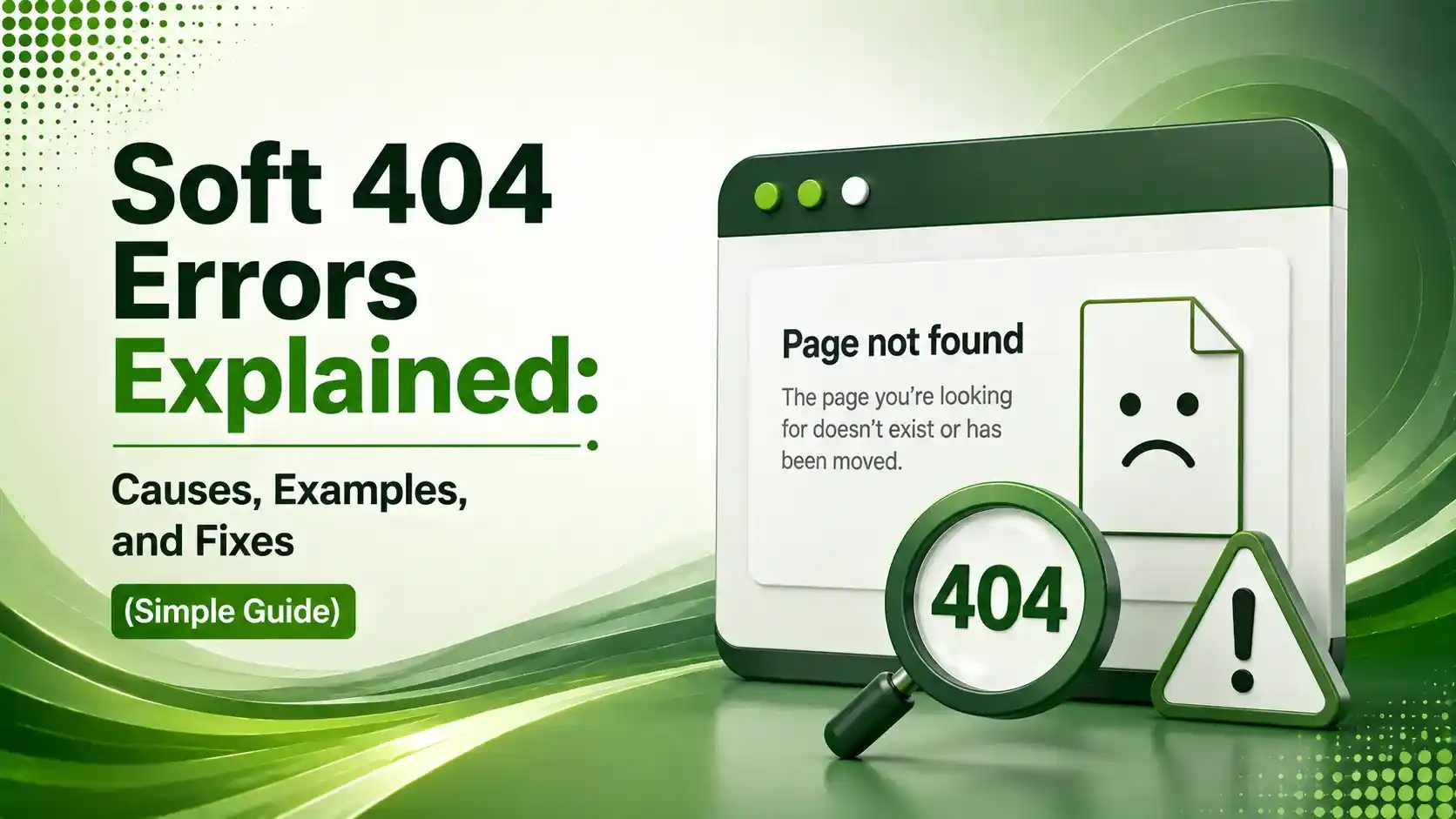
A soft 404 is just a page saying "I'm fine!" when Google thinks it's actually broken. Here's what causes it and how to fix it, in plain words.
Table of Contents
ToggleSoft 404 errors are one of those SEO terms that sound way more complicated than they actually are. In plain words: it's when a page says "everything's fine!" to your server, but Google looks at it and goes "this looks empty, I don't think this page should count."
Here's the confusing part. A soft 404 isn't a real error code your server sends out. It's a label Google adds after the fact, when it visits a page, sees a normal "200 OK, all good" response, but the actual content looks like a missing page, empty, thin, or just not useful.
Left alone, these quietly waste the time Google spends crawling your site, and can even stop pages from showing up in search at all. The good news is, once you understand why they happen, fixing them is usually pretty simple.
Let's go through what causes them, how to spot them, and how to fix each type, one step at a time.
01Okay, So What Exactly Is a Soft 404?
Yoast's explanation puts it really simply: this happens when your server sends a "200 OK" message for a page, but Google decides that page really should have returned a 404 instead. Maybe the content looks like an error page, or maybe there's just nothing there.
Prerender's July 2026 guide adds a helpful clarification too: a soft 404 and a regular 404 get used interchangeably a lot, but they actually mean two different things. One is a real, honest "this page doesn't exist." The other is a page pretending to exist when it really shouldn't.
02Soft 404 vs a Real (Hard) 404: What's the Difference?
Google's own developer blog explains the core mechanics plainly: a soft 404 occurs when a web server responds with a 200 OK for a page that doesn't actually exist, instead of the proper 404 Not Found response. That mismatch is really the whole story.
Reliablesoft's guide adds a useful practical difference too: search engines don't index real 404 pages, so they never show up in search. But these pages? Google might still index and show them, which is exactly the problem, because those pages usually aren't useful to anyone who lands on them.
Soft 404 isn't an official HTTP status code at all. Reliablesoft's guide, referenced above, points out it's really just a label Google's own systems apply after visiting a page and deciding, on their own, that it looks like an error page even though the server said everything was fine.
03The Most Common Causes
Digital Upward's 2026 guide lists the usual suspects: broken or invalid URLs, deleted pages that redirect everyone to the homepage instead of somewhere relevant, and CMS platforms that quietly generate blank pages without you even noticing.
Hostwinds' guide adds a couple more worth watching for: thin content is a big one, pages that don't really answer anything useful. Same goes for placeholder pages, the classic "Coming Soon" page or an empty blog template that technically loads but has nothing real on it.
- Check any WordPress tag or category pages you've created but never actually used.
- Old product pages that redirect straight to your homepage are a classic example.
- If a page just says "no results found" with nothing else, that's a strong candidate for this.
04How to Find Them in Search Console
AIOSEO's guide walks through it simply: open the Indexing report in Google Search Console, click the full report link, and look for any entry labeled "Soft 404." Click that label and you'll see the exact list of URLs Google thinks fall into this category.
Once you're looking at a specific URL, Reliablesoft's guide, referenced above, recommends double-checking it with the URL Inspection tool too. It'll usually show something like "Failed: Soft 404" under the page fetch details, confirming exactly what Google saw.
05Watch: Fixing Them Step by Step
If you'd rather see this walked through on screen, here's a video covering the fix process directly inside Google Search Console.
06How to Fix Each Cause
Conductor's academy guide is refreshingly direct about the main fix: if a page really should be gone, make sure it actually returns a proper 404 or 410 status code instead of a sneaky 200 OK. Once you do that, Google removes it from the index and the issue closes on its own.
If the page should exist and just needs help, the fix is different. Onewebcare's May 2026 guide sums it up well: add meaningful content, fix any broken redirects, and make sure your CMS or page builder (Elementor and similar tools are common culprits) isn't quietly generating blank templates.
07Quick Reference: Cause and Fix
Here's a simple table to match what you're seeing with what to actually do about it.
| What You're Seeing | Likely Cause | What To Do |
|---|---|---|
| Page is genuinely gone | Server returns 200 instead of 404/410 | Fix the status code so it returns the correct one |
| Blank or "coming soon" page | Placeholder content with nothing real | Add real content or remove the page entirely |
| Old page redirects to homepage | Lazy catch-all redirect | Redirect to the closest relevant live page instead |
| Empty tag/category page | CMS auto-generates URLs with no content | Noindex empty archive pages or add content |
| Page looks fine but still flagged | Blocked CSS/JS preventing proper rendering | Check robots.txt isn't blocking key resources |
08Making Sure a Deleted Page Returns the Right Code
Here's a simple example of returning a proper 404 status instead of a sneaky 200 OK, and a 301 redirect example for pages that moved somewhere else.
<?php
header("HTTP/1.1 404 Not Found");
// Then show your custom "page not found" message
?>
# Send visitors to a genuinely relevant page, not just the homepage
Redirect 301 /old-product-page/ https://example.com/similar-product/
09Simple Checklist to Clean Things Up
Work through this list one item at a time, no need to rush all of it in one sitting.
Pull the full list from Search Console's Indexing report before fixing anything.
Decide, page by page, if it should exist. If not, make it return a real 404 or 410.
If it should exist, add real content instead of leaving it thin or blank.
Fix lazy redirects that dump every deleted page onto your homepage.
Double-check with the URL Inspection tool after each fix to confirm Google sees the change.
10A Simple Step-by-Step Walkthrough
Here's the order I'd tackle this in. Tap each step for a plain explanation.
Find the List
Open Search Console, go to Indexing, then look for Soft 404 under 'Why pages aren't indexed.' This is your starting list.
11Soft 404 Risk Check
Answer a few quick questions to see how much of a concern this is for your site right now.
Quick Risk Check
Select the option that best matches your site
12Common Questions About Soft 404 Errors
Not your whole site, no. But they waste crawl time and can stop the specific affected pages from showing up in search, so they're still worth fixing.
A hard 404 tells search engines "this page is gone" honestly. A soft 404 says "everything's fine" (200 OK) while actually looking empty or broken, which confuses search engines.
There's no hard rule, but if more than 5-10% of your pages are flagged, it's time to act. Even a handful is worth fixing when you notice them.
If the page truly shouldn't exist anymore, yes, once it returns a proper 404 or 410, the issue usually resolves itself over time.
WordPress often auto-generates tag and category pages the moment you create a tag, even before you've published anything using it, leaving an empty page behind.
Related Articles
What We Learn Today
Soft 404 means a 200 OK page that Google treats as missing
It's not a real status code, just a label Google applies
Common causes: thin content, blank pages, lazy redirects
Find them under Indexing in Google Search Console
Fix by returning a real 404, or adding genuine content
5-10% of pages flagged means it's time to act now
Build a Complete Technical SEO Foundation
These pair naturally with indexing and crawl stats issues. Explore both guides next.
Related Posts

Previous Post
Next Post
Previous Post
Next Post





- Artificial Intelligence
- Content
- Core Web Vitals
- Development
- Digital Marketing
- Display Advertising
- Google Ads
- Google Search Console
- GTM
- HTML
- HTML CSS
- JavaScript
- Keyword Research
- Link Building
- LinkedIn Ads
- Local SEO
- Meta Ads
- Mobile SEO
- Off-Page SEO
- On-Page SEO
- Paid Media
- Paid Media Analytics
- PHP
- PPC Strategy
- Python
- SEO
- SEO Basics
- SEO Tools
- Social
- Technical SEO




