

- Home
- SEODiscover the latest updates from across the United States, including politics, culture, economy, and trending stories. Stay informed on the key events shaping the nation and the topics everyone’s talking about.
- Technical SEOLearn technical SEO concepts including crawling, indexing, XML sitemaps, robots.txt, canonical tags, site architecture, and website performance.
- Local SEOOptimize your business for local seo with Google Business Profile, local citations, reviews, maps, and location-based SEO.
- Mobile SEOImprove your website’s mobile seo performance with responsive design, mobile-first indexing, usability, and page speed optimization.
- On-Page SEOExplore on-page seo optimization techniques such as title tags, meta descriptions, headings, URLs, internal linking, and content optimization.
- Off-Page SEODiscover off-page SEO strategies such as backlinks, digital PR, brand mentions, outreach, and authority building.
- SEO ToolsExplore the best SEO tools for keyword research, technical audits, backlink analysis, rank tracking, and website optimization.
- Core Web VitalsLearn how to improve Core Web Vitals including LCP, INP, CLS, page speed, and overall user experience for better rankings.
- Keyword ResearchLearn how to find profitable keywords, analyze search intent, evaluate competition, and build effective keyword strategies.
- Link BuildingMaster ethical link building techniques, backlink analysis, outreach methods, guest posting, and authority growth strategies.
- Google Search ConsoleLearn how to use Google Search Console to monitor indexing, fix errors, analyze search performance, and improve SEO.
- SEO BasicsLearn the fundamentals of search engine optimization (SEO Basics), including how search engines work, SEO terminology, and beginner-friendly best practices.
- Paid Media
- Display AdvertisingLearn display advertising strategies, banner ads, audience targeting, remarketing, Google Display campaigns, and optimization techniques.
- Google AdsLearn Google Ads strategies, campaign setup, bidding, keywords, Performance Max, Search Ads, and optimization techniques.
- LinkedIn AdsLearn LinkedIn Ads strategies for B2B marketing, lead generation, audience targeting, campaign optimization, and paid social advertising.
- Meta AdsLearn Meta Ads strategies for Facebook and Instagram, including campaign setup, targeting, retargeting, and performance optimization.
- Paid Media AnalyticsLearn paid media analytics, including CPC, CTR, CPA, ROAS, conversion tracking, attribution, reporting, and campaign performance analysis.
- PPC StrategyLearn effective PPC strategies, campaign planning, bidding, keyword targeting, landing pages, conversion optimization, and more.
- ContentTransform your living spaces with inspiration, tips, and trends in interior design. From minimalist decor to bold statements, find ideas for every style and budget.
- Social
- Digital MarketingExplore stories and advice on living your best life. From personal growth to entertainment, dive into the latest in lifestyle trends and inspiration.
- Artificial IntelligenceStay informed about health and wellness with expert advice, fitness tips, and the latest medical breakthroughs. Your guide to a healthier and happier life.
- DevelopmentYou will find development related educational articles
- GTMLearn Google Tag Manager (GTM) with practical guides for tags, triggers, variables, tracking, conversions, and website analytics implementation.
- HTMLLearn HTML with simple tutorials, examples, tags, elements, attributes, and best practices for building modern web pages.
- HTML CSSLearn HTML CSS together with practical tutorials, examples, layouts, styling techniques, responsive design, and modern web development practices.
- HTML JSLearn HTML JS – JavaScript with practical tutorials and examples for adding interactivity, dynamic content, events, and functionality to web pages.
- JavaScriptExplore JavaScript tutorials, examples, concepts, and practical techniques for creating interactive and dynamic websites and web applications.
- PHPLearn PHP programming with practical tutorials, examples, functions, syntax, and web development techniques for beginners and developers.
- PythonLearn Python programming with practical tutorials, examples, syntax, functions, automation techniques, and useful programming concepts.
- Home
- SEODiscover the latest updates from across the United States, including politics, culture, economy, and trending stories. Stay informed on the key events shaping the nation and the topics everyone’s talking about.
- Technical SEOLearn technical SEO concepts including crawling, indexing, XML sitemaps, robots.txt, canonical tags, site architecture, and website performance.
- Local SEOOptimize your business for local seo with Google Business Profile, local citations, reviews, maps, and location-based SEO.
- Mobile SEOImprove your website’s mobile seo performance with responsive design, mobile-first indexing, usability, and page speed optimization.
- On-Page SEOExplore on-page seo optimization techniques such as title tags, meta descriptions, headings, URLs, internal linking, and content optimization.
- Off-Page SEODiscover off-page SEO strategies such as backlinks, digital PR, brand mentions, outreach, and authority building.
- SEO ToolsExplore the best SEO tools for keyword research, technical audits, backlink analysis, rank tracking, and website optimization.
- Core Web VitalsLearn how to improve Core Web Vitals including LCP, INP, CLS, page speed, and overall user experience for better rankings.
- Keyword ResearchLearn how to find profitable keywords, analyze search intent, evaluate competition, and build effective keyword strategies.
- Link BuildingMaster ethical link building techniques, backlink analysis, outreach methods, guest posting, and authority growth strategies.
- Google Search ConsoleLearn how to use Google Search Console to monitor indexing, fix errors, analyze search performance, and improve SEO.
- SEO BasicsLearn the fundamentals of search engine optimization (SEO Basics), including how search engines work, SEO terminology, and beginner-friendly best practices.
- Paid Media
- Display AdvertisingLearn display advertising strategies, banner ads, audience targeting, remarketing, Google Display campaigns, and optimization techniques.
- Google AdsLearn Google Ads strategies, campaign setup, bidding, keywords, Performance Max, Search Ads, and optimization techniques.
- LinkedIn AdsLearn LinkedIn Ads strategies for B2B marketing, lead generation, audience targeting, campaign optimization, and paid social advertising.
- Meta AdsLearn Meta Ads strategies for Facebook and Instagram, including campaign setup, targeting, retargeting, and performance optimization.
- Paid Media AnalyticsLearn paid media analytics, including CPC, CTR, CPA, ROAS, conversion tracking, attribution, reporting, and campaign performance analysis.
- PPC StrategyLearn effective PPC strategies, campaign planning, bidding, keyword targeting, landing pages, conversion optimization, and more.
- ContentTransform your living spaces with inspiration, tips, and trends in interior design. From minimalist decor to bold statements, find ideas for every style and budget.
- Social
- Digital MarketingExplore stories and advice on living your best life. From personal growth to entertainment, dive into the latest in lifestyle trends and inspiration.
- Artificial IntelligenceStay informed about health and wellness with expert advice, fitness tips, and the latest medical breakthroughs. Your guide to a healthier and happier life.
- DevelopmentYou will find development related educational articles
- GTMLearn Google Tag Manager (GTM) with practical guides for tags, triggers, variables, tracking, conversions, and website analytics implementation.
- HTMLLearn HTML with simple tutorials, examples, tags, elements, attributes, and best practices for building modern web pages.
- HTML CSSLearn HTML CSS together with practical tutorials, examples, layouts, styling techniques, responsive design, and modern web development practices.
- HTML JSLearn HTML JS – JavaScript with practical tutorials and examples for adding interactivity, dynamic content, events, and functionality to web pages.
- JavaScriptExplore JavaScript tutorials, examples, concepts, and practical techniques for creating interactive and dynamic websites and web applications.
- PHPLearn PHP programming with practical tutorials, examples, functions, syntax, and web development techniques for beginners and developers.
- PythonLearn Python programming with practical tutorials, examples, syntax, functions, automation techniques, and useful programming concepts.
Now Reading: Consent Mode v2 Explained: Everything Website Owners Should Know
-
01
Consent Mode v2 Explained: Everything Website Owners Should Know
- Home//
- SEO//Discover the latest updates from across the United States, including politics, culture, economy, and trending stories. Stay informed on the key events shaping the nation and the topics everyone’s talking about.
- Technical SEO//Learn technical SEO concepts including crawling, indexing, XML sitemaps, robots.txt, canonical tags, site architecture, and website performance.
- Local SEO//Optimize your business for local seo with Google Business Profile, local citations, reviews, maps, and location-based SEO.
- Mobile SEO//Improve your website’s mobile seo performance with responsive design, mobile-first indexing, usability, and page speed optimization.
- On-Page SEO//Explore on-page seo optimization techniques such as title tags, meta descriptions, headings, URLs, internal linking, and content optimization.
- Off-Page SEO//Discover off-page SEO strategies such as backlinks, digital PR, brand mentions, outreach, and authority building.
- SEO Tools//Explore the best SEO tools for keyword research, technical audits, backlink analysis, rank tracking, and website optimization.
- Core Web Vitals//Learn how to improve Core Web Vitals including LCP, INP, CLS, page speed, and overall user experience for better rankings.
- Keyword Research//Learn how to find profitable keywords, analyze search intent, evaluate competition, and build effective keyword strategies.
- Link Building//Master ethical link building techniques, backlink analysis, outreach methods, guest posting, and authority growth strategies.
- Google Search Console//Learn how to use Google Search Console to monitor indexing, fix errors, analyze search performance, and improve SEO.
- SEO Basics//Learn the fundamentals of search engine optimization (SEO Basics), including how search engines work, SEO terminology, and beginner-friendly best practices.
- Paid Media//
- Display Advertising//Learn display advertising strategies, banner ads, audience targeting, remarketing, Google Display campaigns, and optimization techniques.
- Google Ads//Learn Google Ads strategies, campaign setup, bidding, keywords, Performance Max, Search Ads, and optimization techniques.
- LinkedIn Ads//Learn LinkedIn Ads strategies for B2B marketing, lead generation, audience targeting, campaign optimization, and paid social advertising.
- Meta Ads//Learn Meta Ads strategies for Facebook and Instagram, including campaign setup, targeting, retargeting, and performance optimization.
- Paid Media Analytics//Learn paid media analytics, including CPC, CTR, CPA, ROAS, conversion tracking, attribution, reporting, and campaign performance analysis.
- PPC Strategy//Learn effective PPC strategies, campaign planning, bidding, keyword targeting, landing pages, conversion optimization, and more.
- Content//Transform your living spaces with inspiration, tips, and trends in interior design. From minimalist decor to bold statements, find ideas for every style and budget.
- Social//
- Digital Marketing//Explore stories and advice on living your best life. From personal growth to entertainment, dive into the latest in lifestyle trends and inspiration.
- Artificial Intelligence//Stay informed about health and wellness with expert advice, fitness tips, and the latest medical breakthroughs. Your guide to a healthier and happier life.
- Development//You will find development related educational articles
- GTM//Learn Google Tag Manager (GTM) with practical guides for tags, triggers, variables, tracking, conversions, and website analytics implementation.
- HTML//Learn HTML with simple tutorials, examples, tags, elements, attributes, and best practices for building modern web pages.
- HTML CSS//Learn HTML CSS together with practical tutorials, examples, layouts, styling techniques, responsive design, and modern web development practices.
- HTML JS//Learn HTML JS – JavaScript with practical tutorials and examples for adding interactivity, dynamic content, events, and functionality to web pages.
- JavaScript//Explore JavaScript tutorials, examples, concepts, and practical techniques for creating interactive and dynamic websites and web applications.
- PHP//Learn PHP programming with practical tutorials, examples, functions, syntax, and web development techniques for beginners and developers.
- Python//Learn Python programming with practical tutorials, examples, syntax, functions, automation techniques, and useful programming concepts.
- Home
- SEO
- Technical SEO
- Consent Mode v2 Explained: Everything Website Owners Should Know
Consent Mode v2 Explained: Everything Website Owners Should Know

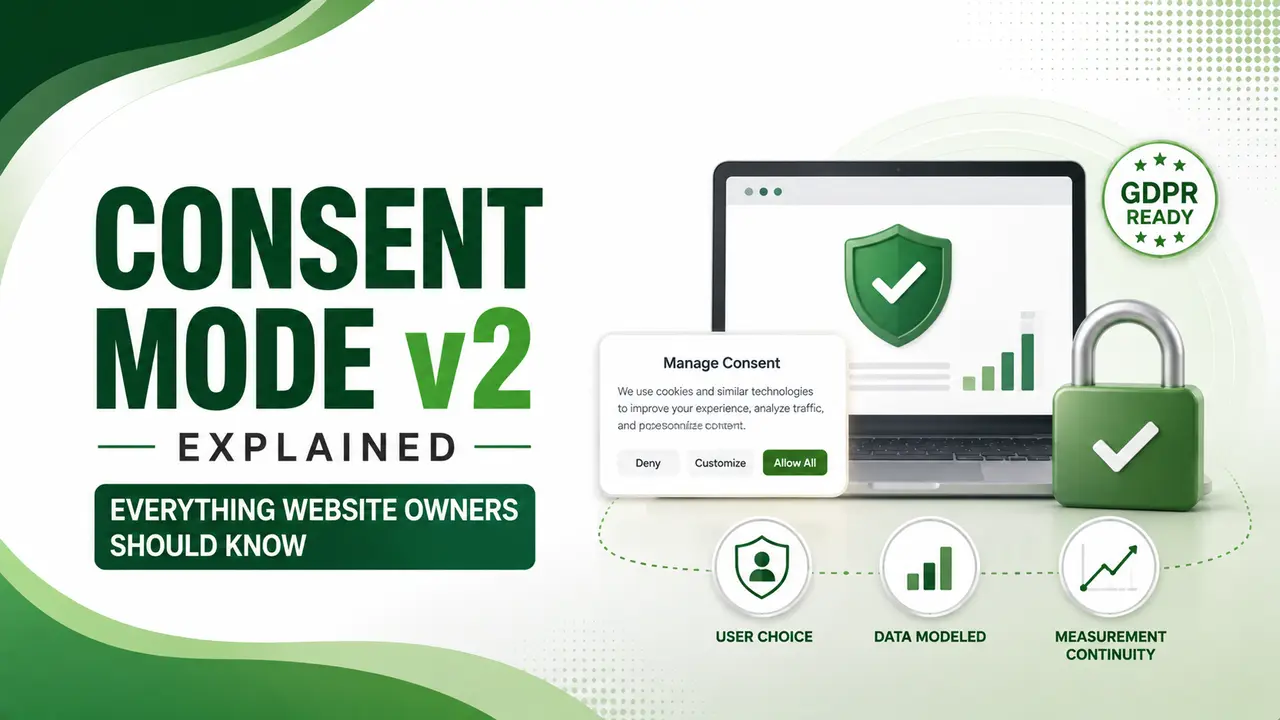
Consent Mode v2 tells Google's tags what a visitor actually agreed to. Here's what it requires, the two implementation modes, and what quietly breaks it.
Table of Contents
ToggleConsent Mode v2 is the framework that tells Google's tags, GA4, Google Ads, Floodlight, how to behave based on what a visitor actually agreed to. Mandatory since March 2024 for EEA and UK traffic, it's the reason your tags don't have to choose between full data collection and full compliance.
Without it, a visitor who declines cookies gives you nothing at all. With it, Google can still model conversions from cookieless, non-identifying signals, recovering a real share of the data you'd otherwise lose entirely.
Here's what it actually does, the two implementation levels, and the mistakes that quietly break it even when Tag Assistant shows green.
01Consent Mode v2 Explained Simply
YeezyPay's guide defines it precisely: it's a signaling framework that tells Google's tags how to behave depending on what a user has consented to, working through four parameters, two original and two added specifically in v2.
Osano's guide adds an important clarification: consent mode itself doesn't provide a consent banner or widget. It interacts with your CMP, whichever one displays the cookie banner and records choices, and translates those choices into signals Google's tags can actually read.
02Why This Became Mandatory
Digital Applied's May 2026 guide traces the actual legal driver: it's the EU's Digital Markets Act, not GDPR directly. The EU designated Google a gatekeeper in late 2023, triggering a March 6, 2024 compliance deadline that made all four consent signals mandatory for continued access to Google Marketing Platform advertising features in the EEA.
The same guide notes a separate, related obligation worth knowing: since January 16, 2024, publishers using Google AdSense, Ad Manager, or AdMob to serve ads to EEA and UK users must also use a Google-certified consent management platform, a distinct requirement that often lands on the same team at the same time.
Elementor's 2026 guide cites a real technical trade-off worth watching: a recent DebugBear audit found poorly implemented CMP scripts add up to 500ms to Largest Contentful Paint and drop PageSpeed Insights scores by 10 to 15 points. Loading the consent banner synchronously in the header is the most common cause.
03Basic Mode vs Advanced Mode
CookieScript's guide draws the practical line clearly: in Basic Mode, all tags stay blocked until consent is given, meaning zero data and zero modeling if a visitor declines. Advanced Mode lets tags load in a cookieless, denied state, sending anonymized pings that feed Google's modeling algorithms instead.
ConsentPixel's guide states the mainstream recommendation directly: Advanced Mode is preferred by most implementations, since it preserves conversion modeling for every opt-out visitor rather than losing that signal entirely. If your account relies on value based bidding, this modeled data is exactly what keeps Smart Bidding functioning for consent-declined users.
04The Four Required Parameters
CookieNox's guide breaks down what each one actually controls: ad_storage and analytics_storage were part of the original version. ad_user_data, new in v2, controls whether user data can be sent to Google for advertising purposes, and ad_personalization controls whether data can be used for personalized remarketing.
ConsentPixel's guide, referenced above, is blunt about a common shortfall: implementing only the original two parameters is not sufficient. Many sites and CMPs still miss ad_user_data and ad_personalization entirely, which is not a compliant v2 implementation.
| Parameter | Controls | Version |
|---|---|---|
| ad_storage | Cookie storage for advertising purposes | Original (v1) |
| analytics_storage | Cookie storage for analytics purposes | Original (v1) |
| ad_user_data | Sending user data to Google for advertising | New in v2 |
| ad_personalization | Personalized remarketing and retargeting | New in v2 |
05What Breaks When It's Missing
YeezyPay's guide, referenced above, lays out the practical fallout with real numbers: Search Network RLSA audiences require 1,000 active users, Display Network requires 100, and Lookalike segments in Demand Gen need a 1,000-user seed list. Without proper consent signals, these audiences quietly shrink until they no longer meet minimum size requirements.
This connects directly to what our Demand Gen campaigns guide covers, without functioning Consent Mode v2, Demand Gen campaigns relying on Lookalike audiences simply can't run for affected users.
06How to Set It Up
Usercentrics' guide outlines the common path: connect your consent banner to Google's tag infrastructure so choices pass through automatically, add a few lines to your Google Tag Manager setup to initialize Consent Mode before any tags fire, and confirm your CMP has Google Consent Mode enabled, usually a toggle rather than custom code.
Google's own developer documentation is specific about sequencing: define the default consent state before any user interaction, then update that state based on the visitor's actual choice, ensuring updates are tracked before any page transitions occur.
07Basic Implementation Example
Here's the core structure of setting default consent state before your tags load, following Google's own recommended pattern.
// Place BEFORE your GA4/Google Ads tag loads
gtag('consent', 'default', {
  'ad_storage': 'denied',
  'analytics_storage': 'denied',
  'ad_user_data': 'denied',
  'ad_personalization': 'denied',
  'wait_for_update': 500
});

// After the visitor makes a choice via your CMP:
gtag('consent', 'update', {
  'ad_storage': 'granted',
  'analytics_storage': 'granted',
  'ad_user_data': 'granted',
  'ad_personalization': 'granted'
});
08Implementation Checklist
A short list to confirm before assuming your setup is actually compliant.
All four parameters sent, not just the original two, ad_user_data and ad_personalization are mandatory.
Default state set before tags fire, with consent initialization loading ahead of any GA4 or Ads tags.
Using a Google-certified CMP if serving ads to EEA or UK users, a self-built banner alone isn't sufficient for AdSense/Ad Manager compliance.
Tested with Tag Assistant, but don't stop there, a green status doesn't guarantee the signal actually reaches Google correctly.
CMP loads asynchronously, to avoid the Core Web Vitals hit that synchronous, header-loaded consent scripts commonly cause.
09Is Your Consent Mode v2 Setup Actually Working?
Answer a few quick questions to check your current implementation.
Is Your Setup Actually Working?
Select the option that matches your site
10FAQs on Consent Mode v2
Yes, if you use Google Analytics, Google Ads, or Google Tag Manager and have EEA or UK traffic. It's been required since March 6, 2024, driven by the EU's Digital Markets Act.
Basic Mode blocks all tags entirely until consent is granted. Advanced Mode allows cookieless pings even when consent is denied, preserving conversion modeling data that Basic Mode loses completely.
It's required if you serve ads via AdSense, Ad Manager, or AdMob to EEA/UK users. For general Consent Mode compliance without those ad products, a certified CMP is strongly recommended but the strict requirement varies by use case.
A green status confirms the tag fired, not that the consent signal correctly reached Google. Industry audits have found roughly 25% of setups silently broken despite passing basic checks.
It can, if implemented poorly. Loading the CMP script synchronously in the header is the most common cause of Core Web Vitals damage; asynchronous loading avoids this.
Related Articles
What We Learn Today
Four parameters are required, not just the original two
Mandatory since March 2024, driven by the EU's DMA
Advanced Mode preserves modeled data, Basic Mode loses it entirely
Missing signals shrink remarketing and Lookalike audiences
A green Tag Assistant status doesn't guarantee it's fully working
Poor CMP loading can meaningfully hurt Core Web Vitals
Build a Complete Compliant Measurement Stack
Consent Mode v2 works alongside proper GTM setup and enhanced conversions. Explore both guides next.
Related Posts


Previous Post
Next Post
Previous Post
Next Post





- Artificial Intelligence
- Content
- Core Web Vitals
- Development
- Digital Marketing
- Display Advertising
- Google Ads
- Google Search Console
- GTM
- HTML
- HTML CSS
- JavaScript
- Keyword Research
- Link Building
- LinkedIn Ads
- Local SEO
- Meta Ads
- Mobile SEO
- Off-Page SEO
- On-Page SEO
- Paid Media
- Paid Media Analytics
- PHP
- PPC Strategy
- Python
- SEO
- SEO Basics
- SEO Tools
- Social
- Technical SEO




