

- Home
- SEODiscover the latest updates from across the United States, including politics, culture, economy, and trending stories. Stay informed on the key events shaping the nation and the topics everyone’s talking about.
- Technical SEOLearn technical SEO concepts including crawling, indexing, XML sitemaps, robots.txt, canonical tags, site architecture, and website performance.
- Local SEOOptimize your business for local seo with Google Business Profile, local citations, reviews, maps, and location-based SEO.
- Mobile SEOImprove your website’s mobile seo performance with responsive design, mobile-first indexing, usability, and page speed optimization.
- On-Page SEOExplore on-page seo optimization techniques such as title tags, meta descriptions, headings, URLs, internal linking, and content optimization.
- Off-Page SEODiscover off-page SEO strategies such as backlinks, digital PR, brand mentions, outreach, and authority building.
- SEO ToolsExplore the best SEO tools for keyword research, technical audits, backlink analysis, rank tracking, and website optimization.
- Core Web VitalsLearn how to improve Core Web Vitals including LCP, INP, CLS, page speed, and overall user experience for better rankings.
- Keyword ResearchLearn how to find profitable keywords, analyze search intent, evaluate competition, and build effective keyword strategies.
- Link BuildingMaster ethical link building techniques, backlink analysis, outreach methods, guest posting, and authority growth strategies.
- Google Search ConsoleLearn how to use Google Search Console to monitor indexing, fix errors, analyze search performance, and improve SEO.
- SEO BasicsLearn the fundamentals of search engine optimization (SEO Basics), including how search engines work, SEO terminology, and beginner-friendly best practices.
- Paid Media
- Display AdvertisingLearn display advertising strategies, banner ads, audience targeting, remarketing, Google Display campaigns, and optimization techniques.
- Google AdsLearn Google Ads strategies, campaign setup, bidding, keywords, Performance Max, Search Ads, and optimization techniques.
- LinkedIn AdsLearn LinkedIn Ads strategies for B2B marketing, lead generation, audience targeting, campaign optimization, and paid social advertising.
- Meta AdsLearn Meta Ads strategies for Facebook and Instagram, including campaign setup, targeting, retargeting, and performance optimization.
- Paid Media AnalyticsLearn paid media analytics, including CPC, CTR, CPA, ROAS, conversion tracking, attribution, reporting, and campaign performance analysis.
- PPC StrategyLearn effective PPC strategies, campaign planning, bidding, keyword targeting, landing pages, conversion optimization, and more.
- ContentTransform your living spaces with inspiration, tips, and trends in interior design. From minimalist decor to bold statements, find ideas for every style and budget.
- Social
- Digital MarketingExplore stories and advice on living your best life. From personal growth to entertainment, dive into the latest in lifestyle trends and inspiration.
- Artificial IntelligenceStay informed about health and wellness with expert advice, fitness tips, and the latest medical breakthroughs. Your guide to a healthier and happier life.
- DevelopmentYou will find development related educational articles
- GTMLearn Google Tag Manager (GTM) with practical guides for tags, triggers, variables, tracking, conversions, and website analytics implementation.
- HTMLLearn HTML with simple tutorials, examples, tags, elements, attributes, and best practices for building modern web pages.
- HTML CSSLearn HTML CSS together with practical tutorials, examples, layouts, styling techniques, responsive design, and modern web development practices.
- HTML JSLearn HTML JS – JavaScript with practical tutorials and examples for adding interactivity, dynamic content, events, and functionality to web pages.
- JavaScriptExplore JavaScript tutorials, examples, concepts, and practical techniques for creating interactive and dynamic websites and web applications.
- PHPLearn PHP programming with practical tutorials, examples, functions, syntax, and web development techniques for beginners and developers.
- PythonLearn Python programming with practical tutorials, examples, syntax, functions, automation techniques, and useful programming concepts.
- Home
- SEODiscover the latest updates from across the United States, including politics, culture, economy, and trending stories. Stay informed on the key events shaping the nation and the topics everyone’s talking about.
- Technical SEOLearn technical SEO concepts including crawling, indexing, XML sitemaps, robots.txt, canonical tags, site architecture, and website performance.
- Local SEOOptimize your business for local seo with Google Business Profile, local citations, reviews, maps, and location-based SEO.
- Mobile SEOImprove your website’s mobile seo performance with responsive design, mobile-first indexing, usability, and page speed optimization.
- On-Page SEOExplore on-page seo optimization techniques such as title tags, meta descriptions, headings, URLs, internal linking, and content optimization.
- Off-Page SEODiscover off-page SEO strategies such as backlinks, digital PR, brand mentions, outreach, and authority building.
- SEO ToolsExplore the best SEO tools for keyword research, technical audits, backlink analysis, rank tracking, and website optimization.
- Core Web VitalsLearn how to improve Core Web Vitals including LCP, INP, CLS, page speed, and overall user experience for better rankings.
- Keyword ResearchLearn how to find profitable keywords, analyze search intent, evaluate competition, and build effective keyword strategies.
- Link BuildingMaster ethical link building techniques, backlink analysis, outreach methods, guest posting, and authority growth strategies.
- Google Search ConsoleLearn how to use Google Search Console to monitor indexing, fix errors, analyze search performance, and improve SEO.
- SEO BasicsLearn the fundamentals of search engine optimization (SEO Basics), including how search engines work, SEO terminology, and beginner-friendly best practices.
- Paid Media
- Display AdvertisingLearn display advertising strategies, banner ads, audience targeting, remarketing, Google Display campaigns, and optimization techniques.
- Google AdsLearn Google Ads strategies, campaign setup, bidding, keywords, Performance Max, Search Ads, and optimization techniques.
- LinkedIn AdsLearn LinkedIn Ads strategies for B2B marketing, lead generation, audience targeting, campaign optimization, and paid social advertising.
- Meta AdsLearn Meta Ads strategies for Facebook and Instagram, including campaign setup, targeting, retargeting, and performance optimization.
- Paid Media AnalyticsLearn paid media analytics, including CPC, CTR, CPA, ROAS, conversion tracking, attribution, reporting, and campaign performance analysis.
- PPC StrategyLearn effective PPC strategies, campaign planning, bidding, keyword targeting, landing pages, conversion optimization, and more.
- ContentTransform your living spaces with inspiration, tips, and trends in interior design. From minimalist decor to bold statements, find ideas for every style and budget.
- Social
- Digital MarketingExplore stories and advice on living your best life. From personal growth to entertainment, dive into the latest in lifestyle trends and inspiration.
- Artificial IntelligenceStay informed about health and wellness with expert advice, fitness tips, and the latest medical breakthroughs. Your guide to a healthier and happier life.
- DevelopmentYou will find development related educational articles
- GTMLearn Google Tag Manager (GTM) with practical guides for tags, triggers, variables, tracking, conversions, and website analytics implementation.
- HTMLLearn HTML with simple tutorials, examples, tags, elements, attributes, and best practices for building modern web pages.
- HTML CSSLearn HTML CSS together with practical tutorials, examples, layouts, styling techniques, responsive design, and modern web development practices.
- HTML JSLearn HTML JS – JavaScript with practical tutorials and examples for adding interactivity, dynamic content, events, and functionality to web pages.
- JavaScriptExplore JavaScript tutorials, examples, concepts, and practical techniques for creating interactive and dynamic websites and web applications.
- PHPLearn PHP programming with practical tutorials, examples, functions, syntax, and web development techniques for beginners and developers.
- PythonLearn Python programming with practical tutorials, examples, syntax, functions, automation techniques, and useful programming concepts.
Now Reading: Send Email Code in PHP: Build a Reliable Mailer in 6 Steps
-
01
Send Email Code in PHP: Build a Reliable Mailer in 6 Steps
- Home//
- SEO//Discover the latest updates from across the United States, including politics, culture, economy, and trending stories. Stay informed on the key events shaping the nation and the topics everyone’s talking about.
- Technical SEO//Learn technical SEO concepts including crawling, indexing, XML sitemaps, robots.txt, canonical tags, site architecture, and website performance.
- Local SEO//Optimize your business for local seo with Google Business Profile, local citations, reviews, maps, and location-based SEO.
- Mobile SEO//Improve your website’s mobile seo performance with responsive design, mobile-first indexing, usability, and page speed optimization.
- On-Page SEO//Explore on-page seo optimization techniques such as title tags, meta descriptions, headings, URLs, internal linking, and content optimization.
- Off-Page SEO//Discover off-page SEO strategies such as backlinks, digital PR, brand mentions, outreach, and authority building.
- SEO Tools//Explore the best SEO tools for keyword research, technical audits, backlink analysis, rank tracking, and website optimization.
- Core Web Vitals//Learn how to improve Core Web Vitals including LCP, INP, CLS, page speed, and overall user experience for better rankings.
- Keyword Research//Learn how to find profitable keywords, analyze search intent, evaluate competition, and build effective keyword strategies.
- Link Building//Master ethical link building techniques, backlink analysis, outreach methods, guest posting, and authority growth strategies.
- Google Search Console//Learn how to use Google Search Console to monitor indexing, fix errors, analyze search performance, and improve SEO.
- SEO Basics//Learn the fundamentals of search engine optimization (SEO Basics), including how search engines work, SEO terminology, and beginner-friendly best practices.
- Paid Media//
- Display Advertising//Learn display advertising strategies, banner ads, audience targeting, remarketing, Google Display campaigns, and optimization techniques.
- Google Ads//Learn Google Ads strategies, campaign setup, bidding, keywords, Performance Max, Search Ads, and optimization techniques.
- LinkedIn Ads//Learn LinkedIn Ads strategies for B2B marketing, lead generation, audience targeting, campaign optimization, and paid social advertising.
- Meta Ads//Learn Meta Ads strategies for Facebook and Instagram, including campaign setup, targeting, retargeting, and performance optimization.
- Paid Media Analytics//Learn paid media analytics, including CPC, CTR, CPA, ROAS, conversion tracking, attribution, reporting, and campaign performance analysis.
- PPC Strategy//Learn effective PPC strategies, campaign planning, bidding, keyword targeting, landing pages, conversion optimization, and more.
- Content//Transform your living spaces with inspiration, tips, and trends in interior design. From minimalist decor to bold statements, find ideas for every style and budget.
- Social//
- Digital Marketing//Explore stories and advice on living your best life. From personal growth to entertainment, dive into the latest in lifestyle trends and inspiration.
- Artificial Intelligence//Stay informed about health and wellness with expert advice, fitness tips, and the latest medical breakthroughs. Your guide to a healthier and happier life.
- Development//You will find development related educational articles
- GTM//Learn Google Tag Manager (GTM) with practical guides for tags, triggers, variables, tracking, conversions, and website analytics implementation.
- HTML//Learn HTML with simple tutorials, examples, tags, elements, attributes, and best practices for building modern web pages.
- HTML CSS//Learn HTML CSS together with practical tutorials, examples, layouts, styling techniques, responsive design, and modern web development practices.
- HTML JS//Learn HTML JS – JavaScript with practical tutorials and examples for adding interactivity, dynamic content, events, and functionality to web pages.
- JavaScript//Explore JavaScript tutorials, examples, concepts, and practical techniques for creating interactive and dynamic websites and web applications.
- PHP//Learn PHP programming with practical tutorials, examples, functions, syntax, and web development techniques for beginners and developers.
- Python//Learn Python programming with practical tutorials, examples, syntax, functions, automation techniques, and useful programming concepts.
- Home
- Development
- PHP
- Send Email Code in PHP: Build a Reliable Mailer in 6 Steps
Send Email Code in PHP: Build a Reliable Mailer in 6 Steps

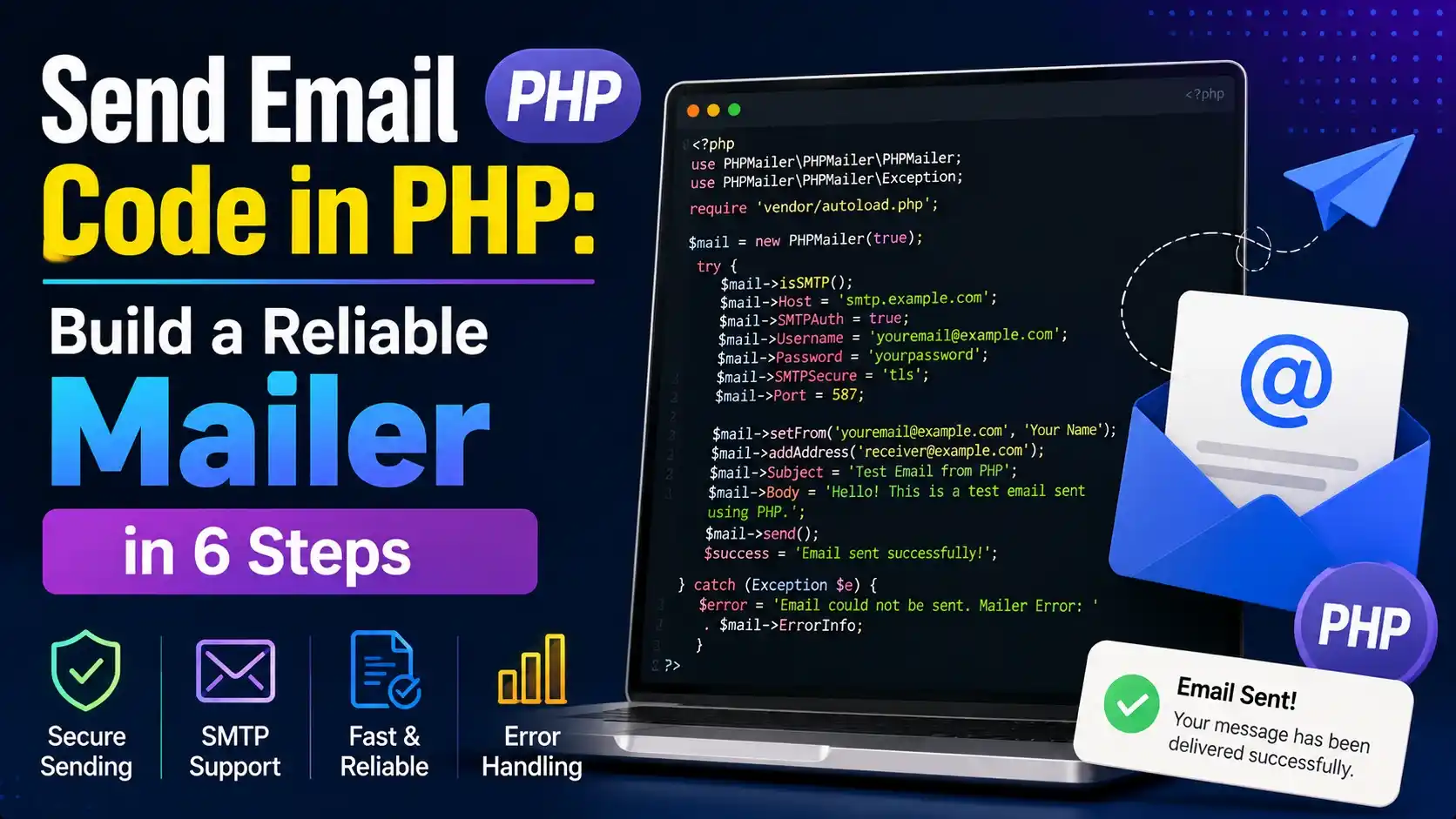
Write reliable send email code in PHP with PHPMailer and SMTP authentication, covering HTML emails, attachments, error handling, and safe testing.
Table of Contents
ToggleA contact form that quietly fails to deliver its emails is worse than no form at all, because nobody finds out until a customer complains somewhere else. Send email code in PHP done properly means SMTP, authentication, and a way to know when a message actually failed.
Why Send Email Code in PHP Needs More Than the mail Function
PHP ships with a built in mail() function, and it looks like the obvious starting point for sending a message from a form.
In practice it depends on the server having a working local mail transfer agent configured, which many shared hosts either skip or configure poorly.
Messages sent through a poorly configured mail() call also tend to land in spam, since they usually skip proper authentication headers entirely.
An SMTP library talking directly to a real mail provider avoids both problems, which is why most working PHP applications reach for one instead.
Choosing How to Send Mail From PHP
Three realistic options cover almost every PHP project, and picking between them mostly comes down to how much control the app needs over delivery.
| Approach | Reliability | Best For |
|---|---|---|
| Built in mail() function | Depends entirely on server configuration | Quick local testing only |
| PHPMailer over SMTP | Reliable, authenticated delivery | Most production applications |
| Transactional email API (SendGrid, Mailgun) | Very reliable, includes analytics | High volume or marketing style sending |
This guide builds around PHPMailer, the most widely used SMTP library in the PHP ecosystem, since it fits both a small contact form and a larger notification system. Both SendGrid and Mailgun also publish their own PHP quickstarts, worth comparing once send volume grows past what shared SMTP handles well.
Installing PHPMailer With Composer
Composer is the standard way to pull PHPMailer into a project, and it also handles autoloading so nothing needs a manual include path.
# install PHPMailer through Composer
composer require phpmailer/phpmailer
If the project has no composer.json yet, running composer init first creates one, and PHPMailer becomes the first real dependency listed inside it.
Writing a Basic Send Email Function
A single reusable function keeps SMTP configuration in one place instead of scattered across every form handler that needs to send a message.
require 'vendor/autoload.php';

use PHPMailer\PHPMailer\PHPMailer;
use PHPMailer\PHPMailer\Exception;

function send_notification_email($to, $subject, $body) {
    $mail = new PHPMailer(true);

    try {
        $mail->isSMTP();
        $mail->Host = 'smtp.gmail.com';
        $mail->SMTPAuth = true;
        $mail->Username = getenv('SMTP_USER');
        $mail->Password = getenv('SMTP_PASS');
        $mail->SMTPSecure = 'tls';
        $mail->Port = 587;

        $mail->setFrom('noreply@brandella.in', 'Brandella Journal');
        $mail->addAddress($to);
        $mail->Subject = $subject;
        $mail->Body = $body;

        $mail->send();
        return true;
    } catch (Exception $e) {
        error_log("Mail failed: " . $mail->ErrorInfo);
        return false;
    }
}
Reading credentials with getenv() instead of hardcoding them keeps a real password out of version control entirely. Gmail also requires an app password rather than the normal account password once two factor authentication is turned on.
Sending HTML Emails With Dynamic Content
Plain text is fine for a simple alert, but most real notifications benefit from formatting, a logo, and a clear call to action.
$mail->isHTML(true);
$mail->Subject = 'Your order has shipped';
$mail->Body = sprintf(
    '<h2>Thanks, %s</h2><p>Order #%s is on its way.</p>',
    htmlspecialchars($customer_name),
    htmlspecialchars($order_id)
);
$mail->AltBody = sprintf('Thanks, %s. Order #%s is on its way.', $customer_name, $order_id);
htmlspecialchars() around any value that came from a user matters here, since an unescaped name field is a real injection risk inside an HTML email body.
Setting AltBody gives email clients that block HTML a readable plain text fallback instead of a blank or broken message.
Adding Attachments
An invoice, a receipt, or a generated report often needs to travel with the email rather than living behind a separate download link.
$mail->addAttachment('/tmp/invoice_1042.pdf', 'Invoice.pdf');PHPMailer reads the file straight from disk, so anything generated moments earlier by an invoice script can be attached without an extra upload step.
Handling Errors and Delivery Failures
A send that fails silently is the exact problem this whole approach is meant to fix, so failures need to surface somewhere a developer will actually see them.
$mail->SMTPDebug = 0;

if (!send_notification_email($to, $subject, $body)) {
    error_log(sprintf('Notification to %s failed at %s', $to, date('c')));
}
Logging the recipient and timestamp on failure turns a silent problem into something a support ticket or a monitoring alert can actually catch. This is the part of send email code in PHP that most tutorials skip, and it is usually the part that saves a debugging session later.
Testing Emails Safely Before Going Live
Sending real test emails to a real inbox during development is how a test message ends up in front of an actual customer by accident.
A tool like Mailtrap catches outgoing SMTP traffic in a safe sandbox inbox, so every send during development can be inspected without ever leaving the test environment.
- Swap SMTP credentials by environment: point at Mailtrap locally and the real provider in production through environment variables, never a hardcoded host.
- Check the AltBody every time: a broken plain text fallback is easy to miss since most developers only ever look at the HTML version.
- Rate limit outgoing mail: a loop that sends hundreds of emails without pacing can trip a provider's spam protection mid batch.
- Verify SPF and DKIM on the sending domain: authentication records matter as much as the code, since even perfect code cannot fix a missing DNS record.
- Never log a full email body with personal data: log the recipient and status, not the message contents, to avoid storing sensitive information in a log file.
Watch: Sending Email With PHPMailer
Codecourse walks through a working PHPMailer setup end to end, which pairs well with the environment variable pattern used throughout this guide.
Video credit: Codecourse.
Seeing the SMTP handshake fail and succeed on screen makes the try and catch block in the code above much easier to reason about.
Related Articles
Frequently Asked Questions
It depends on local server configuration that is often missing or incomplete, and messages sent through it commonly land in spam because they lack proper authentication.
PHPMailer configured for SMTP with a real provider like Gmail, SendGrid, or Mailgun is the most reliable starting point, since it handles authentication and delivery details the built in function does not.
Yes. Calling addAddress multiple times adds more recipients, and addBCC or addCC work the same way for blind copies and carbon copies.
Authenticate through a real SMTP provider, set up SPF and DKIM records for the sending domain, and avoid spam trigger words in the subject line.
No. Environment variables or a properly excluded configuration file keep credentials out of version control, which matters even for a small internal project.
What We Learn Today
mail() is not reliable enough
Server configuration and missing authentication headers make it a poor production choice.
SMTP beats local mail transfer
Authenticating with a real provider gets messages delivered instead of flagged.
HTML needs a plain text fallback
AltBody keeps the message readable for clients that block HTML.
Errors must be visible
A silent failure defeats the entire purpose of sending a notification.
Testing needs a sandbox
A tool like Mailtrap keeps test sends away from real inboxes.
DNS matters as much as code
SPF and DKIM records affect delivery just as much as the script itself.
Ready to Send Reliable Email From PHP?
Pair send email code in PHP with a wider toolkit to keep every notification landing where it should.
Related Posts



Previous Post
Next Post
Previous Post
Next Post






- Artificial Intelligence
- Content
- Core Web Vitals
- Development
- Digital Marketing
- Display Advertising
- Google Ads
- Google Search Console
- GTM
- HTML
- HTML CSS
- JavaScript
- Keyword Research
- Link Building
- LinkedIn Ads
- Local SEO
- Meta Ads
- Mobile SEO
- Off-Page SEO
- On-Page SEO
- Paid Media
- Paid Media Analytics
- PHP
- PPC Strategy
- Python
- SEO
- SEO Basics
- SEO Tools
- Social
- Technical SEO




