

- Home
- SEODiscover the latest updates from across the United States, including politics, culture, economy, and trending stories. Stay informed on the key events shaping the nation and the topics everyone’s talking about.
- Technical SEOLearn technical SEO concepts including crawling, indexing, XML sitemaps, robots.txt, canonical tags, site architecture, and website performance.
- Local SEOOptimize your business for local seo with Google Business Profile, local citations, reviews, maps, and location-based SEO.
- Mobile SEOImprove your website’s mobile seo performance with responsive design, mobile-first indexing, usability, and page speed optimization.
- On-Page SEOExplore on-page seo optimization techniques such as title tags, meta descriptions, headings, URLs, internal linking, and content optimization.
- Off-Page SEODiscover off-page SEO strategies such as backlinks, digital PR, brand mentions, outreach, and authority building.
- SEO ToolsExplore the best SEO tools for keyword research, technical audits, backlink analysis, rank tracking, and website optimization.
- Core Web VitalsLearn how to improve Core Web Vitals including LCP, INP, CLS, page speed, and overall user experience for better rankings.
- Keyword ResearchLearn how to find profitable keywords, analyze search intent, evaluate competition, and build effective keyword strategies.
- Link BuildingMaster ethical link building techniques, backlink analysis, outreach methods, guest posting, and authority growth strategies.
- Google Search ConsoleLearn how to use Google Search Console to monitor indexing, fix errors, analyze search performance, and improve SEO.
- SEO BasicsLearn the fundamentals of search engine optimization (SEO Basics), including how search engines work, SEO terminology, and beginner-friendly best practices.
- Paid Media
- Display AdvertisingLearn display advertising strategies, banner ads, audience targeting, remarketing, Google Display campaigns, and optimization techniques.
- Google AdsLearn Google Ads strategies, campaign setup, bidding, keywords, Performance Max, Search Ads, and optimization techniques.
- LinkedIn AdsLearn LinkedIn Ads strategies for B2B marketing, lead generation, audience targeting, campaign optimization, and paid social advertising.
- Meta AdsLearn Meta Ads strategies for Facebook and Instagram, including campaign setup, targeting, retargeting, and performance optimization.
- Paid Media AnalyticsLearn paid media analytics, including CPC, CTR, CPA, ROAS, conversion tracking, attribution, reporting, and campaign performance analysis.
- PPC StrategyLearn effective PPC strategies, campaign planning, bidding, keyword targeting, landing pages, conversion optimization, and more.
- ContentTransform your living spaces with inspiration, tips, and trends in interior design. From minimalist decor to bold statements, find ideas for every style and budget.
- Social
- Digital MarketingExplore stories and advice on living your best life. From personal growth to entertainment, dive into the latest in lifestyle trends and inspiration.
- Artificial IntelligenceStay informed about health and wellness with expert advice, fitness tips, and the latest medical breakthroughs. Your guide to a healthier and happier life.
- DevelopmentYou will find development related educational articles
- GTMLearn Google Tag Manager (GTM) with practical guides for tags, triggers, variables, tracking, conversions, and website analytics implementation.
- HTMLLearn HTML with simple tutorials, examples, tags, elements, attributes, and best practices for building modern web pages.
- HTML CSSLearn HTML CSS together with practical tutorials, examples, layouts, styling techniques, responsive design, and modern web development practices.
- HTML JSLearn HTML JS – JavaScript with practical tutorials and examples for adding interactivity, dynamic content, events, and functionality to web pages.
- JavaScriptExplore JavaScript tutorials, examples, concepts, and practical techniques for creating interactive and dynamic websites and web applications.
- PHPLearn PHP programming with practical tutorials, examples, functions, syntax, and web development techniques for beginners and developers.
- PythonLearn Python programming with practical tutorials, examples, syntax, functions, automation techniques, and useful programming concepts.
- Home
- SEODiscover the latest updates from across the United States, including politics, culture, economy, and trending stories. Stay informed on the key events shaping the nation and the topics everyone’s talking about.
- Technical SEOLearn technical SEO concepts including crawling, indexing, XML sitemaps, robots.txt, canonical tags, site architecture, and website performance.
- Local SEOOptimize your business for local seo with Google Business Profile, local citations, reviews, maps, and location-based SEO.
- Mobile SEOImprove your website’s mobile seo performance with responsive design, mobile-first indexing, usability, and page speed optimization.
- On-Page SEOExplore on-page seo optimization techniques such as title tags, meta descriptions, headings, URLs, internal linking, and content optimization.
- Off-Page SEODiscover off-page SEO strategies such as backlinks, digital PR, brand mentions, outreach, and authority building.
- SEO ToolsExplore the best SEO tools for keyword research, technical audits, backlink analysis, rank tracking, and website optimization.
- Core Web VitalsLearn how to improve Core Web Vitals including LCP, INP, CLS, page speed, and overall user experience for better rankings.
- Keyword ResearchLearn how to find profitable keywords, analyze search intent, evaluate competition, and build effective keyword strategies.
- Link BuildingMaster ethical link building techniques, backlink analysis, outreach methods, guest posting, and authority growth strategies.
- Google Search ConsoleLearn how to use Google Search Console to monitor indexing, fix errors, analyze search performance, and improve SEO.
- SEO BasicsLearn the fundamentals of search engine optimization (SEO Basics), including how search engines work, SEO terminology, and beginner-friendly best practices.
- Paid Media
- Display AdvertisingLearn display advertising strategies, banner ads, audience targeting, remarketing, Google Display campaigns, and optimization techniques.
- Google AdsLearn Google Ads strategies, campaign setup, bidding, keywords, Performance Max, Search Ads, and optimization techniques.
- LinkedIn AdsLearn LinkedIn Ads strategies for B2B marketing, lead generation, audience targeting, campaign optimization, and paid social advertising.
- Meta AdsLearn Meta Ads strategies for Facebook and Instagram, including campaign setup, targeting, retargeting, and performance optimization.
- Paid Media AnalyticsLearn paid media analytics, including CPC, CTR, CPA, ROAS, conversion tracking, attribution, reporting, and campaign performance analysis.
- PPC StrategyLearn effective PPC strategies, campaign planning, bidding, keyword targeting, landing pages, conversion optimization, and more.
- ContentTransform your living spaces with inspiration, tips, and trends in interior design. From minimalist decor to bold statements, find ideas for every style and budget.
- Social
- Digital MarketingExplore stories and advice on living your best life. From personal growth to entertainment, dive into the latest in lifestyle trends and inspiration.
- Artificial IntelligenceStay informed about health and wellness with expert advice, fitness tips, and the latest medical breakthroughs. Your guide to a healthier and happier life.
- DevelopmentYou will find development related educational articles
- GTMLearn Google Tag Manager (GTM) with practical guides for tags, triggers, variables, tracking, conversions, and website analytics implementation.
- HTMLLearn HTML with simple tutorials, examples, tags, elements, attributes, and best practices for building modern web pages.
- HTML CSSLearn HTML CSS together with practical tutorials, examples, layouts, styling techniques, responsive design, and modern web development practices.
- HTML JSLearn HTML JS – JavaScript with practical tutorials and examples for adding interactivity, dynamic content, events, and functionality to web pages.
- JavaScriptExplore JavaScript tutorials, examples, concepts, and practical techniques for creating interactive and dynamic websites and web applications.
- PHPLearn PHP programming with practical tutorials, examples, functions, syntax, and web development techniques for beginners and developers.
- PythonLearn Python programming with practical tutorials, examples, syntax, functions, automation techniques, and useful programming concepts.
Now Reading: Auto Highlight Current Heading Scrolling (Scrollspy)
-
01
Auto Highlight Current Heading Scrolling (Scrollspy)
- Home//
- SEO//Discover the latest updates from across the United States, including politics, culture, economy, and trending stories. Stay informed on the key events shaping the nation and the topics everyone’s talking about.
- Technical SEO//Learn technical SEO concepts including crawling, indexing, XML sitemaps, robots.txt, canonical tags, site architecture, and website performance.
- Local SEO//Optimize your business for local seo with Google Business Profile, local citations, reviews, maps, and location-based SEO.
- Mobile SEO//Improve your website’s mobile seo performance with responsive design, mobile-first indexing, usability, and page speed optimization.
- On-Page SEO//Explore on-page seo optimization techniques such as title tags, meta descriptions, headings, URLs, internal linking, and content optimization.
- Off-Page SEO//Discover off-page SEO strategies such as backlinks, digital PR, brand mentions, outreach, and authority building.
- SEO Tools//Explore the best SEO tools for keyword research, technical audits, backlink analysis, rank tracking, and website optimization.
- Core Web Vitals//Learn how to improve Core Web Vitals including LCP, INP, CLS, page speed, and overall user experience for better rankings.
- Keyword Research//Learn how to find profitable keywords, analyze search intent, evaluate competition, and build effective keyword strategies.
- Link Building//Master ethical link building techniques, backlink analysis, outreach methods, guest posting, and authority growth strategies.
- Google Search Console//Learn how to use Google Search Console to monitor indexing, fix errors, analyze search performance, and improve SEO.
- SEO Basics//Learn the fundamentals of search engine optimization (SEO Basics), including how search engines work, SEO terminology, and beginner-friendly best practices.
- Paid Media//
- Display Advertising//Learn display advertising strategies, banner ads, audience targeting, remarketing, Google Display campaigns, and optimization techniques.
- Google Ads//Learn Google Ads strategies, campaign setup, bidding, keywords, Performance Max, Search Ads, and optimization techniques.
- LinkedIn Ads//Learn LinkedIn Ads strategies for B2B marketing, lead generation, audience targeting, campaign optimization, and paid social advertising.
- Meta Ads//Learn Meta Ads strategies for Facebook and Instagram, including campaign setup, targeting, retargeting, and performance optimization.
- Paid Media Analytics//Learn paid media analytics, including CPC, CTR, CPA, ROAS, conversion tracking, attribution, reporting, and campaign performance analysis.
- PPC Strategy//Learn effective PPC strategies, campaign planning, bidding, keyword targeting, landing pages, conversion optimization, and more.
- Content//Transform your living spaces with inspiration, tips, and trends in interior design. From minimalist decor to bold statements, find ideas for every style and budget.
- Social//
- Digital Marketing//Explore stories and advice on living your best life. From personal growth to entertainment, dive into the latest in lifestyle trends and inspiration.
- Artificial Intelligence//Stay informed about health and wellness with expert advice, fitness tips, and the latest medical breakthroughs. Your guide to a healthier and happier life.
- Development//You will find development related educational articles
- GTM//Learn Google Tag Manager (GTM) with practical guides for tags, triggers, variables, tracking, conversions, and website analytics implementation.
- HTML//Learn HTML with simple tutorials, examples, tags, elements, attributes, and best practices for building modern web pages.
- HTML CSS//Learn HTML CSS together with practical tutorials, examples, layouts, styling techniques, responsive design, and modern web development practices.
- HTML JS//Learn HTML JS – JavaScript with practical tutorials and examples for adding interactivity, dynamic content, events, and functionality to web pages.
- JavaScript//Explore JavaScript tutorials, examples, concepts, and practical techniques for creating interactive and dynamic websites and web applications.
- PHP//Learn PHP programming with practical tutorials, examples, functions, syntax, and web development techniques for beginners and developers.
- Python//Learn Python programming with practical tutorials, examples, syntax, functions, automation techniques, and useful programming concepts.
- Home
- SEO
- Technical SEO
- Auto Highlight Current Heading Scrolling (Scrollspy)
Auto Highlight Current Heading Scrolling (Scrollspy)

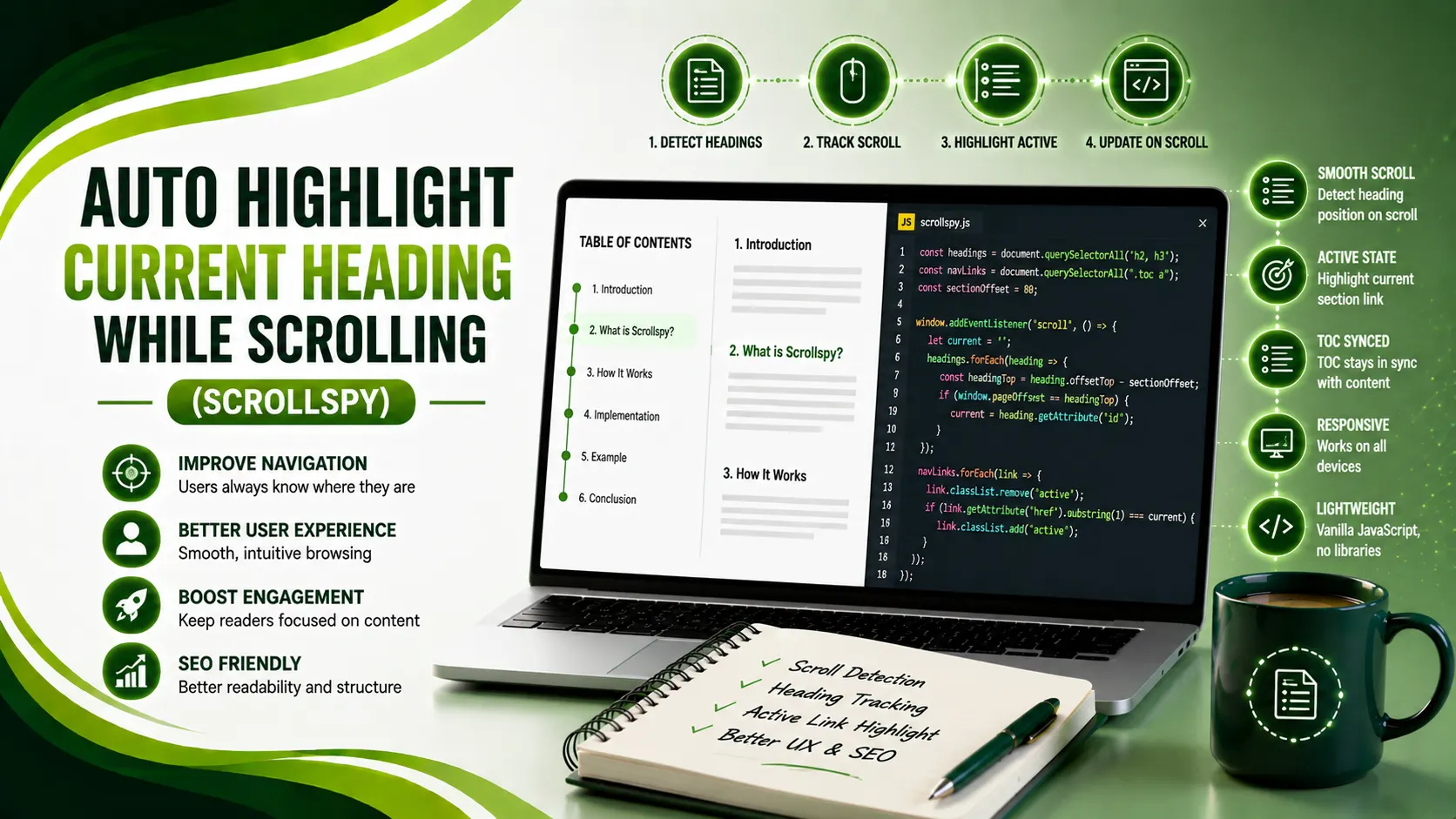
Highlight the current heading while scrolling with IntersectionObserver instead of scroll listeners — plus the last-section edge case most scripts miss.
Table of Contents
ToggleAuto highlighting the current heading while scrolling, often called "scrollspy," works by watching which section is currently visible in the viewport and marking the matching table of contents link as active. The modern, efficient way to do this uses IntersectionObserver rather than a scroll event listener.
Andrew Gilliland's guide on the Intersection Observer API explains the core mechanism: an IntersectionObserver watches one or more elements and fires a callback whenever their intersection with a root element, the viewport by default, crosses a threshold you define. Scroll listeners, by contrast, fire dozens of times per second and force expensive layout recalculations if not carefully throttled.
The term "ScrollSpy" actually originated with the Bootstrap framework, which used it for a jQuery-based navigation mechanism that watched scroll position and updated active links. Modern implementations swap Bootstrap's original scroll-math approach for IntersectionObserver, but the name has stuck across the JavaScript ecosystem.
This pattern works best paired with a table of contents generated from your page's actual headings, since scrollspy highlighting has nothing to highlight without a linked navigation list already in place.
Here's the working code for basic highlighting, handling the tricky edge case of short sections near the bottom of a page, and a version that accounts for a fixed header.
01Basic Scroll Highlighting With IntersectionObserver
The core pattern: observe every heading in the content, and whenever one crosses the intersection threshold, remove the active class from all table of contents links and add it to the one matching that heading's ID.
function highlightActiveHeading(contentSelector, tocSelector) {
  const headings = document.querySelectorAll(`${contentSelector} h2, ${contentSelector} h3`);
  const tocLinks = document.querySelectorAll(`${tocSelector} a`);

  const observer = new IntersectionObserver((entries) => {
    entries.forEach(entry => {
      if (entry.isIntersecting) {
        tocLinks.forEach(link => link.classList.remove('active'));

        const activeLink = document.querySelector(
          `${tocSelector} a[href="#${entry.target.id}"]`
        );
        if (activeLink) activeLink.classList.add('active');
      }
    });
  }, {
    rootMargin: '0px 0px -70% 0px'
  });

  headings.forEach(heading => observer.observe(heading));
}

highlightActiveHeading('.article-content', '#toc');
02Why the rootMargin Value Matters
The rootMargin option shrinks the effective viewport used for intersection detection. Andrew Gilliland's guide, referenced above, explains it directly: a bottom value of "-70% 0px" shrinks the bottom of the detection zone by 70%, so only headings in the top 30% of the viewport are considered active, which makes the highlight feel like it tracks where a reader is actually looking.
Without this adjustment, a heading barely peeking into view at the bottom of the screen would trigger highlighting prematurely, well before a reader has actually scrolled to that section.
Start with -70% and adjust from there by watching your actual page in DevTools. A value that feels right on a short blog post can feel too aggressive on a dense documentation page with many closely-spaced headings, so treat it as a tunable setting, not a fixed constant.
03Handling the Short Last Section Edge Case
Ben Frain's writeup on building a table of contents with the Intersection Observer API documents this exact edge case: when a heading tag stops intersecting the viewport at the bottom versus the top, the correct behavior differs. A common bug is that the final heading on a page is often too short to ever cross a 70% rootMargin threshold, since there isn't enough content below it to push the viewport that far. This version explicitly checks for scroll position near the bottom of the page and force-activates the last heading.
function highlightActiveHeadingSafe(contentSelector, tocSelector) {
  const headings = Array.from(
    document.querySelectorAll(`${contentSelector} h2, ${contentSelector} h3`)
  );
  const tocLinks = document.querySelectorAll(`${tocSelector} a`);

  function setActive(id) {
    tocLinks.forEach(link => link.classList.remove('active'));
    const activeLink = document.querySelector(`${tocSelector} a[href="#${id}"]`);
    if (activeLink) activeLink.classList.add('active');
  }

  const observer = new IntersectionObserver((entries) => {
    entries.forEach(entry => {
      if (entry.isIntersecting) {
        setActive(entry.target.id);
      }
    });
  }, { rootMargin: '0px 0px -70% 0px' });

  headings.forEach(heading => observer.observe(heading));

  // Force-activate the last heading when the page is scrolled to the bottom
  window.addEventListener('scroll', () => {
    const scrolledToBottom =
      window.innerHeight + window.scrollY >= document.body.scrollHeight - 10;

    if (scrolledToBottom && headings.length) {
      setActive(headings[headings.length - 1].id);
    }
  }, { passive: true });
}
04Accounting for a Fixed Header
Maxime Heckel's deep-dive on scrollspy implementation covers this directly: the Intersection Observer API's rootMargin option adds margins around the viewport before computing intersection, so a fixed header can be accounted for by adding a negative top margin equal to the header's height, making the intersection end earlier by that same amount.
function highlightWithFixedHeader(contentSelector, tocSelector, headerHeight = 80) {
  const headings = document.querySelectorAll(`${contentSelector} h2, ${contentSelector} h3`);
  const tocLinks = document.querySelectorAll(`${tocSelector} a`);

  const observer = new IntersectionObserver((entries) => {
    entries.forEach(entry => {
      if (entry.isIntersecting) {
        tocLinks.forEach(link => link.classList.remove('active'));
        const activeLink = document.querySelector(
          `${tocSelector} a[href="#${entry.target.id}"]`
        );
        if (activeLink) activeLink.classList.add('active');
      }
    });
  }, {
    // Offset the top by the header height, bottom by 70% as before
    rootMargin: `-${headerHeight}px 0px -70% 0px`
  });

  headings.forEach(heading => observer.observe(heading));
}

highlightWithFixedHeader('.article-content', '#toc', 80);
05Styling the Active State
The JavaScript only toggles a class, actual visual styling belongs in CSS. A simple, effective active-link style just needs a color and weight change, plus a smooth transition.
If your active links are pointing at broken or renamed anchor IDs, they'll silently fail to highlight at all, so it's worth periodically running a broken link check across your site to catch stale anchors before they quietly break navigation.
#toc a {
  display: block;
  padding: 4px 0;
  color: #5a6570;
  text-decoration: none;
  transition: color 0.2s ease, font-weight 0.2s ease;
}

#toc a.active {
  color: #4a9e24;
  font-weight: 700;
  border-left: 2px solid #4a9e24;
  padding-left: 8px;
}
06Approach Comparison
A quick reference comparing scroll listeners to IntersectionObserver.
| Approach | Performance | Complexity |
|---|---|---|
| Scroll event listener | Fires constantly, needs manual throttling | Simple but easy to get wrong |
| IntersectionObserver | Async, off main thread, efficient by default | Slightly more setup, no throttling needed |
| Scroll listener + requestAnimationFrame | Better than raw scroll, still main-thread work | Moderate, manual frame management |
07Practical Notes Before Shipping
A few things worth checking before this goes into production.
Use IntersectionObserver over scroll listeners, it avoids constant recalculation and runs more efficiently.
Tune the rootMargin to your layout, the right offset depends on your header height and desired trigger point.
Handle the short last-section edge case, otherwise the final heading may never get highlighted.
Keep styling in CSS, not JavaScript, the script should only toggle a class.
Test with a fixed header if you have one, headings can scroll underneath it before appearing visually active.
08Common Questions
IntersectionObserver runs asynchronously off the main thread and doesn't require manual throttling, making it significantly more efficient than a scroll listener that fires dozens of times per second.
A short final section often doesn't have enough content below it to cross the rootMargin threshold. A scroll-to-bottom check that force-activates the last heading fixes this.
It shrinks the effective viewport used for intersection detection, letting you control exactly when a heading is considered "in view" relative to the actual visible screen area.
Yes. Offset the top rootMargin value by your header's pixel height, otherwise headings will appear active while still partially hidden underneath the fixed header.
CSS. The JavaScript should only add or remove a class name; all visual styling, colors, transitions, and borders belong in your stylesheet.
Related Articles
What We Learn Today
IntersectionObserver beats scroll listeners for performance
rootMargin controls exactly when a heading counts as active
Short last sections need a manual scroll-to-bottom fix
Fixed headers require offsetting the top rootMargin value
JavaScript should only toggle classes, not apply styles directly
One active class should be applied at a time, removed from all others first
Build a Complete Content Navigation Toolkit
Scrollspy highlighting pairs directly with table of contents generation for long-form content. Explore both guides next.
Related Posts


Previous Post
Next Post
Previous Post
Next Post





- Artificial Intelligence
- Content
- Core Web Vitals
- Development
- Digital Marketing
- Display Advertising
- Google Ads
- Google Search Console
- GTM
- HTML
- HTML CSS
- JavaScript
- Keyword Research
- Link Building
- LinkedIn Ads
- Local SEO
- Meta Ads
- Mobile SEO
- Off-Page SEO
- On-Page SEO
- Paid Media
- Paid Media Analytics
- PHP
- PPC Strategy
- Python
- SEO
- SEO Basics
- SEO Tools
- Social
- Technical SEO




