

- Home
- SEODiscover the latest updates from across the United States, including politics, culture, economy, and trending stories. Stay informed on the key events shaping the nation and the topics everyone’s talking about.
- Technical SEOLearn technical SEO concepts including crawling, indexing, XML sitemaps, robots.txt, canonical tags, site architecture, and website performance.
- Local SEOOptimize your business for local seo with Google Business Profile, local citations, reviews, maps, and location-based SEO.
- Mobile SEOImprove your website’s mobile seo performance with responsive design, mobile-first indexing, usability, and page speed optimization.
- On-Page SEOExplore on-page seo optimization techniques such as title tags, meta descriptions, headings, URLs, internal linking, and content optimization.
- Off-Page SEODiscover off-page SEO strategies such as backlinks, digital PR, brand mentions, outreach, and authority building.
- SEO ToolsExplore the best SEO tools for keyword research, technical audits, backlink analysis, rank tracking, and website optimization.
- Core Web VitalsLearn how to improve Core Web Vitals including LCP, INP, CLS, page speed, and overall user experience for better rankings.
- Keyword ResearchLearn how to find profitable keywords, analyze search intent, evaluate competition, and build effective keyword strategies.
- Link BuildingMaster ethical link building techniques, backlink analysis, outreach methods, guest posting, and authority growth strategies.
- Google Search ConsoleLearn how to use Google Search Console to monitor indexing, fix errors, analyze search performance, and improve SEO.
- SEO BasicsLearn the fundamentals of search engine optimization (SEO Basics), including how search engines work, SEO terminology, and beginner-friendly best practices.
- Paid Media
- Display AdvertisingLearn display advertising strategies, banner ads, audience targeting, remarketing, Google Display campaigns, and optimization techniques.
- Google AdsLearn Google Ads strategies, campaign setup, bidding, keywords, Performance Max, Search Ads, and optimization techniques.
- LinkedIn AdsLearn LinkedIn Ads strategies for B2B marketing, lead generation, audience targeting, campaign optimization, and paid social advertising.
- Meta AdsLearn Meta Ads strategies for Facebook and Instagram, including campaign setup, targeting, retargeting, and performance optimization.
- Paid Media AnalyticsLearn paid media analytics, including CPC, CTR, CPA, ROAS, conversion tracking, attribution, reporting, and campaign performance analysis.
- PPC StrategyLearn effective PPC strategies, campaign planning, bidding, keyword targeting, landing pages, conversion optimization, and more.
- ContentTransform your living spaces with inspiration, tips, and trends in interior design. From minimalist decor to bold statements, find ideas for every style and budget.
- Social
- Digital MarketingExplore stories and advice on living your best life. From personal growth to entertainment, dive into the latest in lifestyle trends and inspiration.
- Artificial IntelligenceStay informed about health and wellness with expert advice, fitness tips, and the latest medical breakthroughs. Your guide to a healthier and happier life.
- DevelopmentYou will find development related educational articles
- GTMLearn Google Tag Manager (GTM) with practical guides for tags, triggers, variables, tracking, conversions, and website analytics implementation.
- HTMLLearn HTML with simple tutorials, examples, tags, elements, attributes, and best practices for building modern web pages.
- HTML CSSLearn HTML CSS together with practical tutorials, examples, layouts, styling techniques, responsive design, and modern web development practices.
- HTML JSLearn HTML JS – JavaScript with practical tutorials and examples for adding interactivity, dynamic content, events, and functionality to web pages.
- JavaScriptExplore JavaScript tutorials, examples, concepts, and practical techniques for creating interactive and dynamic websites and web applications.
- PHPLearn PHP programming with practical tutorials, examples, functions, syntax, and web development techniques for beginners and developers.
- PythonLearn Python programming with practical tutorials, examples, syntax, functions, automation techniques, and useful programming concepts.
- Home
- SEODiscover the latest updates from across the United States, including politics, culture, economy, and trending stories. Stay informed on the key events shaping the nation and the topics everyone’s talking about.
- Technical SEOLearn technical SEO concepts including crawling, indexing, XML sitemaps, robots.txt, canonical tags, site architecture, and website performance.
- Local SEOOptimize your business for local seo with Google Business Profile, local citations, reviews, maps, and location-based SEO.
- Mobile SEOImprove your website’s mobile seo performance with responsive design, mobile-first indexing, usability, and page speed optimization.
- On-Page SEOExplore on-page seo optimization techniques such as title tags, meta descriptions, headings, URLs, internal linking, and content optimization.
- Off-Page SEODiscover off-page SEO strategies such as backlinks, digital PR, brand mentions, outreach, and authority building.
- SEO ToolsExplore the best SEO tools for keyword research, technical audits, backlink analysis, rank tracking, and website optimization.
- Core Web VitalsLearn how to improve Core Web Vitals including LCP, INP, CLS, page speed, and overall user experience for better rankings.
- Keyword ResearchLearn how to find profitable keywords, analyze search intent, evaluate competition, and build effective keyword strategies.
- Link BuildingMaster ethical link building techniques, backlink analysis, outreach methods, guest posting, and authority growth strategies.
- Google Search ConsoleLearn how to use Google Search Console to monitor indexing, fix errors, analyze search performance, and improve SEO.
- SEO BasicsLearn the fundamentals of search engine optimization (SEO Basics), including how search engines work, SEO terminology, and beginner-friendly best practices.
- Paid Media
- Display AdvertisingLearn display advertising strategies, banner ads, audience targeting, remarketing, Google Display campaigns, and optimization techniques.
- Google AdsLearn Google Ads strategies, campaign setup, bidding, keywords, Performance Max, Search Ads, and optimization techniques.
- LinkedIn AdsLearn LinkedIn Ads strategies for B2B marketing, lead generation, audience targeting, campaign optimization, and paid social advertising.
- Meta AdsLearn Meta Ads strategies for Facebook and Instagram, including campaign setup, targeting, retargeting, and performance optimization.
- Paid Media AnalyticsLearn paid media analytics, including CPC, CTR, CPA, ROAS, conversion tracking, attribution, reporting, and campaign performance analysis.
- PPC StrategyLearn effective PPC strategies, campaign planning, bidding, keyword targeting, landing pages, conversion optimization, and more.
- ContentTransform your living spaces with inspiration, tips, and trends in interior design. From minimalist decor to bold statements, find ideas for every style and budget.
- Social
- Digital MarketingExplore stories and advice on living your best life. From personal growth to entertainment, dive into the latest in lifestyle trends and inspiration.
- Artificial IntelligenceStay informed about health and wellness with expert advice, fitness tips, and the latest medical breakthroughs. Your guide to a healthier and happier life.
- DevelopmentYou will find development related educational articles
- GTMLearn Google Tag Manager (GTM) with practical guides for tags, triggers, variables, tracking, conversions, and website analytics implementation.
- HTMLLearn HTML with simple tutorials, examples, tags, elements, attributes, and best practices for building modern web pages.
- HTML CSSLearn HTML CSS together with practical tutorials, examples, layouts, styling techniques, responsive design, and modern web development practices.
- HTML JSLearn HTML JS – JavaScript with practical tutorials and examples for adding interactivity, dynamic content, events, and functionality to web pages.
- JavaScriptExplore JavaScript tutorials, examples, concepts, and practical techniques for creating interactive and dynamic websites and web applications.
- PHPLearn PHP programming with practical tutorials, examples, functions, syntax, and web development techniques for beginners and developers.
- PythonLearn Python programming with practical tutorials, examples, syntax, functions, automation techniques, and useful programming concepts.
Now Reading: LocalBusiness Schema Markup: 7 Essential Properties to Add
-
01
LocalBusiness Schema Markup: 7 Essential Properties to Add
- Home//
- SEO//Discover the latest updates from across the United States, including politics, culture, economy, and trending stories. Stay informed on the key events shaping the nation and the topics everyone’s talking about.
- Technical SEO//Learn technical SEO concepts including crawling, indexing, XML sitemaps, robots.txt, canonical tags, site architecture, and website performance.
- Local SEO//Optimize your business for local seo with Google Business Profile, local citations, reviews, maps, and location-based SEO.
- Mobile SEO//Improve your website’s mobile seo performance with responsive design, mobile-first indexing, usability, and page speed optimization.
- On-Page SEO//Explore on-page seo optimization techniques such as title tags, meta descriptions, headings, URLs, internal linking, and content optimization.
- Off-Page SEO//Discover off-page SEO strategies such as backlinks, digital PR, brand mentions, outreach, and authority building.
- SEO Tools//Explore the best SEO tools for keyword research, technical audits, backlink analysis, rank tracking, and website optimization.
- Core Web Vitals//Learn how to improve Core Web Vitals including LCP, INP, CLS, page speed, and overall user experience for better rankings.
- Keyword Research//Learn how to find profitable keywords, analyze search intent, evaluate competition, and build effective keyword strategies.
- Link Building//Master ethical link building techniques, backlink analysis, outreach methods, guest posting, and authority growth strategies.
- Google Search Console//Learn how to use Google Search Console to monitor indexing, fix errors, analyze search performance, and improve SEO.
- SEO Basics//Learn the fundamentals of search engine optimization (SEO Basics), including how search engines work, SEO terminology, and beginner-friendly best practices.
- Paid Media//
- Display Advertising//Learn display advertising strategies, banner ads, audience targeting, remarketing, Google Display campaigns, and optimization techniques.
- Google Ads//Learn Google Ads strategies, campaign setup, bidding, keywords, Performance Max, Search Ads, and optimization techniques.
- LinkedIn Ads//Learn LinkedIn Ads strategies for B2B marketing, lead generation, audience targeting, campaign optimization, and paid social advertising.
- Meta Ads//Learn Meta Ads strategies for Facebook and Instagram, including campaign setup, targeting, retargeting, and performance optimization.
- Paid Media Analytics//Learn paid media analytics, including CPC, CTR, CPA, ROAS, conversion tracking, attribution, reporting, and campaign performance analysis.
- PPC Strategy//Learn effective PPC strategies, campaign planning, bidding, keyword targeting, landing pages, conversion optimization, and more.
- Content//Transform your living spaces with inspiration, tips, and trends in interior design. From minimalist decor to bold statements, find ideas for every style and budget.
- Social//
- Digital Marketing//Explore stories and advice on living your best life. From personal growth to entertainment, dive into the latest in lifestyle trends and inspiration.
- Artificial Intelligence//Stay informed about health and wellness with expert advice, fitness tips, and the latest medical breakthroughs. Your guide to a healthier and happier life.
- Development//You will find development related educational articles
- GTM//Learn Google Tag Manager (GTM) with practical guides for tags, triggers, variables, tracking, conversions, and website analytics implementation.
- HTML//Learn HTML with simple tutorials, examples, tags, elements, attributes, and best practices for building modern web pages.
- HTML CSS//Learn HTML CSS together with practical tutorials, examples, layouts, styling techniques, responsive design, and modern web development practices.
- HTML JS//Learn HTML JS – JavaScript with practical tutorials and examples for adding interactivity, dynamic content, events, and functionality to web pages.
- JavaScript//Explore JavaScript tutorials, examples, concepts, and practical techniques for creating interactive and dynamic websites and web applications.
- PHP//Learn PHP programming with practical tutorials, examples, functions, syntax, and web development techniques for beginners and developers.
- Python//Learn Python programming with practical tutorials, examples, syntax, functions, automation techniques, and useful programming concepts.
LocalBusiness Schema Markup: 7 Essential Properties to Add

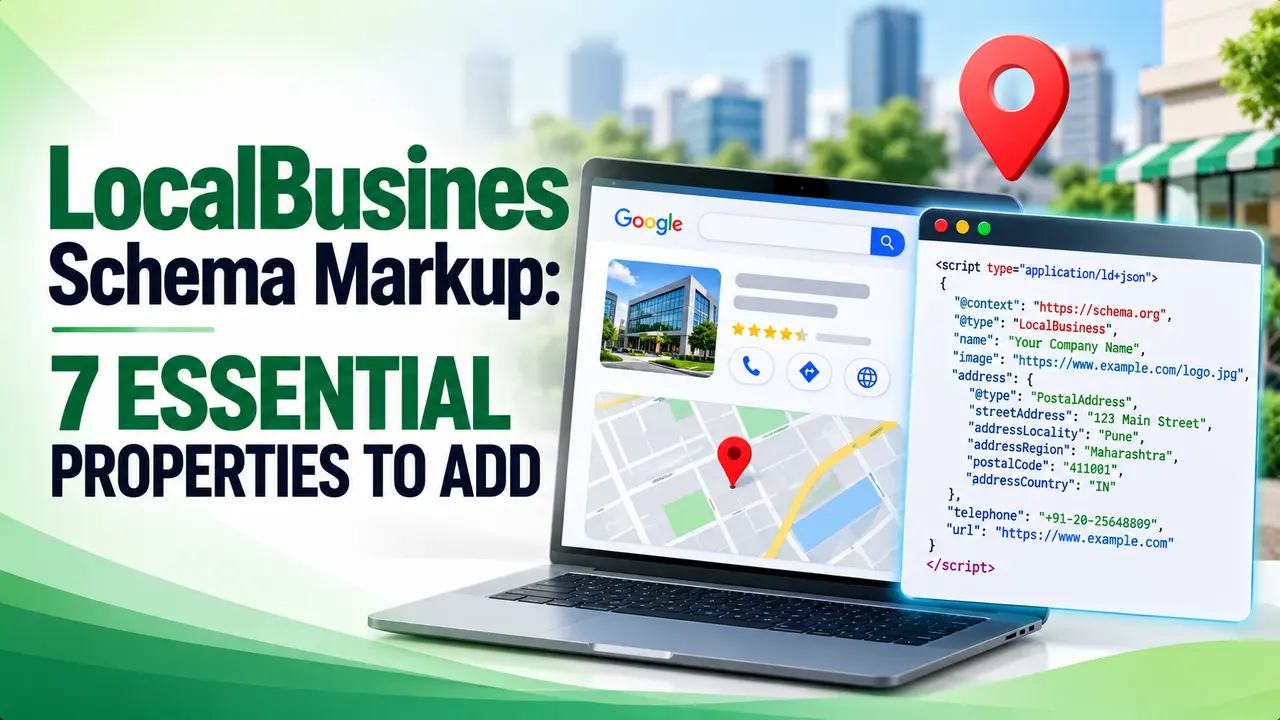
Competitors with star ratings and hours baked into their search result are not doing anything mysterious, they just have LocalBusiness schema markup set up correctly. This guide covers the properties that matter most, how it ties to NAP consistency, and how to confirm the markup is actually read.
Table of Contents
ToggleSo your shop, clinic, or office shows up in search, but every competitor sitting above you has star ratings, opening hours, and a map pin baked right into the result, and you don't. Nine times out of ten that gap is structured data, and today we're going to close it properly.
Picture a customer searching for your service in your city. They scroll past five plain blue links and click the one listing with visible stars, hours, and an address right there in the snippet. A properly built LocalBusiness schema markup setup is usually the only real difference between those two listings.
What Is LocalBusiness Schema Markup, and Why Should You Care
Schema.org defines LocalBusiness as a type for "a particular physical business or branch of an organization," covering everything from restaurants and clinics to law firms and bowling alleys. It inherits properties from the broader Organization and Place types, which is why a single LocalBusiness block can carry contact details, geographic coordinates, and reviews all at once.
LocalBusiness schema markup is the vocabulary that turns a page full of plain text into something a search engine can actually parse into facts: this is the business name, this is the phone number, these are the hours. Without it, Google has to guess at those details from unstructured copy, and guesses are unreliable.
According to Ahrefs, this markup exists specifically to help pages surface in Local Search results and in Google Maps, which is exactly where most local purchase decisions begin. Get the setup wrong and you are not disqualified, you simply miss out on the richer display other businesses are getting for free.
The Properties Schema.org Actually Defines
Before touching any code, it helps to know what the standard actually asks for. From the base LocalBusiness type you get openingHours, priceRange, paymentAccepted, and currenciesAccepted. From the inherited Organization type you get address, telephone, email, aggregateRating, and review. From Place you inherit geo, image, photo, and the more detailed openingHoursSpecification.
Google's own structured data guidelines are narrower than the full schema.org vocabulary. Google only strictly requires name and a complete address object with street, locality, region, postal code, and country. Everything else, telephone, a page specific url, opening hours, geo coordinates, and price range, is recommended rather than mandatory.
That distinction matters because plenty of guides treat the full schema.org property list as a checklist of requirements, when in reality Google is asking for the minimum needed to confirm identity and location, and leaving the rest to improve how the listing looks once it qualifies. Knowing this upfront keeps a LocalBusiness schema markup project from sprawling into properties nobody actually checks.
Tip
If you haven't added any structured data to your site yet, start with the broader concept before narrowing your LocalBusiness schema markup to local properties. Our guide on what schema markup is covers the vocabulary and syntax options in plain terms.
Steps 1 and 2: Name, Address, Phone and Opening Hours
Step one of a complete LocalBusiness schema markup setup is the identity block: name, @type, and the address object. The name should match what appears on your signage and your Google Business Profile exactly, no keyword stuffing, no extra city names appended. The address should use the full PostalAddress structure rather than a single text string, since each field, street address, locality, region, postal code, and country, maps to a distinct property Google can validate.
Step two adds telephone and opening hours. Use a single primary contact number in full international format, and express hours with the standard shorthand, for example Mo-Fr 09:00-18:00, rather than a sentence describing your schedule. If your hours genuinely vary by day, use openingHoursSpecification instead of the simpler openingHours property so each day gets its own entry.
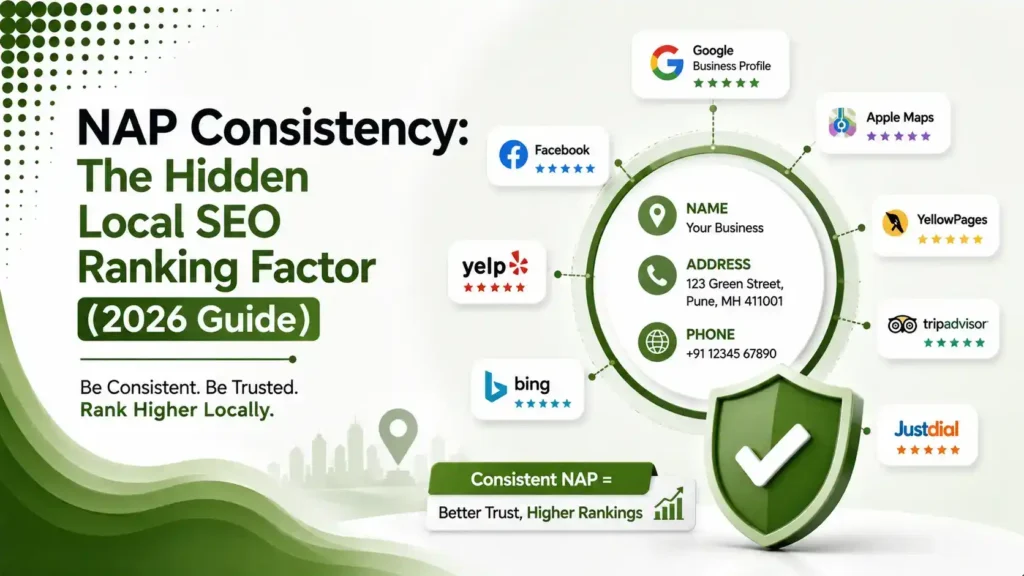
Every one of these values needs to match what is published everywhere else your business appears online, your website footer, your Google Business Profile, and any directory listing. That matching is the entire idea behind NAP consistency, and it is worth reading in full if you haven't already: see our breakdown of NAP consistency as a local SEO ranking factor.
Steps 3 and 4: Geo Coordinates, Price Range and Ratings
Step three is geo, your latitude and longitude as a GeoCoordinates object. Google recommends at least five decimal places of precision, which is roughly the difference between pointing at your building and pointing at your entire block. You can pull exact coordinates from Google Maps itself by right clicking your pin.
Step four covers priceRange and, carefully, aggregateRating. Price range is a short symbolic string under a hundred characters, something like $$, and it exists to set expectations rather than list exact prices. This is also the point where a LocalBusiness schema markup setup starts looking complete rather than minimal. Ratings are where most local businesses get tripped up, so it deserves its own warning.
BrightLocal's review schema guide explains that Google changed policy in 2019 so that reviews a business places about itself are no longer eligible for star display in search results. If the entity being reviewed controls the reviews describing itself, whether added directly or through an embedded widget, the star rating simply will not render. The workaround most sites use is marking up reviews of specific products or services instead of the business entity itself, which schema.org explicitly supports and Google still honors.
Whitespark's 2026 local search ranking factors report scores "website content marked up in schema" at 49 for local pack and map rankings, but 111 for conversion related signals, meaning structured data appears to do far more for turning searchers into customers than for moving you up the ranking itself. Whitespark notes this pattern holds across their full 187 factor dataset.
Step 5: Testing, Validating and Publishing Your Markup
Step five, and the one skipped most often, is validation before you publish. Paste your finished code block into Google's Rich Results Test, available through Search Console help, and check it against a live URL rather than only a snippet, since some errors only surface once the page actually renders.
Google's own documentation for the tool flags one gotcha worth remembering directly: the Rich Results Test quietly ignores comments written inside your structured data block during testing, which means a page that passes the test can still throw errors once it goes live, because that comment skipping behavior is not part of the actual JSON-LD standard. Strip every comment from the final code before you ship it, not just before you test it.
Once the test passes with no errors and no missing fields, publish the page, then recheck it again a few days later through the URL Inspection tool in Search Console to confirm Google actually read the markup the way you intended.
Tip
If you are implementing this through JSON-LD for the first time, walk through our dedicated guide on adding schema markup with JSON-LD before you write your first script tag, it covers placement and formatting mistakes this article doesn't repeat.
How This Connects Back to NAP and Your Business Profile
A complete LocalBusiness schema markup setup does not exist in isolation. Search Engine Journal's guide to local schema describes structured data as acting like a translator, turning your website's content into a format search engines can classify quickly, and notes that it helps Google associate your site with your Google Business Profile even when that profile listing is incomplete or unclaimed.
That alignment only works if the facts actually agree. If your schema lists one phone number, your Google Business Profile lists a second, and an old directory listing lists a third, you have given Google three conflicting answers to the same question and no reason to trust any of them fully. Before you publish new markup, it's worth confirming your Google Business Profile itself is complete and accurate; our Google Business Profile setup guide walks through that from scratch.
Reviews deserve the same discipline. If you're actively trying to grow your review count as part of this process, our guide on getting more Google reviews pairs naturally with the aggregateRating properties covered in step four above.
Common Mistakes That Undo a Good Setup
Most broken LocalBusiness schema markup implementations aren't caused by complicated properties, they're caused by small, avoidable slips that nobody catches before publishing.
itemReviewed target to a specific product or service instead, or drop aggregateRating entirely and let your Google Business Profile carry the stars.JSON-LD comments in the published file. They pass casual testing but are not part of the actual JSON-LD standard and risk breaking in production.None of these mistakes are difficult to fix once you know to look for them, which is really the whole point of treating LocalBusiness schema markup as a maintenance task rather than a one time project.
Businesses that earn a spot in Google's local pack see roughly 126 percent more traffic and 93 percent more calls, clicks, and direction requests than businesses ranked four through ten, and about 42 percent of searchers click a local pack result for local queries, according to data covered by Search Engine Land.
That gap is exactly what a complete, accurate LocalBusiness schema markup setup is working toward, not a guaranteed ranking boost on its own, but a better looking, more trustworthy listing once you've already earned visibility through the other signals that actually move rankings.
Properties at a Glance
| Property | Required by Google | Notes |
|---|---|---|
name | Yes | Must match signage and your Google Business Profile |
address | Yes | Use the full PostalAddress object, not plain text |
telephone | Recommended | One primary number, full international format |
openingHours | Recommended | Use openingHoursSpecification if hours vary by day |
geo | Recommended | Five decimal places of precision or more |
priceRange | Recommended | Short symbolic string, under 100 characters |
aggregateRating | Conditional | Only for reviews of products or services, not the business itself |
Not directly. Whitespark's 2026 ranking factors report scores schema markup relatively low for local pack and map rankings, but much higher for conversion signals, meaning it tends to help searchers act on a listing more than it moves the listing itself upward.
No, not for the business entity itself. Google stopped displaying star ratings from reviews a business places about itself back in 2019. You can still mark up reviews of specific products or services you offer, which remains fully supported.
No. Schema.org defines a large vocabulary, but Google only strictly requires name and a complete address object for a valid LocalBusiness schema markup entry. Telephone, hours, geo coordinates, and price range are recommended because they improve how your listing displays, not because they're mandatory for eligibility.
Your schema's name, address, and phone values need to match what appears on your Google Business Profile and other directory listings exactly. Mismatched details across sources make it harder for Google to confidently associate your website with your physical business.
Run your published page through Google's Rich Results Test and confirm there are no errors or missing fields, then recheck the live URL in Search Console's URL Inspection tool a few days after publishing to confirm Google read it the way you intended.
Learn Today
LocalBusiness Schema
A schema.org type used to describe a physical business location to search engines in a structured, machine readable format.
PostalAddress Object
A structured address format breaking a location into street, locality, region, postal code, and country fields.
GeoCoordinates
Latitude and longitude values that pinpoint a business location for maps and local search features.
AggregateRating
A schema property summarizing an average rating across multiple reviews, subject to Google's self review restrictions.
Rich Results Test
Google's free tool for validating that a page's structured data is error free before and after publishing.
NAP Consistency
Keeping a business's name, address, and phone number identical across a website, schema markup, and online listings.
Related Articles
Ready to Give Your Listing the Details It's Missing
A complete LocalBusiness schema markup setup takes an afternoon, not a redesign. Explore more Brandella Journal guides on SEO and digital marketing.
Related Posts
Previous Post
Next Post
Previous Post
Next Post





- Artificial Intelligence
- Content
- Core Web Vitals
- Development
- Digital Marketing
- Display Advertising
- Google Ads
- Google Search Console
- GTM
- HTML
- HTML CSS
- JavaScript
- Keyword Research
- Link Building
- LinkedIn Ads
- Local SEO
- Meta Ads
- Mobile SEO
- Off-Page SEO
- On-Page SEO
- Paid Media
- Paid Media Analytics
- PHP
- PPC Strategy
- Python
- SEO
- SEO Basics
- SEO Tools
- Social
- Technical SEO




