Now Reading: PHP Authentication System: Build It Securely in 6 Steps
-
01
PHP Authentication System: Build It Securely in 6 Steps
PHP Authentication System: Build It Securely in 6 Steps

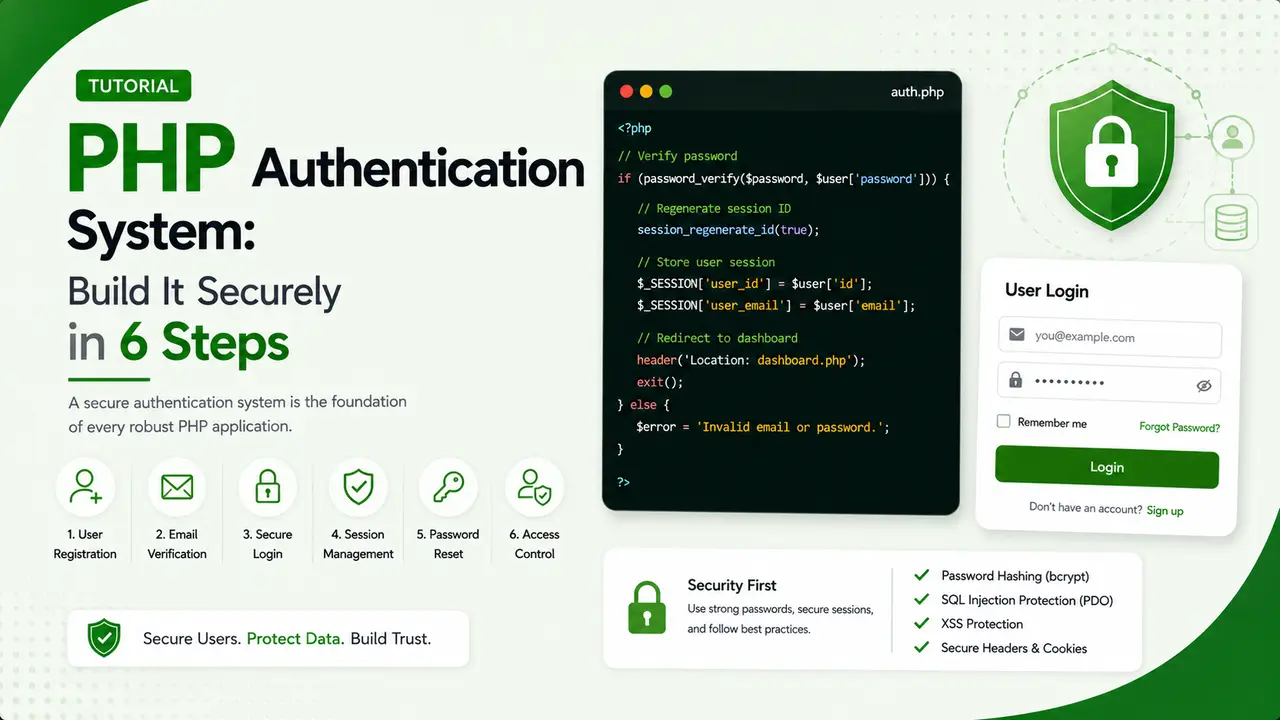
A practical guide to building a PHP authentication system covering password_hash, session security, CSRF tokens, and secure cookie configuration.
Storing a password in plain text is the kind of mistake that only shows up once, usually in a breach notification email. A PHP authentication system built correctly from the start never gives that mistake a chance to happen.
Why a PHP Authentication System Needs More Than a Login Form
A login form is the visible part. What actually keeps an account safe happens in the parts nobody sees: how the password is stored, how the session is issued, and how the login form itself is protected from being triggered by someone else's browser.
Skipping any one of those three pieces leaves a working login page that still fails the moment someone actually tries to attack it.
This article covers session and cookie based login, the traditional flow behind most website login pages, as opposed to the bearer token approach covered in building a REST API in PHP without a framework, which suits a mobile app or external API client better than a browser based form.
Hashing Passwords Correctly With password_hash()
A password should never be stored in a form that could be read back out again. Hashing is a one way transformation: turning a hash back into the original password should be computationally impractical. This is the part of a PHP authentication system that PHP's own password_hash() manual page covers in the most detail.
$hash = password_hash($plainPassword, PASSWORD_DEFAULT);

$stmt = $pdo->prepare('INSERT INTO users (email, password_hash) VALUES (:email, :hash)');
$stmt->execute(['email' => $email, 'hash' => $hash]);
PASSWORD_DEFAULT currently maps to bcrypt, and PHP automatically picks a random salt for every single call, which is exactly why running the same password through it twice never produces the same output twice.
Store the hash in a column at least 255 characters wide. The exact length varies by algorithm and cost factor, and PASSWORD_DEFAULT is allowed to change to a stronger algorithm in a future PHP version without any code changes required.
Storing user provided data safely starts even earlier than this though. Whatever email or username value reaches this point should already have passed through the same checks covered in validating and sanitizing user input in PHP forms, and the insert itself should always run through the kind of prepared statement covered in PHP PDO prepared statements.
Running the exact same password through password_hash() twice, then verifying both a correct and an incorrect password against the result, shows both properties in action at once.

Actual output from hashing and verifying the same password twice.
Bcrypt, the algorithm behind PASSWORD_DEFAULT, was designed in 1999 specifically to be slow on purpose. That deliberate slowness is a feature: it makes brute forcing a stolen hash file dramatically more expensive without meaningfully slowing down a single legitimate login check.
Verifying Login Credentials Without Leaking Which Part Was Wrong
The login check inside a PHP authentication system should never reveal whether the email address or the password was the part that failed, since that distinction alone helps an attacker confirm which email addresses have accounts at all.
$stmt = $pdo->prepare('SELECT id, password_hash FROM users WHERE email = :email');
$stmt->execute(['email' => $email]);
$user = $stmt->fetch();

if (!$user || !password_verify($plainPassword, $user['password_hash'])) {
    throw new RuntimeException('Invalid email or password.');
}
The same generic message covers both failure cases on purpose. password_verify() also runs in constant time internally, so it does not leak timing information about how close an incorrect guess was either.
A login attempt should also be rate limited, using the same approach covered in PHP rate limiting, keyed by email address or IP address, so repeated failed guesses get slowed down automatically rather than allowed to run at full speed.
Starting a Secure Session After a Successful Login
A session ID that existed before login should never be reused after login. If an attacker ever managed to set a victim's session ID ahead of time, reusing it after login would hand that attacker an authenticated session for free.
session_regenerate_id(true);
$_SESSION['user_id'] = $user['id'];
$_SESSION['logged_in_at'] = time();
Calling session_regenerate_id(true) issues a brand new session ID and destroys the old session data, which closes off session fixation as an attack path entirely. Confirming this actually happens, rather than trusting it blindly, is worth doing once.

Actual session IDs before and after a real call to session_regenerate_id(true).
Protecting the Login Form With a CSRF Token
Without a CSRF token, a malicious page on another site can trick a logged in browser into submitting a request the user never intended, since cookies are attached automatically regardless of which page triggered the request.
function csrf_token(): string {
    $_SESSION['csrf_token'] ??= bin2hex(random_bytes(32));
    return $_SESSION['csrf_token'];
}

function csrf_valid(string $submitted): bool {
    return isset($_SESSION['csrf_token'])
        && hash_equals($_SESSION['csrf_token'], $submitted);
}
Using hash_equals() instead of a plain === comparison matters here too, for the same constant time reasoning as the password check earlier.
Generate a fresh CSRF token after every successful login, right alongside the session regeneration. A token tied to a stale session is a token that should not still be considered valid.
The Web Security Academy's CSRF guide covers the underlying attack in more depth than fits here, including the cases where a token alone is not quite enough.
| Approach | Where State Lives | Best Fit |
|---|---|---|
| Session based login | Server side session store | Traditional browser based websites |
| Bearer token | Client stores and resends token | Mobile apps, external API consumers |
| Hybrid | Session cookie plus separate API tokens | A site that also exposes an API |
Setting Secure Cookie Flags Before the Session Starts
The session cookie itself needs a few flags set correctly, and they all have to be configured before session_start() is called for them to take effect.
session_set_cookie_params([
    'lifetime' => 0,
    'path' => '/',
    'secure' => true,
    'httponly' => true,
    'samesite' => 'Lax',
]);
session_start();
httponly keeps JavaScript from ever reading the cookie, which blocks a whole category of session theft through cross site scripting. secure stops the cookie from ever being sent over plain HTTP. MDN's SameSite attribute reference covers exactly what Lax versus Strict changes about when the cookie gets sent.
None of this replaces good password hashing or CSRF protection. A PHP authentication system is only as strong as its weakest configured piece, and a single misconfigured cookie flag undermines everything else built correctly around it.
Logging Out Completely, Not Just Clearing One Variable
Unsetting $_SESSION['user_id'] alone leaves the rest of the session data and the session cookie itself still active, which is not really a full logout.
$_SESSION = [];

if (ini_get('session.use_cookies')) {
    $params = session_get_cookie_params();
    setcookie(session_name(), '', time() - 42000, $params['path']);
}

session_destroy();
Clearing the session data, expiring the cookie, and destroying the session on the server side together are what actually end the session everywhere it exists, not just in the current request's copy of it.
Auth0's engineering blog and similar identity platforms exist largely because getting every one of these details right, across every edge case, is a genuinely large amount of ongoing work. Laravel's built in authentication scaffolding is worth considering once a project outgrows a hand rolled system like this one.
- Hash with password_hash(), never store plain text: any PHP authentication system worth using relies on the random salt alone to stop identical passwords from producing identical hashes.
- Use a generic error for failed logins: never reveal whether the email or the password was the part that was wrong.
- Regenerate the session ID after login: closes off session fixation as an attack path entirely.
- Protect the login form with a CSRF token: compared with hash_equals(), never a plain string comparison.
- Set httponly, secure, and samesite on the cookie: all three have to be configured before session_start() runs.
Checking a Password Against Known Breach Data
A password can be perfectly hashed and still be a terrible choice if it already appears in a public breach dataset that every attacker has a copy of.
The Pwned Passwords API lets an application check a password against hundreds of millions of breached passwords without ever sending the actual password anywhere, using a technique called k-anonymity that only transmits the first five characters of its hash.
Adding a check like that on top of a solid PHP authentication system catches the specific case where a technically strong looking password has already been exposed somewhere else entirely, a gap password strength rules alone never catch.
The OWASP Authentication Cheat Sheet and OWASP's Top 10 entry on authentication failures are both worth reading in full alongside everything covered here.
Frequently Asked Questions
Correct password hashing with password_hash() and password_verify(). Everything else, session handling, CSRF protection, and cookie flags, matters too, but a broken hash undermines all of it.
password_hash() generates a new random salt on every call. The salt is stored inside the returned hash string itself, so password_verify() can still check it correctly later.
Yes. Without it, a session ID an attacker set before login could remain valid after login, handing them an authenticated session without ever knowing the password.
For learning the mechanics, yes. For a real production application, a well tested library or framework feature reduces the chance a hand rolled PHP authentication system misses an edge case somewhere along the way.
No, they defend against different attacks. A CSRF token stops forged requests. Secure cookie flags stop the session itself from being read or transmitted insecurely.
What We Learn Today
A PHP authentication system starts with hashing
password_hash() with a random salt is the safe default.
Failed logins should stay vague
Never reveal whether the email or password was wrong.
Regenerate the session on login
Closes off session fixation as an attack path entirely.
CSRF tokens protect the form itself
hash_equals() compares them safely, never a plain ===.
Cookie flags need to be set early
httponly, secure, and samesite must precede session_start().
Logout should clear everything
Session data, the cookie, and the server side session together.
Ready to Build a Login Flow You Can Trust?
A PHP authentication system built with correct hashing, session handling, and CSRF protection from day one avoids the entire class of mistake that only shows up after it is too late.