Now Reading: PHP Cron Jobs: Schedule Background Tasks in 5 Reliable Steps
-
01
PHP Cron Jobs: Schedule Background Tasks in 5 Reliable Steps
PHP Cron Jobs: Schedule Background Tasks in 5 Reliable Steps

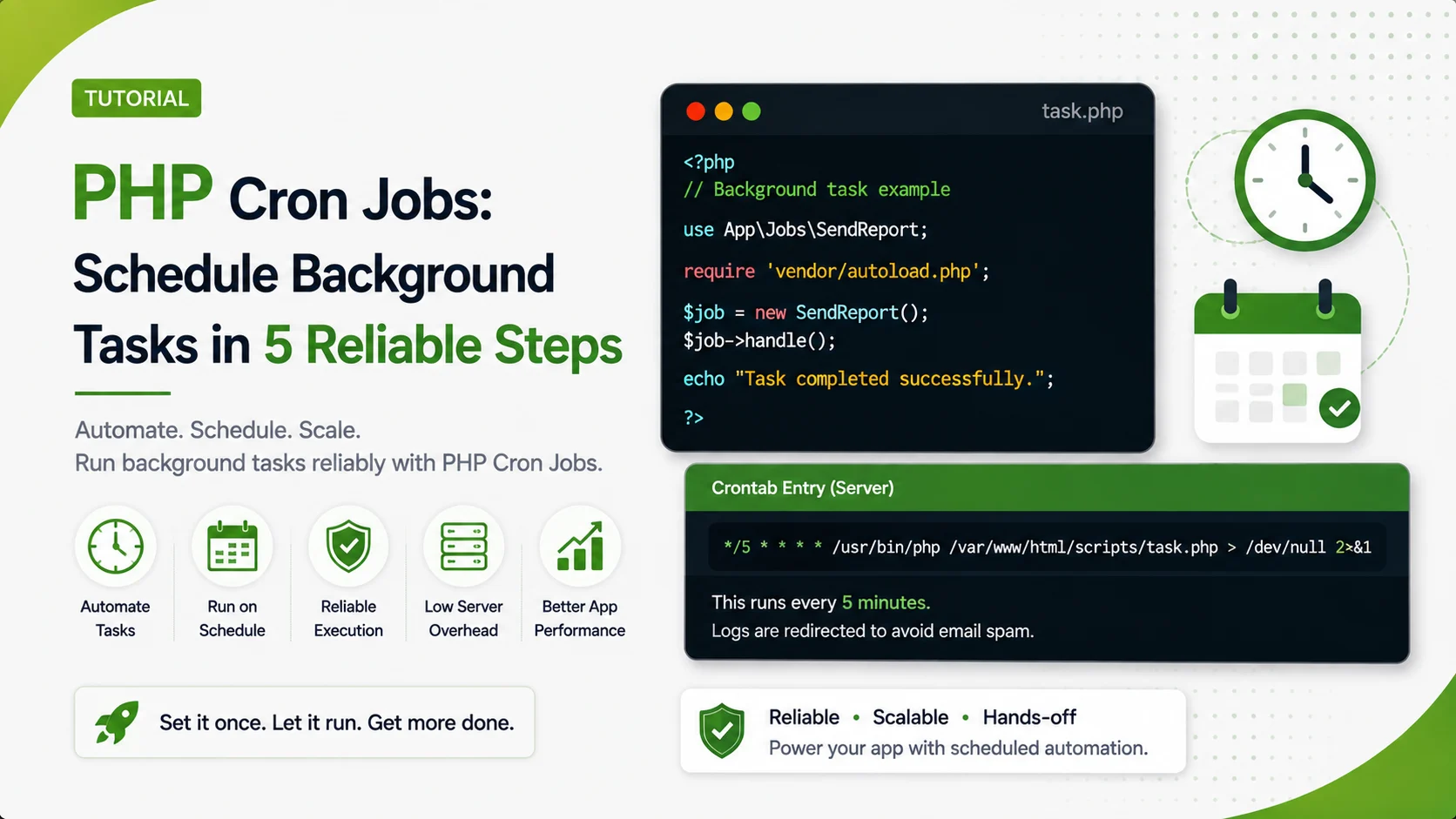
A practical guide to PHP cron jobs covering file locking, structured logging, failure alerts, and testing a scheduled task without waiting for the clock.
A cron job that runs fine in testing can still fail silently in production for months before anyone notices. PHP cron jobs need a few extra habits beyond a working script and a crontab line to actually run reliably.
Why PHP Cron Jobs Still Break in Production
Cron runs a script with almost none of the environment a terminal session normally provides. No shell profile, no PATH beyond a minimal default, no working directory guarantee.
A script that works perfectly when run by hand can fail the moment cron runs it, often for reasons that never show up anywhere because nothing was watching for them.
Writing a Crontab Entry That Actually Works
Every path in a crontab entry should be absolute. Cron has no idea where a project lives unless it is told explicitly, every single time.
# run every 15 minutes, full paths, output redirected to a real log file
*/15 * * * * /usr/bin/php /var/www/app/tasks/sync_inventory.php >> /var/log/app/cron.log 2>&1
Redirecting both standard output and standard error into a log file turns a silent failure into something that can actually be found and investigated later.
The crontab(5) man page documents every field in that schedule expression in detail, worth bookmarking for any future PHP cron jobs that need a less common interval than every 15 minutes. Libraries like php-cron-scheduler wrap this same idea into a fluent API for projects that want schedules defined directly in PHP instead of raw crontab syntax.
Preventing Overlapping Runs With a File Lock
A task scheduled every minute that occasionally takes two minutes will eventually have two copies of itself running at once, each one working against the same data.
$lockFile = __DIR__ . '/task.lock';
$handle = fopen($lockFile, 'c');

if (!flock($handle, LOCK_EX | LOCK_NB)) {
    fwrite(STDERR, "Another instance is still running. Exiting.\n");
    exit(1);
}

echo "Lock acquired, running task...\n";
sleep(2);
echo "Task finished, releasing lock.\n";

flock($handle, LOCK_UN);
fclose($handle);
Starting the same script twice, a fraction of a second apart, shows exactly what should happen: one run finishes normally, the other exits immediately instead of colliding with it.

Actual output from starting locked_task.php twice, 0.3 seconds apart.
This works well on a single server. For PHP cron jobs that might run on more than one server behind a load balancer, the same Redis backed locking approach covered in PHP rate limiting replaces the local file lock with a shared one every server can see.
PHP's own flock() manual page documents the LOCK_EX and LOCK_NB flags used above in full detail, including how behavior differs across filesystem types.
Logging Every Run So Failures Are Visible
A cron job has no terminal in front of it. Whatever is not written to a log did not happen as far as anyone monitoring the system is concerned.
function log_line(string $level, string $message): void {
    $line = sprintf("[%s] %s: %s\n", date('Y-m-d H:i:s'), $level, $message);
    file_put_contents(__DIR__ . '/task.log', $line, FILE_APPEND);
}

log_line('INFO', 'sync_inventory started');

try {
    if (!file_exists('/tmp/feed.csv')) {
        throw new RuntimeException('feed file not found at /tmp/feed.csv');
    }
} catch (RuntimeException $e) {
    log_line('ERROR', $e->getMessage());
    exit(1);
}

log_line('INFO', 'sync_inventory finished successfully');
Running this once against a missing feed file, then again after the file shows up, produces a log that tells the entire story without anyone needing to have been watching live.

Actual task.log contents after one failed run and one successful run of the same script.
Tools like crontab.guru make it easy to double check a schedule expression before trusting it, which matters just as much as the code running inside the task itself.
A cron job that reads an external feed file should never trust its contents blindly either. The same validation habits covered in validating and sanitizing user input in PHP forms apply just as much here, since a cron job has no user in front of it to notice a bad value before it reaches the database.
Catching and Reporting Failures Automatically
A log file only helps if someone actually reads it. A failed run should also push a notification somewhere a person will actually see it.
function alert_failure(string $task, string $reason): void {
    $payload = json_encode(['task' => $task, 'reason' => $reason]);

    $ch = curl_init('https://hooks.example.com/cron-alerts');
    curl_setopt($ch, CURLOPT_POST, true);
    curl_setopt($ch, CURLOPT_POSTFIELDS, $payload);
    curl_setopt($ch, CURLOPT_HTTPHEADER, ['Content-Type: application/json']);
    curl_setopt($ch, CURLOPT_TIMEOUT, 5);
    curl_exec($ch);
    curl_close($ch);
}
Building the receiving side of that webhook follows the same JSON request handling and clear error responses covered in building a REST API in PHP without a framework, just consuming a payload instead of serving one. PHP's libcurl option reference documents every CURLOPT flag used above.
A production setup would typically integrate with a service like Sentry instead of a custom webhook, since it handles retries, deduplication, and on call routing automatically for PHP cron jobs and every other part of an application.
| Approach | Good For | Tradeoff |
|---|---|---|
| Cron | Simple, time based, works everywhere | No built in overlap protection or retries |
| Systemd timer | Better logging and dependency control | Only available on systemd based Linux hosts |
| Queue worker | Event driven, retries, backpressure handling | More infrastructure to run and monitor |
The official systemd.timer documentation covers the OnCalendar syntax and dependency options systemd timers offer beyond plain cron.
Reusing Expensive Lookups Across a Long Running Task
A cron job that queries the same reference data repeatedly during one run wastes cycles the same way a web request would. The caching database queries in PHP with Redis pattern covered elsewhere in this series applies just as well inside a long running scheduled task.
A job that downloads a file before processing it should also verify what that file actually is before trusting it, the same way covered in PHP file upload security, since a scheduled download is no more trustworthy than a form upload.
Symfony's Messenger component is a common starting point in PHP if a queue worker turns out to be a better fit than PHP cron jobs for a particular piece of work.
- Use absolute paths everywhere: reliable PHP cron jobs assume none of the shell environment a terminal session normally provides.
- Lock every task against overlapping runs: a slow run and the next scheduled run should never execute together.
- Log start, success, and failure explicitly: a job with no output leaves no trail when something goes wrong.
- Alert on failure, do not rely on someone reading logs: a silent failure can run unnoticed for months.
- Redirect both stdout and stderr: cron emails output by default in a way that is easy to miss entirely.
Testing a Scheduled Task Without Waiting for the Clock
The exact command from the crontab line should be run by hand first, using the same absolute paths cron will use, not a shortcut version that only exists in a local shell.
# run the exact command cron will run, before ever scheduling it
/usr/bin/php /var/www/app/tasks/sync_inventory.php
echo "exit code: $?"
A task that only gets tested by waiting for the schedule to trigger it can take weeks to catch a bug that a single manual run would have caught immediately.
Frequently Asked Questions
Cron provides almost none of a normal shell environment. Missing absolute paths and a minimal PATH are the most common causes of a script that works by hand but fails under cron.
A file lock acquired with flock() at the start of the script. If a second instance cannot acquire the lock, it exits immediately instead of running alongside the first.
It helps, but a log nobody reads still allows a failure to go unnoticed. Pairing logging with an active alert on failure closes that gap.
When work needs to happen the moment an event occurs rather than on a fixed schedule, or when built in retries and backpressure handling matter more than simplicity.
No. Running the exact crontab command by hand first catches most bugs immediately, rather than waiting for the schedule and hoping something logs the failure.
What We Learn Today
PHP cron jobs strip the shell environment
Absolute paths avoid the most common cause of silent failure.
Overlap needs an explicit lock
flock() stops a slow run from colliding with the next one.
Logging makes failure visible
Nothing written down did not happen, as far as anyone can tell.
Alerts close the loop
A log nobody reads still lets a failure run unnoticed.
Queue workers cover a different need
Event driven work with retries fits queues better than a schedule.
Manual runs catch bugs faster
Testing the exact crontab command beats waiting for the schedule.
Ready to Make Every Scheduled Task Reliable?
PHP cron jobs built with locking, logging, and alerting from the start rarely turn into the kind of failure nobody notices for weeks.