

- Home
- SEODiscover the latest updates from across the United States, including politics, culture, economy, and trending stories. Stay informed on the key events shaping the nation and the topics everyone’s talking about.
- Technical SEOLearn technical SEO concepts including crawling, indexing, XML sitemaps, robots.txt, canonical tags, site architecture, and website performance.
- Local SEOOptimize your business for local seo with Google Business Profile, local citations, reviews, maps, and location-based SEO.
- Mobile SEOImprove your website’s mobile seo performance with responsive design, mobile-first indexing, usability, and page speed optimization.
- On-Page SEOExplore on-page seo optimization techniques such as title tags, meta descriptions, headings, URLs, internal linking, and content optimization.
- Off-Page SEODiscover off-page SEO strategies such as backlinks, digital PR, brand mentions, outreach, and authority building.
- SEO ToolsExplore the best SEO tools for keyword research, technical audits, backlink analysis, rank tracking, and website optimization.
- Core Web VitalsLearn how to improve Core Web Vitals including LCP, INP, CLS, page speed, and overall user experience for better rankings.
- Keyword ResearchLearn how to find profitable keywords, analyze search intent, evaluate competition, and build effective keyword strategies.
- Link BuildingMaster ethical link building techniques, backlink analysis, outreach methods, guest posting, and authority growth strategies.
- Google Search ConsoleLearn how to use Google Search Console to monitor indexing, fix errors, analyze search performance, and improve SEO.
- SEO BasicsLearn the fundamentals of search engine optimization (SEO Basics), including how search engines work, SEO terminology, and beginner-friendly best practices.
- Paid Media
- Display AdvertisingLearn display advertising strategies, banner ads, audience targeting, remarketing, Google Display campaigns, and optimization techniques.
- Google AdsLearn Google Ads strategies, campaign setup, bidding, keywords, Performance Max, Search Ads, and optimization techniques.
- LinkedIn AdsLearn LinkedIn Ads strategies for B2B marketing, lead generation, audience targeting, campaign optimization, and paid social advertising.
- Meta AdsLearn Meta Ads strategies for Facebook and Instagram, including campaign setup, targeting, retargeting, and performance optimization.
- Paid Media AnalyticsLearn paid media analytics, including CPC, CTR, CPA, ROAS, conversion tracking, attribution, reporting, and campaign performance analysis.
- PPC StrategyLearn effective PPC strategies, campaign planning, bidding, keyword targeting, landing pages, conversion optimization, and more.
- ContentTransform your living spaces with inspiration, tips, and trends in interior design. From minimalist decor to bold statements, find ideas for every style and budget.
- Social
- Digital MarketingExplore stories and advice on living your best life. From personal growth to entertainment, dive into the latest in lifestyle trends and inspiration.
- Artificial IntelligenceStay informed about health and wellness with expert advice, fitness tips, and the latest medical breakthroughs. Your guide to a healthier and happier life.
- DevelopmentYou will find development related educational articles
- GTMLearn Google Tag Manager (GTM) with practical guides for tags, triggers, variables, tracking, conversions, and website analytics implementation.
- HTMLLearn HTML with simple tutorials, examples, tags, elements, attributes, and best practices for building modern web pages.
- HTML CSSLearn HTML CSS together with practical tutorials, examples, layouts, styling techniques, responsive design, and modern web development practices.
- HTML JSLearn HTML JS – JavaScript with practical tutorials and examples for adding interactivity, dynamic content, events, and functionality to web pages.
- JavaScriptExplore JavaScript tutorials, examples, concepts, and practical techniques for creating interactive and dynamic websites and web applications.
- PHPLearn PHP programming with practical tutorials, examples, functions, syntax, and web development techniques for beginners and developers.
- PythonLearn Python programming with practical tutorials, examples, syntax, functions, automation techniques, and useful programming concepts.
- Home
- SEODiscover the latest updates from across the United States, including politics, culture, economy, and trending stories. Stay informed on the key events shaping the nation and the topics everyone’s talking about.
- Technical SEOLearn technical SEO concepts including crawling, indexing, XML sitemaps, robots.txt, canonical tags, site architecture, and website performance.
- Local SEOOptimize your business for local seo with Google Business Profile, local citations, reviews, maps, and location-based SEO.
- Mobile SEOImprove your website’s mobile seo performance with responsive design, mobile-first indexing, usability, and page speed optimization.
- On-Page SEOExplore on-page seo optimization techniques such as title tags, meta descriptions, headings, URLs, internal linking, and content optimization.
- Off-Page SEODiscover off-page SEO strategies such as backlinks, digital PR, brand mentions, outreach, and authority building.
- SEO ToolsExplore the best SEO tools for keyword research, technical audits, backlink analysis, rank tracking, and website optimization.
- Core Web VitalsLearn how to improve Core Web Vitals including LCP, INP, CLS, page speed, and overall user experience for better rankings.
- Keyword ResearchLearn how to find profitable keywords, analyze search intent, evaluate competition, and build effective keyword strategies.
- Link BuildingMaster ethical link building techniques, backlink analysis, outreach methods, guest posting, and authority growth strategies.
- Google Search ConsoleLearn how to use Google Search Console to monitor indexing, fix errors, analyze search performance, and improve SEO.
- SEO BasicsLearn the fundamentals of search engine optimization (SEO Basics), including how search engines work, SEO terminology, and beginner-friendly best practices.
- Paid Media
- Display AdvertisingLearn display advertising strategies, banner ads, audience targeting, remarketing, Google Display campaigns, and optimization techniques.
- Google AdsLearn Google Ads strategies, campaign setup, bidding, keywords, Performance Max, Search Ads, and optimization techniques.
- LinkedIn AdsLearn LinkedIn Ads strategies for B2B marketing, lead generation, audience targeting, campaign optimization, and paid social advertising.
- Meta AdsLearn Meta Ads strategies for Facebook and Instagram, including campaign setup, targeting, retargeting, and performance optimization.
- Paid Media AnalyticsLearn paid media analytics, including CPC, CTR, CPA, ROAS, conversion tracking, attribution, reporting, and campaign performance analysis.
- PPC StrategyLearn effective PPC strategies, campaign planning, bidding, keyword targeting, landing pages, conversion optimization, and more.
- ContentTransform your living spaces with inspiration, tips, and trends in interior design. From minimalist decor to bold statements, find ideas for every style and budget.
- Social
- Digital MarketingExplore stories and advice on living your best life. From personal growth to entertainment, dive into the latest in lifestyle trends and inspiration.
- Artificial IntelligenceStay informed about health and wellness with expert advice, fitness tips, and the latest medical breakthroughs. Your guide to a healthier and happier life.
- DevelopmentYou will find development related educational articles
- GTMLearn Google Tag Manager (GTM) with practical guides for tags, triggers, variables, tracking, conversions, and website analytics implementation.
- HTMLLearn HTML with simple tutorials, examples, tags, elements, attributes, and best practices for building modern web pages.
- HTML CSSLearn HTML CSS together with practical tutorials, examples, layouts, styling techniques, responsive design, and modern web development practices.
- HTML JSLearn HTML JS – JavaScript with practical tutorials and examples for adding interactivity, dynamic content, events, and functionality to web pages.
- JavaScriptExplore JavaScript tutorials, examples, concepts, and practical techniques for creating interactive and dynamic websites and web applications.
- PHPLearn PHP programming with practical tutorials, examples, functions, syntax, and web development techniques for beginners and developers.
- PythonLearn Python programming with practical tutorials, examples, syntax, functions, automation techniques, and useful programming concepts.
Now Reading: Reading Time Calculator for Blog Posts: Formula and JavaScript
-
01
Reading Time Calculator for Blog Posts: Formula and JavaScript
- Home//
- SEO//Discover the latest updates from across the United States, including politics, culture, economy, and trending stories. Stay informed on the key events shaping the nation and the topics everyone’s talking about.
- Technical SEO//Learn technical SEO concepts including crawling, indexing, XML sitemaps, robots.txt, canonical tags, site architecture, and website performance.
- Local SEO//Optimize your business for local seo with Google Business Profile, local citations, reviews, maps, and location-based SEO.
- Mobile SEO//Improve your website’s mobile seo performance with responsive design, mobile-first indexing, usability, and page speed optimization.
- On-Page SEO//Explore on-page seo optimization techniques such as title tags, meta descriptions, headings, URLs, internal linking, and content optimization.
- Off-Page SEO//Discover off-page SEO strategies such as backlinks, digital PR, brand mentions, outreach, and authority building.
- SEO Tools//Explore the best SEO tools for keyword research, technical audits, backlink analysis, rank tracking, and website optimization.
- Core Web Vitals//Learn how to improve Core Web Vitals including LCP, INP, CLS, page speed, and overall user experience for better rankings.
- Keyword Research//Learn how to find profitable keywords, analyze search intent, evaluate competition, and build effective keyword strategies.
- Link Building//Master ethical link building techniques, backlink analysis, outreach methods, guest posting, and authority growth strategies.
- Google Search Console//Learn how to use Google Search Console to monitor indexing, fix errors, analyze search performance, and improve SEO.
- SEO Basics//Learn the fundamentals of search engine optimization (SEO Basics), including how search engines work, SEO terminology, and beginner-friendly best practices.
- Paid Media//
- Display Advertising//Learn display advertising strategies, banner ads, audience targeting, remarketing, Google Display campaigns, and optimization techniques.
- Google Ads//Learn Google Ads strategies, campaign setup, bidding, keywords, Performance Max, Search Ads, and optimization techniques.
- LinkedIn Ads//Learn LinkedIn Ads strategies for B2B marketing, lead generation, audience targeting, campaign optimization, and paid social advertising.
- Meta Ads//Learn Meta Ads strategies for Facebook and Instagram, including campaign setup, targeting, retargeting, and performance optimization.
- Paid Media Analytics//Learn paid media analytics, including CPC, CTR, CPA, ROAS, conversion tracking, attribution, reporting, and campaign performance analysis.
- PPC Strategy//Learn effective PPC strategies, campaign planning, bidding, keyword targeting, landing pages, conversion optimization, and more.
- Content//Transform your living spaces with inspiration, tips, and trends in interior design. From minimalist decor to bold statements, find ideas for every style and budget.
- Social//
- Digital Marketing//Explore stories and advice on living your best life. From personal growth to entertainment, dive into the latest in lifestyle trends and inspiration.
- Artificial Intelligence//Stay informed about health and wellness with expert advice, fitness tips, and the latest medical breakthroughs. Your guide to a healthier and happier life.
- Development//You will find development related educational articles
- GTM//Learn Google Tag Manager (GTM) with practical guides for tags, triggers, variables, tracking, conversions, and website analytics implementation.
- HTML//Learn HTML with simple tutorials, examples, tags, elements, attributes, and best practices for building modern web pages.
- HTML CSS//Learn HTML CSS together with practical tutorials, examples, layouts, styling techniques, responsive design, and modern web development practices.
- HTML JS//Learn HTML JS – JavaScript with practical tutorials and examples for adding interactivity, dynamic content, events, and functionality to web pages.
- JavaScript//Explore JavaScript tutorials, examples, concepts, and practical techniques for creating interactive and dynamic websites and web applications.
- PHP//Learn PHP programming with practical tutorials, examples, functions, syntax, and web development techniques for beginners and developers.
- Python//Learn Python programming with practical tutorials, examples, syntax, functions, automation techniques, and useful programming concepts.
- Home
- Development
- Reading Time Calculator for Blog Posts: Formula and JavaScript
Reading Time Calculator for Blog Posts: Formula and JavaScript

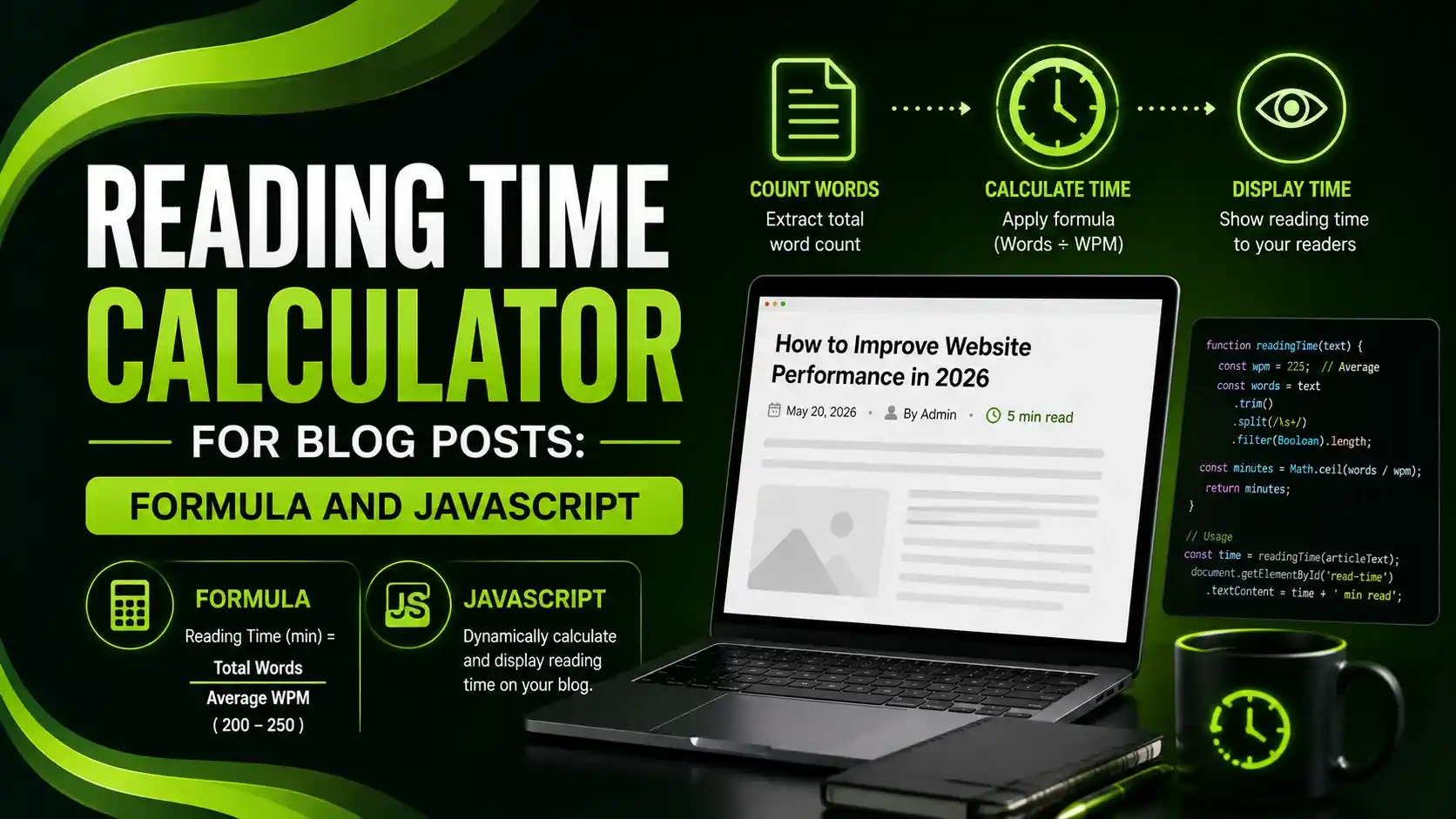
A reading time calculator for blog posts uses one formula: word count divided by reading speed — 200-265 WPM depending on your source.
Table of Contents
ToggleA reading time calculator for blog posts uses one simple formula: word count divided by reading speed in words per minute. Medium uses 265 WPM, Google's own reference standard is 200 WPM, and most implementations land somewhere in the 200-250 range for general web content.
Displaying reading time isn't just a nice-to-have. Research shows it can increase engagement by 30%, since readers can decide whether they have time to commit before they start.
Here's the exact formula, real working JavaScript, and the adjustments that make an estimate meaningfully more accurate than a bare word-count division.
01The Reading Time Formula
The base formula behind every reading time calculator is straightforward: Reading Time = Word Count ÷ Words Per Minute. A 1,000-word article at 200 WPM comes out to 5 minutes.
The WPM value you pick matters more than it seems. Medium uses 265 WPM, general web standards range from 200-250, and Google's own reference point is 200 WPM. Technical or dense content should use a slower estimate, since research shows comprehension drops significantly above 300 WPM.
02Basic Working JavaScript
Here's the simplest working version: grab the article text, split it into words, divide by WPM, and round up so a reader is never disappointed by an underestimate.
function calculateReadingTime(text, wpm = 238) {
  const words = text.trim().split(/\s+/).length;
  const minutes = Math.ceil(words / wpm);
  return minutes;
}

// Usage
const articleText = document.querySelector('.article-content').innerText;
const readTime = calculateReadingTime(articleText);
document.getElementById('reading-time').innerText = `${readTime} min read`;
03Accounting for Images: The Part Most Calculators Skip
Word count alone understates total engagement time for heavily illustrated content. Each image adds roughly 12-20 seconds of viewing time, decreasing slightly for each additional image as readers skim faster through a gallery. Complex tables or figures can add 30-60+ seconds for real comprehension.
function calculateReadingTimeWithImages(text, imageCount, wpm = 265) {
  const words = text.trim().split(/\s+/).length;
  const wordMinutes = words / wpm;

  // First image adds 12s, decreasing by 1s per image down to a 3s floor
  let imageSeconds = 0;
  for (let i = 0; i < imageCount; i++) {
    imageSeconds += Math.max(12 - i, 3);
  }

  const totalMinutes = wordMinutes + (imageSeconds / 60);
  return Math.ceil(totalMinutes);
}

// Example: 1,500 words, 5 images, 265 WPM ≈ 6-7 min read
const readTime = calculateReadingTimeWithImages(articleText, 5);
04Auto-Detecting Word Count and Images From the DOM
Rather than hardcoding values, scan the actual rendered article container so the estimate updates automatically whenever content changes, no manual recalculation required.
function autoReadingTime(containerSelector, wpm = 238) {
  const container = document.querySelector(containerSelector);
  if (!container) return null;

  const text = container.innerText || container.textContent;
  const words = text.trim().split(/\s+/).filter(Boolean).length;
  const images = container.querySelectorAll('img').length;

  const wordMinutes = words / wpm;
  let imageSeconds = 0;
  for (let i = 0; i < images; i++) {
    imageSeconds += Math.max(12 - i, 3);
  }

  const totalMinutes = Math.ceil(wordMinutes + imageSeconds / 60);

  return {
    minutes: totalMinutes,
    words: words,
    images: images,
    label: totalMinutes < 1 ? 'Less than a minute' : `${totalMinutes} min read`
  };
}

const result = autoReadingTime('.article-content');
document.getElementById('reading-time').innerText = result.label;
05Reading Speed Reference by Content Type
Different content types genuinely need different WPM assumptions for an accurate estimate.
| Content Type | Recommended WPM | Why |
|---|---|---|
| Technical documentation | 150 WPM | Readers re-read sections, code needs careful parsing |
| Standard blog posts | 200-238 WPM | General web reading speed, Google's own reference point |
| Casual/listicle content | 250-300 WPM | Readers skim familiar, easy-to-scan content |
| Fiction/narrative | 260 WPM | Faster natural flow than non-fiction analysis |
06Try It: Reading Time Estimator
Enter a word count and pick a reading speed to see the estimate update live.
Reading Time Estimator
Enter your word count and select a reading speed
07Implementation Best Practices
A short list for getting reading time estimates right.
Round up, never down, an underestimate disappoints readers more than a slight overestimate.
Adjust WPM by content type, technical docs need 150 WPM, casual posts can use 250+.
Add time for images and tables, word count alone understates true engagement time on visual content.
Scan the live DOM, not static values, so the estimate stays accurate as content is edited.
Show it near the title, readers decide whether to commit before they start scrolling.
08Common Questions
200-250 WPM covers most general blog content. Use 150 WPM for technical documentation, and up to 265 WPM (Medium's standard) for casual, easy-to-read posts.
Yes. Research shows displaying reading time on blog posts can increase engagement by around 30%, since it helps readers commit with clear expectations upfront.
Round up using Math.ceil(). Underestimating disappoints readers who expected a shorter read, while a small overestimate rarely causes a problem.
Yes, meaningfully. Each image adds roughly 12-20 seconds of viewing time, and ignoring this can noticeably understate true reading time on image-heavy posts.
Research from Medium found posts around 7 minutes (roughly 1,855 words at 265 WPM) achieve the highest engagement, though this varies by content type and audience.
Related Articles
What We Learn Today
Reading Time = Word Count ÷ Words Per Minute
WPM should vary by content type, not stay fixed
Images add real, measurable time beyond word count alone
Displaying reading time can lift engagement by around 30%
Always round up to avoid disappointing readers
Scanning the live DOM keeps estimates accurate as content changes
Build a Complete Content UX Toolkit
Reading time pairs well with table of contents generation for long-form content. Explore both guides next.
Related Posts



Previous Post
Next Post
Previous Post
Next Post





- Artificial Intelligence
- Content
- Core Web Vitals
- Development
- Digital Marketing
- Display Advertising
- Google Ads
- Google Search Console
- GTM
- HTML
- HTML CSS
- JavaScript
- Keyword Research
- Link Building
- LinkedIn Ads
- Local SEO
- Meta Ads
- Mobile SEO
- Off-Page SEO
- On-Page SEO
- Paid Media
- Paid Media Analytics
- PHP
- PPC Strategy
- Python
- SEO
- SEO Basics
- SEO Tools
- Social
- Technical SEO




