

- Home
- SEODiscover the latest updates from across the United States, including politics, culture, economy, and trending stories. Stay informed on the key events shaping the nation and the topics everyone’s talking about.
- Technical SEOLearn technical SEO concepts including crawling, indexing, XML sitemaps, robots.txt, canonical tags, site architecture, and website performance.
- Local SEOOptimize your business for local seo with Google Business Profile, local citations, reviews, maps, and location-based SEO.
- Mobile SEOImprove your website’s mobile seo performance with responsive design, mobile-first indexing, usability, and page speed optimization.
- On-Page SEOExplore on-page seo optimization techniques such as title tags, meta descriptions, headings, URLs, internal linking, and content optimization.
- Off-Page SEODiscover off-page SEO strategies such as backlinks, digital PR, brand mentions, outreach, and authority building.
- SEO ToolsExplore the best SEO tools for keyword research, technical audits, backlink analysis, rank tracking, and website optimization.
- Core Web VitalsLearn how to improve Core Web Vitals including LCP, INP, CLS, page speed, and overall user experience for better rankings.
- Keyword ResearchLearn how to find profitable keywords, analyze search intent, evaluate competition, and build effective keyword strategies.
- Link BuildingMaster ethical link building techniques, backlink analysis, outreach methods, guest posting, and authority growth strategies.
- Google Search ConsoleLearn how to use Google Search Console to monitor indexing, fix errors, analyze search performance, and improve SEO.
- SEO BasicsLearn the fundamentals of search engine optimization (SEO Basics), including how search engines work, SEO terminology, and beginner-friendly best practices.
- Paid Media
- Display AdvertisingLearn display advertising strategies, banner ads, audience targeting, remarketing, Google Display campaigns, and optimization techniques.
- Google AdsLearn Google Ads strategies, campaign setup, bidding, keywords, Performance Max, Search Ads, and optimization techniques.
- LinkedIn AdsLearn LinkedIn Ads strategies for B2B marketing, lead generation, audience targeting, campaign optimization, and paid social advertising.
- Meta AdsLearn Meta Ads strategies for Facebook and Instagram, including campaign setup, targeting, retargeting, and performance optimization.
- Paid Media AnalyticsLearn paid media analytics, including CPC, CTR, CPA, ROAS, conversion tracking, attribution, reporting, and campaign performance analysis.
- PPC StrategyLearn effective PPC strategies, campaign planning, bidding, keyword targeting, landing pages, conversion optimization, and more.
- ContentTransform your living spaces with inspiration, tips, and trends in interior design. From minimalist decor to bold statements, find ideas for every style and budget.
- Social
- Digital MarketingExplore stories and advice on living your best life. From personal growth to entertainment, dive into the latest in lifestyle trends and inspiration.
- Artificial IntelligenceStay informed about health and wellness with expert advice, fitness tips, and the latest medical breakthroughs. Your guide to a healthier and happier life.
- DevelopmentYou will find development related educational articles
- GTMLearn Google Tag Manager (GTM) with practical guides for tags, triggers, variables, tracking, conversions, and website analytics implementation.
- HTMLLearn HTML with simple tutorials, examples, tags, elements, attributes, and best practices for building modern web pages.
- HTML CSSLearn HTML CSS together with practical tutorials, examples, layouts, styling techniques, responsive design, and modern web development practices.
- HTML JSLearn HTML JS – JavaScript with practical tutorials and examples for adding interactivity, dynamic content, events, and functionality to web pages.
- JavaScriptExplore JavaScript tutorials, examples, concepts, and practical techniques for creating interactive and dynamic websites and web applications.
- PHPLearn PHP programming with practical tutorials, examples, functions, syntax, and web development techniques for beginners and developers.
- PythonLearn Python programming with practical tutorials, examples, syntax, functions, automation techniques, and useful programming concepts.
- Home
- SEODiscover the latest updates from across the United States, including politics, culture, economy, and trending stories. Stay informed on the key events shaping the nation and the topics everyone’s talking about.
- Technical SEOLearn technical SEO concepts including crawling, indexing, XML sitemaps, robots.txt, canonical tags, site architecture, and website performance.
- Local SEOOptimize your business for local seo with Google Business Profile, local citations, reviews, maps, and location-based SEO.
- Mobile SEOImprove your website’s mobile seo performance with responsive design, mobile-first indexing, usability, and page speed optimization.
- On-Page SEOExplore on-page seo optimization techniques such as title tags, meta descriptions, headings, URLs, internal linking, and content optimization.
- Off-Page SEODiscover off-page SEO strategies such as backlinks, digital PR, brand mentions, outreach, and authority building.
- SEO ToolsExplore the best SEO tools for keyword research, technical audits, backlink analysis, rank tracking, and website optimization.
- Core Web VitalsLearn how to improve Core Web Vitals including LCP, INP, CLS, page speed, and overall user experience for better rankings.
- Keyword ResearchLearn how to find profitable keywords, analyze search intent, evaluate competition, and build effective keyword strategies.
- Link BuildingMaster ethical link building techniques, backlink analysis, outreach methods, guest posting, and authority growth strategies.
- Google Search ConsoleLearn how to use Google Search Console to monitor indexing, fix errors, analyze search performance, and improve SEO.
- SEO BasicsLearn the fundamentals of search engine optimization (SEO Basics), including how search engines work, SEO terminology, and beginner-friendly best practices.
- Paid Media
- Display AdvertisingLearn display advertising strategies, banner ads, audience targeting, remarketing, Google Display campaigns, and optimization techniques.
- Google AdsLearn Google Ads strategies, campaign setup, bidding, keywords, Performance Max, Search Ads, and optimization techniques.
- LinkedIn AdsLearn LinkedIn Ads strategies for B2B marketing, lead generation, audience targeting, campaign optimization, and paid social advertising.
- Meta AdsLearn Meta Ads strategies for Facebook and Instagram, including campaign setup, targeting, retargeting, and performance optimization.
- Paid Media AnalyticsLearn paid media analytics, including CPC, CTR, CPA, ROAS, conversion tracking, attribution, reporting, and campaign performance analysis.
- PPC StrategyLearn effective PPC strategies, campaign planning, bidding, keyword targeting, landing pages, conversion optimization, and more.
- ContentTransform your living spaces with inspiration, tips, and trends in interior design. From minimalist decor to bold statements, find ideas for every style and budget.
- Social
- Digital MarketingExplore stories and advice on living your best life. From personal growth to entertainment, dive into the latest in lifestyle trends and inspiration.
- Artificial IntelligenceStay informed about health and wellness with expert advice, fitness tips, and the latest medical breakthroughs. Your guide to a healthier and happier life.
- DevelopmentYou will find development related educational articles
- GTMLearn Google Tag Manager (GTM) with practical guides for tags, triggers, variables, tracking, conversions, and website analytics implementation.
- HTMLLearn HTML with simple tutorials, examples, tags, elements, attributes, and best practices for building modern web pages.
- HTML CSSLearn HTML CSS together with practical tutorials, examples, layouts, styling techniques, responsive design, and modern web development practices.
- HTML JSLearn HTML JS – JavaScript with practical tutorials and examples for adding interactivity, dynamic content, events, and functionality to web pages.
- JavaScriptExplore JavaScript tutorials, examples, concepts, and practical techniques for creating interactive and dynamic websites and web applications.
- PHPLearn PHP programming with practical tutorials, examples, functions, syntax, and web development techniques for beginners and developers.
- PythonLearn Python programming with practical tutorials, examples, syntax, functions, automation techniques, and useful programming concepts.
Now Reading: Validating and Sanitizing User Input in PHP Forms: 6 Essential Steps
-
01
Validating and Sanitizing User Input in PHP Forms: 6 Essential Steps
- Home//
- SEO//Discover the latest updates from across the United States, including politics, culture, economy, and trending stories. Stay informed on the key events shaping the nation and the topics everyone’s talking about.
- Technical SEO//Learn technical SEO concepts including crawling, indexing, XML sitemaps, robots.txt, canonical tags, site architecture, and website performance.
- Local SEO//Optimize your business for local seo with Google Business Profile, local citations, reviews, maps, and location-based SEO.
- Mobile SEO//Improve your website’s mobile seo performance with responsive design, mobile-first indexing, usability, and page speed optimization.
- On-Page SEO//Explore on-page seo optimization techniques such as title tags, meta descriptions, headings, URLs, internal linking, and content optimization.
- Off-Page SEO//Discover off-page SEO strategies such as backlinks, digital PR, brand mentions, outreach, and authority building.
- SEO Tools//Explore the best SEO tools for keyword research, technical audits, backlink analysis, rank tracking, and website optimization.
- Core Web Vitals//Learn how to improve Core Web Vitals including LCP, INP, CLS, page speed, and overall user experience for better rankings.
- Keyword Research//Learn how to find profitable keywords, analyze search intent, evaluate competition, and build effective keyword strategies.
- Link Building//Master ethical link building techniques, backlink analysis, outreach methods, guest posting, and authority growth strategies.
- Google Search Console//Learn how to use Google Search Console to monitor indexing, fix errors, analyze search performance, and improve SEO.
- SEO Basics//Learn the fundamentals of search engine optimization (SEO Basics), including how search engines work, SEO terminology, and beginner-friendly best practices.
- Paid Media//
- Display Advertising//Learn display advertising strategies, banner ads, audience targeting, remarketing, Google Display campaigns, and optimization techniques.
- Google Ads//Learn Google Ads strategies, campaign setup, bidding, keywords, Performance Max, Search Ads, and optimization techniques.
- LinkedIn Ads//Learn LinkedIn Ads strategies for B2B marketing, lead generation, audience targeting, campaign optimization, and paid social advertising.
- Meta Ads//Learn Meta Ads strategies for Facebook and Instagram, including campaign setup, targeting, retargeting, and performance optimization.
- Paid Media Analytics//Learn paid media analytics, including CPC, CTR, CPA, ROAS, conversion tracking, attribution, reporting, and campaign performance analysis.
- PPC Strategy//Learn effective PPC strategies, campaign planning, bidding, keyword targeting, landing pages, conversion optimization, and more.
- Content//Transform your living spaces with inspiration, tips, and trends in interior design. From minimalist decor to bold statements, find ideas for every style and budget.
- Social//
- Digital Marketing//Explore stories and advice on living your best life. From personal growth to entertainment, dive into the latest in lifestyle trends and inspiration.
- Artificial Intelligence//Stay informed about health and wellness with expert advice, fitness tips, and the latest medical breakthroughs. Your guide to a healthier and happier life.
- Development//You will find development related educational articles
- GTM//Learn Google Tag Manager (GTM) with practical guides for tags, triggers, variables, tracking, conversions, and website analytics implementation.
- HTML//Learn HTML with simple tutorials, examples, tags, elements, attributes, and best practices for building modern web pages.
- HTML CSS//Learn HTML CSS together with practical tutorials, examples, layouts, styling techniques, responsive design, and modern web development practices.
- HTML JS//Learn HTML JS – JavaScript with practical tutorials and examples for adding interactivity, dynamic content, events, and functionality to web pages.
- JavaScript//Explore JavaScript tutorials, examples, concepts, and practical techniques for creating interactive and dynamic websites and web applications.
- PHP//Learn PHP programming with practical tutorials, examples, functions, syntax, and web development techniques for beginners and developers.
- Python//Learn Python programming with practical tutorials, examples, syntax, functions, automation techniques, and useful programming concepts.
- Home
- Development
- PHP
- Validating and Sanitizing User Input in PHP Forms: 6 Essential Steps
Validating and Sanitizing User Input in PHP Forms: 6 Essential Steps

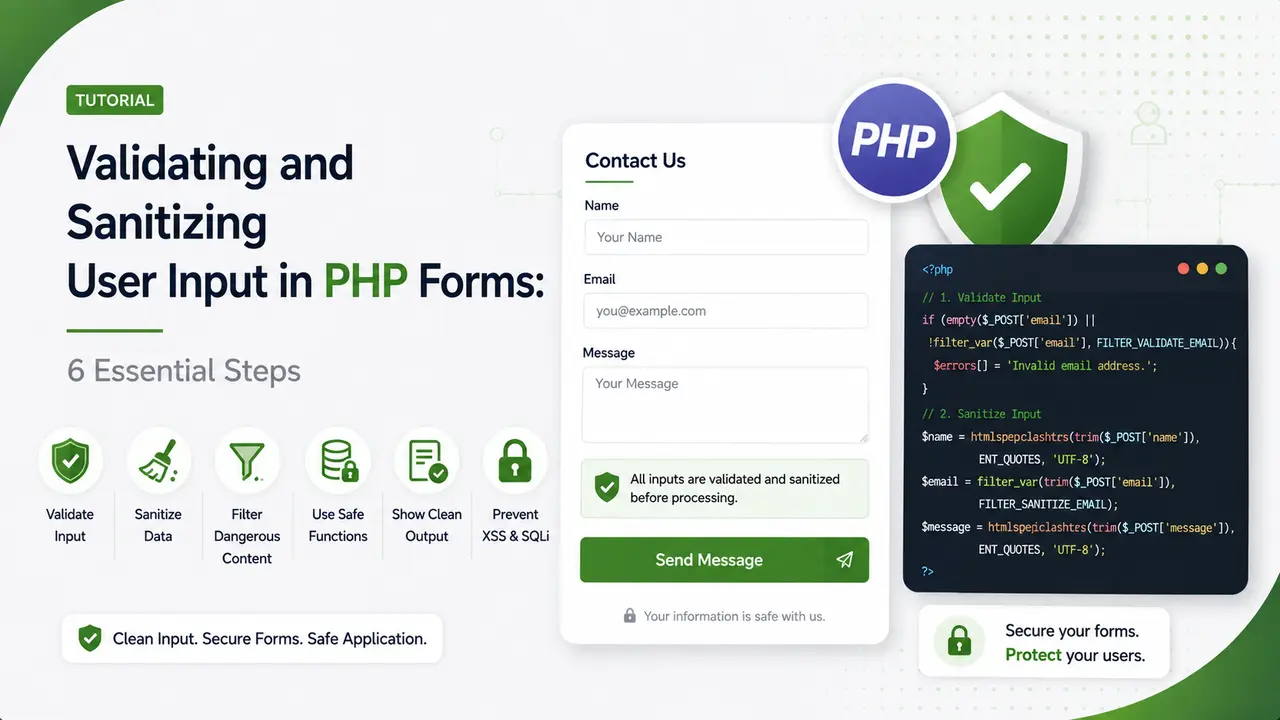
A practical guide to validating and sanitizing user input in PHP forms, covering filter_var, allowlisting, context aware escaping, and safe file uploads.
Table of Contents
ToggleEvery field on a form is a door, and a visitor typing something unexpected into it is far more common than most templates plan for. Validating and sanitizing user input in PHP forms is what keeps a stray character from becoming a database error or a security hole.
Why Validating and Sanitizing User Input in PHP Forms Matters
Two different jobs get bundled into the same sentence so often that they start to sound like one task, but they are not. Unvalidated input still sits near the top of the OWASP Top 10 list of real world web application risks.
Validation asks whether a piece of data is acceptable at all. An email field either has a properly formed address in it or it does not.
Sanitization changes the data itself, stripping or encoding characters so it becomes safe to store, display, or pass along somewhere else.
A form that only sanitizes without validating will happily accept garbage. A form that only validates without sanitizing can still store something dangerous if the check itself has a gap.
The OWASP Input Validation Cheat Sheet treats this same distinction as foundational, and most real world security issues in PHP applications trace back to skipping one half of it.
Using filter_var for Common Field Types
PHP's own filter_var() function covers most everyday field types without any extra library.
$email = filter_var($_POST['email'], FILTER_VALIDATE_EMAIL);
$age = filter_var($_POST['age'], FILTER_VALIDATE_INT, [
    'options' => ['min_range' => 0, 'max_range' => 120]
]);
$website = filter_var($_POST['website'], FILTER_VALIDATE_URL);

if ($email === false || $age === false) {
    exit('One or more fields failed validation.');
}
Checking against false strictly with === matters, since a valid age of zero would otherwise be treated as falsy and rejected by mistake. Email address format itself is defined by RFC 5322, which is stricter and stranger than most validation regex people write by hand ever fully capture.
| Field Type | Filter to Use | Common Mistake |
|---|---|---|
| Email address | FILTER_VALIDATE_EMAIL | Skipping the check because the browser already has type email |
| Whole number | FILTER_VALIDATE_INT with a range | Forgetting to set min_range and max_range |
| URL | FILTER_VALIDATE_URL | Accepting a javascript scheme as valid |
| Free text | htmlspecialchars on output, not input | Sanitizing at input time and losing the original data |
Building a Reusable Validator Class
Repeating the same filter calls across every form handler in a project invites inconsistency. A small class centralizes the rules in one place. A larger project can reach for a dedicated package like respect/validation instead of writing every rule by hand.
final class FormValidator {
    private array $errors = [];

    public function email(string $field, $value): ?string {
        $clean = filter_var($value, FILTER_VALIDATE_EMAIL);
        if ($clean === false) {
            $this->errors[$field] = 'Enter a valid email address.';
            return null;
        }
        return $clean;
    }

    public function requiredText(string $field, $value, int $maxLength = 500): ?string {
        $trimmed = trim((string) $value);
        if ($trimmed === '' || mb_strlen($trimmed) > $maxLength) {
            $this->errors[$field] = 'This field is required and must fit the length limit.';
            return null;
        }
        return $trimmed;
    }

    public function hasErrors(): bool {
        return !empty($this->errors);
    }
}
mb_strlen instead of strlen counts multibyte characters correctly, which matters the moment a visitor writes their name in a script that is not plain ASCII.
Choosing Allowlisting Over Denylisting
A denylist tries to block every dangerous pattern it can think of. An allowlist only accepts patterns it already knows are safe, and anything else fails by default.
// allowlist: only letters, numbers, spaces, and basic punctuation survive
$clean_name = preg_replace('/[^\p{L}\p{N}\s.\'-]/u', '', $_POST['name']);
An allowlist approach fails safe. A denylist that misses one obscure encoding trick fails open, letting exactly the input it was meant to stop slip through. This principle applies just as directly to the SQL injection and cross site scripting classes covered in OWASP's XSS prevention guidance.
Escaping Output for the Right Context
Sanitizing on the way in is only half the job. The same value needs different treatment depending on where it ends up on the way out.
// output into HTML
echo htmlspecialchars($comment, ENT_QUOTES, 'UTF-8');

// output into a SQL query, using a prepared statement instead of escaping
$stmt = $pdo->prepare('SELECT * FROM users WHERE email = ?');
$stmt->execute([$email]);

// output into a URL query string
$url = 'https://brandella.in/search?q=' . urlencode($search_term);
Using the wrong escaping function for the destination is a common gap, and it shows up more often in real codebases than most developers expect. htmlspecialchars does nothing to protect a raw SQL query, and a prepared statement does nothing to protect an HTML page.
Validating Arrays and Nested Form Data
A checkbox group or a repeatable field sends an array instead of a single value, and each entry inside it needs the same checks as any other field. Skipping this step is an easy mistake, since a single value field works fine in testing right up until someone submits a form built to send an array where a string was expected.
$tags = $_POST['tags'] ?? [];

if (!is_array($tags)) {
    exit('Unexpected input format.');
}

$clean_tags = array_map(
    fn($tag) => preg_replace('/[^\p{L}\p{N}\s-]/u', '', trim((string) $tag)),
    $tags
);
$clean_tags = array_filter($clean_tags, fn($t) => $t !== '');
The is_array check protects against a crafted request that sends a plain string where the form normally sends an array, which would otherwise break every loop that follows.
Handling File Upload Input Safely
A file upload field is user input too, and the file's declared name and type cannot be trusted any more than a text field can. The IANA media types registry is the authoritative list behind the MIME type strings this section checks against.
$file = $_FILES['attachment'];
$allowed_types = ['image/jpeg', 'image/png', 'application/pdf'];
$actual_type = mime_content_type($file['tmp_name']);

if (!in_array($actual_type, $allowed_types, true) || $file['size'] > 5 * 1024 * 1024) {
    exit('File rejected.');
}
mime_content_type() checks the file's actual content, not the extension or the client supplied MIME type, both of which are trivial for a visitor to fake. OWASP's file upload guidance covers several additional checks worth adding once a project handles uploads at any real scale.
- Validate before sanitizing: reject bad data outright rather than quietly cleaning it into something the visitor never actually typed.
- Escape at output, not at input: storing the original value and escaping it per destination avoids double encoding problems later.
- Use prepared statements for SQL: no amount of manual escaping is as reliable as letting PDO handle the query parameters directly.
- Check the real file type, not the extension: a renamed file can claim to be anything the extension suggests.
- Fail closed on unexpected shapes: a field that should be a string but arrives as an array is a sign of a crafted request, not a bug to work around.
Testing Validation Rules With Edge Cases
A validator that only gets tested with obviously valid and obviously invalid input misses the values in between that actually reveal bugs.
$edge_cases = [
    '',                         // empty string
    ' ',                        // whitespace only
    '0',                        // falsy but valid
    str_repeat('a', 10000),      // far past any reasonable length
    'test@example.com<script>', // valid prefix, malicious suffix
];
Running the validator class against a fixed list like this before every deploy catches the exact class of bug that only shows up on unusual, real world input. Wrapping the same list inside a PHPUnit test suite turns a manual check into something that runs automatically on every commit.
Watch: PHP Form Validation With filter_var
Eli the Computer Guy walks through a working filter_var based form validation example that pairs well with the validator class built in this guide.
Video credit: Eli the Computer Guy.
Wrapping the same filters shown in the video inside a reusable class is the main difference between a one off script and a maintainable form handler.
Related Articles
Frequently Asked Questions
Validation decides whether input is acceptable and rejects it if not. Sanitization changes the input itself, stripping or encoding parts of it so it becomes safe to use.
Because any field a visitor can type into can also receive something unexpected, whether by mistake or on purpose, and unchecked input is behind most common web application vulnerabilities.
No. A request sent directly to the server, bypassing the browser entirely, skips any client side check completely, so every rule still needs to run again in PHP.
Generally no. Store the validated original value and use prepared statements for the database and context specific escaping for output, rather than permanently altering the stored data.
Skip the required check but still run the format check whenever a value is present, so an optional email field still rejects a malformed address if one is entered.
What We Learn Today
Validation and sanitization are different jobs
One accepts or rejects, the other transforms the data itself.
filter_var covers most common fields
Email, integers, and URLs rarely need a custom check written from scratch.
Allowlisting fails safer than denylisting
Blocking only known bad patterns misses whatever nobody thought of yet.
Output escaping depends on context
HTML, SQL, and URLs each need a different escaping approach.
Uploaded files need real type checks
The declared MIME type and extension can both be faked easily.
Edge cases reveal real bugs
Testing beyond obviously valid and invalid input catches what matters.
Ready to Lock Down Your Form Handlers?
Pair validating and sanitizing user input in PHP forms with a wider security minded workflow to keep every incoming request accounted for.
Related Posts



Previous Post
Next Post
Previous Post
Next Post





- Artificial Intelligence
- Content
- Core Web Vitals
- Development
- Digital Marketing
- Display Advertising
- Google Ads
- Google Search Console
- GTM
- HTML
- HTML CSS
- JavaScript
- Keyword Research
- Link Building
- LinkedIn Ads
- Local SEO
- Meta Ads
- Mobile SEO
- Off-Page SEO
- On-Page SEO
- Paid Media
- Paid Media Analytics
- PHP
- PPC Strategy
- Python
- SEO
- SEO Basics
- SEO Tools
- Social
- Technical SEO




