

- Home
- SEODiscover the latest updates from across the United States, including politics, culture, economy, and trending stories. Stay informed on the key events shaping the nation and the topics everyone’s talking about.
- Technical SEOLearn technical SEO concepts including crawling, indexing, XML sitemaps, robots.txt, canonical tags, site architecture, and website performance.
- Local SEOOptimize your business for local seo with Google Business Profile, local citations, reviews, maps, and location-based SEO.
- Mobile SEOImprove your website’s mobile seo performance with responsive design, mobile-first indexing, usability, and page speed optimization.
- On-Page SEOExplore on-page seo optimization techniques such as title tags, meta descriptions, headings, URLs, internal linking, and content optimization.
- Off-Page SEODiscover off-page SEO strategies such as backlinks, digital PR, brand mentions, outreach, and authority building.
- SEO ToolsExplore the best SEO tools for keyword research, technical audits, backlink analysis, rank tracking, and website optimization.
- Core Web VitalsLearn how to improve Core Web Vitals including LCP, INP, CLS, page speed, and overall user experience for better rankings.
- Keyword ResearchLearn how to find profitable keywords, analyze search intent, evaluate competition, and build effective keyword strategies.
- Link BuildingMaster ethical link building techniques, backlink analysis, outreach methods, guest posting, and authority growth strategies.
- Google Search ConsoleLearn how to use Google Search Console to monitor indexing, fix errors, analyze search performance, and improve SEO.
- SEO BasicsLearn the fundamentals of search engine optimization (SEO Basics), including how search engines work, SEO terminology, and beginner-friendly best practices.
- Paid Media
- Display AdvertisingLearn display advertising strategies, banner ads, audience targeting, remarketing, Google Display campaigns, and optimization techniques.
- Google AdsLearn Google Ads strategies, campaign setup, bidding, keywords, Performance Max, Search Ads, and optimization techniques.
- LinkedIn AdsLearn LinkedIn Ads strategies for B2B marketing, lead generation, audience targeting, campaign optimization, and paid social advertising.
- Meta AdsLearn Meta Ads strategies for Facebook and Instagram, including campaign setup, targeting, retargeting, and performance optimization.
- Paid Media AnalyticsLearn paid media analytics, including CPC, CTR, CPA, ROAS, conversion tracking, attribution, reporting, and campaign performance analysis.
- PPC StrategyLearn effective PPC strategies, campaign planning, bidding, keyword targeting, landing pages, conversion optimization, and more.
- ContentTransform your living spaces with inspiration, tips, and trends in interior design. From minimalist decor to bold statements, find ideas for every style and budget.
- Social
- Digital MarketingExplore stories and advice on living your best life. From personal growth to entertainment, dive into the latest in lifestyle trends and inspiration.
- Artificial IntelligenceStay informed about health and wellness with expert advice, fitness tips, and the latest medical breakthroughs. Your guide to a healthier and happier life.
- DevelopmentYou will find development related educational articles
- GTMLearn Google Tag Manager (GTM) with practical guides for tags, triggers, variables, tracking, conversions, and website analytics implementation.
- HTMLLearn HTML with simple tutorials, examples, tags, elements, attributes, and best practices for building modern web pages.
- HTML CSSLearn HTML CSS together with practical tutorials, examples, layouts, styling techniques, responsive design, and modern web development practices.
- HTML JSLearn HTML JS – JavaScript with practical tutorials and examples for adding interactivity, dynamic content, events, and functionality to web pages.
- JavaScriptExplore JavaScript tutorials, examples, concepts, and practical techniques for creating interactive and dynamic websites and web applications.
- PHPLearn PHP programming with practical tutorials, examples, functions, syntax, and web development techniques for beginners and developers.
- PythonLearn Python programming with practical tutorials, examples, syntax, functions, automation techniques, and useful programming concepts.
- Home
- SEODiscover the latest updates from across the United States, including politics, culture, economy, and trending stories. Stay informed on the key events shaping the nation and the topics everyone’s talking about.
- Technical SEOLearn technical SEO concepts including crawling, indexing, XML sitemaps, robots.txt, canonical tags, site architecture, and website performance.
- Local SEOOptimize your business for local seo with Google Business Profile, local citations, reviews, maps, and location-based SEO.
- Mobile SEOImprove your website’s mobile seo performance with responsive design, mobile-first indexing, usability, and page speed optimization.
- On-Page SEOExplore on-page seo optimization techniques such as title tags, meta descriptions, headings, URLs, internal linking, and content optimization.
- Off-Page SEODiscover off-page SEO strategies such as backlinks, digital PR, brand mentions, outreach, and authority building.
- SEO ToolsExplore the best SEO tools for keyword research, technical audits, backlink analysis, rank tracking, and website optimization.
- Core Web VitalsLearn how to improve Core Web Vitals including LCP, INP, CLS, page speed, and overall user experience for better rankings.
- Keyword ResearchLearn how to find profitable keywords, analyze search intent, evaluate competition, and build effective keyword strategies.
- Link BuildingMaster ethical link building techniques, backlink analysis, outreach methods, guest posting, and authority growth strategies.
- Google Search ConsoleLearn how to use Google Search Console to monitor indexing, fix errors, analyze search performance, and improve SEO.
- SEO BasicsLearn the fundamentals of search engine optimization (SEO Basics), including how search engines work, SEO terminology, and beginner-friendly best practices.
- Paid Media
- Display AdvertisingLearn display advertising strategies, banner ads, audience targeting, remarketing, Google Display campaigns, and optimization techniques.
- Google AdsLearn Google Ads strategies, campaign setup, bidding, keywords, Performance Max, Search Ads, and optimization techniques.
- LinkedIn AdsLearn LinkedIn Ads strategies for B2B marketing, lead generation, audience targeting, campaign optimization, and paid social advertising.
- Meta AdsLearn Meta Ads strategies for Facebook and Instagram, including campaign setup, targeting, retargeting, and performance optimization.
- Paid Media AnalyticsLearn paid media analytics, including CPC, CTR, CPA, ROAS, conversion tracking, attribution, reporting, and campaign performance analysis.
- PPC StrategyLearn effective PPC strategies, campaign planning, bidding, keyword targeting, landing pages, conversion optimization, and more.
- ContentTransform your living spaces with inspiration, tips, and trends in interior design. From minimalist decor to bold statements, find ideas for every style and budget.
- Social
- Digital MarketingExplore stories and advice on living your best life. From personal growth to entertainment, dive into the latest in lifestyle trends and inspiration.
- Artificial IntelligenceStay informed about health and wellness with expert advice, fitness tips, and the latest medical breakthroughs. Your guide to a healthier and happier life.
- DevelopmentYou will find development related educational articles
- GTMLearn Google Tag Manager (GTM) with practical guides for tags, triggers, variables, tracking, conversions, and website analytics implementation.
- HTMLLearn HTML with simple tutorials, examples, tags, elements, attributes, and best practices for building modern web pages.
- HTML CSSLearn HTML CSS together with practical tutorials, examples, layouts, styling techniques, responsive design, and modern web development practices.
- HTML JSLearn HTML JS – JavaScript with practical tutorials and examples for adding interactivity, dynamic content, events, and functionality to web pages.
- JavaScriptExplore JavaScript tutorials, examples, concepts, and practical techniques for creating interactive and dynamic websites and web applications.
- PHPLearn PHP programming with practical tutorials, examples, functions, syntax, and web development techniques for beginners and developers.
- PythonLearn Python programming with practical tutorials, examples, syntax, functions, automation techniques, and useful programming concepts.
Now Reading: How to Analyze Your Backlink Profile
-
01
How to Analyze Your Backlink Profile
- Home//
- SEO//Discover the latest updates from across the United States, including politics, culture, economy, and trending stories. Stay informed on the key events shaping the nation and the topics everyone’s talking about.
- Technical SEO//Learn technical SEO concepts including crawling, indexing, XML sitemaps, robots.txt, canonical tags, site architecture, and website performance.
- Local SEO//Optimize your business for local seo with Google Business Profile, local citations, reviews, maps, and location-based SEO.
- Mobile SEO//Improve your website’s mobile seo performance with responsive design, mobile-first indexing, usability, and page speed optimization.
- On-Page SEO//Explore on-page seo optimization techniques such as title tags, meta descriptions, headings, URLs, internal linking, and content optimization.
- Off-Page SEO//Discover off-page SEO strategies such as backlinks, digital PR, brand mentions, outreach, and authority building.
- SEO Tools//Explore the best SEO tools for keyword research, technical audits, backlink analysis, rank tracking, and website optimization.
- Core Web Vitals//Learn how to improve Core Web Vitals including LCP, INP, CLS, page speed, and overall user experience for better rankings.
- Keyword Research//Learn how to find profitable keywords, analyze search intent, evaluate competition, and build effective keyword strategies.
- Link Building//Master ethical link building techniques, backlink analysis, outreach methods, guest posting, and authority growth strategies.
- Google Search Console//Learn how to use Google Search Console to monitor indexing, fix errors, analyze search performance, and improve SEO.
- SEO Basics//Learn the fundamentals of search engine optimization (SEO Basics), including how search engines work, SEO terminology, and beginner-friendly best practices.
- Paid Media//
- Display Advertising//Learn display advertising strategies, banner ads, audience targeting, remarketing, Google Display campaigns, and optimization techniques.
- Google Ads//Learn Google Ads strategies, campaign setup, bidding, keywords, Performance Max, Search Ads, and optimization techniques.
- LinkedIn Ads//Learn LinkedIn Ads strategies for B2B marketing, lead generation, audience targeting, campaign optimization, and paid social advertising.
- Meta Ads//Learn Meta Ads strategies for Facebook and Instagram, including campaign setup, targeting, retargeting, and performance optimization.
- Paid Media Analytics//Learn paid media analytics, including CPC, CTR, CPA, ROAS, conversion tracking, attribution, reporting, and campaign performance analysis.
- PPC Strategy//Learn effective PPC strategies, campaign planning, bidding, keyword targeting, landing pages, conversion optimization, and more.
- Content//Transform your living spaces with inspiration, tips, and trends in interior design. From minimalist decor to bold statements, find ideas for every style and budget.
- Social//
- Digital Marketing//Explore stories and advice on living your best life. From personal growth to entertainment, dive into the latest in lifestyle trends and inspiration.
- Artificial Intelligence//Stay informed about health and wellness with expert advice, fitness tips, and the latest medical breakthroughs. Your guide to a healthier and happier life.
- Development//You will find development related educational articles
- GTM//Learn Google Tag Manager (GTM) with practical guides for tags, triggers, variables, tracking, conversions, and website analytics implementation.
- HTML//Learn HTML with simple tutorials, examples, tags, elements, attributes, and best practices for building modern web pages.
- HTML CSS//Learn HTML CSS together with practical tutorials, examples, layouts, styling techniques, responsive design, and modern web development practices.
- HTML JS//Learn HTML JS – JavaScript with practical tutorials and examples for adding interactivity, dynamic content, events, and functionality to web pages.
- JavaScript//Explore JavaScript tutorials, examples, concepts, and practical techniques for creating interactive and dynamic websites and web applications.
- PHP//Learn PHP programming with practical tutorials, examples, functions, syntax, and web development techniques for beginners and developers.
- Python//Learn Python programming with practical tutorials, examples, syntax, functions, automation techniques, and useful programming concepts.
How to Analyze Your Backlink Profile

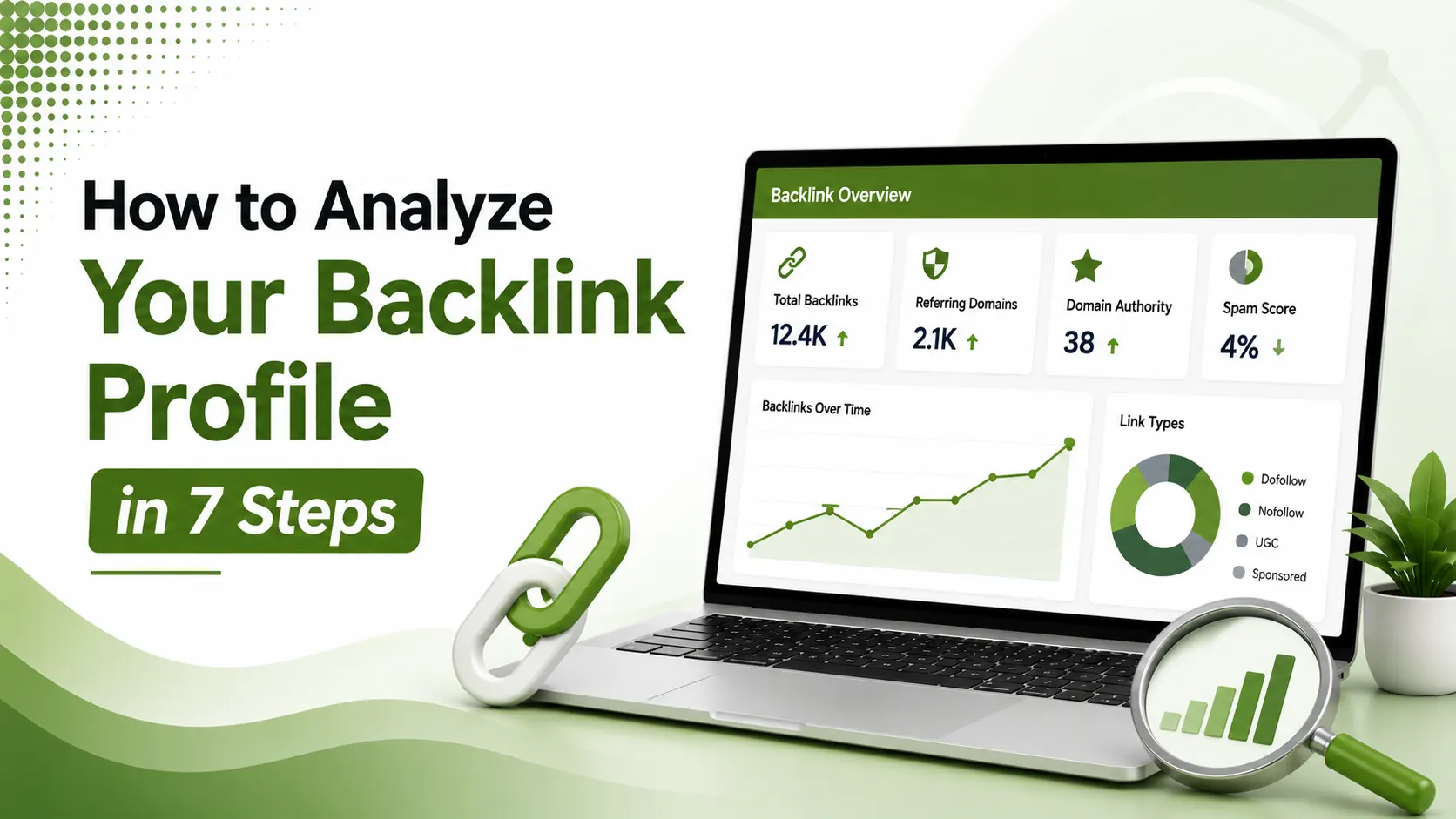
A backlink profile shows the complete collection of links pointing to a website and provides valuable insight into link quality, referring domains, anchor text, authority, and potential risks that can affect search visibility and SEO performance.
Table of Contents
ToggleFifty links from fifty different reputable websites will move your rankings. Ten thousand links from one single domain won't. This is the single most common thing beginners get backwards when they open a backlink report for the first time, and it's exactly the mistake this tutorial is built to prevent.
Analyzing your backlink profile means systematically reviewing every inbound link pointing to your site, checking referring domains, link quality, anchor text distribution, and toxic link risk, to understand what's actually helping your rankings and what might be quietly holding them back.
This is a hands-on, step-by-step process. You don't need a paid tool subscription to do this properly. Google Search Console alone covers the essentials for free, and pairing it with a free-tier third-party tool fills in the remaining gaps.
Every tool floods you with metrics, and most of them don't matter nearly as much as marketers assume. Two numbers do most of the real work: referring domains and link relevance. Everything else in this tutorial builds around getting those two things right first.
We covered how these links get built in the first place in our link building beginner's guide. This tutorial is the follow-up: how to actually audit what you, or your predecessor, already built.
By the end of this walkthrough, you'll have a clear, actionable picture of your current backlink profile, plus a repeatable process to re-run it every few months going forward.
metrics matter most: referring domains and link relevance, above everything else
steps take you from zero to a complete backlink audit in this tutorial
the entire process can be done using Google Search Console and free-tier tools
Step 1: Pull Your Baseline Data
According to Ahrefs' guide to checking backlinks for any website, running your domain through a free checker gives you the number of backlinks and key performance metrics in seconds, before diving into a deeper manual review.
Start With Google Search Console
According to Jeenam Infotech's 2026 guide to analyzing and cleaning your backlink profile, the Links report shows your existing backlink profile directly from Google's own data, completely free.
Cross-Check With a Second Source
According to Outreach Desk's guide to auditing any link profile in 2026, no single tool has a complete picture. Every backlink index has gaps, so cross-checking against a second free tool catches links one source alone would miss.
Step 2: Sort by Referring Domains, Not Total Links
According to LinkRocket's complete 2026 backlink analysis guide, referring domains, the count of unique sites linking to you, matters far more than total backlinks, which counts every individual link including dozens from the same source.
Step 3-5: Check the Metrics That Actually Matter
| Metric | What to Check |
|---|---|
| Referring domains | Higher unique domain count generally beats higher raw link count |
| Topical relevance | Does the linking site actually relate to your niche or topic? |
| Anchor text distribution | Mostly branded and generic; a light, natural spread of keyword anchors |
| Follow vs. nofollow ratio | A healthy mix looks natural; all-follow or all-nofollow both look engineered |
| Link placement | Editorial body content outweighs sidebar, footer, or directory links |
According to Koanthic's complete guide to backlink profile analysis for 2026, quantitative volume metrics establish a baseline, but qualitative evaluation, topical alignment and editorial quality, is what actually separates a healthy profile from a risky one.
Step 6: Run a Competitor Gap Analysis
According to Semrush's guide to link building for SEO, comparing your referring domains against a competitor's often surfaces realistic, pre-qualified outreach opportunities you'd otherwise miss entirely.
Find What Competitors Have That You Don't
According to Outreach Desk's guide referenced above, identify your top three to five competitors, then find referring domains linking to them but not to you. This filtered list becomes your next outreach target list.
Step 7: Decide What to Do With Risky Links
According to LinkRocket's guide referenced above, Google ignores most junk links on its own now. The disavow file exists for clear, systematic spam or an actual manual penalty, not for every mediocre-looking link.
Over-using the disavow tool can strip out links that were quietly helping. Reserve it for genuinely toxic patterns, not a gut reaction to an unfamiliar domain name.
Reading the Anchor Text Report
According to Neil Patel's guide to checking and analyzing backlinks, most backlink tools include an anchor text breakdown showing exactly what clickable words point to your site across every linking domain.
A profile leaning heavily toward exact-match keyword anchors, rather than branded or generic phrases, can look manipulated to search engines, even if every individual link was earned honestly.
Using Search Console Data Alongside Third-Party Tools
According to Jeenam Infotech's guide referenced above, Google Search Console's Links report also shows indexing status and organic traffic context that third-party crawler-based tools sometimes miss entirely.
Pairing the two data sources catches gaps neither one alone would reveal, since Search Console reflects what Google itself has actually crawled and recorded, while third-party tools rely on their own independent web crawls.
Turning the Audit Into an Action Plan
According to Outreach Desk's guide referenced above, look at which content types and page formats attract organic links naturally. If original research pieces consistently attract more referring domains than standard how-to guides, that pattern is worth acting on.
Most backlink audits fail not because the process itself is flawed, but because teams misread what the data actually shows. Treating this as a repeatable, scheduled habit, rather than a one-time emergency check, produces far more reliable long-term results.
Backlink Profile Health Interpreter
Enter your current numbers to get a quick read on your profile's health.
Backlink Profile Health Interpreter
Rough numbers are fine; this is a directional check, not a precise score
Common Mistakes That Undermine an Otherwise Good Audit
According to LinkRocket's guide referenced above, comparing scores across different tools is a frequent error. A Domain Rating from one platform and a Domain Authority from another aren't the same currency; pick one tool and stay consistent within it.
According to Semrush's backlink analysis features overview, checking every link, referring domain, and authority metric together, rather than fixating on just one number, produces a genuinely complete picture rather than a skewed one.
According to Koanthic's guide referenced above, modern backlink analysis increasingly incorporates predictive impact modeling, but the fundamentals, referring domains, relevance, and anchor text health, remain the foundation everything else builds on.
FAQs on Analyzing Your Backlink Profile
Related Articles
> what_we_learn_today.log
Referring domains matter more than total backlink count
Google Search Console alone covers the free essentials
Cross-check against a second tool; every index has gaps
A competitor gap analysis doubles as an outreach target list
Disavow sparingly; Google ignores most junk links already
Never compare Domain Rating and Domain Authority directly
Related Posts

Previous Post
Next Post





- Artificial Intelligence
- Content
- Core Web Vitals
- Development
- Digital Marketing
- Display Advertising
- Google Ads
- Google Search Console
- GTM
- HTML
- HTML CSS
- JavaScript
- Keyword Research
- Link Building
- LinkedIn Ads
- Local SEO
- Meta Ads
- Mobile SEO
- Off-Page SEO
- On-Page SEO
- Paid Media
- Paid Media Analytics
- PHP
- PPC Strategy
- Python
- SEO
- SEO Basics
- SEO Tools
- Social
- Technical SEO




