

- Home
- SEODiscover the latest updates from across the United States, including politics, culture, economy, and trending stories. Stay informed on the key events shaping the nation and the topics everyone’s talking about.
- Technical SEOLearn technical SEO concepts including crawling, indexing, XML sitemaps, robots.txt, canonical tags, site architecture, and website performance.
- Local SEOOptimize your business for local seo with Google Business Profile, local citations, reviews, maps, and location-based SEO.
- Mobile SEOImprove your website’s mobile seo performance with responsive design, mobile-first indexing, usability, and page speed optimization.
- On-Page SEOExplore on-page seo optimization techniques such as title tags, meta descriptions, headings, URLs, internal linking, and content optimization.
- Off-Page SEODiscover off-page SEO strategies such as backlinks, digital PR, brand mentions, outreach, and authority building.
- SEO ToolsExplore the best SEO tools for keyword research, technical audits, backlink analysis, rank tracking, and website optimization.
- Core Web VitalsLearn how to improve Core Web Vitals including LCP, INP, CLS, page speed, and overall user experience for better rankings.
- Keyword ResearchLearn how to find profitable keywords, analyze search intent, evaluate competition, and build effective keyword strategies.
- Link BuildingMaster ethical link building techniques, backlink analysis, outreach methods, guest posting, and authority growth strategies.
- Google Search ConsoleLearn how to use Google Search Console to monitor indexing, fix errors, analyze search performance, and improve SEO.
- SEO BasicsLearn the fundamentals of search engine optimization (SEO Basics), including how search engines work, SEO terminology, and beginner-friendly best practices.
- Paid Media
- Display AdvertisingLearn display advertising strategies, banner ads, audience targeting, remarketing, Google Display campaigns, and optimization techniques.
- Google AdsLearn Google Ads strategies, campaign setup, bidding, keywords, Performance Max, Search Ads, and optimization techniques.
- LinkedIn AdsLearn LinkedIn Ads strategies for B2B marketing, lead generation, audience targeting, campaign optimization, and paid social advertising.
- Meta AdsLearn Meta Ads strategies for Facebook and Instagram, including campaign setup, targeting, retargeting, and performance optimization.
- Paid Media AnalyticsLearn paid media analytics, including CPC, CTR, CPA, ROAS, conversion tracking, attribution, reporting, and campaign performance analysis.
- PPC StrategyLearn effective PPC strategies, campaign planning, bidding, keyword targeting, landing pages, conversion optimization, and more.
- ContentTransform your living spaces with inspiration, tips, and trends in interior design. From minimalist decor to bold statements, find ideas for every style and budget.
- Social
- Digital MarketingExplore stories and advice on living your best life. From personal growth to entertainment, dive into the latest in lifestyle trends and inspiration.
- Artificial IntelligenceStay informed about health and wellness with expert advice, fitness tips, and the latest medical breakthroughs. Your guide to a healthier and happier life.
- DevelopmentYou will find development related educational articles
- GTMLearn Google Tag Manager (GTM) with practical guides for tags, triggers, variables, tracking, conversions, and website analytics implementation.
- HTMLLearn HTML with simple tutorials, examples, tags, elements, attributes, and best practices for building modern web pages.
- HTML CSSLearn HTML CSS together with practical tutorials, examples, layouts, styling techniques, responsive design, and modern web development practices.
- HTML JSLearn HTML JS – JavaScript with practical tutorials and examples for adding interactivity, dynamic content, events, and functionality to web pages.
- JavaScriptExplore JavaScript tutorials, examples, concepts, and practical techniques for creating interactive and dynamic websites and web applications.
- PHPLearn PHP programming with practical tutorials, examples, functions, syntax, and web development techniques for beginners and developers.
- PythonLearn Python programming with practical tutorials, examples, syntax, functions, automation techniques, and useful programming concepts.
- Home
- SEODiscover the latest updates from across the United States, including politics, culture, economy, and trending stories. Stay informed on the key events shaping the nation and the topics everyone’s talking about.
- Technical SEOLearn technical SEO concepts including crawling, indexing, XML sitemaps, robots.txt, canonical tags, site architecture, and website performance.
- Local SEOOptimize your business for local seo with Google Business Profile, local citations, reviews, maps, and location-based SEO.
- Mobile SEOImprove your website’s mobile seo performance with responsive design, mobile-first indexing, usability, and page speed optimization.
- On-Page SEOExplore on-page seo optimization techniques such as title tags, meta descriptions, headings, URLs, internal linking, and content optimization.
- Off-Page SEODiscover off-page SEO strategies such as backlinks, digital PR, brand mentions, outreach, and authority building.
- SEO ToolsExplore the best SEO tools for keyword research, technical audits, backlink analysis, rank tracking, and website optimization.
- Core Web VitalsLearn how to improve Core Web Vitals including LCP, INP, CLS, page speed, and overall user experience for better rankings.
- Keyword ResearchLearn how to find profitable keywords, analyze search intent, evaluate competition, and build effective keyword strategies.
- Link BuildingMaster ethical link building techniques, backlink analysis, outreach methods, guest posting, and authority growth strategies.
- Google Search ConsoleLearn how to use Google Search Console to monitor indexing, fix errors, analyze search performance, and improve SEO.
- SEO BasicsLearn the fundamentals of search engine optimization (SEO Basics), including how search engines work, SEO terminology, and beginner-friendly best practices.
- Paid Media
- Display AdvertisingLearn display advertising strategies, banner ads, audience targeting, remarketing, Google Display campaigns, and optimization techniques.
- Google AdsLearn Google Ads strategies, campaign setup, bidding, keywords, Performance Max, Search Ads, and optimization techniques.
- LinkedIn AdsLearn LinkedIn Ads strategies for B2B marketing, lead generation, audience targeting, campaign optimization, and paid social advertising.
- Meta AdsLearn Meta Ads strategies for Facebook and Instagram, including campaign setup, targeting, retargeting, and performance optimization.
- Paid Media AnalyticsLearn paid media analytics, including CPC, CTR, CPA, ROAS, conversion tracking, attribution, reporting, and campaign performance analysis.
- PPC StrategyLearn effective PPC strategies, campaign planning, bidding, keyword targeting, landing pages, conversion optimization, and more.
- ContentTransform your living spaces with inspiration, tips, and trends in interior design. From minimalist decor to bold statements, find ideas for every style and budget.
- Social
- Digital MarketingExplore stories and advice on living your best life. From personal growth to entertainment, dive into the latest in lifestyle trends and inspiration.
- Artificial IntelligenceStay informed about health and wellness with expert advice, fitness tips, and the latest medical breakthroughs. Your guide to a healthier and happier life.
- DevelopmentYou will find development related educational articles
- GTMLearn Google Tag Manager (GTM) with practical guides for tags, triggers, variables, tracking, conversions, and website analytics implementation.
- HTMLLearn HTML with simple tutorials, examples, tags, elements, attributes, and best practices for building modern web pages.
- HTML CSSLearn HTML CSS together with practical tutorials, examples, layouts, styling techniques, responsive design, and modern web development practices.
- HTML JSLearn HTML JS – JavaScript with practical tutorials and examples for adding interactivity, dynamic content, events, and functionality to web pages.
- JavaScriptExplore JavaScript tutorials, examples, concepts, and practical techniques for creating interactive and dynamic websites and web applications.
- PHPLearn PHP programming with practical tutorials, examples, functions, syntax, and web development techniques for beginners and developers.
- PythonLearn Python programming with practical tutorials, examples, syntax, functions, automation techniques, and useful programming concepts.
Now Reading: HTTP Status Codes for SEO: 200, 301, 404, 410 Explained
-
01
HTTP Status Codes for SEO: 200, 301, 404, 410 Explained
- Home//
- SEO//Discover the latest updates from across the United States, including politics, culture, economy, and trending stories. Stay informed on the key events shaping the nation and the topics everyone’s talking about.
- Technical SEO//Learn technical SEO concepts including crawling, indexing, XML sitemaps, robots.txt, canonical tags, site architecture, and website performance.
- Local SEO//Optimize your business for local seo with Google Business Profile, local citations, reviews, maps, and location-based SEO.
- Mobile SEO//Improve your website’s mobile seo performance with responsive design, mobile-first indexing, usability, and page speed optimization.
- On-Page SEO//Explore on-page seo optimization techniques such as title tags, meta descriptions, headings, URLs, internal linking, and content optimization.
- Off-Page SEO//Discover off-page SEO strategies such as backlinks, digital PR, brand mentions, outreach, and authority building.
- SEO Tools//Explore the best SEO tools for keyword research, technical audits, backlink analysis, rank tracking, and website optimization.
- Core Web Vitals//Learn how to improve Core Web Vitals including LCP, INP, CLS, page speed, and overall user experience for better rankings.
- Keyword Research//Learn how to find profitable keywords, analyze search intent, evaluate competition, and build effective keyword strategies.
- Link Building//Master ethical link building techniques, backlink analysis, outreach methods, guest posting, and authority growth strategies.
- Google Search Console//Learn how to use Google Search Console to monitor indexing, fix errors, analyze search performance, and improve SEO.
- SEO Basics//Learn the fundamentals of search engine optimization (SEO Basics), including how search engines work, SEO terminology, and beginner-friendly best practices.
- Paid Media//
- Display Advertising//Learn display advertising strategies, banner ads, audience targeting, remarketing, Google Display campaigns, and optimization techniques.
- Google Ads//Learn Google Ads strategies, campaign setup, bidding, keywords, Performance Max, Search Ads, and optimization techniques.
- LinkedIn Ads//Learn LinkedIn Ads strategies for B2B marketing, lead generation, audience targeting, campaign optimization, and paid social advertising.
- Meta Ads//Learn Meta Ads strategies for Facebook and Instagram, including campaign setup, targeting, retargeting, and performance optimization.
- Paid Media Analytics//Learn paid media analytics, including CPC, CTR, CPA, ROAS, conversion tracking, attribution, reporting, and campaign performance analysis.
- PPC Strategy//Learn effective PPC strategies, campaign planning, bidding, keyword targeting, landing pages, conversion optimization, and more.
- Content//Transform your living spaces with inspiration, tips, and trends in interior design. From minimalist decor to bold statements, find ideas for every style and budget.
- Social//
- Digital Marketing//Explore stories and advice on living your best life. From personal growth to entertainment, dive into the latest in lifestyle trends and inspiration.
- Artificial Intelligence//Stay informed about health and wellness with expert advice, fitness tips, and the latest medical breakthroughs. Your guide to a healthier and happier life.
- Development//You will find development related educational articles
- GTM//Learn Google Tag Manager (GTM) with practical guides for tags, triggers, variables, tracking, conversions, and website analytics implementation.
- HTML//Learn HTML with simple tutorials, examples, tags, elements, attributes, and best practices for building modern web pages.
- HTML CSS//Learn HTML CSS together with practical tutorials, examples, layouts, styling techniques, responsive design, and modern web development practices.
- HTML JS//Learn HTML JS – JavaScript with practical tutorials and examples for adding interactivity, dynamic content, events, and functionality to web pages.
- JavaScript//Explore JavaScript tutorials, examples, concepts, and practical techniques for creating interactive and dynamic websites and web applications.
- PHP//Learn PHP programming with practical tutorials, examples, functions, syntax, and web development techniques for beginners and developers.
- Python//Learn Python programming with practical tutorials, examples, syntax, functions, automation techniques, and useful programming concepts.
HTTP Status Codes for SEO: 200, 301, 404, 410 Explained

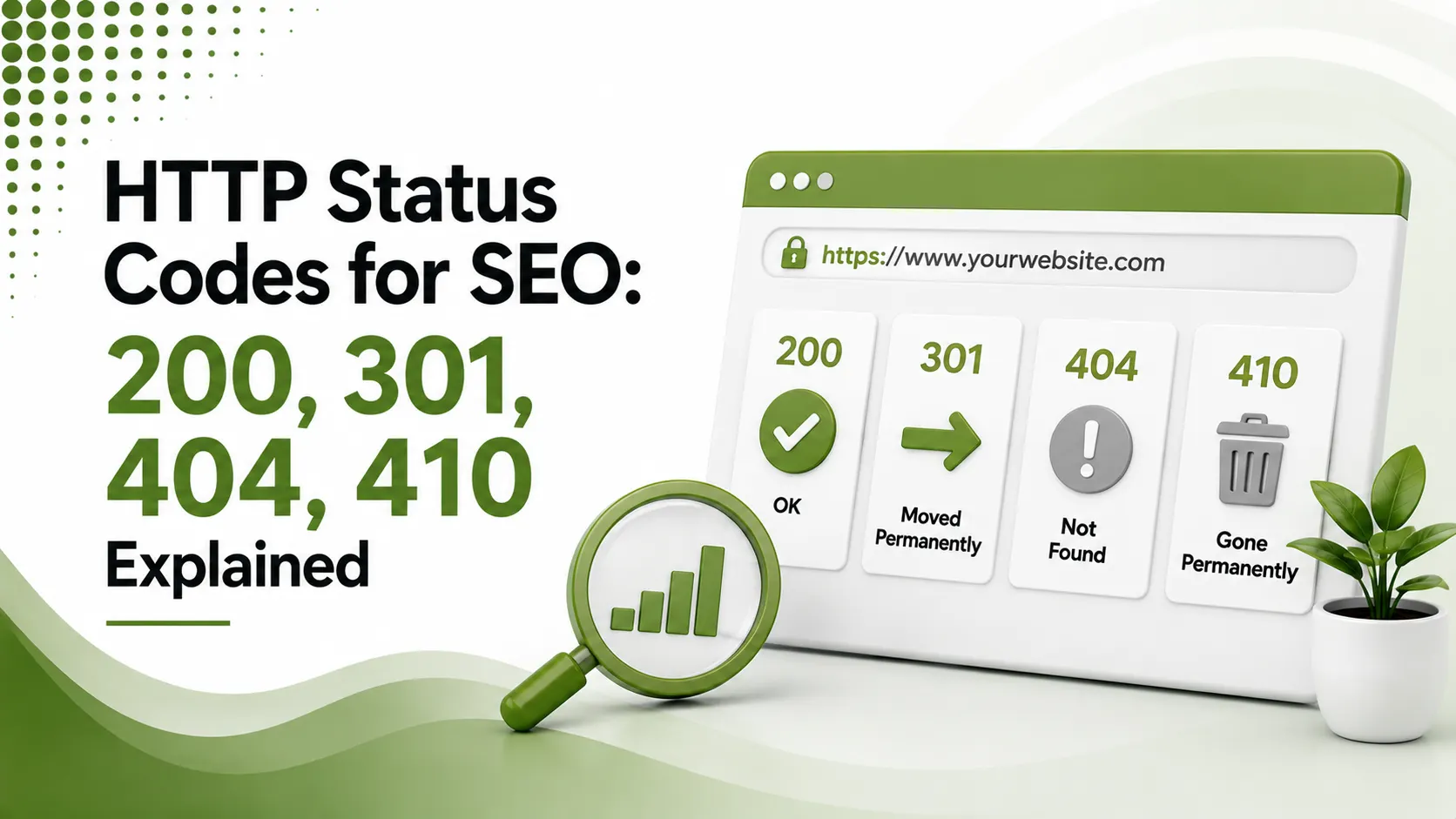
A server returning 200 on an empty page quietly wastes crawl budget while looking healthy. Here's what HTTP status codes for SEO actually mean real redirect code, the 404 vs 410 timing difference, the soft 404 trap, and a decision tool for your own URLs.
Table of Contents
ToggleA server returning 200 OK on a broken, empty page is arguably worse for SEO than an honest 404. Google calls this a soft 404, and it quietly wastes crawl budget while telling search engines everything is fine when it clearly isn't. HTTP status codes are three-digit messages most visitors never see, yet they shape how Googlebot understands your entire site.
HTTP status codes for SEO are the three-digit server responses, 200, 301, 404, 410, and dozens more, that tell search engines whether a page loaded successfully, moved, disappeared, or failed, directly shaping how efficiently a site gets crawled, indexed, and ranked.
We covered the crawling pipeline these codes feed into in our crawling and indexing guide. Status codes are the raw signal that pipeline reads on every single request.
status codes matter most for the vast majority of real SEO situations
vs. weeks: how much faster 410 de-indexes a page compared to a plain 404
link equity preserved when a permanent move uses 302 instead of 301
The Five Status Code Classes
Success
Redirect
Client Error
Server Error
Informational
200 OK: The Response You Actually Want
According to Conductor's guide to HTTP status codes and SEO, a clean 200 response on genuinely complete, useful content is the baseline every important page should return, with nothing more complicated required.
301 vs. 302: The Distinction That Costs Sites Traffic
According to DigitalApplied's 2026 HTTP status codes reference, 301 permanent redirects consolidate ranking signals from the old URL to the new one; 302 temporary redirects do not. Migration mistakes here cost real traffic.
# Apache .htaccess: correct permanent redirect
Redirect 301 /old-page.html https://www.example.com/new-page

# NGINX equivalent
rewrite ^/old-page\.html$ https://www.example.com/new-page permanent;
"permanent" in NGINX and "301" in Apache both signal the same thing: this move is final
404 vs. 410: Which One Actually Removes a Page Faster
According to dbeta's guide to HTTP status codes for SEO, both codes tell Google a page is not live, but 410 states it explicitly and permanently, while 404 leaves the door open to reappearing.
For most everyday deleted or missing pages. Google typically de-indexes 404s after repeated crawls, usually taking weeks rather than days.
For discontinued products, deleted accounts, retired campaigns, or content removed for legal reasons. Google processes 410 faster, typically within days.
# Apache: serve a proper 410 for permanently removed content
Redirect 410 /discontinued-product
A one-line rule, but a meaningfully clearer signal than a generic 404
The Soft 404 Trap
According to DigitalApplied's reference referenced above, a page returning 200 while showing "no results found" or thin, error-like content gets classified as a soft 404, wasting crawl budget while masquerading as a healthy page.
503 for Maintenance, Never 404
According to KelVPN's complete guide to HTTP status codes, returning 503 with a Retry-After header during planned downtime tells Google to re-check later instead of treating the outage as permanent removal.
# Correct maintenance mode response
HTTP/1.1 503 Service Unavailable
Retry-After: 3600
Retry-After in seconds tells crawlers exactly when to come back and check again
Quick Reference: Status Codes and SEO Impact
| Code | SEO Meaning |
|---|---|
| 200 OK | Page loaded successfully; the healthy default |
| 301 Moved Permanently | Consolidates ranking signals to the new URL |
| 302 Found (Temporary) | Does not pass ranking signals the way 301 does |
| 404 Not Found | Normal; de-indexed after repeated crawls over weeks |
| 410 Gone | Explicit permanent removal; de-indexed faster, in days |
| 503 Service Unavailable | Correct for temporary outages; use with Retry-After |
The 4xx Codes Beyond 404
According to SE Ranking's complete list of HTTP status codes for SEO experts, 401 Unauthorized and 403 Forbidden indicate access restrictions rather than missing content, and should never appear on pages meant to be publicly indexed.
A 429 Too Many Requests code signals rate limiting, often triggered when a crawler requests pages faster than a server can comfortably handle. Sustained 429 responses can slow how thoroughly Googlebot crawls a site over time.
Server Errors and What They Signal Over Time
According to DefiniteSEO's guide to HTTP status codes and SEO, occasional 500 errors are normal on any site, but sustained 5xx responses signal instability, and Google reduces crawl rate on sites it perceives as unreliable.
This creates a compounding problem. A site already struggling with server errors gets crawled less frequently as a direct consequence, which then slows how quickly fixes and new content actually reach the index once resolved.
Diagnosing Status Code Issues With Search Console
According to Webyes' guide to HTTP status codes and SEO fixes, the Page Indexing report surfaces exactly which URLs are returning errors, letting teams prioritize fixes for pages that previously ranked or drove traffic over ones that never mattered much.
After deploying a fix, checking back within 48 to 72 hours and using URL Inspection to request recrawling confirms the correction actually took effect, rather than assuming it worked and moving on without verification.
Which Status Code Should I Use?
Select your situation to get the correct status code recommendation.
Which Status Code Should I Use?
A quick decision guide for the most common real-world scenarios
Redirect Chains Quietly Leak Ranking Signal
According to DigitalApplied's reference guide referenced earlier, each redirect hop in a chain, URL A to URL B to URL C, can leak a small amount of ranking signal along the way. Keep redirects to a single hop wherever possible.
# Verify redirects resolve directly, not through multiple hops
curl -I -L https://www.example.com/old-page
The -L flag follows every redirect in the chain, revealing exactly how many hops occur
Building Status Code Discipline Into a Publishing Workflow
According to Yoast's guide to HTTP status codes and what they mean for SEO, checking Search Console's indexing section regularly, rather than only after something visibly breaks, catches drift before it accumulates into a larger problem.
Treating status code health as an ongoing habit, not a one-time technical audit, matters especially on larger sites where content gets deleted, moved, and restructured constantly as part of normal operations.
A simple internal checklist helps: before deleting any page, decide deliberately between a redirect, a 404, or a 410, rather than letting the default server behavior decide by accident.
That one deliberate choice, repeated consistently, prevents most of the status code problems covered throughout this guide.
FAQs on HTTP Status Codes for SEO
Related Articles
> what_we_learn_today.log
200 OK should be the default response for every important, complete page
301 consolidates ranking signals; 302 does not transfer them the same way
410 de-indexes faster than 404 for genuinely permanent removals
A 200 status on thin or empty content becomes a soft 404
Maintenance mode should return 503 with Retry-After, never 404
Redirect chains leak ranking signal; keep hops to a single step
Related Posts


Previous Post
Next Post
Previous Post
Next Post






- Artificial Intelligence
- Content
- Core Web Vitals
- Development
- Digital Marketing
- Display Advertising
- Google Ads
- Google Search Console
- GTM
- HTML
- HTML CSS
- JavaScript
- Keyword Research
- Link Building
- LinkedIn Ads
- Local SEO
- Meta Ads
- Mobile SEO
- Off-Page SEO
- On-Page SEO
- Paid Media
- Paid Media Analytics
- PHP
- PPC Strategy
- Python
- SEO
- SEO Basics
- SEO Tools
- Social
- Technical SEO




