

- Home
- SEODiscover the latest updates from across the United States, including politics, culture, economy, and trending stories. Stay informed on the key events shaping the nation and the topics everyone’s talking about.
- Technical SEOLearn technical SEO concepts including crawling, indexing, XML sitemaps, robots.txt, canonical tags, site architecture, and website performance.
- Local SEOOptimize your business for local seo with Google Business Profile, local citations, reviews, maps, and location-based SEO.
- Mobile SEOImprove your website’s mobile seo performance with responsive design, mobile-first indexing, usability, and page speed optimization.
- On-Page SEOExplore on-page seo optimization techniques such as title tags, meta descriptions, headings, URLs, internal linking, and content optimization.
- Off-Page SEODiscover off-page SEO strategies such as backlinks, digital PR, brand mentions, outreach, and authority building.
- SEO ToolsExplore the best SEO tools for keyword research, technical audits, backlink analysis, rank tracking, and website optimization.
- Core Web VitalsLearn how to improve Core Web Vitals including LCP, INP, CLS, page speed, and overall user experience for better rankings.
- Keyword ResearchLearn how to find profitable keywords, analyze search intent, evaluate competition, and build effective keyword strategies.
- Link BuildingMaster ethical link building techniques, backlink analysis, outreach methods, guest posting, and authority growth strategies.
- Google Search ConsoleLearn how to use Google Search Console to monitor indexing, fix errors, analyze search performance, and improve SEO.
- SEO BasicsLearn the fundamentals of search engine optimization (SEO Basics), including how search engines work, SEO terminology, and beginner-friendly best practices.
- Paid Media
- Display AdvertisingLearn display advertising strategies, banner ads, audience targeting, remarketing, Google Display campaigns, and optimization techniques.
- Google AdsLearn Google Ads strategies, campaign setup, bidding, keywords, Performance Max, Search Ads, and optimization techniques.
- LinkedIn AdsLearn LinkedIn Ads strategies for B2B marketing, lead generation, audience targeting, campaign optimization, and paid social advertising.
- Meta AdsLearn Meta Ads strategies for Facebook and Instagram, including campaign setup, targeting, retargeting, and performance optimization.
- Paid Media AnalyticsLearn paid media analytics, including CPC, CTR, CPA, ROAS, conversion tracking, attribution, reporting, and campaign performance analysis.
- PPC StrategyLearn effective PPC strategies, campaign planning, bidding, keyword targeting, landing pages, conversion optimization, and more.
- ContentTransform your living spaces with inspiration, tips, and trends in interior design. From minimalist decor to bold statements, find ideas for every style and budget.
- Social
- Digital MarketingExplore stories and advice on living your best life. From personal growth to entertainment, dive into the latest in lifestyle trends and inspiration.
- Artificial IntelligenceStay informed about health and wellness with expert advice, fitness tips, and the latest medical breakthroughs. Your guide to a healthier and happier life.
- DevelopmentYou will find development related educational articles
- GTMLearn Google Tag Manager (GTM) with practical guides for tags, triggers, variables, tracking, conversions, and website analytics implementation.
- HTMLLearn HTML with simple tutorials, examples, tags, elements, attributes, and best practices for building modern web pages.
- HTML CSSLearn HTML CSS together with practical tutorials, examples, layouts, styling techniques, responsive design, and modern web development practices.
- HTML JSLearn HTML JS – JavaScript with practical tutorials and examples for adding interactivity, dynamic content, events, and functionality to web pages.
- JavaScriptExplore JavaScript tutorials, examples, concepts, and practical techniques for creating interactive and dynamic websites and web applications.
- PHPLearn PHP programming with practical tutorials, examples, functions, syntax, and web development techniques for beginners and developers.
- PythonLearn Python programming with practical tutorials, examples, syntax, functions, automation techniques, and useful programming concepts.
- Home
- SEODiscover the latest updates from across the United States, including politics, culture, economy, and trending stories. Stay informed on the key events shaping the nation and the topics everyone’s talking about.
- Technical SEOLearn technical SEO concepts including crawling, indexing, XML sitemaps, robots.txt, canonical tags, site architecture, and website performance.
- Local SEOOptimize your business for local seo with Google Business Profile, local citations, reviews, maps, and location-based SEO.
- Mobile SEOImprove your website’s mobile seo performance with responsive design, mobile-first indexing, usability, and page speed optimization.
- On-Page SEOExplore on-page seo optimization techniques such as title tags, meta descriptions, headings, URLs, internal linking, and content optimization.
- Off-Page SEODiscover off-page SEO strategies such as backlinks, digital PR, brand mentions, outreach, and authority building.
- SEO ToolsExplore the best SEO tools for keyword research, technical audits, backlink analysis, rank tracking, and website optimization.
- Core Web VitalsLearn how to improve Core Web Vitals including LCP, INP, CLS, page speed, and overall user experience for better rankings.
- Keyword ResearchLearn how to find profitable keywords, analyze search intent, evaluate competition, and build effective keyword strategies.
- Link BuildingMaster ethical link building techniques, backlink analysis, outreach methods, guest posting, and authority growth strategies.
- Google Search ConsoleLearn how to use Google Search Console to monitor indexing, fix errors, analyze search performance, and improve SEO.
- SEO BasicsLearn the fundamentals of search engine optimization (SEO Basics), including how search engines work, SEO terminology, and beginner-friendly best practices.
- Paid Media
- Display AdvertisingLearn display advertising strategies, banner ads, audience targeting, remarketing, Google Display campaigns, and optimization techniques.
- Google AdsLearn Google Ads strategies, campaign setup, bidding, keywords, Performance Max, Search Ads, and optimization techniques.
- LinkedIn AdsLearn LinkedIn Ads strategies for B2B marketing, lead generation, audience targeting, campaign optimization, and paid social advertising.
- Meta AdsLearn Meta Ads strategies for Facebook and Instagram, including campaign setup, targeting, retargeting, and performance optimization.
- Paid Media AnalyticsLearn paid media analytics, including CPC, CTR, CPA, ROAS, conversion tracking, attribution, reporting, and campaign performance analysis.
- PPC StrategyLearn effective PPC strategies, campaign planning, bidding, keyword targeting, landing pages, conversion optimization, and more.
- ContentTransform your living spaces with inspiration, tips, and trends in interior design. From minimalist decor to bold statements, find ideas for every style and budget.
- Social
- Digital MarketingExplore stories and advice on living your best life. From personal growth to entertainment, dive into the latest in lifestyle trends and inspiration.
- Artificial IntelligenceStay informed about health and wellness with expert advice, fitness tips, and the latest medical breakthroughs. Your guide to a healthier and happier life.
- DevelopmentYou will find development related educational articles
- GTMLearn Google Tag Manager (GTM) with practical guides for tags, triggers, variables, tracking, conversions, and website analytics implementation.
- HTMLLearn HTML with simple tutorials, examples, tags, elements, attributes, and best practices for building modern web pages.
- HTML CSSLearn HTML CSS together with practical tutorials, examples, layouts, styling techniques, responsive design, and modern web development practices.
- HTML JSLearn HTML JS – JavaScript with practical tutorials and examples for adding interactivity, dynamic content, events, and functionality to web pages.
- JavaScriptExplore JavaScript tutorials, examples, concepts, and practical techniques for creating interactive and dynamic websites and web applications.
- PHPLearn PHP programming with practical tutorials, examples, functions, syntax, and web development techniques for beginners and developers.
- PythonLearn Python programming with practical tutorials, examples, syntax, functions, automation techniques, and useful programming concepts.
Now Reading: Title Tag Optimization: 7 Proven Rules for Better Rankings
-
01
Title Tag Optimization: 7 Proven Rules for Better Rankings
- Home//
- SEO//Discover the latest updates from across the United States, including politics, culture, economy, and trending stories. Stay informed on the key events shaping the nation and the topics everyone’s talking about.
- Technical SEO//Learn technical SEO concepts including crawling, indexing, XML sitemaps, robots.txt, canonical tags, site architecture, and website performance.
- Local SEO//Optimize your business for local seo with Google Business Profile, local citations, reviews, maps, and location-based SEO.
- Mobile SEO//Improve your website’s mobile seo performance with responsive design, mobile-first indexing, usability, and page speed optimization.
- On-Page SEO//Explore on-page seo optimization techniques such as title tags, meta descriptions, headings, URLs, internal linking, and content optimization.
- Off-Page SEO//Discover off-page SEO strategies such as backlinks, digital PR, brand mentions, outreach, and authority building.
- SEO Tools//Explore the best SEO tools for keyword research, technical audits, backlink analysis, rank tracking, and website optimization.
- Core Web Vitals//Learn how to improve Core Web Vitals including LCP, INP, CLS, page speed, and overall user experience for better rankings.
- Keyword Research//Learn how to find profitable keywords, analyze search intent, evaluate competition, and build effective keyword strategies.
- Link Building//Master ethical link building techniques, backlink analysis, outreach methods, guest posting, and authority growth strategies.
- Google Search Console//Learn how to use Google Search Console to monitor indexing, fix errors, analyze search performance, and improve SEO.
- SEO Basics//Learn the fundamentals of search engine optimization (SEO Basics), including how search engines work, SEO terminology, and beginner-friendly best practices.
- Paid Media//
- Display Advertising//Learn display advertising strategies, banner ads, audience targeting, remarketing, Google Display campaigns, and optimization techniques.
- Google Ads//Learn Google Ads strategies, campaign setup, bidding, keywords, Performance Max, Search Ads, and optimization techniques.
- LinkedIn Ads//Learn LinkedIn Ads strategies for B2B marketing, lead generation, audience targeting, campaign optimization, and paid social advertising.
- Meta Ads//Learn Meta Ads strategies for Facebook and Instagram, including campaign setup, targeting, retargeting, and performance optimization.
- Paid Media Analytics//Learn paid media analytics, including CPC, CTR, CPA, ROAS, conversion tracking, attribution, reporting, and campaign performance analysis.
- PPC Strategy//Learn effective PPC strategies, campaign planning, bidding, keyword targeting, landing pages, conversion optimization, and more.
- Content//Transform your living spaces with inspiration, tips, and trends in interior design. From minimalist decor to bold statements, find ideas for every style and budget.
- Social//
- Digital Marketing//Explore stories and advice on living your best life. From personal growth to entertainment, dive into the latest in lifestyle trends and inspiration.
- Artificial Intelligence//Stay informed about health and wellness with expert advice, fitness tips, and the latest medical breakthroughs. Your guide to a healthier and happier life.
- Development//You will find development related educational articles
- GTM//Learn Google Tag Manager (GTM) with practical guides for tags, triggers, variables, tracking, conversions, and website analytics implementation.
- HTML//Learn HTML with simple tutorials, examples, tags, elements, attributes, and best practices for building modern web pages.
- HTML CSS//Learn HTML CSS together with practical tutorials, examples, layouts, styling techniques, responsive design, and modern web development practices.
- HTML JS//Learn HTML JS – JavaScript with practical tutorials and examples for adding interactivity, dynamic content, events, and functionality to web pages.
- JavaScript//Explore JavaScript tutorials, examples, concepts, and practical techniques for creating interactive and dynamic websites and web applications.
- PHP//Learn PHP programming with practical tutorials, examples, functions, syntax, and web development techniques for beginners and developers.
- Python//Learn Python programming with practical tutorials, examples, syntax, functions, automation techniques, and useful programming concepts.
- Home
- SEO
- On-Page SEO
- Title Tag Optimization: 7 Proven Rules for Better Rankings
Title Tag Optimization: 7 Proven Rules for Better Rankings

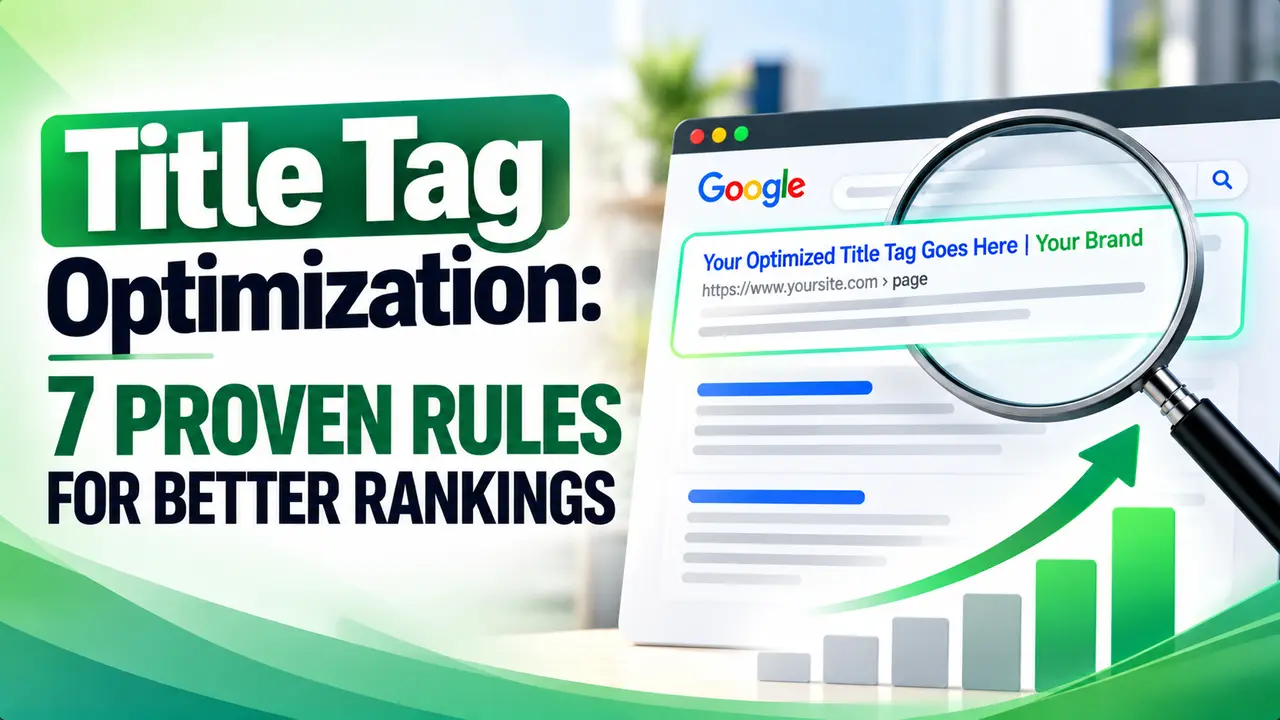
Google rewriting a carefully written title tag feels random, but it almost never is. This guide explains what title tag optimization really controls, why Google swaps titles in search results, and the length and structure rules that keep your title the one that actually shows.
Table of Contents
ToggleHey! If you have ever changed a page title, refreshed the search results a week later, and found Google showing a completely different sentence than the one you wrote, this one is for you.
You spend twenty minutes crafting the perfect headline, publish it, and Google quietly swaps it for its own version. Why does that happen, and what can you actually control? Title tag optimization is less about one magic sentence and more about understanding the rules Google is working from.
Title Tag Optimization: What It Actually Means for Your Rankings
Title tag optimization is the practice of writing the HTML <title> element so it is accurate, readable, and likely to survive as the blue link in search results. It is also the single biggest influence on whether someone clicks your result instead of a competitor's.
Backlinko's analysis of click data found titles with a positive emotional tone earned a 4.1 percent higher click through rate than negatively toned titles. Backlinko also found that keywords placed closer to the start of a title correlated with better rankings for that term.
So title tag optimization has two jobs at once: tell Google what the page is about, and give a human scanning ten results a reason to click yours.
How Google Actually Generates the Title Link You See in Search
Google does not simply copy your <title> tag into the results page. According to Google's own documentation, the system weighs several signals together, including the title element, the main visual heading, any og:title meta tag, prominent styled text, anchor text pointing to the page, and even WebSite structured data, then assembles whichever version it judges will best represent the result.
Google is more likely to rewrite a title when the title element is missing or half empty, when it repeats boilerplate text across many pages, when it does not match the page's main language, or when several headings compete for prominence.
That last point matters for title tag optimization in practice. If your h1 disagrees with your title tag, you hand Google a reason to choose for you. Keeping the two aligned, and making sure your structured data tells the same story, removes one easy excuse for a rewrite.
Tip
Before you spend an afternoon on title tag optimization for an old page, check what Google is currently showing for it in a live search. If the displayed title already differs from your HTML title, fix the underlying mismatch first, because a new title will not stick until that root cause is gone.
A study of 80,959 title tags across 2,370 sites found that Google rewrote at least part of the title 61.6 percent of the time, and titles longer than 70 characters were rewritten 99.9 percent of the time. Zyppy also found that matching the page's h1 to its title tag cut the rewrite rate down to around 20.6 percent.
The Real Character and Pixel Width Limits You Should Design For
Google does not truncate titles by a fixed character count, it truncates by pixel width, which is why two titles with the same number of letters can display very differently depending on which letters they use. A title full of narrow letters like "i" and "l" fits more characters into the same visible space than one full of wide letters like "m" and "w".
That said, character counts still give a useful working range. Ahrefs recommends staying under roughly 600 pixels, usually around 50 to 60 characters, while Semrush suggests a tighter 550 pixel target, also near 50 to 60 characters.
An analysis covered by Search Engine Land looked at 10,000 title tags from live Google results and found titles ranking in top positions averaged 42.2 characters, shorter than the 45.8 character average for lower ranked pages. Google's Gary Illyes has said there is no fixed cutoff, and recommends keeping a title precise to the page rather than obsessing over length.
The practical takeaway for title tag optimization: aim for a title that reads naturally somewhere between 50 and 60 characters, then check it with a pixel preview tool rather than trusting a counter alone.
| Source | Suggested Length | What It Is Based On |
|---|---|---|
| Google Search Central | No fixed limit | Clarity and accuracy, not character count |
| Ahrefs | Around 50 to 60 characters | A roughly 600 pixel display width |
| Semrush | Around 50 to 60 characters | A roughly 550 pixel display width |
| Search Engine Land analysis | 42 to 46 characters | Average length of titles ranking for 10,000 queries |
| Portent | 40 to 65 characters | Rewrite rate across 1.4 million URLs |
Front Loading Your Keyword Without Sounding Robotic
Front loading means placing your main keyword phrase near the beginning of the title rather than burying it after a string of adjectives or the brand name. Scanning readers and search engines both give extra weight to the first few words of a line, so a well placed phrase does double duty.
Good title tag optimization still means picking the right phrase before worrying about position. Running the topic through a proper keyword research tool first tells you which version of a phrase people actually type, so the word you front load matches real search demand.
Front loading becomes a problem the moment it turns into keyword stuffing. Ahrefs flags repeated keywords in a title as a tactic covered under Google's own spam policies, and it rarely earns extra credit since Google already understands close variations of a phrase.
A simple test: read the title out loud. If it sounds like something a person would say, the keyword is probably placed naturally. If it reads like search terms stitched together, move the keyword forward and trim the rest.
Tip
Write the title after you finish the page, not before. Once you know what the content actually delivers, matching the title to real search intent is far easier than trying to guess it from an outline.
Where Your Brand Name Belongs in the Title
Brand placement is one of the most argued over details in title tag optimization, and the honest answer depends on how well known your brand already is. Google's own guidance suggests including the site name concisely at the start or end of the title, separated by a simple delimiter such as a colon or a vertical bar, and saving a fuller branded description for the homepage alone.
Semrush takes a more minimal stance, suggesting you include the brand name only if it adds something useful for the reader rather than out of habit. For a brand nobody searches for by name yet, those extra characters are often better spent describing the content.
A reasonable middle ground: put the keyword first on most inner pages, add the brand at the end only when there is room left, and reserve a fuller brand statement for the homepage.
Portent analyzed more than 1.4 million URLs across over 32,000 keywords and found Google rewrote titles 63 percent of the time overall, with a 67 percent rewrite rate on desktop versus 59 percent on mobile. Portent's research found titles between roughly 40 and 65 characters had the best odds of surviving untouched.
Title Tag Mistakes That Make Google Rewrite Your Page
Most failed title tag optimization comes down to a short list of repeatable mistakes rather than anything mysterious. The research on rewrite behavior keeps pointing at the same handful of triggers.
Zyppy's data showed titles wrapped in square brackets were rewritten 77.6 percent of the time, with the bracketed text removed outright nearly a third of those times, while titles separated with a vertical bar were replaced or dropped around 41 percent of the time. Duplicate titles, outdated details, and titles that no longer match the page content round out the common offenders described in Search Engine Journal's coverage of the same research.
Fixing even two or three of these on an existing page is often enough to noticeably improve how often your intended title survives in the results.
A Seven Step Title Tag Optimization Process You Can Reuse
Here is a repeatable process you can run on any page, new or old.
First, confirm the primary keyword with real search data, and check it against the page's actual search intent. Second, write the keyword as close to the start of the title as a natural sentence allows. Third, keep the full title under roughly 60 characters and confirm it in a pixel preview rather than a plain counter.
Fourth, match your h1 heading to the spirit of the title tag. Fifth, add the brand name only at the end and only if space allows. Sixth, make sure the title is unique across your entire site. Seventh, revisit the title after the page has been live a few months and adjust it based on what Google actually displays and how the click through rate compares to similar pages.
Applying the same checklist consistently, alongside solid work on how you write an SEO friendly blog post, is what separates occasional title tag optimization from a habit that compounds across a whole site.
Title tag optimization is writing the HTML title element of a page so it accurately describes the content, includes the right keyword near the start, and stays within a length that Google is unlikely to rewrite.
Google rewrites titles when it believes another source on the page, such as the main heading or structured data, better represents the content, or when the title is too long, repeats boilerplate text, or duplicates another page's title.
Most guidance lands between roughly 50 and 60 characters, which tends to fit the pixel width Google allows before truncating, though the true limit is measured in pixels rather than a fixed number of characters.
Not necessarily. Including the brand name concisely at the end can help with recognition, but on pages where the keyword barely fits, dropping the brand and keeping the topic clear is usually the better trade.
It can affect both rankings and click through rate, since a clearer and better matched title helps search engines confirm relevance while also giving searchers a stronger reason to click your result over a competitor's.
Learn Today
Title Link
The clickable blue headline Google shows for a result, which may or may not match your exact title tag.
Pixel Width
The actual on screen space a title occupies, which determines truncation more precisely than a character count.
Front Loading
Placing the most important keyword near the start of a title instead of after other words.
Boilerplate Title
A repeated, generic title used across many pages that gives Google little reason to keep it as written.
Click Through Rate
The share of people who see a result in search and actually click it, heavily influenced by the title.
Keyword Stuffing
Repeating a phrase unnaturally in a title in an attempt to manipulate rankings rather than inform readers.
Related Articles
Ready to put title tag optimization into practice on every page?
Explore more Brandella Journal guides on SEO and digital marketing.
Related Posts
Previous Post
Next Post
Previous Post
Next Post





- Artificial Intelligence
- Content
- Core Web Vitals
- Development
- Digital Marketing
- Display Advertising
- Google Ads
- Google Search Console
- GTM
- HTML
- HTML CSS
- JavaScript
- Keyword Research
- Link Building
- LinkedIn Ads
- Local SEO
- Meta Ads
- Mobile SEO
- Off-Page SEO
- On-Page SEO
- Paid Media
- Paid Media Analytics
- PHP
- PPC Strategy
- Python
- SEO
- SEO Basics
- SEO Tools
- Social
- Technical SEO




