

- Home
- SEODiscover the latest updates from across the United States, including politics, culture, economy, and trending stories. Stay informed on the key events shaping the nation and the topics everyone’s talking about.
- Technical SEOLearn technical SEO concepts including crawling, indexing, XML sitemaps, robots.txt, canonical tags, site architecture, and website performance.
- Local SEOOptimize your business for local seo with Google Business Profile, local citations, reviews, maps, and location-based SEO.
- Mobile SEOImprove your website’s mobile seo performance with responsive design, mobile-first indexing, usability, and page speed optimization.
- On-Page SEOExplore on-page seo optimization techniques such as title tags, meta descriptions, headings, URLs, internal linking, and content optimization.
- Off-Page SEODiscover off-page SEO strategies such as backlinks, digital PR, brand mentions, outreach, and authority building.
- SEO ToolsExplore the best SEO tools for keyword research, technical audits, backlink analysis, rank tracking, and website optimization.
- Core Web VitalsLearn how to improve Core Web Vitals including LCP, INP, CLS, page speed, and overall user experience for better rankings.
- Keyword ResearchLearn how to find profitable keywords, analyze search intent, evaluate competition, and build effective keyword strategies.
- Link BuildingMaster ethical link building techniques, backlink analysis, outreach methods, guest posting, and authority growth strategies.
- Google Search ConsoleLearn how to use Google Search Console to monitor indexing, fix errors, analyze search performance, and improve SEO.
- SEO BasicsLearn the fundamentals of search engine optimization (SEO Basics), including how search engines work, SEO terminology, and beginner-friendly best practices.
- Paid Media
- Display AdvertisingLearn display advertising strategies, banner ads, audience targeting, remarketing, Google Display campaigns, and optimization techniques.
- Google AdsLearn Google Ads strategies, campaign setup, bidding, keywords, Performance Max, Search Ads, and optimization techniques.
- LinkedIn AdsLearn LinkedIn Ads strategies for B2B marketing, lead generation, audience targeting, campaign optimization, and paid social advertising.
- Meta AdsLearn Meta Ads strategies for Facebook and Instagram, including campaign setup, targeting, retargeting, and performance optimization.
- Paid Media AnalyticsLearn paid media analytics, including CPC, CTR, CPA, ROAS, conversion tracking, attribution, reporting, and campaign performance analysis.
- PPC StrategyLearn effective PPC strategies, campaign planning, bidding, keyword targeting, landing pages, conversion optimization, and more.
- ContentTransform your living spaces with inspiration, tips, and trends in interior design. From minimalist decor to bold statements, find ideas for every style and budget.
- Social
- Digital MarketingExplore stories and advice on living your best life. From personal growth to entertainment, dive into the latest in lifestyle trends and inspiration.
- Artificial IntelligenceStay informed about health and wellness with expert advice, fitness tips, and the latest medical breakthroughs. Your guide to a healthier and happier life.
- DevelopmentYou will find development related educational articles
- GTMLearn Google Tag Manager (GTM) with practical guides for tags, triggers, variables, tracking, conversions, and website analytics implementation.
- HTMLLearn HTML with simple tutorials, examples, tags, elements, attributes, and best practices for building modern web pages.
- HTML CSSLearn HTML CSS together with practical tutorials, examples, layouts, styling techniques, responsive design, and modern web development practices.
- HTML JSLearn HTML JS – JavaScript with practical tutorials and examples for adding interactivity, dynamic content, events, and functionality to web pages.
- JavaScriptExplore JavaScript tutorials, examples, concepts, and practical techniques for creating interactive and dynamic websites and web applications.
- PHPLearn PHP programming with practical tutorials, examples, functions, syntax, and web development techniques for beginners and developers.
- PythonLearn Python programming with practical tutorials, examples, syntax, functions, automation techniques, and useful programming concepts.
- Home
- SEODiscover the latest updates from across the United States, including politics, culture, economy, and trending stories. Stay informed on the key events shaping the nation and the topics everyone’s talking about.
- Technical SEOLearn technical SEO concepts including crawling, indexing, XML sitemaps, robots.txt, canonical tags, site architecture, and website performance.
- Local SEOOptimize your business for local seo with Google Business Profile, local citations, reviews, maps, and location-based SEO.
- Mobile SEOImprove your website’s mobile seo performance with responsive design, mobile-first indexing, usability, and page speed optimization.
- On-Page SEOExplore on-page seo optimization techniques such as title tags, meta descriptions, headings, URLs, internal linking, and content optimization.
- Off-Page SEODiscover off-page SEO strategies such as backlinks, digital PR, brand mentions, outreach, and authority building.
- SEO ToolsExplore the best SEO tools for keyword research, technical audits, backlink analysis, rank tracking, and website optimization.
- Core Web VitalsLearn how to improve Core Web Vitals including LCP, INP, CLS, page speed, and overall user experience for better rankings.
- Keyword ResearchLearn how to find profitable keywords, analyze search intent, evaluate competition, and build effective keyword strategies.
- Link BuildingMaster ethical link building techniques, backlink analysis, outreach methods, guest posting, and authority growth strategies.
- Google Search ConsoleLearn how to use Google Search Console to monitor indexing, fix errors, analyze search performance, and improve SEO.
- SEO BasicsLearn the fundamentals of search engine optimization (SEO Basics), including how search engines work, SEO terminology, and beginner-friendly best practices.
- Paid Media
- Display AdvertisingLearn display advertising strategies, banner ads, audience targeting, remarketing, Google Display campaigns, and optimization techniques.
- Google AdsLearn Google Ads strategies, campaign setup, bidding, keywords, Performance Max, Search Ads, and optimization techniques.
- LinkedIn AdsLearn LinkedIn Ads strategies for B2B marketing, lead generation, audience targeting, campaign optimization, and paid social advertising.
- Meta AdsLearn Meta Ads strategies for Facebook and Instagram, including campaign setup, targeting, retargeting, and performance optimization.
- Paid Media AnalyticsLearn paid media analytics, including CPC, CTR, CPA, ROAS, conversion tracking, attribution, reporting, and campaign performance analysis.
- PPC StrategyLearn effective PPC strategies, campaign planning, bidding, keyword targeting, landing pages, conversion optimization, and more.
- ContentTransform your living spaces with inspiration, tips, and trends in interior design. From minimalist decor to bold statements, find ideas for every style and budget.
- Social
- Digital MarketingExplore stories and advice on living your best life. From personal growth to entertainment, dive into the latest in lifestyle trends and inspiration.
- Artificial IntelligenceStay informed about health and wellness with expert advice, fitness tips, and the latest medical breakthroughs. Your guide to a healthier and happier life.
- DevelopmentYou will find development related educational articles
- GTMLearn Google Tag Manager (GTM) with practical guides for tags, triggers, variables, tracking, conversions, and website analytics implementation.
- HTMLLearn HTML with simple tutorials, examples, tags, elements, attributes, and best practices for building modern web pages.
- HTML CSSLearn HTML CSS together with practical tutorials, examples, layouts, styling techniques, responsive design, and modern web development practices.
- HTML JSLearn HTML JS – JavaScript with practical tutorials and examples for adding interactivity, dynamic content, events, and functionality to web pages.
- JavaScriptExplore JavaScript tutorials, examples, concepts, and practical techniques for creating interactive and dynamic websites and web applications.
- PHPLearn PHP programming with practical tutorials, examples, functions, syntax, and web development techniques for beginners and developers.
- PythonLearn Python programming with practical tutorials, examples, syntax, functions, automation techniques, and useful programming concepts.
Now Reading: PHP Schema Markup: Build Advanced JSON-LD in 7 Steps
-
01
PHP Schema Markup: Build Advanced JSON-LD in 7 Steps
- Home//
- SEO//Discover the latest updates from across the United States, including politics, culture, economy, and trending stories. Stay informed on the key events shaping the nation and the topics everyone’s talking about.
- Technical SEO//Learn technical SEO concepts including crawling, indexing, XML sitemaps, robots.txt, canonical tags, site architecture, and website performance.
- Local SEO//Optimize your business for local seo with Google Business Profile, local citations, reviews, maps, and location-based SEO.
- Mobile SEO//Improve your website’s mobile seo performance with responsive design, mobile-first indexing, usability, and page speed optimization.
- On-Page SEO//Explore on-page seo optimization techniques such as title tags, meta descriptions, headings, URLs, internal linking, and content optimization.
- Off-Page SEO//Discover off-page SEO strategies such as backlinks, digital PR, brand mentions, outreach, and authority building.
- SEO Tools//Explore the best SEO tools for keyword research, technical audits, backlink analysis, rank tracking, and website optimization.
- Core Web Vitals//Learn how to improve Core Web Vitals including LCP, INP, CLS, page speed, and overall user experience for better rankings.
- Keyword Research//Learn how to find profitable keywords, analyze search intent, evaluate competition, and build effective keyword strategies.
- Link Building//Master ethical link building techniques, backlink analysis, outreach methods, guest posting, and authority growth strategies.
- Google Search Console//Learn how to use Google Search Console to monitor indexing, fix errors, analyze search performance, and improve SEO.
- SEO Basics//Learn the fundamentals of search engine optimization (SEO Basics), including how search engines work, SEO terminology, and beginner-friendly best practices.
- Paid Media//
- Display Advertising//Learn display advertising strategies, banner ads, audience targeting, remarketing, Google Display campaigns, and optimization techniques.
- Google Ads//Learn Google Ads strategies, campaign setup, bidding, keywords, Performance Max, Search Ads, and optimization techniques.
- LinkedIn Ads//Learn LinkedIn Ads strategies for B2B marketing, lead generation, audience targeting, campaign optimization, and paid social advertising.
- Meta Ads//Learn Meta Ads strategies for Facebook and Instagram, including campaign setup, targeting, retargeting, and performance optimization.
- Paid Media Analytics//Learn paid media analytics, including CPC, CTR, CPA, ROAS, conversion tracking, attribution, reporting, and campaign performance analysis.
- PPC Strategy//Learn effective PPC strategies, campaign planning, bidding, keyword targeting, landing pages, conversion optimization, and more.
- Content//Transform your living spaces with inspiration, tips, and trends in interior design. From minimalist decor to bold statements, find ideas for every style and budget.
- Social//
- Digital Marketing//Explore stories and advice on living your best life. From personal growth to entertainment, dive into the latest in lifestyle trends and inspiration.
- Artificial Intelligence//Stay informed about health and wellness with expert advice, fitness tips, and the latest medical breakthroughs. Your guide to a healthier and happier life.
- Development//You will find development related educational articles
- GTM//Learn Google Tag Manager (GTM) with practical guides for tags, triggers, variables, tracking, conversions, and website analytics implementation.
- HTML//Learn HTML with simple tutorials, examples, tags, elements, attributes, and best practices for building modern web pages.
- HTML CSS//Learn HTML CSS together with practical tutorials, examples, layouts, styling techniques, responsive design, and modern web development practices.
- HTML JS//Learn HTML JS – JavaScript with practical tutorials and examples for adding interactivity, dynamic content, events, and functionality to web pages.
- JavaScript//Explore JavaScript tutorials, examples, concepts, and practical techniques for creating interactive and dynamic websites and web applications.
- PHP//Learn PHP programming with practical tutorials, examples, functions, syntax, and web development techniques for beginners and developers.
- Python//Learn Python programming with practical tutorials, examples, syntax, functions, automation techniques, and useful programming concepts.
- Home
- Development
- PHP
- PHP Schema Markup: Build Advanced JSON-LD in 7 Steps
PHP Schema Markup: Build Advanced JSON-LD in 7 Steps

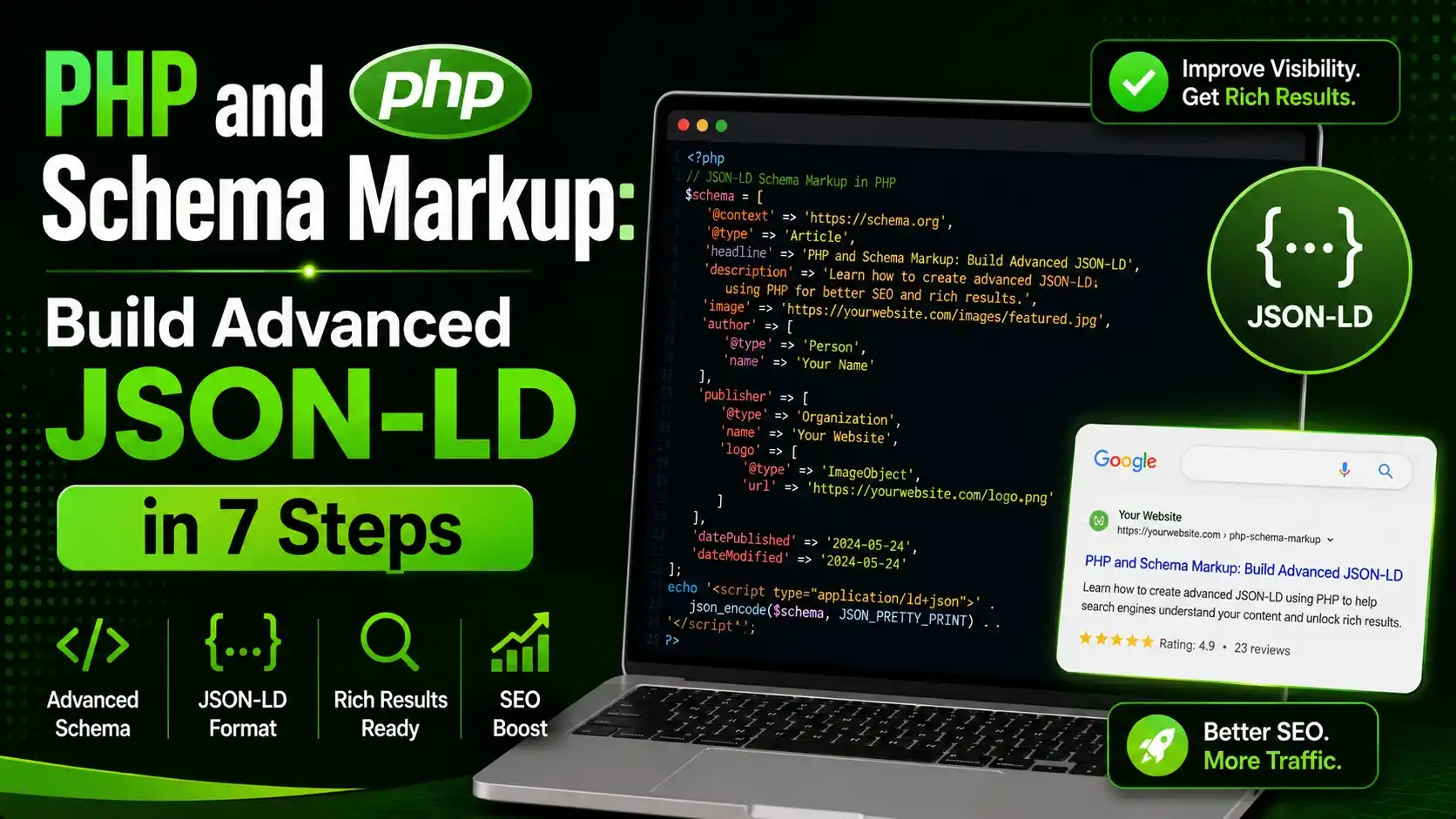
Generate php and schema markup dynamically with a reusable PHP class covering nested Article and FAQ schema, safe output escaping, caching, and validation.
Table of Contents
ToggleA static JSON-LD block pasted into a template describes one page and stays wrong the moment that page's content changes. PHP and schema markup generated at request time from the same data that renders the page never drifts out of sync with what a visitor actually sees.
Why PHP Schema Markup Beats a Hardcoded JSON-LD Block
A hand written JSON-LD block works for exactly one page, on exactly one day. The author changes, a price updates, a new FAQ gets added, and the markup silently stops matching reality.
Search engines cross check structured data against the visible content of the page, and a mismatch between the two is treated as a spam signal, not a harmless typo. The vocabulary itself comes from schema.org, a shared standard maintained jointly by the major search engines.
Generating the same JSON-LD from the database row or content object already powering the page template removes that entire class of drift by construction.
The rest of this guide builds a small, reusable PHP class that composes multiple schema types from real content and outputs a validated block on every request.
Designing a Schema Builder Class
A single class with a fluent interface keeps every schema type consistent and makes it easy to add new types later without touching existing page templates. This is the foundation every other piece of php and schema markup in this guide builds on top of.
final class SchemaBuilder {
    private array $nodes = [];

    public function addNode(array $node): self {
        if (empty($node['@type'])) {
            throw new InvalidArgumentException('Every schema node needs an @type.');
        }
        $this->nodes[] = $node;
        return $this;
    }

    public function toArray(): array {
        if (count($this->nodes) === 1) {
            return array_merge(['@context' => 'https://schema.org'], $this->nodes[0]);
        }
        return [
            '@context' => 'https://schema.org',
            '@graph' => $this->nodes
        ];
    }
}
Throwing on a missing @type catches a broken node during development instead of shipping a silently invalid block to production.
Generating Article Schema From Dynamic Content
An Article node pulls its fields directly from the same content object the page template already uses to render the headline, body, and byline.
function build_article_node(array $post): array {
    return [
        '@type' => 'Article',
        'headline' => $post['title'],
        'datePublished' => (new DateTimeImmutable($post['published_at']))->format(DateTimeInterface::ATOM),
        'dateModified' => (new DateTimeImmutable($post['updated_at']))->format(DateTimeInterface::ATOM),
        'mainEntityOfPage' => [
            '@type' => 'WebPage',
            '@id' => $post['canonical_url']
        ],
        'image' => [
            '@type' => 'ImageObject',
            'url' => $post['featured_image'],
            'width' => 1200,
            'height' => 675
        ]
    ];
}
DateTimeImmutable combined with the ATOM format constant guarantees a timezone correct ISO 8601 string, which schema validators check strictly.
Adding Nested Author and Publisher Objects
Author and publisher information is itself structured data, nested inside the Article node rather than flattened into simple strings.
$article['author'] = [
    '@type' => 'Person',
    'name' => $post['author_name'],
    'sameAs' => $post['author_social_links']
];

$article['publisher'] = [
    '@type' => 'Organization',
    'name' => 'Brandella Journal',
    'logo' => [
        '@type' => 'ImageObject',
        'url' => 'https://brandella.in/logo.png',
        'width' => 600,
        'height' => 60
    ]
];
sameAs expects an array of profile URLs, and it is one of the few fields where a plain array of strings is correct instead of another nested object. For a larger project, a typed package like spatie/schema-org can replace hand written arrays with fluent builder objects for every schema.org type.
Combining Multiple Types With an @graph Array
A typical article page carries more than one schema type at once, Article, BreadcrumbList, and often FAQPage, and Google's own guidance recommends combining related nodes into a single graph rather than emitting several separate script tags. The official JSON-LD specification covers the full syntax this pattern relies on.
$schema = new SchemaBuilder();
$schema->addNode(build_article_node($post));
$schema->addNode(build_breadcrumb_node($post['category'], $post['title']));

if (count($post['faqs']) >= 2) {
    $schema->addNode(build_faq_node($post['faqs']));
}
Each addNode call stays independent, so a page missing FAQ content simply skips that node instead of shipping an empty or malformed FAQPage block.
| Format | Lives In | Common Use |
|---|---|---|
| JSON-LD | A separate script tag, detached from HTML | Recommended by Google for nearly all cases |
| Microdata | Inline itemprop attributes on HTML tags | Legacy CMS templates, harder to maintain |
| RDFa | Inline vocab and property attributes | Less common outside specific publishing systems |
Generating FAQPage Schema Conditionally
FAQPage schema only makes sense when the page actually renders visible question and answer content, since structured data must reflect what a visitor can read.
function build_faq_node(array $faqs): array {
    return [
        '@type' => 'FAQPage',
        'mainEntity' => array_map(fn($faq) => [
            '@type' => 'Question',
            'name' => $faq['question'],
            'acceptedAnswer' => [
                '@type' => 'Answer',
                'text' => $faq['answer']
            ]
        ], $faqs)
    ];
}
array_map with an arrow function keeps the transformation from a flat FAQ list into nested Question and Answer nodes in a single readable expression.
Escaping Output Safely for the Script Tag
JSON-LD sits inside a script tag, and content pulled from a database can contain characters that would otherwise break out of that tag if encoded carelessly.
function render_schema(array $data): string {
$json = json_encode(
$data,
JSON_UNESCAPED_SLASHES | JSON_UNESCAPED_UNICODE | JSON_THROW_ON_ERROR
);
// str_replace guards against a literal closing tag ending the script block early
$json = str_replace(', '<\/', $json);
return sprintf('', $json);
}JSON_THROW_ON_ERROR turns a silent encoding failure into a catchable exception, which matters since a page that fails to encode its own author name should never ship broken markup unnoticed.
Caching Generated JSON-LD for Performance
Rebuilding the same schema graph from scratch on every request adds work a busy page does not need to repeat between content updates.
function get_cached_schema(array $post): string {
    $key = 'schema_' . $post['id'] . '_' . $post['updated_at'];

    if (apcu_exists($key)) {
        return apcu_fetch($key);
    }

    $schema = new SchemaBuilder();
    $schema->addNode(build_article_node($post));
    $html = render_schema($schema->toArray());

    apcu_store($key, $html, 3600);
    return $html;
}
Building the cache key from updated_at means an edited post automatically produces a new key and a fresh block, with no separate cache invalidation step to remember.
- Never hand write a field the page already computes: pull every value from the same data the template renders, so schema and content cannot drift apart.
- Throw on invalid nodes early: a missing required property should fail loudly during development, not silently in production.
- Escape closing tags in the JSON string: a stray value containing a literal closing script tag can otherwise break the page.
- Key the cache off an updated timestamp: this keeps stale schema from ever outliving the content it describes.
- Test with the Rich Results Test before shipping: a syntactically valid JSON-LD block can still fail schema.org's own required field rules.
Validating Schema Before It Ships
A quick automated check in a build step or test suite catches a broken schema block before it ever reaches a real page, the final safeguard around every part of php and schema markup covered so far.
function assert_valid_schema(string $json): void {
    $decoded = json_decode($json, true);
    if (json_last_error() !== JSON_ERROR_NONE) {
        throw new RuntimeException('Invalid JSON in schema block: ' . json_last_error_msg());
    }
    if (empty($decoded['@context'])) {
        throw new RuntimeException('Schema block is missing @context.');
    }
}
Running this against every generated page during a deploy pipeline turns a schema regression into a failed build instead of a silent ranking problem discovered weeks later. Google's own Rich Results Test and schema.org's own Schema Markup Validator are both still worth running by hand before a major template change goes live.
Watch: Understanding Structured Data
Google Search Central's own explainer covers how structured data is actually used once it reaches Google, which is useful context for why the validation step above matters.
Video credit: Google Search Central.
Everything in this guide exists to make sure the structured data described in the video is actually correct, current, and safe to output on every page.
Related Articles
Frequently Asked Questions
A plugin works well for simple sites, but a custom class gives full control over nested types, conditional nodes, and caching, which matters more as a site's content structure grows complex.
No, but it is recommended. Multiple separate script tags still work, an @graph array just keeps related nodes explicitly connected and easier for a parser to associate correctly.
Because dynamic content can contain a literal closing script tag, which would otherwise end the JSON-LD block early and break the rest of the page's HTML.
No. Valid schema makes a page eligible for a rich result, but Google decides case by case whether to actually display one, based on quality and relevance signals.
After any change to the builder class or the underlying content fields, since a small field rename can silently break a node without throwing an error anywhere obvious.
What We Learn Today
Static schema drifts from content
Php and schema markup generated from live data prevents that mismatch entirely.
Nested objects model real relationships
Author, publisher, and image belong as objects, not flat strings.
@graph groups related types
One block can carry Article, BreadcrumbList, and FAQPage together.
Output escaping is not optional
A stray closing tag in dynamic content can break the whole page.
Caching needs a content aware key
Keying off updated_at keeps cached schema from ever going stale.
Validation belongs in the build step
Catching a broken node before deploy beats finding it in Search Console.
Ready to Generate Schema Dynamically?
Pair php and schema markup with a wider technical SEO toolkit to keep every rich result eligible page accurate and current.
Related Posts



Previous Post
Next Post
Previous Post
Next Post





- Artificial Intelligence
- Content
- Core Web Vitals
- Development
- Digital Marketing
- Display Advertising
- Google Ads
- Google Search Console
- GTM
- HTML
- HTML CSS
- JavaScript
- Keyword Research
- Link Building
- LinkedIn Ads
- Local SEO
- Meta Ads
- Mobile SEO
- Off-Page SEO
- On-Page SEO
- Paid Media
- Paid Media Analytics
- PHP
- PPC Strategy
- Python
- SEO
- SEO Basics
- SEO Tools
- Social
- Technical SEO




