

- Home
- SEODiscover the latest updates from across the United States, including politics, culture, economy, and trending stories. Stay informed on the key events shaping the nation and the topics everyone’s talking about.
- Technical SEOLearn technical SEO concepts including crawling, indexing, XML sitemaps, robots.txt, canonical tags, site architecture, and website performance.
- Local SEOOptimize your business for local seo with Google Business Profile, local citations, reviews, maps, and location-based SEO.
- Mobile SEOImprove your website’s mobile seo performance with responsive design, mobile-first indexing, usability, and page speed optimization.
- On-Page SEOExplore on-page seo optimization techniques such as title tags, meta descriptions, headings, URLs, internal linking, and content optimization.
- Off-Page SEODiscover off-page SEO strategies such as backlinks, digital PR, brand mentions, outreach, and authority building.
- SEO ToolsExplore the best SEO tools for keyword research, technical audits, backlink analysis, rank tracking, and website optimization.
- Core Web VitalsLearn how to improve Core Web Vitals including LCP, INP, CLS, page speed, and overall user experience for better rankings.
- Keyword ResearchLearn how to find profitable keywords, analyze search intent, evaluate competition, and build effective keyword strategies.
- Link BuildingMaster ethical link building techniques, backlink analysis, outreach methods, guest posting, and authority growth strategies.
- Google Search ConsoleLearn how to use Google Search Console to monitor indexing, fix errors, analyze search performance, and improve SEO.
- SEO BasicsLearn the fundamentals of search engine optimization (SEO Basics), including how search engines work, SEO terminology, and beginner-friendly best practices.
- Paid Media
- Display AdvertisingLearn display advertising strategies, banner ads, audience targeting, remarketing, Google Display campaigns, and optimization techniques.
- Google AdsLearn Google Ads strategies, campaign setup, bidding, keywords, Performance Max, Search Ads, and optimization techniques.
- LinkedIn AdsLearn LinkedIn Ads strategies for B2B marketing, lead generation, audience targeting, campaign optimization, and paid social advertising.
- Meta AdsLearn Meta Ads strategies for Facebook and Instagram, including campaign setup, targeting, retargeting, and performance optimization.
- Paid Media AnalyticsLearn paid media analytics, including CPC, CTR, CPA, ROAS, conversion tracking, attribution, reporting, and campaign performance analysis.
- PPC StrategyLearn effective PPC strategies, campaign planning, bidding, keyword targeting, landing pages, conversion optimization, and more.
- ContentTransform your living spaces with inspiration, tips, and trends in interior design. From minimalist decor to bold statements, find ideas for every style and budget.
- Social
- Digital MarketingExplore stories and advice on living your best life. From personal growth to entertainment, dive into the latest in lifestyle trends and inspiration.
- Artificial IntelligenceStay informed about health and wellness with expert advice, fitness tips, and the latest medical breakthroughs. Your guide to a healthier and happier life.
- DevelopmentYou will find development related educational articles
- GTMLearn Google Tag Manager (GTM) with practical guides for tags, triggers, variables, tracking, conversions, and website analytics implementation.
- HTMLLearn HTML with simple tutorials, examples, tags, elements, attributes, and best practices for building modern web pages.
- HTML CSSLearn HTML CSS together with practical tutorials, examples, layouts, styling techniques, responsive design, and modern web development practices.
- HTML JSLearn HTML JS – JavaScript with practical tutorials and examples for adding interactivity, dynamic content, events, and functionality to web pages.
- JavaScriptExplore JavaScript tutorials, examples, concepts, and practical techniques for creating interactive and dynamic websites and web applications.
- PHPLearn PHP programming with practical tutorials, examples, functions, syntax, and web development techniques for beginners and developers.
- PythonLearn Python programming with practical tutorials, examples, syntax, functions, automation techniques, and useful programming concepts.
- Home
- SEODiscover the latest updates from across the United States, including politics, culture, economy, and trending stories. Stay informed on the key events shaping the nation and the topics everyone’s talking about.
- Technical SEOLearn technical SEO concepts including crawling, indexing, XML sitemaps, robots.txt, canonical tags, site architecture, and website performance.
- Local SEOOptimize your business for local seo with Google Business Profile, local citations, reviews, maps, and location-based SEO.
- Mobile SEOImprove your website’s mobile seo performance with responsive design, mobile-first indexing, usability, and page speed optimization.
- On-Page SEOExplore on-page seo optimization techniques such as title tags, meta descriptions, headings, URLs, internal linking, and content optimization.
- Off-Page SEODiscover off-page SEO strategies such as backlinks, digital PR, brand mentions, outreach, and authority building.
- SEO ToolsExplore the best SEO tools for keyword research, technical audits, backlink analysis, rank tracking, and website optimization.
- Core Web VitalsLearn how to improve Core Web Vitals including LCP, INP, CLS, page speed, and overall user experience for better rankings.
- Keyword ResearchLearn how to find profitable keywords, analyze search intent, evaluate competition, and build effective keyword strategies.
- Link BuildingMaster ethical link building techniques, backlink analysis, outreach methods, guest posting, and authority growth strategies.
- Google Search ConsoleLearn how to use Google Search Console to monitor indexing, fix errors, analyze search performance, and improve SEO.
- SEO BasicsLearn the fundamentals of search engine optimization (SEO Basics), including how search engines work, SEO terminology, and beginner-friendly best practices.
- Paid Media
- Display AdvertisingLearn display advertising strategies, banner ads, audience targeting, remarketing, Google Display campaigns, and optimization techniques.
- Google AdsLearn Google Ads strategies, campaign setup, bidding, keywords, Performance Max, Search Ads, and optimization techniques.
- LinkedIn AdsLearn LinkedIn Ads strategies for B2B marketing, lead generation, audience targeting, campaign optimization, and paid social advertising.
- Meta AdsLearn Meta Ads strategies for Facebook and Instagram, including campaign setup, targeting, retargeting, and performance optimization.
- Paid Media AnalyticsLearn paid media analytics, including CPC, CTR, CPA, ROAS, conversion tracking, attribution, reporting, and campaign performance analysis.
- PPC StrategyLearn effective PPC strategies, campaign planning, bidding, keyword targeting, landing pages, conversion optimization, and more.
- ContentTransform your living spaces with inspiration, tips, and trends in interior design. From minimalist decor to bold statements, find ideas for every style and budget.
- Social
- Digital MarketingExplore stories and advice on living your best life. From personal growth to entertainment, dive into the latest in lifestyle trends and inspiration.
- Artificial IntelligenceStay informed about health and wellness with expert advice, fitness tips, and the latest medical breakthroughs. Your guide to a healthier and happier life.
- DevelopmentYou will find development related educational articles
- GTMLearn Google Tag Manager (GTM) with practical guides for tags, triggers, variables, tracking, conversions, and website analytics implementation.
- HTMLLearn HTML with simple tutorials, examples, tags, elements, attributes, and best practices for building modern web pages.
- HTML CSSLearn HTML CSS together with practical tutorials, examples, layouts, styling techniques, responsive design, and modern web development practices.
- HTML JSLearn HTML JS – JavaScript with practical tutorials and examples for adding interactivity, dynamic content, events, and functionality to web pages.
- JavaScriptExplore JavaScript tutorials, examples, concepts, and practical techniques for creating interactive and dynamic websites and web applications.
- PHPLearn PHP programming with practical tutorials, examples, functions, syntax, and web development techniques for beginners and developers.
- PythonLearn Python programming with practical tutorials, examples, syntax, functions, automation techniques, and useful programming concepts.
Now Reading: How to Optimize Images for SEO Without Losing Quality
-
01
How to Optimize Images for SEO Without Losing Quality
- Home//
- SEO//Discover the latest updates from across the United States, including politics, culture, economy, and trending stories. Stay informed on the key events shaping the nation and the topics everyone’s talking about.
- Technical SEO//Learn technical SEO concepts including crawling, indexing, XML sitemaps, robots.txt, canonical tags, site architecture, and website performance.
- Local SEO//Optimize your business for local seo with Google Business Profile, local citations, reviews, maps, and location-based SEO.
- Mobile SEO//Improve your website’s mobile seo performance with responsive design, mobile-first indexing, usability, and page speed optimization.
- On-Page SEO//Explore on-page seo optimization techniques such as title tags, meta descriptions, headings, URLs, internal linking, and content optimization.
- Off-Page SEO//Discover off-page SEO strategies such as backlinks, digital PR, brand mentions, outreach, and authority building.
- SEO Tools//Explore the best SEO tools for keyword research, technical audits, backlink analysis, rank tracking, and website optimization.
- Core Web Vitals//Learn how to improve Core Web Vitals including LCP, INP, CLS, page speed, and overall user experience for better rankings.
- Keyword Research//Learn how to find profitable keywords, analyze search intent, evaluate competition, and build effective keyword strategies.
- Link Building//Master ethical link building techniques, backlink analysis, outreach methods, guest posting, and authority growth strategies.
- Google Search Console//Learn how to use Google Search Console to monitor indexing, fix errors, analyze search performance, and improve SEO.
- SEO Basics//Learn the fundamentals of search engine optimization (SEO Basics), including how search engines work, SEO terminology, and beginner-friendly best practices.
- Paid Media//
- Display Advertising//Learn display advertising strategies, banner ads, audience targeting, remarketing, Google Display campaigns, and optimization techniques.
- Google Ads//Learn Google Ads strategies, campaign setup, bidding, keywords, Performance Max, Search Ads, and optimization techniques.
- LinkedIn Ads//Learn LinkedIn Ads strategies for B2B marketing, lead generation, audience targeting, campaign optimization, and paid social advertising.
- Meta Ads//Learn Meta Ads strategies for Facebook and Instagram, including campaign setup, targeting, retargeting, and performance optimization.
- Paid Media Analytics//Learn paid media analytics, including CPC, CTR, CPA, ROAS, conversion tracking, attribution, reporting, and campaign performance analysis.
- PPC Strategy//Learn effective PPC strategies, campaign planning, bidding, keyword targeting, landing pages, conversion optimization, and more.
- Content//Transform your living spaces with inspiration, tips, and trends in interior design. From minimalist decor to bold statements, find ideas for every style and budget.
- Social//
- Digital Marketing//Explore stories and advice on living your best life. From personal growth to entertainment, dive into the latest in lifestyle trends and inspiration.
- Artificial Intelligence//Stay informed about health and wellness with expert advice, fitness tips, and the latest medical breakthroughs. Your guide to a healthier and happier life.
- Development//You will find development related educational articles
- GTM//Learn Google Tag Manager (GTM) with practical guides for tags, triggers, variables, tracking, conversions, and website analytics implementation.
- HTML//Learn HTML with simple tutorials, examples, tags, elements, attributes, and best practices for building modern web pages.
- HTML CSS//Learn HTML CSS together with practical tutorials, examples, layouts, styling techniques, responsive design, and modern web development practices.
- HTML JS//Learn HTML JS – JavaScript with practical tutorials and examples for adding interactivity, dynamic content, events, and functionality to web pages.
- JavaScript//Explore JavaScript tutorials, examples, concepts, and practical techniques for creating interactive and dynamic websites and web applications.
- PHP//Learn PHP programming with practical tutorials, examples, functions, syntax, and web development techniques for beginners and developers.
- Python//Learn Python programming with practical tutorials, examples, syntax, functions, automation techniques, and useful programming concepts.
- Home
- SEO
- On-Page SEO
- How to Optimize Images for SEO Without Losing Quality
How to Optimize Images for SEO Without Losing Quality

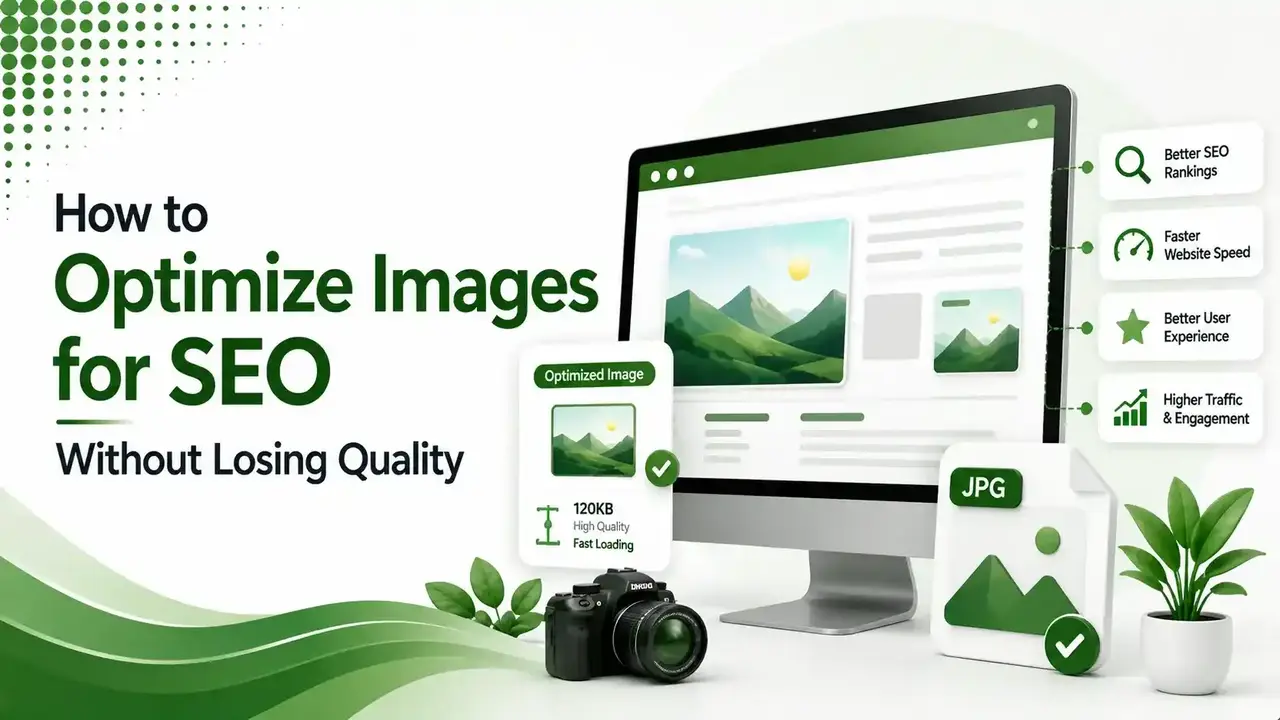
Most sites treat image SEO as an afterthought a few compressed files, generic alt text, done. Here's the complete process: format hierarchy, naming, alt text, responsive delivery, structured data, and a scoring tool for your own images.
Table of Contents
ToggleGoogle Images drives roughly 22.6% of all web search traffic, and most sites treat it as an afterthought. They compress a few files, add generic alt text, and move on. That leaves an entire search channel, and a meaningful chunk of page speed, sitting untouched. Here is the complete process for optimizing images for SEO without sacrificing how they actually look.
Optimize images for SEO means combining the right file format, genuine compression, descriptive naming, accurate alt text, and responsive delivery so images load fast, rank in Google Images, and still look sharp to a human visitor.
None of these five elements works well in isolation. Skipping any one of them undermines the others.
We covered why this matters for loading speed specifically in our LCP guide. Images are the LCP element on roughly 38% of pages, which makes image optimization one of the highest-leverage performance fixes available on most sites.
of all web search traffic flows through Google Images
of pages have an image as their actual LCP element
of images across a typical site audit have missing or empty alt text
Choosing the Right Format Without Losing Quality
According to DigitalApplied's 2026 visual search optimization guide, the format hierarchy this year is clear: AVIF first for the smallest file size, WebP as the universally supported default, and JPEG or PNG only as a legacy fallback.
These savings come with no meaningful visible quality loss at typical web viewing sizes.
According to Xictron's 2026 image SEO guide, Google's own large-scale compression study across roughly a million images found WebP averaging 25 to 34% smaller than equivalent-quality JPEG at the same structural similarity score.
Serving the Right Format to Every Browser
The picture element lets a browser pick the best format it supports, falling back gracefully for older browsers.
<picture>
  <source srcset="running-shoes.avif" type="image/avif">
  <source srcset="running-shoes.webp" type="image/webp">
  <img src="running-shoes.jpg" alt="Navy blue men's running shoes, side view"
       width="800" height="600">
</picture>
Modern browsers use AVIF, older ones fall back through WebP to JPEG automatically
File Naming: The Signal Everyone Skips
According to SEOScore's guide to alt-text patterns that actually rank, Google confirmed image file names are a real signal, especially useful when alt text or surrounding context is limited.
Poor File Naming
IMG_4823.jpg
photo (3) copy.png
DSC_00192.webp
SEO-Friendly File Naming
navy-blue-mens-running-shoes.webp
coffee-mug-wooden-table.webp
seo-audit-checklist-screenshot.webp
Use lowercase letters, hyphens rather than underscores, and keep the name descriptive but under roughly 80 characters. A camera-generated filename tells Google nothing about the image's content at all.
Writing Alt Text That Actually Helps
According to The Stacc's 8-step image SEO guide, alt text is the primary text signal Google Images uses to match an image to a search query, and pages with accurate, natural alt text consistently outrank pages with generic or keyword-stuffed alternatives.
Describe what the image actually shows and its function on the page: "Navy blue men's running shoes, side view showing mesh upper" rather than just "shoes" or "running shoes running shoes buy running shoes."
For purely decorative images that add no informational value, use an empty alt attribute, alt="", so screen readers skip over them entirely rather than reading out irrelevant filler.
Responsive Delivery: Right Size for Every Device
Serving a 2000px-wide image to a 400px-wide phone screen wastes bandwidth and slows the page for no visual benefit.
<img src="product-800.webp"
     srcset="product-400.webp 400w, product-800.webp 800w, product-1200.webp 1200w"
     sizes="(max-width: 600px) 100vw, 50vw"
     alt="Navy blue men's running shoes, side view"
     width="800" height="600" loading="lazy">
srcset and sizes let the browser choose the right image resolution for its own viewport
Compressing Images Without Visible Quality Loss
| Tool | Best For |
|---|---|
| ShortPixel | Automated WordPress bulk optimization and format conversion |
| ImageOptim / FileOptimizer | Desktop batch compression, strips unnecessary metadata |
| Cloudflare Polish | Automatic optimization at the CDN level, no code changes |
| sharp (npm) | Programmatic compression for automated build pipelines |
// Convert and compress with sharp in a Node.js build script
const sharp = require('sharp');

sharp('input.jpg')
  .resize(1200)
  .webp({ quality: 80 })
  .toFile('output.webp');
Quality 80 typically preserves visible sharpness while cutting file size substantially
Image SEO Score Checker
Score a specific image against the five factors that actually matter.
Image SEO Score Checker
Select the option matching your current image setup for each factor
Structured Data for Images
According to a complete 2026 guide to image SEO optimization, adding ImageObject schema alongside a product or article helps search engines connect an image directly to its surrounding context, license information, and creator, which can support eligibility for enhanced image results.
This works alongside good alt text rather than replacing it. Structured data gives machines an explicit, structured signal; alt text and surrounding captions give both machines and human visitors using screen readers the descriptive context schema alone cannot fully provide.
Image Sitemaps: A Second Discovery Path
According to The Stacc's 8-step image SEO guide referenced above, an image sitemap gives Google an additional way to discover images that might not otherwise get crawled, particularly ones loaded through JavaScript or lazy-loading patterns that a standard crawl can sometimes miss.
Image sitemap entries can include a caption, geo-location, title, and license URL alongside the image location itself, giving search engines more structured context than the image tag alone provides.
For sites already generating an XML sitemap, adding image entries is usually a small extension rather than an entirely separate system.
This matters most for image-heavy sites like ecommerce catalogs and photography portfolios, where a meaningful share of total organic traffic can come through Google Images rather than standard web search results alone.
Social Sharing: Open Graph and Image Dimensions
Image SEO extends beyond Google Images into how a page's featured image appears when shared on social platforms. An Open Graph image tag controls exactly what displays on Facebook, LinkedIn, and similar platforms.
<meta property="og:image" content="https://example.com/images/article-cover.webp">
<meta property="og:image:width" content="1200">
<meta property="og:image:height" content="630">
1200x630 is the standard recommended dimension for social preview images across most platforms
Skipping this tag doesn't break Google rankings directly, but it does mean social platforms fall back to picking an arbitrary image from the page, sometimes an unrelated icon or logo, which weakens click-through rate on every shared link.
Measuring Whether Image SEO Efforts Are Working
According to GrowthOS' complete 2026 guide to image SEO referenced above, tracking image impressions specifically in Google Search Console's Performance report, filtered to the Image search type, shows whether optimization work is actually translating into visibility.
Pairing that data with Core Web Vitals reports isolates whether image weight specifically is dragging down LCP, versus other page elements entirely unrelated to images.
A site seeing rising image impressions but flat LCP likely has a discovery problem solved but a compression problem still unresolved, while the reverse pattern suggests the opposite priority order.
Re-auditing image SEO performance quarterly, rather than treating it as a one-time project, catches drift as new content gets published without following the same standards the original optimization pass established.
Image SEO in an AI Search Context
According to DigitalApplied's complete 2026 image SEO and alt text guide, the same signals that help Google Images match a query, accurate alt text, descriptive file names, and surrounding context, matter for AI systems too.
ChatGPT and Perplexity increasingly rely on these same image SEO signals when deciding whether to reference a visual result at all in a conversational answer.
This means image SEO work now serves two audiences simultaneously rather than one.
A well-described product photo helps a shopper find it through a traditional image search, and it also helps an AI shopping assistant correctly describe that same product when a user asks a conversational question about it.
Captions matter more in this context than they historically did. A caption sitting directly beneath an image, visible to both human readers and crawlers, reinforces the alt text's description with additional natural-language context that a purely technical attribute cannot fully replicate on its own.
Building Image SEO Into Your Publishing Workflow
Treating these steps as a checklist applied after publishing, rather than built into the upload process itself, is where most sites lose consistency over time.
According to Sydney SEO Partner's complete guide to optimizing images for search, the most common failure pattern is fixing only one piece of the image SEO puzzle at a time.
Converting to WebP without ever touching alt text, or writing genuinely great alt text on images still sized far larger than any layout actually displays them, both leave real, avoidable gains sitting on the table.
A simple pre-upload checklist takes under a minute per image once it becomes routine: rename the file descriptively, compress and convert to WebP or AVIF, write specific alt text, and confirm dimensions match actual display size.
That small, repeatable habit compounds meaningfully across a content library of hundreds or thousands of images over time, turning good image SEO from a one-time project into a lasting default.
Prioritizing Image SEO Work Across a Large Site
Not every image deserves equal attention in an image SEO effort. A logo appearing on every page benefits enormously from one-time optimization, since the effort pays off across the entire site at once.
A one-off illustration used in a single blog post has a much smaller ceiling for return, making it a lower priority than assets appearing repeatedly across the site.
Starting image SEO work with the highest-traffic templates, product pages, category pages, and top-performing blog posts, produces measurable results faster than attempting to optimize an entire media library uniformly from the start.
For sites with thousands of legacy images already uploaded without any image SEO practices applied, a phased approach works better than a single overwhelming project.
Prioritize by traffic first, then work backward through the rest of the library over subsequent months, applying the same consistent image SEO standard to every new upload from day one going forward.
The compounding effect is real. A site that consistently applies image SEO fundamentals for a year ends up with a meaningfully lighter, faster, more discoverable media library than one that treats each image as a one-off decision made under deadline pressure.
Documenting the standard in a short internal style guide, covering naming conventions, target file sizes, and required alt text format, helps everyone stay consistent.
This makes it far easier for anyone on a growing team to follow the same image SEO practices without needing to relearn the rules from scratch on every new project.
FAQs on Optimizing Images for SEO
Related Articles
What We Learn Today
AVIF then WebP then JPEG is the 2026 format hierarchy
Descriptive, hyphenated file names are a confirmed ranking signal
Alt text describes function and content, never keyword-stuffed
srcset and sizes serve the right resolution per device
Images are the LCP element on roughly 38% of pages
Fixing only one factor, like format, leaves real gains on the table
Related Posts

Previous Post
Next Post
Previous Post
Next Post





- Artificial Intelligence
- Content
- Core Web Vitals
- Development
- Digital Marketing
- Display Advertising
- Google Ads
- Google Search Console
- GTM
- HTML
- HTML CSS
- JavaScript
- Keyword Research
- Link Building
- LinkedIn Ads
- Local SEO
- Meta Ads
- Mobile SEO
- Off-Page SEO
- On-Page SEO
- Paid Media
- Paid Media Analytics
- PHP
- PPC Strategy
- Python
- SEO
- SEO Basics
- SEO Tools
- Social
- Technical SEO




