Now Reading: GA4 Ecommerce Events: 5 Real Code Examples
-
01
GA4 Ecommerce Events: 5 Real Code Examples

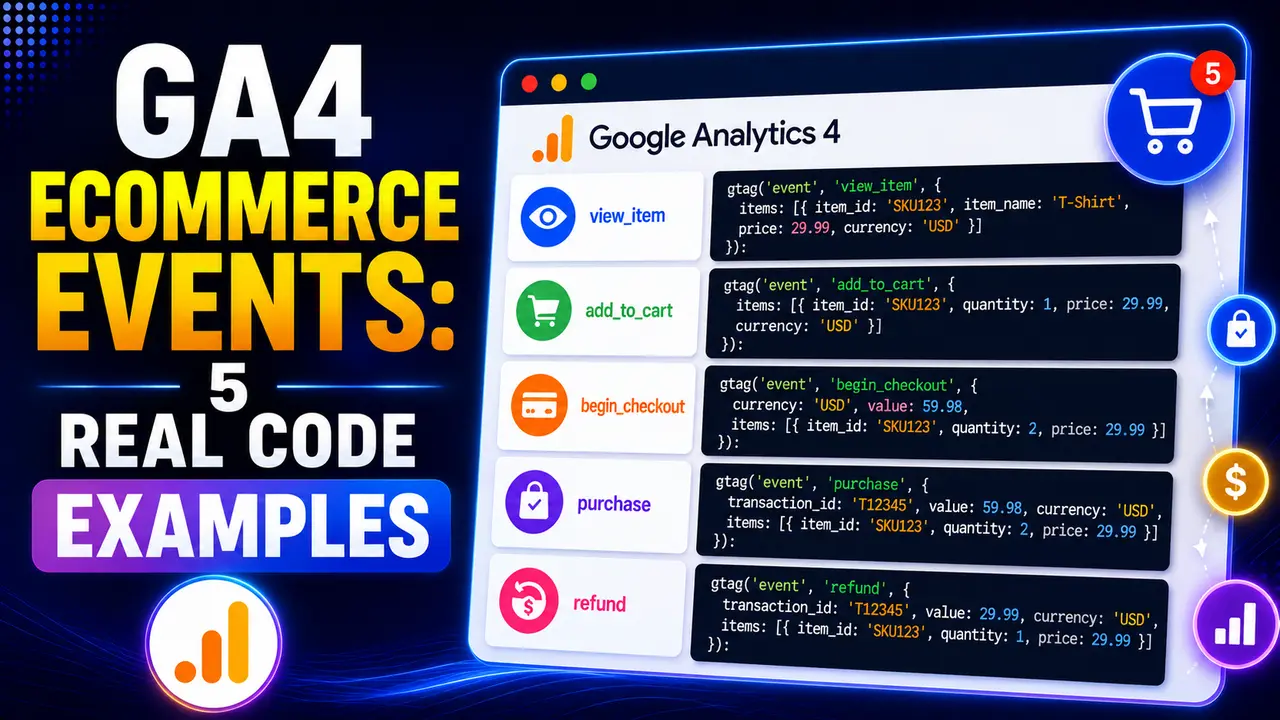
GA4 ecommerce events all share the same real shape, but small mechanical mistakes, string values, missing currency, an uncleared ecommerce object, quietly break revenue reporting. Here's each one proven with real code.
Hey there! If you've ever copied an ecommerce tracking snippet from one tutorial and had half your revenue reporting come out wrong, this one's about getting the actual structure right from real, current examples.
GA4 ecommerce events all share the same real underlying shape, an event name plus a currency, a value, and an items array, but the small details inside that shape are exactly where implementations quietly break. This guide walks through real, current code for every stage of a purchase funnel, plus the specific mechanical mistakes that cause revenue to go missing or get double counted.
What Are the Standard GA4 Ecommerce Events?
Per Google's own ecommerce measurement reference, GA4 recognizes 14 standard event names covering the full path from browsing to purchase: view_item_list, select_item, view_item, add_to_wishlist, add_to_cart, view_cart, remove_from_cart, begin_checkout, add_shipping_info, add_payment_info, purchase, refund, view_promotion, and select_promotion.
Every one of these GA4 ecommerce events shares the same real skeleton: an event name, an optional currency and value at the top level, and an items array describing what the event actually applies to. Google's own setup guide covers the configuration inside your GA4 account; this guide focuses on getting the actual event code itself right.
The examples below all assume a standard setup that runs directly in the browser. A site tagging through a real server container forwards the same event structure along, and one real case study from Stape covers exactly the kind of purchase data loss that can happen along that extra hop, so everything covered here about currency, value, and the items array matters there too, not just on a setup that runs entirely in the browser.
Not every one of the 14 needs its own dedicated code example here. select_item and view_item_list both apply to a real listing page rather than a single product, adding a item_list_id and item_list_name to the same familiar structure, while view_promotion and select_promotion follow the identical shape again for a real banner or featured placement rather than a catalog item. add_to_wishlist, similarly, is just add_to_cart's own structure applied to a save for later action instead of a cart addition.
Sticking to these exact standard names matters more than it might seem. GA4's own ecommerce reports, the purchase funnel visualization, and the automatic revenue metrics all key off these real, specific event names, not just any custom event that happens to look similar. A custom event named product_added instead of the real add_to_cart simply won't populate the reports GA4 builds automatically around carts, no matter how correctly structured its own items array is.
Tip
New to Tag Manager itself? Our beginner's guide to GTM covers containers and workspaces before you get here.
GA4 Ecommerce Event Examples: Browsing to Cart
Here's real, current code straight from Google's own reference for the browsing stage, trimmed to the fields that matter most, with the full item schema covered in the section below.
gtag('event', 'view_item', {
  currency: 'USD',
  value: 30.03,
  items: [{
    item_id: 'SKU_12345',
    item_name: 'Stan and Friends Tee',
    item_category: 'Apparel',
    price: 10.01,
    quantity: 3
  }]
});gtag('event', 'add_to_cart', {
currency: 'USD',
value: 30.03,
items: [{
item_id: 'SKU_12345',
item_name: 'Stan and Friends Tee',
price: 10.01,
quantity: 3
}]
});gtag('event', 'view_cart', {
currency: 'USD',
value: 30.03,
items: [{
item_id: 'SKU_12345',
item_name: 'Stan and Friends Tee',
price: 10.01,
quantity: 3
}]
});Notice view_item, add_to_cart, and view_cart here all carry the exact same product at the exact same price, which is expected and correct: the same item legitimately appears across several different GA4 ecommerce events as a visitor moves through a real session, each one just marking a different real step along the way.
GA4 Ecommerce Event Examples: Checkout to Purchase
The checkout stage introduces a coupon field set at the event level alongside the same items structure, and the real purchase event adds a required transaction_id, per Google's own reference.
gtag('event', 'begin_checkout', {
  currency: 'USD',
  value: 30.03,
  coupon: 'SUMMER_FUN',
  items: [{
    item_id: 'SKU_12345',
    item_name: 'Stan and Friends Tee',
    price: 10.01,
    quantity: 3
  }]
});gtag('event', 'purchase', {
transaction_id: 'T_12345',
value: 72.05,
currency: 'USD',
items: [{
item_id: 'SKU_12345',
item_name: 'Stan and Friends Tee',
price: 10.01,
quantity: 3
}]
});Skip transaction_id on a real purchase event and GA4 loses the one field it needs to recognize that order as a duplicate if the same event ever fires twice, a real and common risk on a page that can be refreshed after checkout completes.
Two more real GA4 ecommerce events belong in this same checkout stage: add_shipping_info and add_payment_info. Both follow the identical real shape shown above, currency, value, and an items array, just marking two more specific steps a visitor passes through between starting checkout and actually completing the purchase.
The Items Array: Required Fields and Real Limits
Per Google's own reference, the items array supports up to 27 real optional parameters per item beyond the core fields, things like item_brand, item_variant, up to five hierarchical item_category levels, affiliation, discount, and location_id, but the hard requirement underneath all of that is simpler: every item needs at least an item_id or an item_name, or GA4 has nothing to actually attribute the revenue to.
There's a real hard ceiling too: the items array can hold at most 200 elements per event, a real limit worth knowing before building GA4 ecommerce events around a catalog page with an unusually large product set. Here's both real rules proven with actual validation code rather than just the documentation's word for it.
validateEcommerceEvent({ value: 10, currency: 'USD',
  items: [{ price: 10.01, quantity: 1 }] })
// -> invalid, item missing both item_id and item_name

validateEcommerceEvent({ value: 10, currency: 'USD',
  items: Array(201).fill({ item_id: 'SKU_1' }) })
// -> invalid, 201 items exceeds the real 200 element limitA missing item_name is more forgiving than it looks as long as item_id is present, since GA4 can still attribute revenue by ID alone, but most real reports in the interface display far better with a real, readable name attached.
For a full working reference beyond the trimmed examples here, Measurelab's own open source ecommerce data layer guide on GitHub covers every one of the 14 real event types with complete, uncut item objects.
The five hierarchical category fields, item_category through item_category5, are worth using deliberately rather than skipping past. A real catalog with genuine subcategories, Apparel, then Shirts, then Short Sleeve, gets meaningfully more useful GA4 ecommerce events reporting out of that structure than one flat category field ever could, since each level becomes its own real, filterable dimension in the interface.
The Value and Currency Rule Most Implementations Get Wrong
Per Google's own reference, set currency at the event level whenever value is present, since that's the field GA4's standard reporting actually relies on to interpret revenue correctly. A value with no currency attached is a real, common gap, especially on a site that only ever sells in one currency and assumes GA4 will infer it.
The other real trap is a plain type mismatch: a value pulled straight from an HTML form field or a template string is a real JavaScript string, not a number, and GA4 does not coerce it automatically. Here's that exact case proven with real code.
validateEcommerceEvent({ value: '72.05', currency: 'USD',
  items: [{ item_id: 'SKU_12345' }] })
// -> invalid, value must be a number, not a string

validateEcommerceEvent({ value: 72.05, currency: 'USD',
  items: [{ item_id: 'SKU_12345' }] })
// -> valid, real number type
The fix is a real, explicit parseFloat() or Number() conversion wherever a value gets pulled from a form field, a template, or a data attribute, right before it goes into the GA4 ecommerce events object.
Locale formatting adds a second real wrinkle worth watching for. A price rendered on the page as "1.234,56" for a European locale is a genuinely different number than 1234.56 if it gets passed straight through without accounting for the comma and period being swapped, silently sending a value roughly a thousand times too small.
The Real Reason to Clear the Ecommerce Object Between Events
This is the single most damaging real gotcha in this guide. Google Tag Manager's own Data Layer Variable, in its default version, merges every ecommerce push into one running object rather than replacing it. One independent implementation guide's own writeup describes this directly as a recursive merge, and it's the real reason stale fields from an earlier event can quietly attach themselves to a completely unrelated later one.
Here's that exact leak proven against a real, faithful reproduction of that merge behavior in an actual browser: a real purchase event's transaction_id leaking forward into an unrelated view_item event that never should have carried one.

No clearing between events: a stale transaction_id from the purchase leaks straight into view_item.

A real ecommerce: null push between events resets the object cleanly.
Simo Ahava's own real explanation of this same underlying mechanism confirms it isn't specific to ecommerce: any data layer value persists in GTM's own model until it's explicitly overwritten or the page reloads, which is exactly why an independent GTM implementation guide and Analytics Mania's own dataLayer.push() guide both land on the same real fix: push { ecommerce: null } immediately before every new ecommerce event.
Common Pitfalls With GA4 Ecommerce Events
ecommerce: null before every new event, exactly as proven above.refund with the same transaction_id keeps returns visible in reporting instead of leaving revenue looking permanently higher than it really was.Once these GA4 ecommerce events are in place, don't assume the code is correct just because nothing threw an error. A real JavaScript error and a silently missing parameter look identical from the outside, both leave the console clean, so confirm each event directly, one at a time, inside a real debugging session before trusting the numbers a report later shows.
For the merge mechanics and duplicate firing issues behind several of these, the GTM data layer guide and common GTM mistakes that break your tracking are worth reading alongside this one. And once GA4 ecommerce events are firing cleanly, GTM preview mode is exactly where you'd confirm each one, event by event.
Fourteen real event names covering browsing through purchase and refund, from view_item_list and view_item through add_to_cart, begin_checkout, purchase, and refund.
No, only one of the two is required, though including both gives you cleaner, more readable reports in the GA4 interface itself.
GTM's default Data Layer Variable merges ecommerce pushes together rather than replacing them, so a field from one event can leak into the next one unless it's explicitly cleared first.
Two common real causes: value sent as a string instead of a number, or currency missing from the same event entirely.
Up to 200 real items per event, per Google's own documented limit.
Learn Today
GA4 Ecommerce Events
Fourteen standard event names covering the full path from browsing to purchase.
Items Array
The list of real products an ecommerce event applies to, up to 200 per event.
transaction_id
The unique identifier a purchase event needs to avoid being counted twice.
ecommerce: null
A reset push that clears the previous ecommerce object before the next event.
Recursive Merge
GTM's default behavior of combining ecommerce pushes rather than replacing them.
Value Type Mismatch
Sending a numeric value as a string, a real and common cause of missing revenue data.
Ready to Build Cleaner Tracking?
Explore more Brandella Journal guides on tracking, analytics, and tag management.