

- Home
- SEODiscover the latest updates from across the United States, including politics, culture, economy, and trending stories. Stay informed on the key events shaping the nation and the topics everyone’s talking about.
- Technical SEOLearn technical SEO concepts including crawling, indexing, XML sitemaps, robots.txt, canonical tags, site architecture, and website performance.
- Local SEOOptimize your business for local seo with Google Business Profile, local citations, reviews, maps, and location-based SEO.
- Mobile SEOImprove your website’s mobile seo performance with responsive design, mobile-first indexing, usability, and page speed optimization.
- On-Page SEOExplore on-page seo optimization techniques such as title tags, meta descriptions, headings, URLs, internal linking, and content optimization.
- Off-Page SEODiscover off-page SEO strategies such as backlinks, digital PR, brand mentions, outreach, and authority building.
- SEO ToolsExplore the best SEO tools for keyword research, technical audits, backlink analysis, rank tracking, and website optimization.
- Core Web VitalsLearn how to improve Core Web Vitals including LCP, INP, CLS, page speed, and overall user experience for better rankings.
- Keyword ResearchLearn how to find profitable keywords, analyze search intent, evaluate competition, and build effective keyword strategies.
- Link BuildingMaster ethical link building techniques, backlink analysis, outreach methods, guest posting, and authority growth strategies.
- Google Search ConsoleLearn how to use Google Search Console to monitor indexing, fix errors, analyze search performance, and improve SEO.
- SEO BasicsLearn the fundamentals of search engine optimization (SEO Basics), including how search engines work, SEO terminology, and beginner-friendly best practices.
- Paid Media
- Display AdvertisingLearn display advertising strategies, banner ads, audience targeting, remarketing, Google Display campaigns, and optimization techniques.
- Google AdsLearn Google Ads strategies, campaign setup, bidding, keywords, Performance Max, Search Ads, and optimization techniques.
- LinkedIn AdsLearn LinkedIn Ads strategies for B2B marketing, lead generation, audience targeting, campaign optimization, and paid social advertising.
- Meta AdsLearn Meta Ads strategies for Facebook and Instagram, including campaign setup, targeting, retargeting, and performance optimization.
- Paid Media AnalyticsLearn paid media analytics, including CPC, CTR, CPA, ROAS, conversion tracking, attribution, reporting, and campaign performance analysis.
- PPC StrategyLearn effective PPC strategies, campaign planning, bidding, keyword targeting, landing pages, conversion optimization, and more.
- ContentTransform your living spaces with inspiration, tips, and trends in interior design. From minimalist decor to bold statements, find ideas for every style and budget.
- Social
- Digital MarketingExplore stories and advice on living your best life. From personal growth to entertainment, dive into the latest in lifestyle trends and inspiration.
- Artificial IntelligenceStay informed about health and wellness with expert advice, fitness tips, and the latest medical breakthroughs. Your guide to a healthier and happier life.
- DevelopmentYou will find development related educational articles
- GTMLearn Google Tag Manager (GTM) with practical guides for tags, triggers, variables, tracking, conversions, and website analytics implementation.
- HTMLLearn HTML with simple tutorials, examples, tags, elements, attributes, and best practices for building modern web pages.
- HTML CSSLearn HTML CSS together with practical tutorials, examples, layouts, styling techniques, responsive design, and modern web development practices.
- HTML JSLearn HTML JS – JavaScript with practical tutorials and examples for adding interactivity, dynamic content, events, and functionality to web pages.
- JavaScriptExplore JavaScript tutorials, examples, concepts, and practical techniques for creating interactive and dynamic websites and web applications.
- PHPLearn PHP programming with practical tutorials, examples, functions, syntax, and web development techniques for beginners and developers.
- PythonLearn Python programming with practical tutorials, examples, syntax, functions, automation techniques, and useful programming concepts.
- Home
- SEODiscover the latest updates from across the United States, including politics, culture, economy, and trending stories. Stay informed on the key events shaping the nation and the topics everyone’s talking about.
- Technical SEOLearn technical SEO concepts including crawling, indexing, XML sitemaps, robots.txt, canonical tags, site architecture, and website performance.
- Local SEOOptimize your business for local seo with Google Business Profile, local citations, reviews, maps, and location-based SEO.
- Mobile SEOImprove your website’s mobile seo performance with responsive design, mobile-first indexing, usability, and page speed optimization.
- On-Page SEOExplore on-page seo optimization techniques such as title tags, meta descriptions, headings, URLs, internal linking, and content optimization.
- Off-Page SEODiscover off-page SEO strategies such as backlinks, digital PR, brand mentions, outreach, and authority building.
- SEO ToolsExplore the best SEO tools for keyword research, technical audits, backlink analysis, rank tracking, and website optimization.
- Core Web VitalsLearn how to improve Core Web Vitals including LCP, INP, CLS, page speed, and overall user experience for better rankings.
- Keyword ResearchLearn how to find profitable keywords, analyze search intent, evaluate competition, and build effective keyword strategies.
- Link BuildingMaster ethical link building techniques, backlink analysis, outreach methods, guest posting, and authority growth strategies.
- Google Search ConsoleLearn how to use Google Search Console to monitor indexing, fix errors, analyze search performance, and improve SEO.
- SEO BasicsLearn the fundamentals of search engine optimization (SEO Basics), including how search engines work, SEO terminology, and beginner-friendly best practices.
- Paid Media
- Display AdvertisingLearn display advertising strategies, banner ads, audience targeting, remarketing, Google Display campaigns, and optimization techniques.
- Google AdsLearn Google Ads strategies, campaign setup, bidding, keywords, Performance Max, Search Ads, and optimization techniques.
- LinkedIn AdsLearn LinkedIn Ads strategies for B2B marketing, lead generation, audience targeting, campaign optimization, and paid social advertising.
- Meta AdsLearn Meta Ads strategies for Facebook and Instagram, including campaign setup, targeting, retargeting, and performance optimization.
- Paid Media AnalyticsLearn paid media analytics, including CPC, CTR, CPA, ROAS, conversion tracking, attribution, reporting, and campaign performance analysis.
- PPC StrategyLearn effective PPC strategies, campaign planning, bidding, keyword targeting, landing pages, conversion optimization, and more.
- ContentTransform your living spaces with inspiration, tips, and trends in interior design. From minimalist decor to bold statements, find ideas for every style and budget.
- Social
- Digital MarketingExplore stories and advice on living your best life. From personal growth to entertainment, dive into the latest in lifestyle trends and inspiration.
- Artificial IntelligenceStay informed about health and wellness with expert advice, fitness tips, and the latest medical breakthroughs. Your guide to a healthier and happier life.
- DevelopmentYou will find development related educational articles
- GTMLearn Google Tag Manager (GTM) with practical guides for tags, triggers, variables, tracking, conversions, and website analytics implementation.
- HTMLLearn HTML with simple tutorials, examples, tags, elements, attributes, and best practices for building modern web pages.
- HTML CSSLearn HTML CSS together with practical tutorials, examples, layouts, styling techniques, responsive design, and modern web development practices.
- HTML JSLearn HTML JS – JavaScript with practical tutorials and examples for adding interactivity, dynamic content, events, and functionality to web pages.
- JavaScriptExplore JavaScript tutorials, examples, concepts, and practical techniques for creating interactive and dynamic websites and web applications.
- PHPLearn PHP programming with practical tutorials, examples, functions, syntax, and web development techniques for beginners and developers.
- PythonLearn Python programming with practical tutorials, examples, syntax, functions, automation techniques, and useful programming concepts.
Now Reading: How to Optimize Performance Max Campaign Step by Step
-
01
How to Optimize Performance Max Campaign Step by Step
- Home//
- SEO//Discover the latest updates from across the United States, including politics, culture, economy, and trending stories. Stay informed on the key events shaping the nation and the topics everyone’s talking about.
- Technical SEO//Learn technical SEO concepts including crawling, indexing, XML sitemaps, robots.txt, canonical tags, site architecture, and website performance.
- Local SEO//Optimize your business for local seo with Google Business Profile, local citations, reviews, maps, and location-based SEO.
- Mobile SEO//Improve your website’s mobile seo performance with responsive design, mobile-first indexing, usability, and page speed optimization.
- On-Page SEO//Explore on-page seo optimization techniques such as title tags, meta descriptions, headings, URLs, internal linking, and content optimization.
- Off-Page SEO//Discover off-page SEO strategies such as backlinks, digital PR, brand mentions, outreach, and authority building.
- SEO Tools//Explore the best SEO tools for keyword research, technical audits, backlink analysis, rank tracking, and website optimization.
- Core Web Vitals//Learn how to improve Core Web Vitals including LCP, INP, CLS, page speed, and overall user experience for better rankings.
- Keyword Research//Learn how to find profitable keywords, analyze search intent, evaluate competition, and build effective keyword strategies.
- Link Building//Master ethical link building techniques, backlink analysis, outreach methods, guest posting, and authority growth strategies.
- Google Search Console//Learn how to use Google Search Console to monitor indexing, fix errors, analyze search performance, and improve SEO.
- SEO Basics//Learn the fundamentals of search engine optimization (SEO Basics), including how search engines work, SEO terminology, and beginner-friendly best practices.
- Paid Media//
- Display Advertising//Learn display advertising strategies, banner ads, audience targeting, remarketing, Google Display campaigns, and optimization techniques.
- Google Ads//Learn Google Ads strategies, campaign setup, bidding, keywords, Performance Max, Search Ads, and optimization techniques.
- LinkedIn Ads//Learn LinkedIn Ads strategies for B2B marketing, lead generation, audience targeting, campaign optimization, and paid social advertising.
- Meta Ads//Learn Meta Ads strategies for Facebook and Instagram, including campaign setup, targeting, retargeting, and performance optimization.
- Paid Media Analytics//Learn paid media analytics, including CPC, CTR, CPA, ROAS, conversion tracking, attribution, reporting, and campaign performance analysis.
- PPC Strategy//Learn effective PPC strategies, campaign planning, bidding, keyword targeting, landing pages, conversion optimization, and more.
- Content//Transform your living spaces with inspiration, tips, and trends in interior design. From minimalist decor to bold statements, find ideas for every style and budget.
- Social//
- Digital Marketing//Explore stories and advice on living your best life. From personal growth to entertainment, dive into the latest in lifestyle trends and inspiration.
- Artificial Intelligence//Stay informed about health and wellness with expert advice, fitness tips, and the latest medical breakthroughs. Your guide to a healthier and happier life.
- Development//You will find development related educational articles
- GTM//Learn Google Tag Manager (GTM) with practical guides for tags, triggers, variables, tracking, conversions, and website analytics implementation.
- HTML//Learn HTML with simple tutorials, examples, tags, elements, attributes, and best practices for building modern web pages.
- HTML CSS//Learn HTML CSS together with practical tutorials, examples, layouts, styling techniques, responsive design, and modern web development practices.
- HTML JS//Learn HTML JS – JavaScript with practical tutorials and examples for adding interactivity, dynamic content, events, and functionality to web pages.
- JavaScript//Explore JavaScript tutorials, examples, concepts, and practical techniques for creating interactive and dynamic websites and web applications.
- PHP//Learn PHP programming with practical tutorials, examples, functions, syntax, and web development techniques for beginners and developers.
- Python//Learn Python programming with practical tutorials, examples, syntax, functions, automation techniques, and useful programming concepts.
- Home
- Paid Media
- Google Ads
- How to Optimize Performance Max Campaign Step by Step
How to Optimize Performance Max Campaign Step by Step

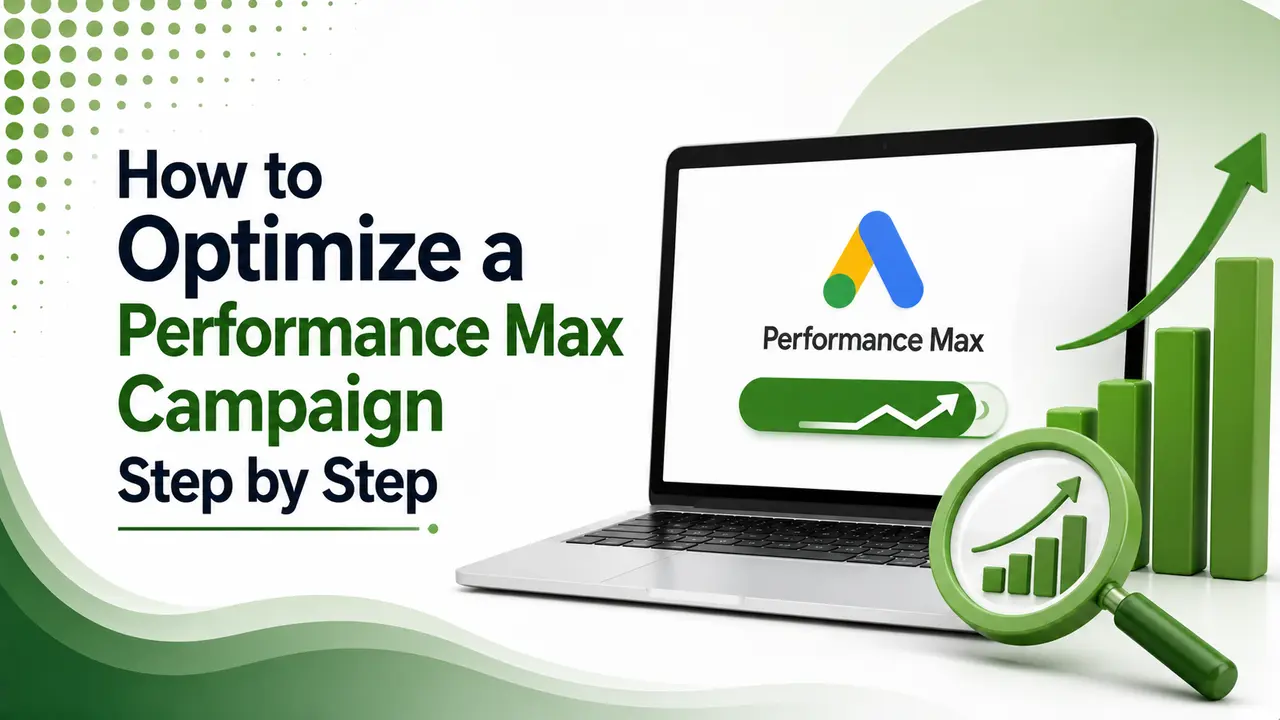
Optimizing Performance Max isn't fighting the algorithm, it's feeding it the right inputs in the right order. Here's the exact 7-step sequence.
Table of Contents
ToggleOptimizing Performance Max campaign isn't about fighting the algorithm. It's about feeding it the right inputs, in the right order.
Optimize Performance Max Campaign
Most PMax campaigns fail for the same reason. Not bad automation. Bad inputs.
Weak conversion tracking. Thin creative. Targets set too early. Fix the inputs, and the algorithm usually does the rest.
Here's the step-by-step process, in the order it actually matters.
01Step 1: Fix Conversion Tracking First
This step comes before anything else. StackMatix's guide is direct about why: PMax optimizes exclusively toward whatever conversion action you tell it to.
Feed it a weak signal, like a page view, and it'll happily chase page views. Not sales. This is also where value based bidding starts paying off, once your goal actually reflects revenue.
Yellow Jack Media's 2026 guide recommends picking one primary goal. Purchases. Qualified leads. Calls over 60 seconds.
Demote everything else to secondary. A clean signal helps the AI exit its learning phase faster.
02Step 2: Load Real Creative Assets
Surfside PPC's guide puts it bluntly: PMax with two images and no video runs at a fraction of its potential.
Google assigns each asset a rating. Low, Good, or Best.
- Replace "Low" rated assets, they're actively pulling your quality down.
- Study your "Best" rated assets. Use what works to guide new creative.
- Include both images and video. Video-only or image-only setups limit reach.
03Step 3: Choose the Right Starting Bid Strategy
Don't set a target CPA or ROAS on day one. That's the single most common mistake.
JumpFly's guide is specific here. Start with Maximize Conversions, or Maximize Conversion Value without a strict target.
Let the campaign gather two to three weeks of data first. Then introduce a target once volume looks stable.
Channable's guide adds a number worth remembering. Wait for 30 to 50 conversions before tightening anything.
04Step 4: Structure Your Asset Groups Properly
One mistake shows up constantly. Stuffing every product into a single asset group.
JumpFly's guide recommends themed groups instead. Split by category, margin, or intent.
Yellow Jack Media adds a related point on search themes. Google expanded the limit to 50 search themes per asset group in 2026, up from 25.
Use them to fill gaps your landing page or feed data might miss.
05Step 5: Add Clean Audience Signals
Modern Marketing Institute's guide places this early for a reason. Enhanced conversions should be live before you touch audience signals.
Once that's set, feed the campaign first-party data. Customer lists. Site visitors. Past purchasers.
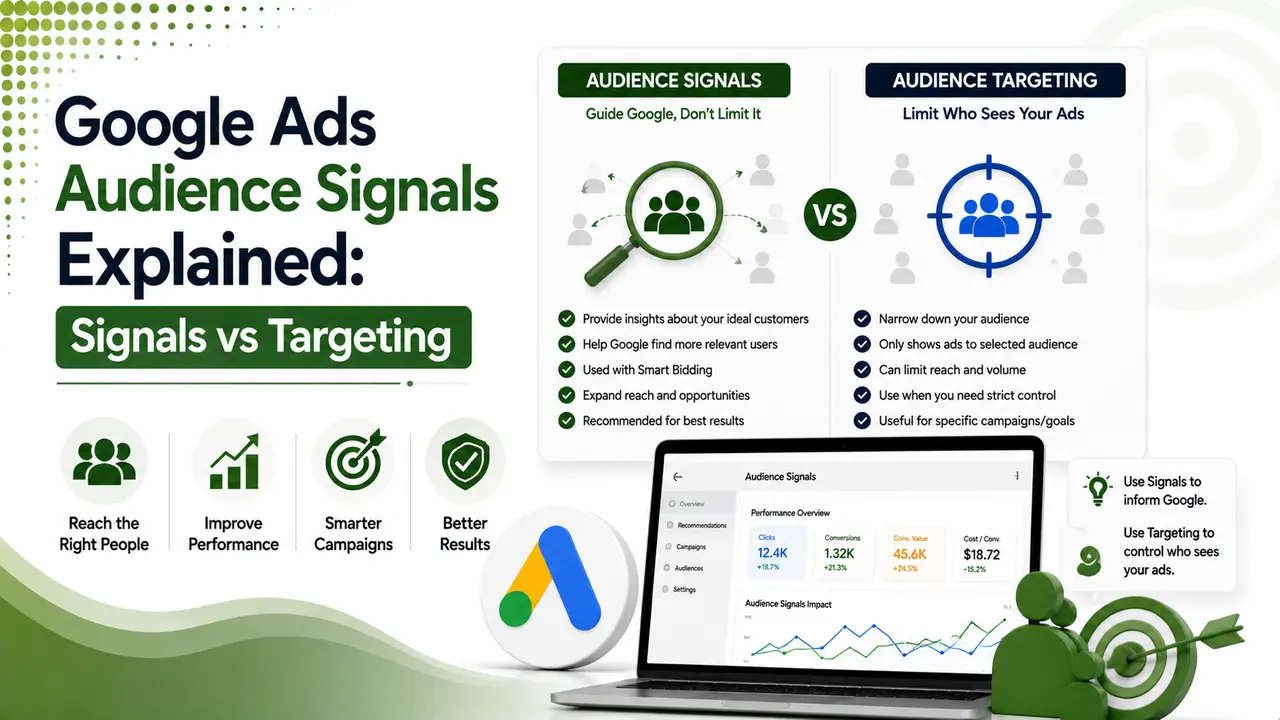
Keep signals focused per asset group. For the full breakdown of how PMax treats signals differently from Demand Gen, see our audience signals guide.
06Step 6: Let It Run for Six Weeks, Untouched
This is the hardest step for most advertisers. Doing nothing.
If you're also running a Demand Gen campaign to feed this funnel, the same patience rule applies there too, per our Demand Gen campaigns guide.
Google's official documentation is direct: run new campaigns for at least six weeks. Avoid frequent budget, bid, or status changes during that window. Frequent edits reset the learning phase and cause performance swings that look like problems but aren't.
Made a significant change to an existing campaign? Expect another one to two weeks before it re-stabilizes.
07Step 7: Review With the Right Reports
Once the learning period ends, check three things. Asset performance ratings. Placement and channel-level reporting. Search term insights.
Optmyzr's 2026 roundup quotes PPC expert Jyll Saskin Gales on where the real levers are: conversion settings, bid strategy, and assets, in that order.
Define Digital Academy's guide adds a caution worth keeping in mind. Don't sculpt PMax like it's a Search campaign. Aggressive negative keywords too early just turns it into a worse version of Search.
08Common Mistakes and Fixes
A quick reference for what usually goes wrong, and what fixes it.
| Mistake | Why It Hurts | Fix |
|---|---|---|
| Multiple conflicting conversion goals | Diluted, confused optimization signal | One primary goal, others demoted to secondary |
| Setting tCPA/tROAS on day one | Constrains delivery before AI has data | Start with Maximize Conversions, add targets later |
| All products in one asset group | Loses relevance across different product types | Split into themed, focused asset groups |
| Frequent budget/bid changes | Resets the learning phase repeatedly | Let campaigns run 6 weeks untouched |
| Thin creative (1-2 images, no video) | Limits reach and ad quality | Add multiple images and video assets |
09The Optimization Sequence
Here's the order again, as a quick reference. Tap each step.
Fix Conversions
Set one clean primary conversion goal. Assign real values. Enable enhanced conversions before anything else.
10Pre-Launch Checklist
Run through this before you hit publish.
One primary conversion goal set, with real values assigned.
Enhanced conversions enabled, if your account is eligible.
Multiple images and at least one video uploaded per asset group.
No target CPA or ROAS set for the first two to three weeks.
Asset groups split by theme, not lumped into one giant group.
11Is Your PMax Campaign Optimized?
Answer a few questions to check where your campaign stands.
Is Your PMax Campaign Optimized?
Select the option that matches your campaign
12Common Questions
Most sources agree on 30-50 conversions per month as the point where the algorithm has enough data to work with. Below that, it's still guessing.
No. Start broad with Maximize Conversions for the first two to three weeks, then add a target once volume stabilizes.
Google recommends at least six weeks for a new campaign, and one to two weeks after any major change to an existing one.
Yes, campaign-level negatives are available. But use them cautiously, over-restricting PMax turns it into a weaker version of Search.
Weak or conflicting conversion tracking. If the algorithm doesn't know what a "good" result looks like, nothing else about the optimization matters.
Related Articles
What We Learn Today
Conversion tracking clarity comes before any other optimization
Start broad on bidding, add targets only after 30-50 conversions
Themed asset groups outperform one giant catalog group
New campaigns need 6 full weeks before real judgment
Frequent budget changes quietly reset the learning phase
Don't sculpt PMax with negatives like it's a Search campaign
Build a Complete Performance Max Foundation
Optimization works best alongside solid reporting and audience strategy. Explore both guides next.
Related Posts
Previous Post
Next Post
Previous Post
Next Post





- Artificial Intelligence
- Content
- Core Web Vitals
- Development
- Digital Marketing
- Display Advertising
- Google Ads
- Google Search Console
- GTM
- HTML
- HTML CSS
- JavaScript
- Keyword Research
- Link Building
- LinkedIn Ads
- Local SEO
- Meta Ads
- Mobile SEO
- Off-Page SEO
- On-Page SEO
- Paid Media
- Paid Media Analytics
- PHP
- PPC Strategy
- Python
- SEO
- SEO Basics
- SEO Tools
- Social
- Technical SEO




